Printer 710_810 v8 High Throughput Conveyor Module.pdf - 第34页
HIGH THROUG HPUT CONVEY OR (HTC) MOD ULE REP LAC EMEN T PR OCE DURE S 17.34 Technical Reference Manual Chapter Issue 3 Oct 06 4. Fit the appropriate snugger base p late to the rear rail and secure usin g the M4 pan head …
HIGH THROUGHPUT CONVEYOR (HTC) MODULE
REPLACEMENT PROCEDURES
Chapter Issue 3 Oct 06 Technical Reference Manual 17.33
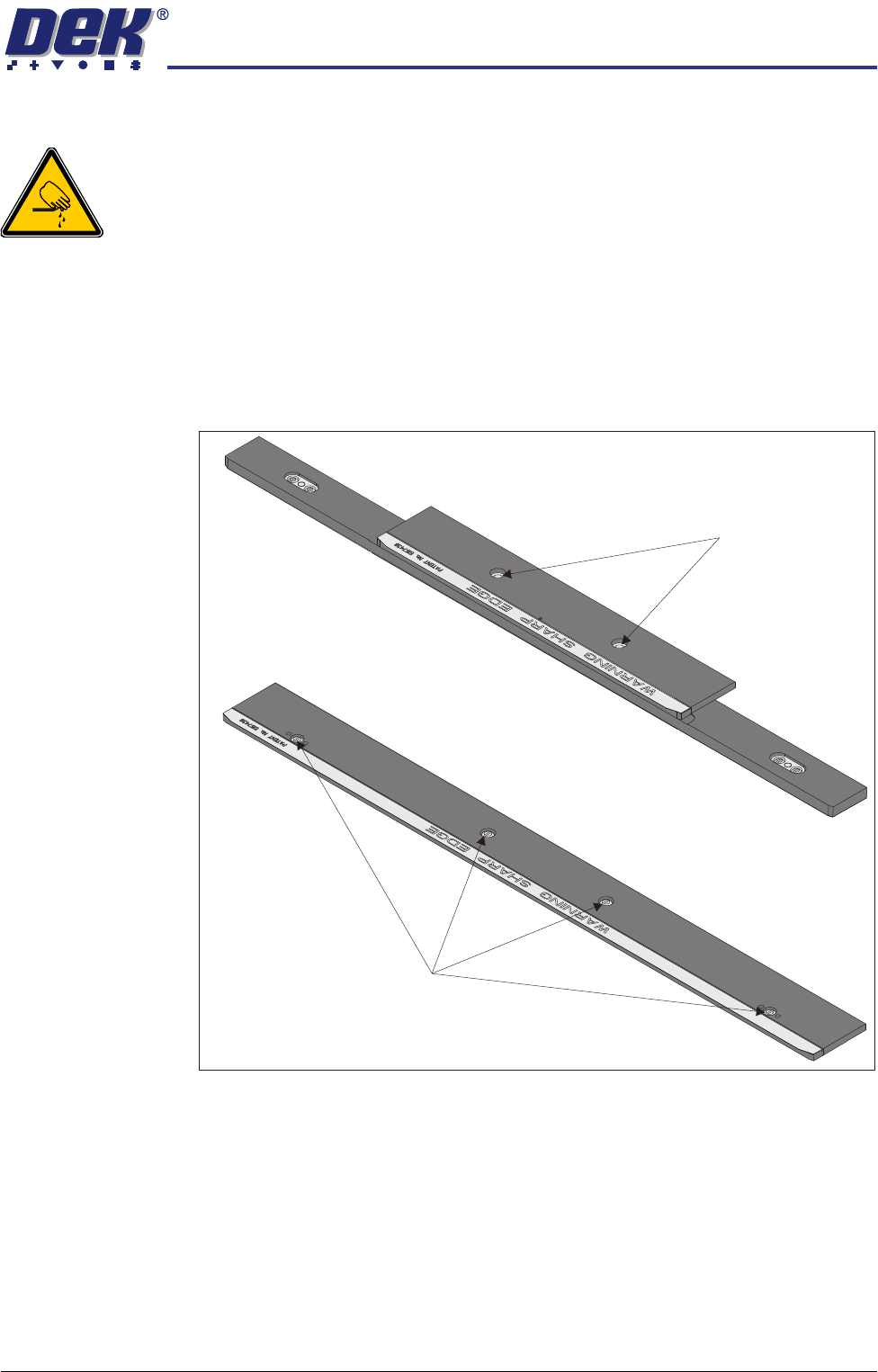
Clamps to Snuggers
WARNING
BOARD CLAMPS. EXTREME CARE MUST BE EXERCISED WHEN WORKING IN
THE TOOLING AREA OF THE MACHINE TO AVOID INJURY. THE FOILS ON THE
FRONT AND REAR BOARD CLAMPS ARE VERY SHARP.
NOTE
This procedure is valid when converting from either board clamps or foil-less
clamps.
1. Open the front printhead cover.
2. Remove the securing screws from the rear board clamp and remove the
board clamp.
3. Repeat Step 2 for the front board clamp.
500mm Board Clamp Mechanism
Board Clamp Securing Screws
250mm Board Clamp Mechanism
Board Clamp Securing Screws
HIGH THROUGHPUT CONVEYOR (HTC) MODULE
REPLACEMENT PROCEDURES
17.34 Technical Reference Manual Chapter Issue 3 Oct 06
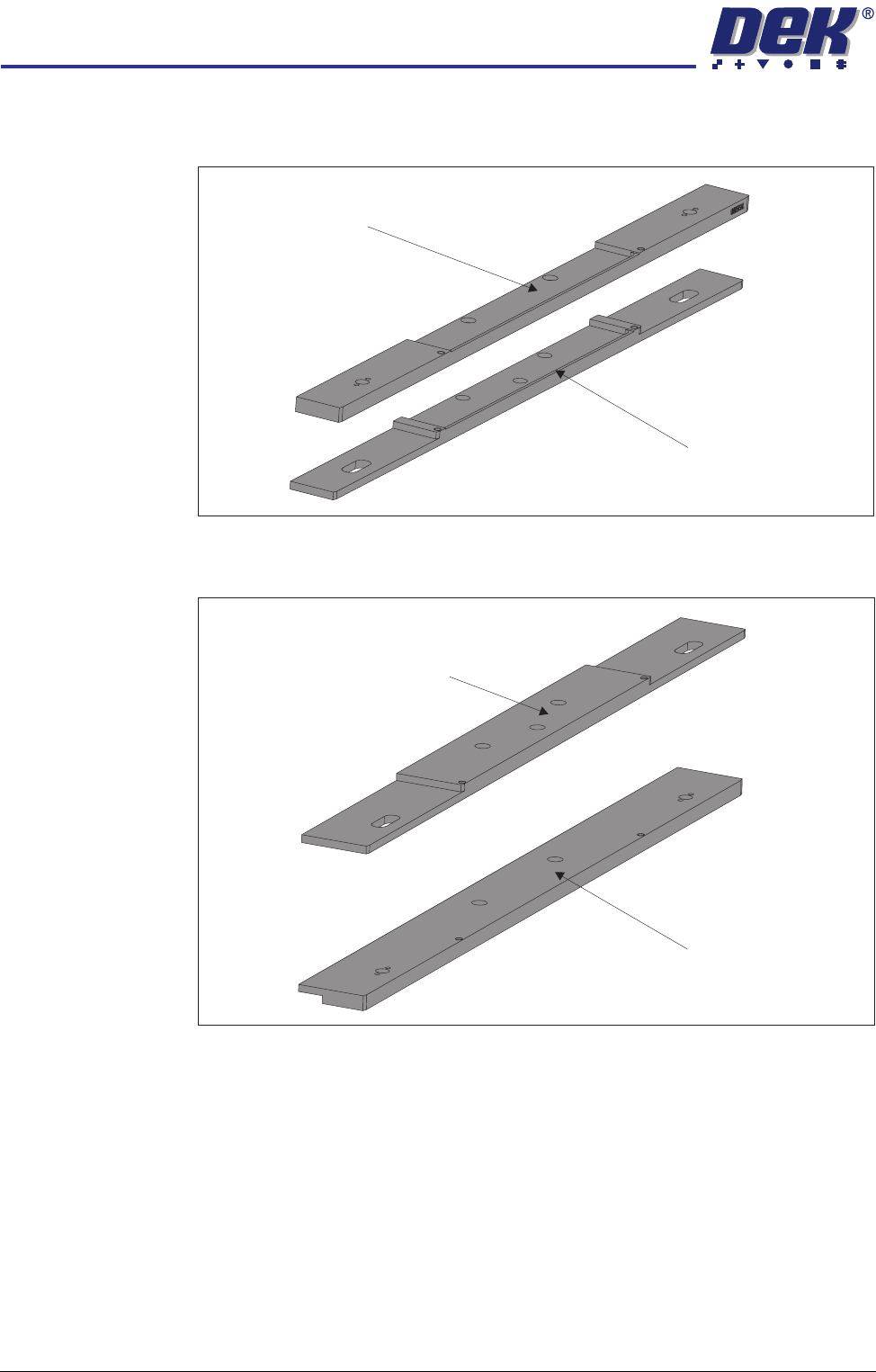
4. Fit the appropriate snugger base plate to the rear rail and secure using the
M4 pan head screws.
5. Fit the appropriate front snugger plate to the front rail and secure using the
M4 pan head screws.
Snugger Base Plate -
Fixed Width Chase
Snugger Base Plate -
Adjustable Screen Mount (ASM)
Front Snugger Plate -
Fixed Width Chase
Front Snugger Plate -
Adjustable Screen Mount (ASM)
HIGH THROUGHPUT CONVEYOR (HTC) MODULE
REPLACEMENT PROCEDURES
Chapter Issue 3 Oct 06 Technical Reference Manual 17.35
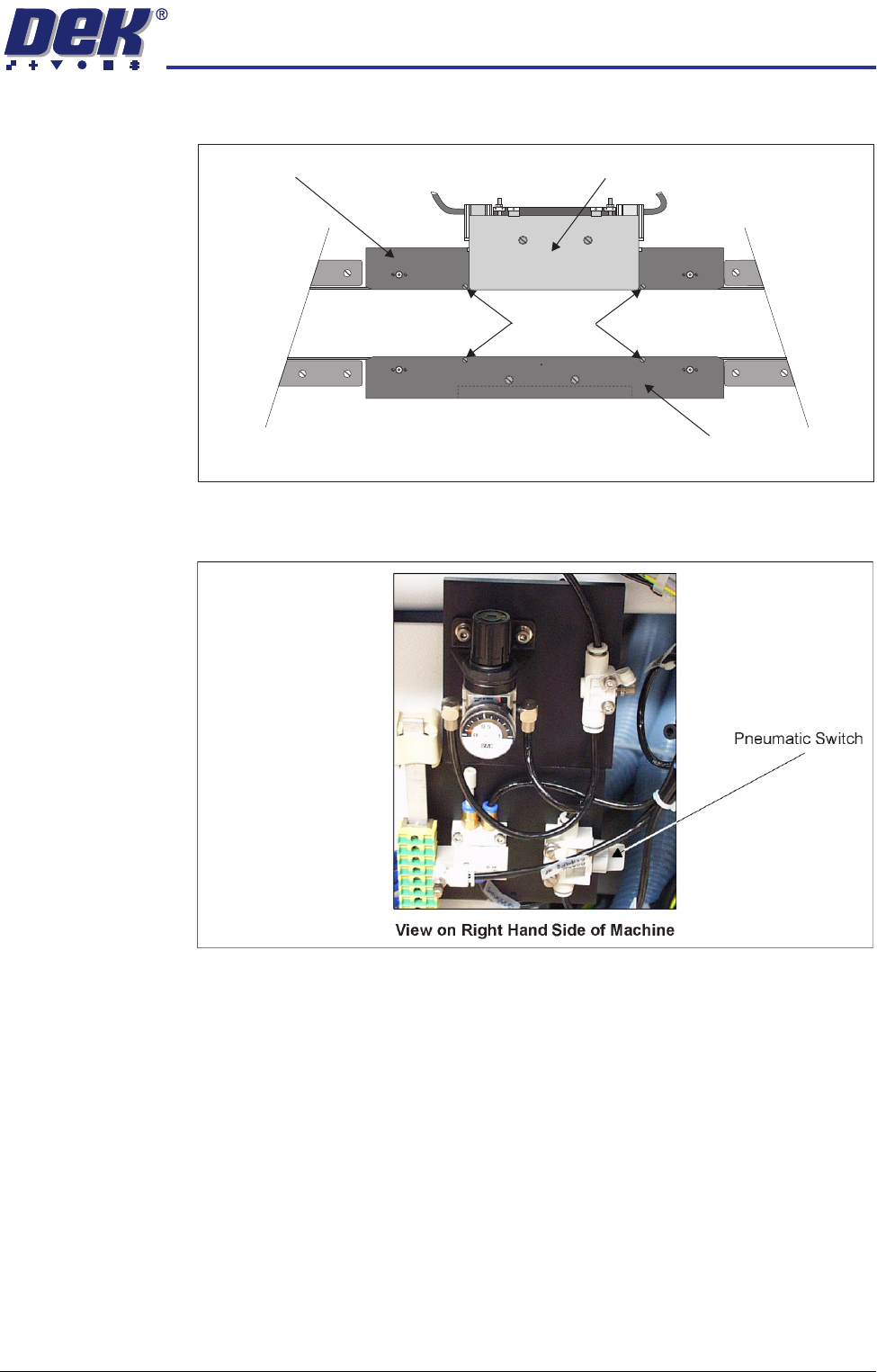
6. Fit the rear snugger plate, don’t tighten the M4 pan head securing screws.
7. Turn the pneumatic switch On, located on a magnetic plate on the right hand
side of the machine.
8. Load the product file to be printed, the rear rail moves to set the board width.
NOTE
With Auto Rail Width in Options Parameters set to Disabled the rear rail does
not set the board width during initialisation, but it can still be moved in
diagnostics.
9. Under Setup select Machine.
10. Select Basic Parameters.
11. Set Clamp Type to Snuggers.
12. Set Snugger Thickness to the thickness of the board.
13. Load a product board.
14. In Diagnostics select Rail System.
15. Select Toggle Board clamp, the rear snugger plate aligns with the board
edge.
Rear Snugger Plate
Front Snugger Plate
Downstops
Plan View of Rail System
Snugger Base Plate