1_H24维修手册.pdf - 第110页
E d i ti o n 5 .0 H 24 H ea d R e p a i r T r a i n i n g T e x t fo r S e r v i c e E n g i n e e r s R e p l a c i n g th e b a tte r y a n d r e s e tti n g th e s e r v o m o to r o r i g i n s 4. O nc e c on nec t e…
Edition 5.0 H24 Head Repair Training Text for Service Engineers
Replacing the battery and resetting the servo motor origins
9.2 Preparing for MT Reset
1. Follow the procedure in section 8.1 of this text to turn the control power ON.
9.3 MT Reset
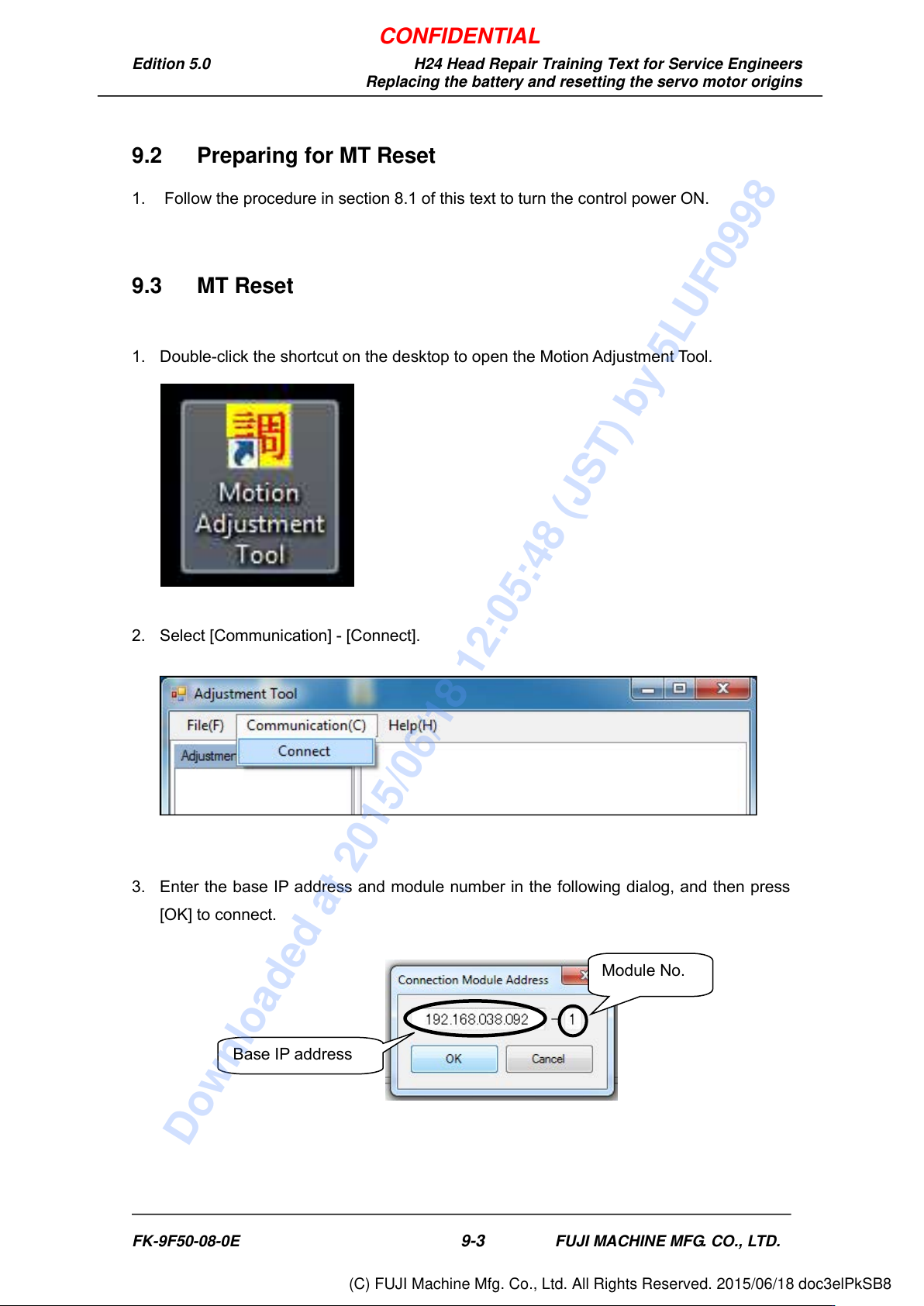
1. Double-click the shortcut on the desktop to open the Motion Adjustment Tool.
2. Select [Communication] - [Connect].
3. Enter the base IP address and module number in the following dialog, and then press
[OK] to connect.
Base IP address
Module No.
FK-9F50-08-0E
9-3
FUJI MACHINE MFG. CO., LTD.
CONFIDENTIAL
Downloaded at 2015/06/18 12:05:48 (JST) by 5LUF0998
(C) FUJI Machine Mfg. Co., Ltd. All Rights Reserved. 2015/06/18 doc3elPkSB8
Edition 5.0 H24 Head Repair Training Text for Service Engineers
Replacing the battery and resetting the servo motor origins
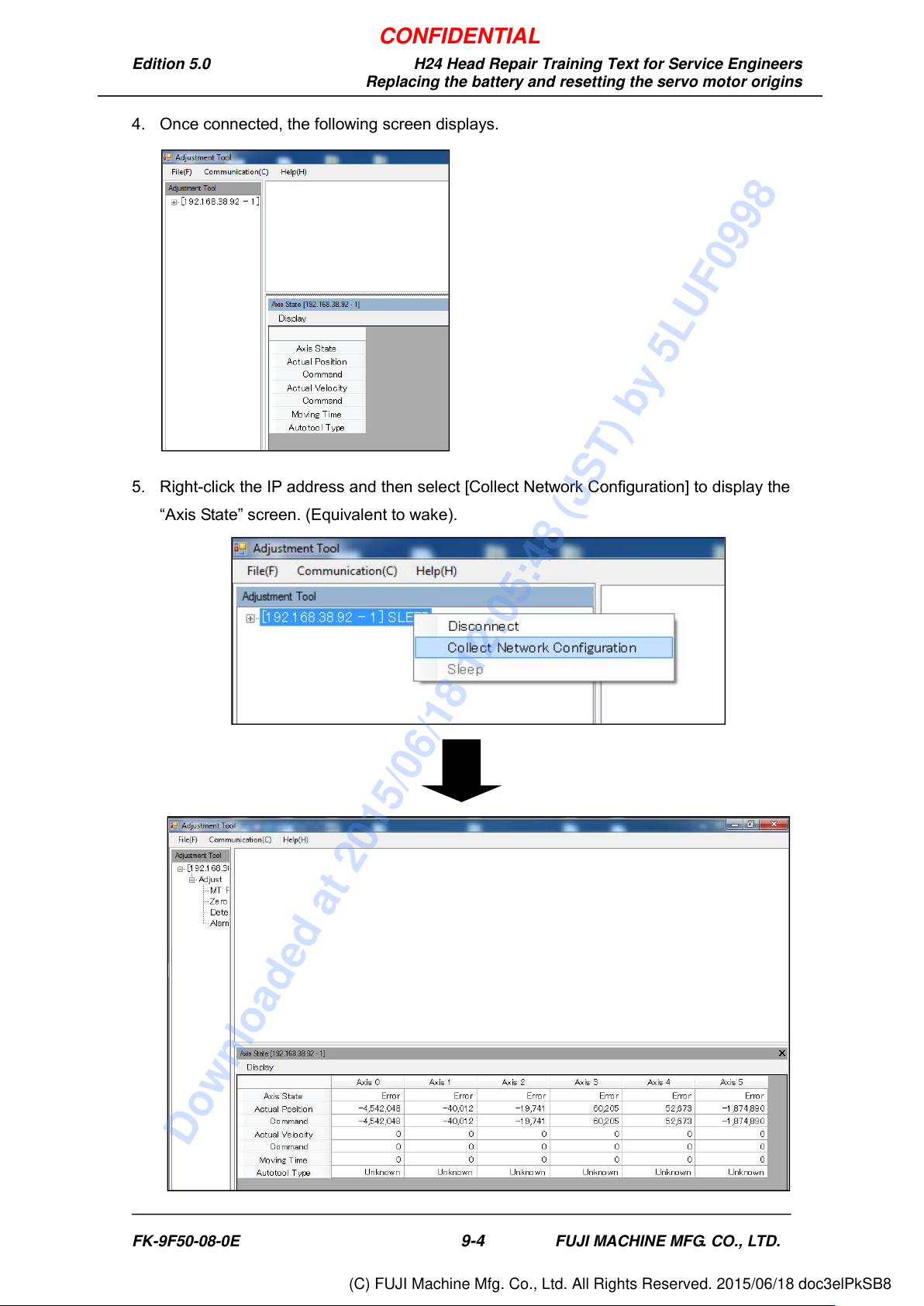
4. Once connected, the following screen displays.
5. Right-click the IP address and then select [Collect Network Configuration] to display the
“Axis State” screen. (Equivalent to wake).
FK-9F50-08-0E
9-4
FUJI MACHINE MFG. CO., LTD.
CONFIDENTIAL
Downloaded at 2015/06/18 12:05:48 (JST) by 5LUF0998
(C) FUJI Machine Mfg. Co., Ltd. All Rights Reserved. 2015/06/18 doc3elPkSB8
Edition 5.0 H24 Head Repair Training Text for Service Engineers
Replacing the battery and resetting the servo motor origins
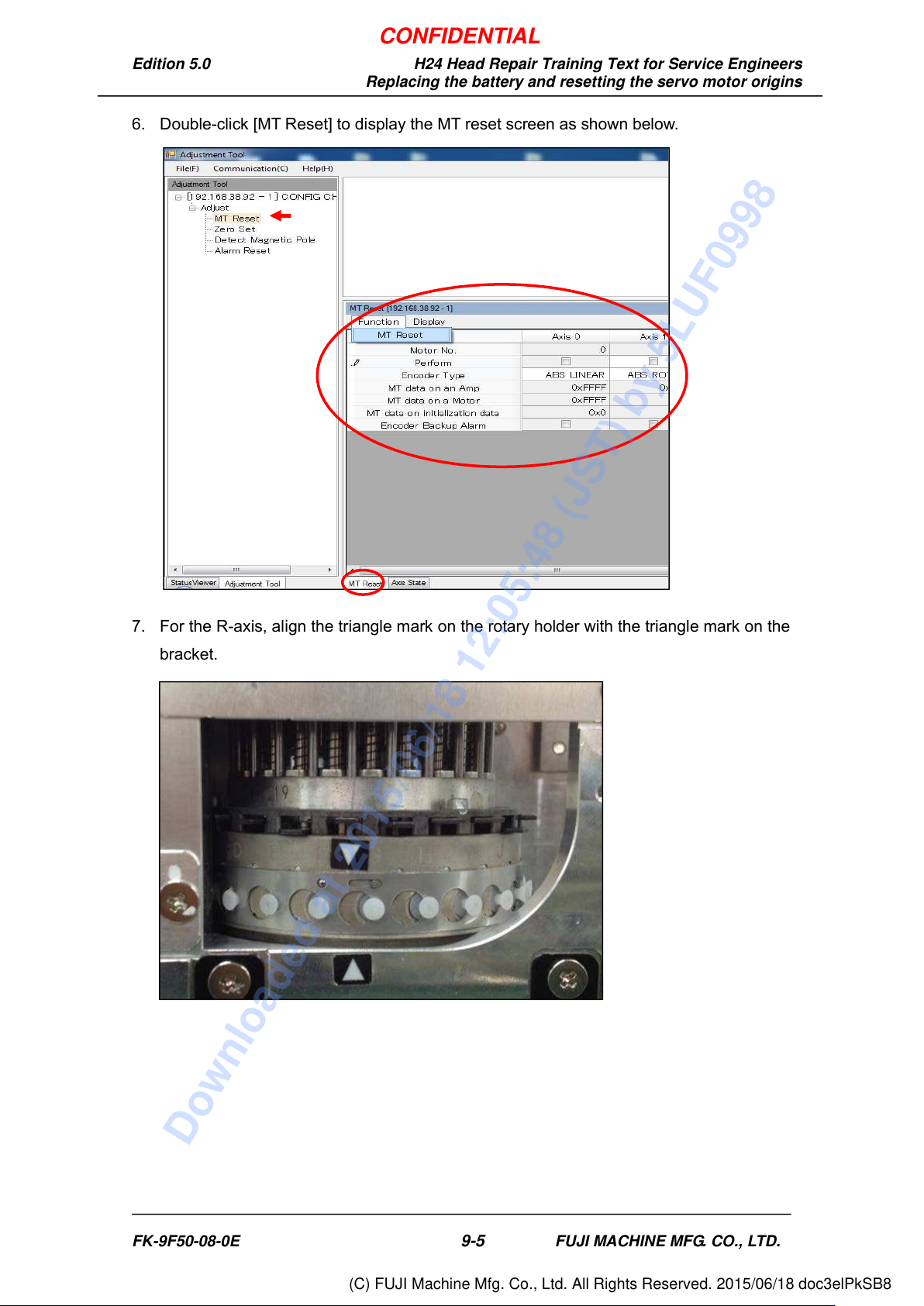
6. Double-click [MT Reset] to display the MT reset screen as shown below.
7. For the R-axis, align the triangle mark on the rotary holder with the triangle mark on the
bracket.
FK-9F50-08-0E
9-5
FUJI MACHINE MFG. CO., LTD.
CONFIDENTIAL
Downloaded at 2015/06/18 12:05:48 (JST) by 5LUF0998
(C) FUJI Machine Mfg. Co., Ltd. All Rights Reserved. 2015/06/18 doc3elPkSB8