1_H24维修手册.pdf - 第120页
E d it io n 5 .0 H 24 H ead R ep ai r T r ai n i n g T ext f o r S er vi ce E n g i n e e r Pro p e r D at a M e asu r em en t 10 .1 I ns t a l l i ng t h e He a d P r ope r Da t a M e a s ur e m e nt T ool 1. O pen t he…
Edition 5.0 H24 Head Repair Training Text for Service Engineer
Proper Data Measurement
Chapter 10 - Proper Data Measurement
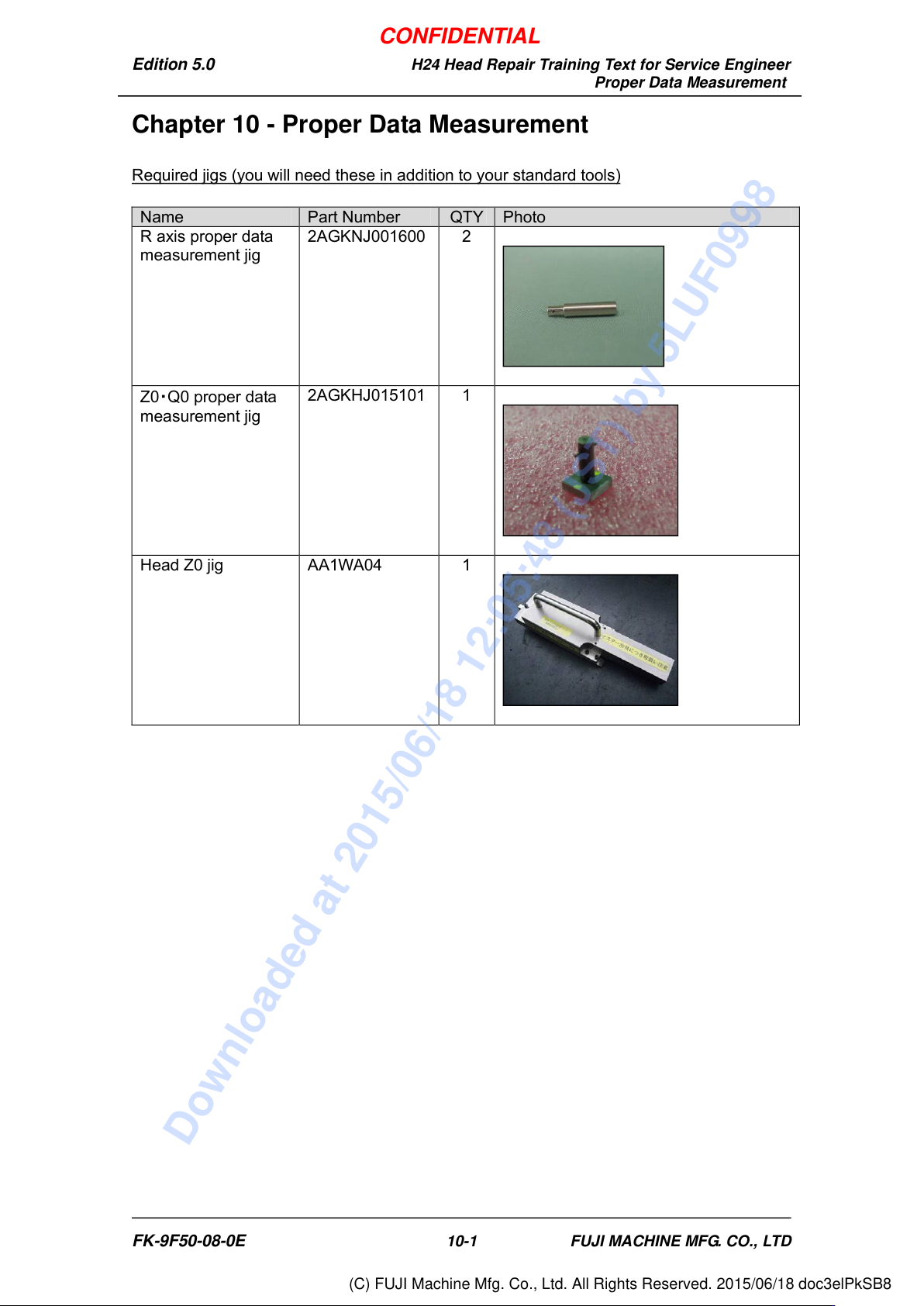
Required jigs (you will need these in addition to your standard tools)
Name
Part Number
QTY
Photo
R axis proper data
measurement jig
2AGKNJ001600
2
Z0
・
Q0 proper data
measurement jig
2AGKHJ015101
1
Head Z0 jig
AA1WA04
1
FK-9F50-08-0E 10-1 FUJI MACHINE MFG. CO., LTD
CONFIDENTIAL
Downloaded at 2015/06/18 12:05:48 (JST) by 5LUF0998
(C) FUJI Machine Mfg. Co., Ltd. All Rights Reserved. 2015/06/18 doc3elPkSB8
Edition 5.0 H24 Head Repair Training Text for Service Engineer
Proper Data Measurement
10.1 Installing the Head Proper Data Measurement Tool
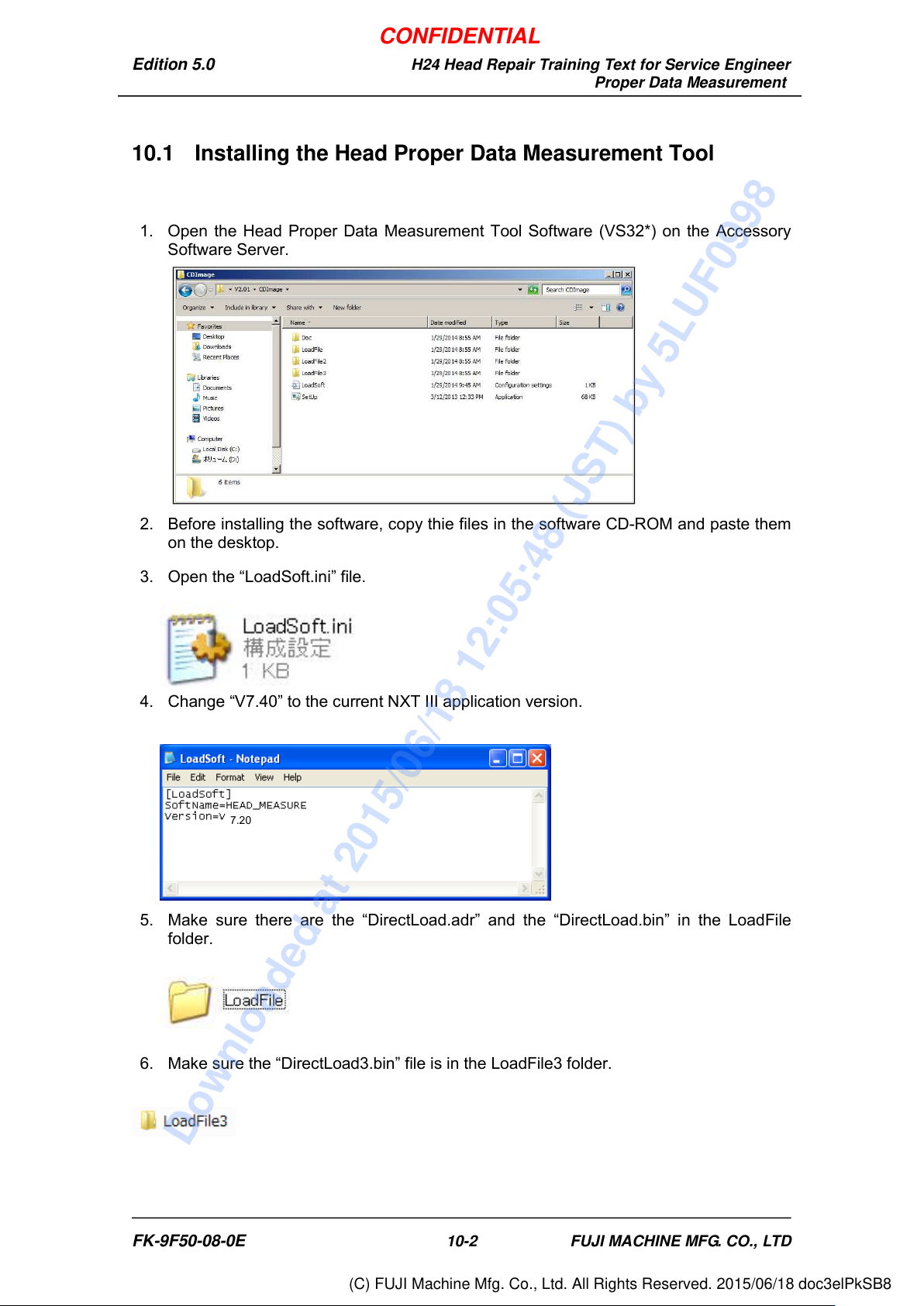
1. Open the Head Proper Data Measurement Tool Software (VS32*) on the Accessory
Software Server.
2. Before installing the software, copy thie files in the software CD-ROM and paste them
on the desktop.
3. Open the “LoadSoft.ini” file.
4. Change “V7.40” to the current NXT III application version.
5. Make sure there are the “DirectLoad.adr” and the “DirectLoad.bin” in the LoadFile
folder.
6. Make sure the “DirectLoad3.bin” file is in the LoadFile3 folder.
7.20
FK-9F50-08-0E 10-2 FUJI MACHINE MFG. CO., LTD
CONFIDENTIAL
Downloaded at 2015/06/18 12:05:48 (JST) by 5LUF0998
(C) FUJI Machine Mfg. Co., Ltd. All Rights Reserved. 2015/06/18 doc3elPkSB8
Edition 5.0 H24 Head Repair Training Text for Service Engineer
Proper Data Measurement
7. Click the SetUp.exe to install the software to the Accessory Software Server.
8. Turn on the Module Power and go to [Diagnosis Mode].
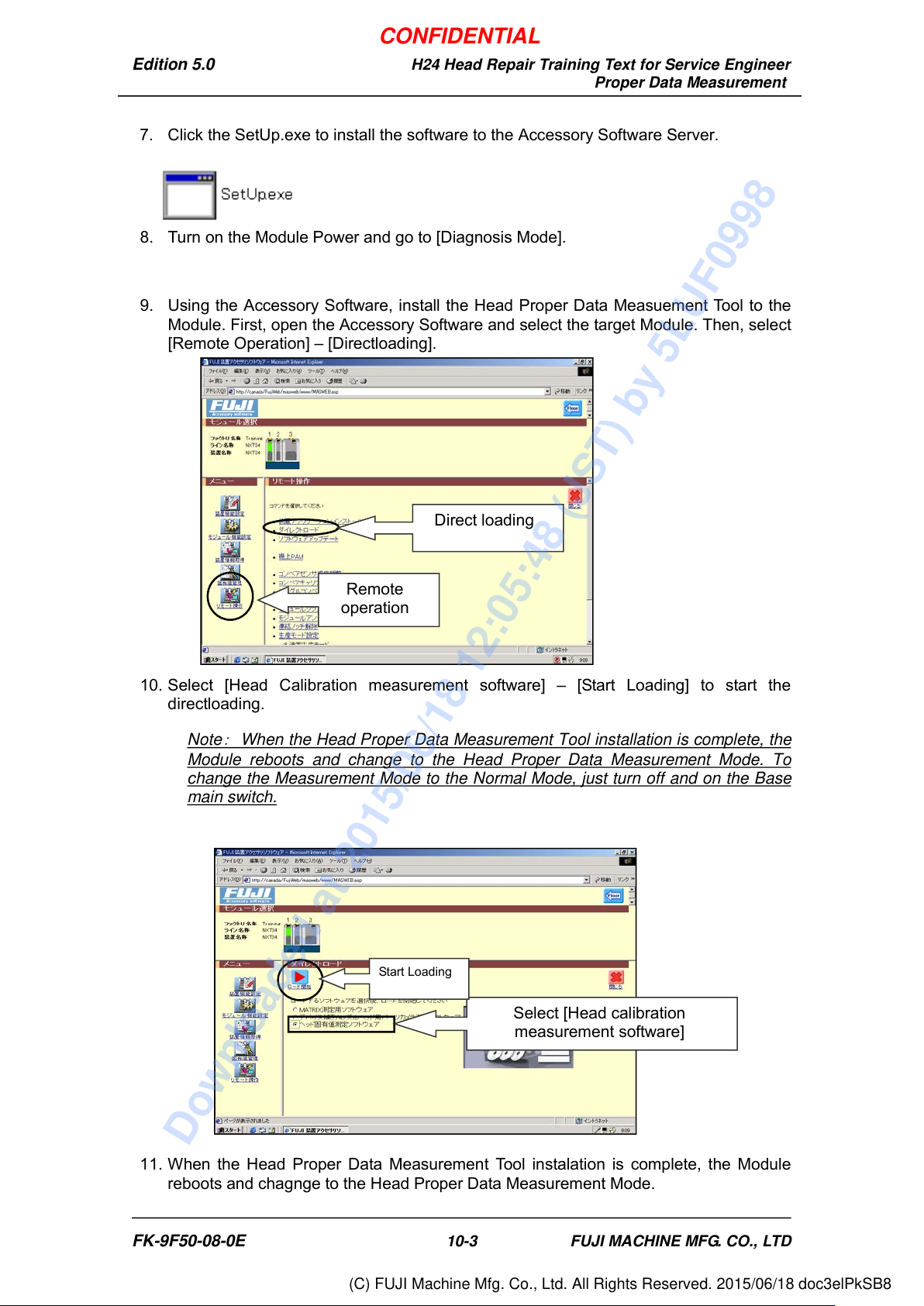
9. Using the Accessory Software, install the Head Proper Data Measuement Tool to the
Module. First, open the Accessory Software and select the target Module. Then, select
[Remote Operation] – [Directloading].
10. Select [Head Calibration measurement software] – [Start Loading] to start the
directloading.
Note
:
When the Head Proper Data Measurement Tool installation is complete, the
Module reboots and change to the Head Proper Data Measurement Mode. To
change the Measurement Mode to the Normal Mode, just turn off and on the Base
main switch.
11. When the Head Proper Data Measurement Tool instalation is complete, the Module
reboots and chagnge to the Head Proper Data Measurement Mode.
Select [Head calibration
measurement software]
Start Loading
Remote
operation
Direct loading
FK-9F50-08-0E 10-3 FUJI MACHINE MFG. CO., LTD
CONFIDENTIAL
Downloaded at 2015/06/18 12:05:48 (JST) by 5LUF0998
(C) FUJI Machine Mfg. Co., Ltd. All Rights Reserved. 2015/06/18 doc3elPkSB8