1_H24维修手册.pdf - 第97页
E d it io n 5 .0 H 24 H ead R ep ai r T r ai n i n g T ext f o r S er vi ce E n g i n e e r s M e asu r i n g t h e A i r P r e ssu r e o n th e Ma c h i n e Ch ap t er 8 - M ea su r in g t h e A i r P r essu r e o n t h…

CONFIDENTIAL
Downloaded at 2015/06/18 12:05:48 (JST) by 5LUF0998
(C) FUJI Machine Mfg. Co., Ltd. All Rights Reserved. 2015/06/18 doc3elPkSB8
Edition 5.0 H24 Head Repair Training Text for Service Engineers
Measuring the Air Pressure on the Machine
Chapter 8 - Measuring the Air Pressure on the Machine
This chapter explains how to use Equipment Check to measure the air pressure on an NXT
III module.
Head Air Pressure Table
Pressure Type H24
Vacuum break (source pressure is 0.5 MPa) Pressure:4.0 to 5.0 kPa
Flow rate: 0.1 l/min or more
Nozzle cleaning
(source pressure is 0.5 MPa)
Pressure: 10 kPa or more
Flow rate: 0.8 l/min or more
Vacuum
(source pressure is -91.8 kPa)
Pressure:-90 kPa
Note
:
The air pressure values listed above apply to new heads and should only be used as
a reference for used heads.
8.1 Turning the Control Power ON
1. Attach the head and then, turn the power ON by using the I/O monitor.
2. Select [Start] – [Program] – [Fuji Accessory Software] – [Equipment Check].
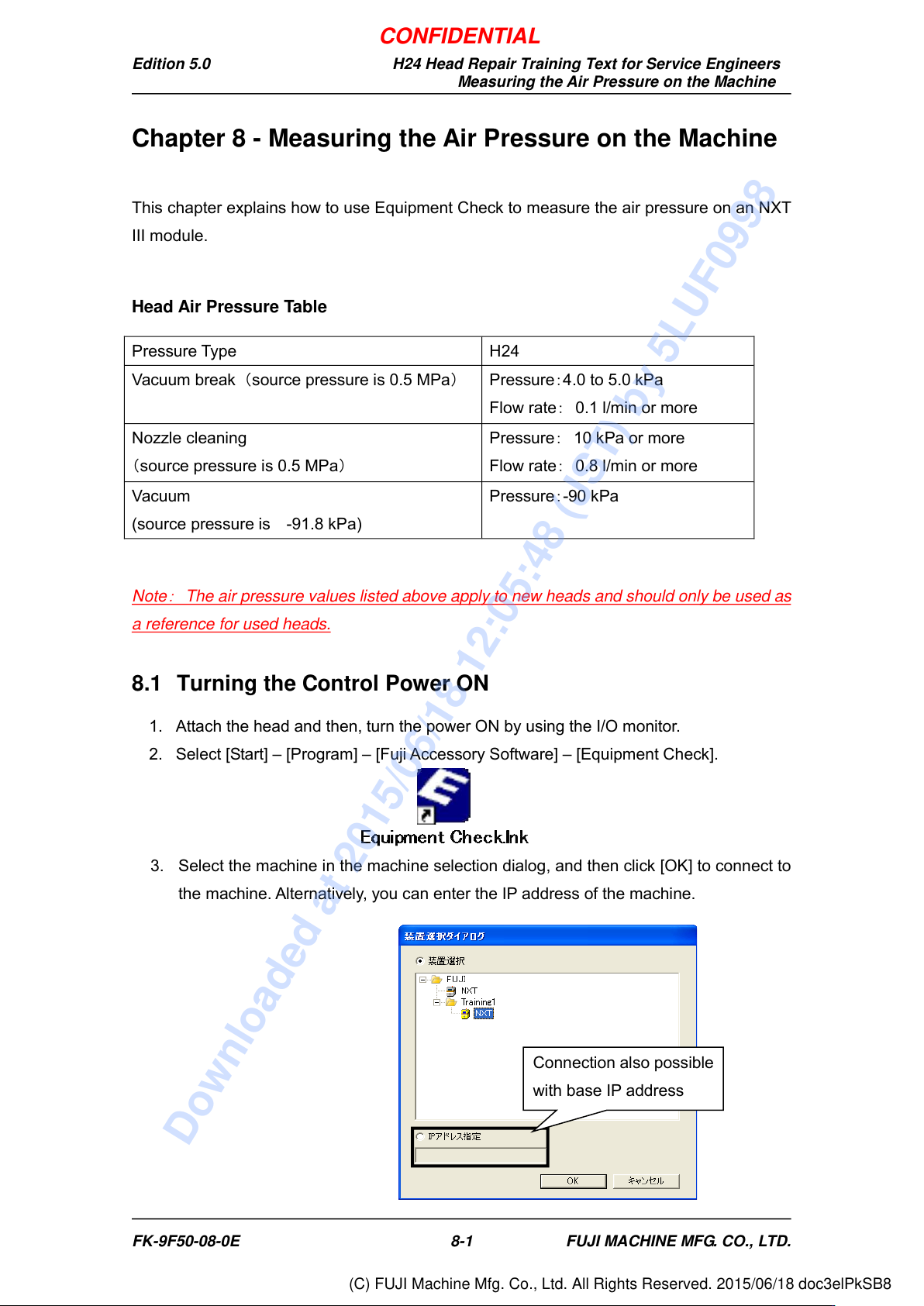
3. Select the machine in the machine selection dialog, and then click [OK] to connect to
the machine. Alternatively, you can enter the IP address of the machine.
Connection also possible
with base IP address
FK-9F50-08-0E 8-1 FUJI MACHINE MFG. CO., LTD.
CONFIDENTIAL
Downloaded at 2015/06/18 12:05:48 (JST) by 5LUF0998
(C) FUJI Machine Mfg. Co., Ltd. All Rights Reserved. 2015/06/18 doc3elPkSB8
Edition 5.0 H24 Head Repair Training Text for Service Engineers
Measuring the Air Pressure on the Machine
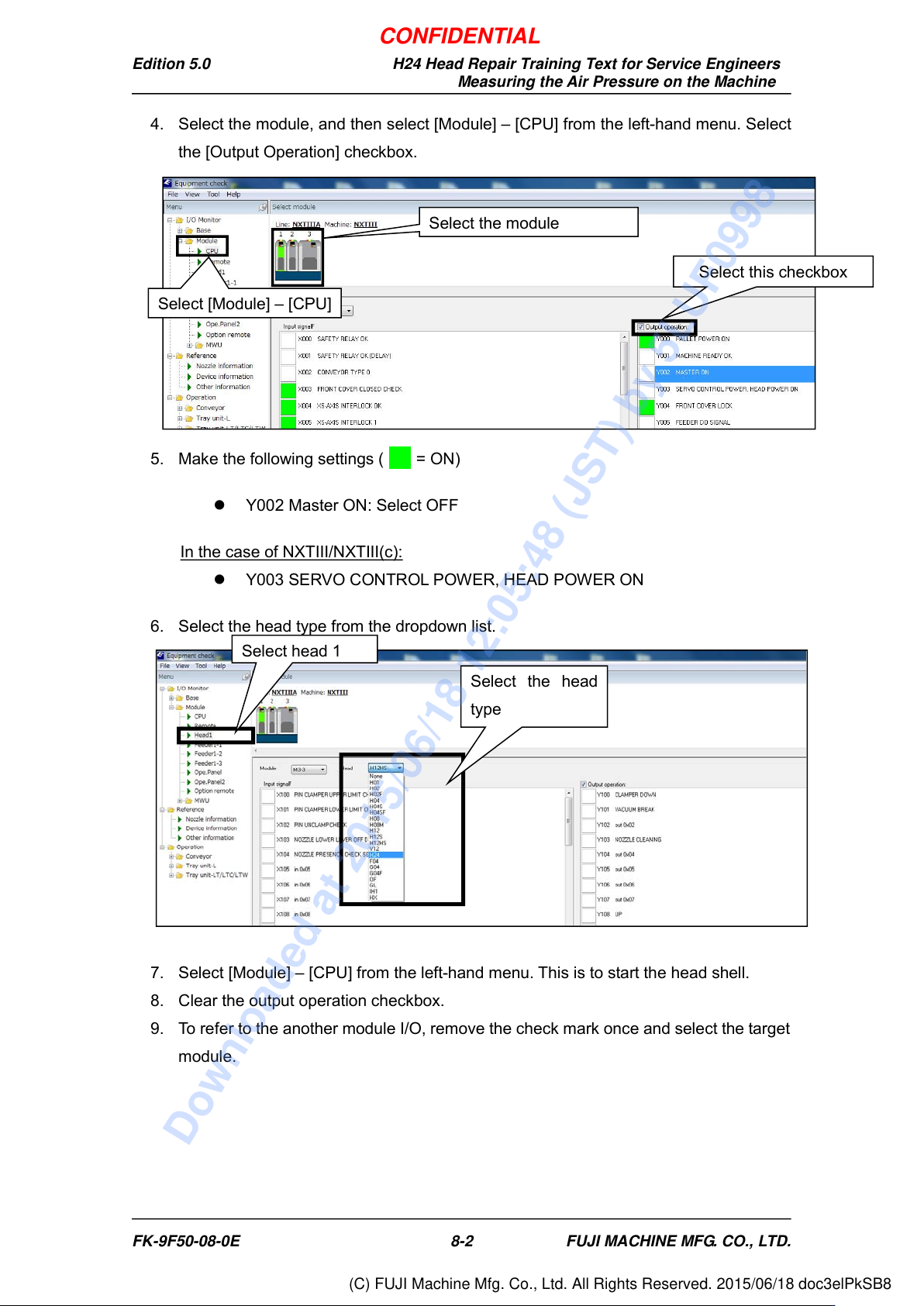
4. Select the module, and then select [Module] – [CPU] from the left-hand menu. Select
the [Output Operation] checkbox.
5. Make the following settings ( = ON)
Y002 Master ON: Select OFF
In the case of NXTIII/NXTIII(c):
Y003 SERVO CONTROL POWER, HEAD POWER ON
6. Select the head type from the dropdown list.
7. Select [Module] – [CPU] from the left-hand menu. This is to start the head shell.
8. Clear the output operation checkbox.
9. To refer to the another module I/O, remove the check mark once and select the target
module.
Select this checkbox
Select the module
Select [Module] – [CPU]
Select the head
type
Select head 1
FK-9F50-08-0E 8-2 FUJI MACHINE MFG. CO., LTD.
CONFIDENTIAL
Downloaded at 2015/06/18 12:05:48 (JST) by 5LUF0998
(C) FUJI Machine Mfg. Co., Ltd. All Rights Reserved. 2015/06/18 doc3elPkSB8