4M184002w_F8S.pdf - 第155页
4OM-1840 2-1-2 1604-001 2. Management Information 2.1 "Management Information" Window When normal recovery does not occur after a mistake in the machine operation or an error, the following management informati…
4OM-1840
2-1-1
1604-001
1. Descriptions for Troubleshooting
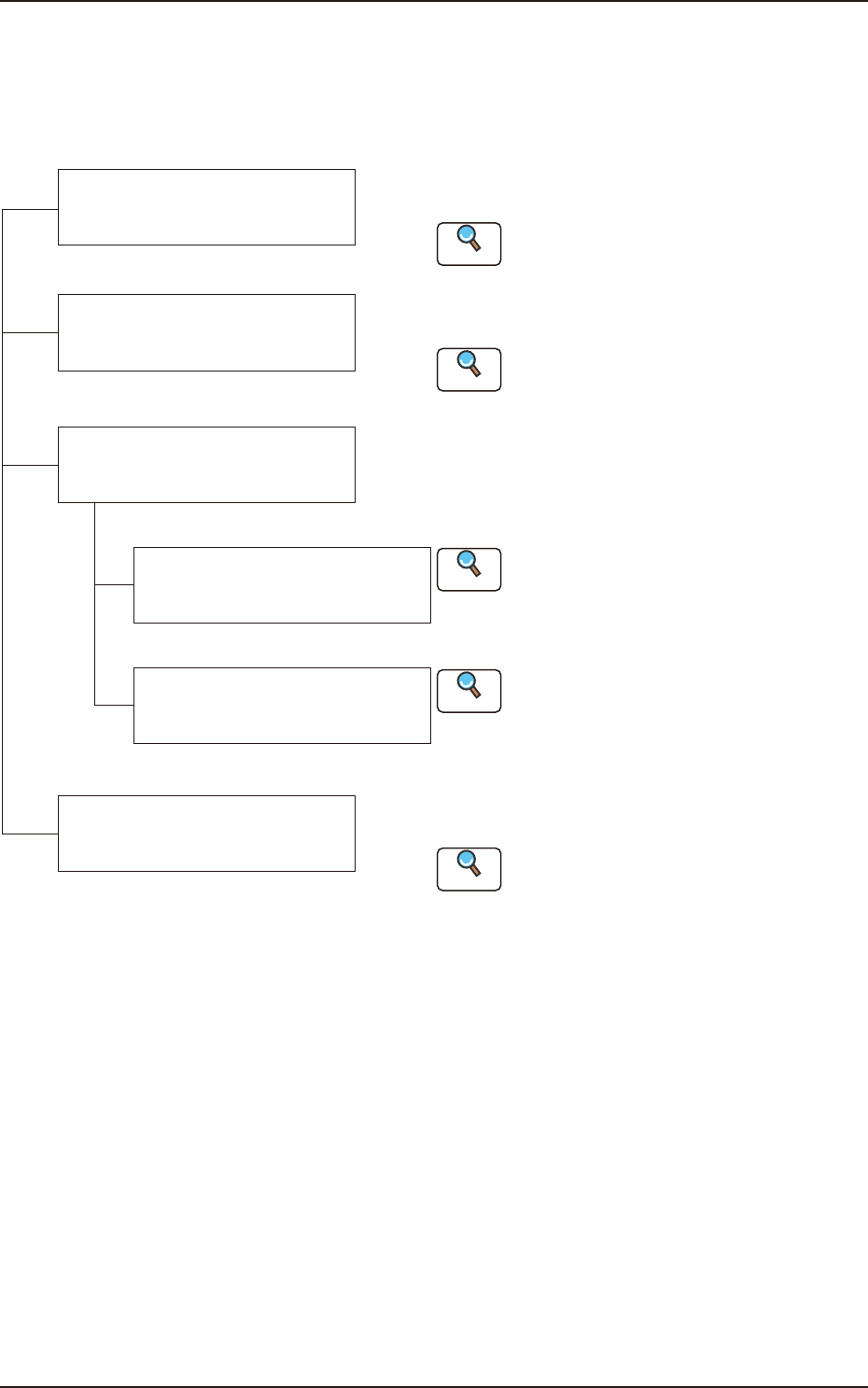
The troubleshooting windows are composed as follows.
Refer to "3.1 Machine Information
Window" in "Chapter 2".
This section describes the remedial procedure from the
window indicating "Management Information".
This section describes the remedial procedure from the
window indicating "Machine Information".
Refer to "2.1 Management Information
Window" in "Chapter 2".
Reference
Reference
Reference
Reference
Reference
Troubleshooting from
"Management Information"
Window
Troubleshooting from
"Machine Information" Window
Troubleshooting from
"Error" Window
Troubleshooting based on
"Recognition Error ID"
(8 digits)
Troubleshooting based on
"Error ID"
The troubleshooting operation varies depending on the
difference in Error ID or Recognition Error ID.
Troubleshooting regarding
Component Pick-up and
Placement
The causes of "General pick-up error and placement error"
and remedial procedures are described.
Refer to "Chapter 3 Troubleshooting
based Error ID".
Refer to "Chapter 4 Troubleshooting
from Recognition Error IDs".
Refer to "Chapter 5 Troubleshooting
from Recognition Error IDs".
F4B1
1. Descriptions for Troubleshooting
4OM-1840
2-1-2
1604-001
2. Management Information
2.1 "Management Information" Window
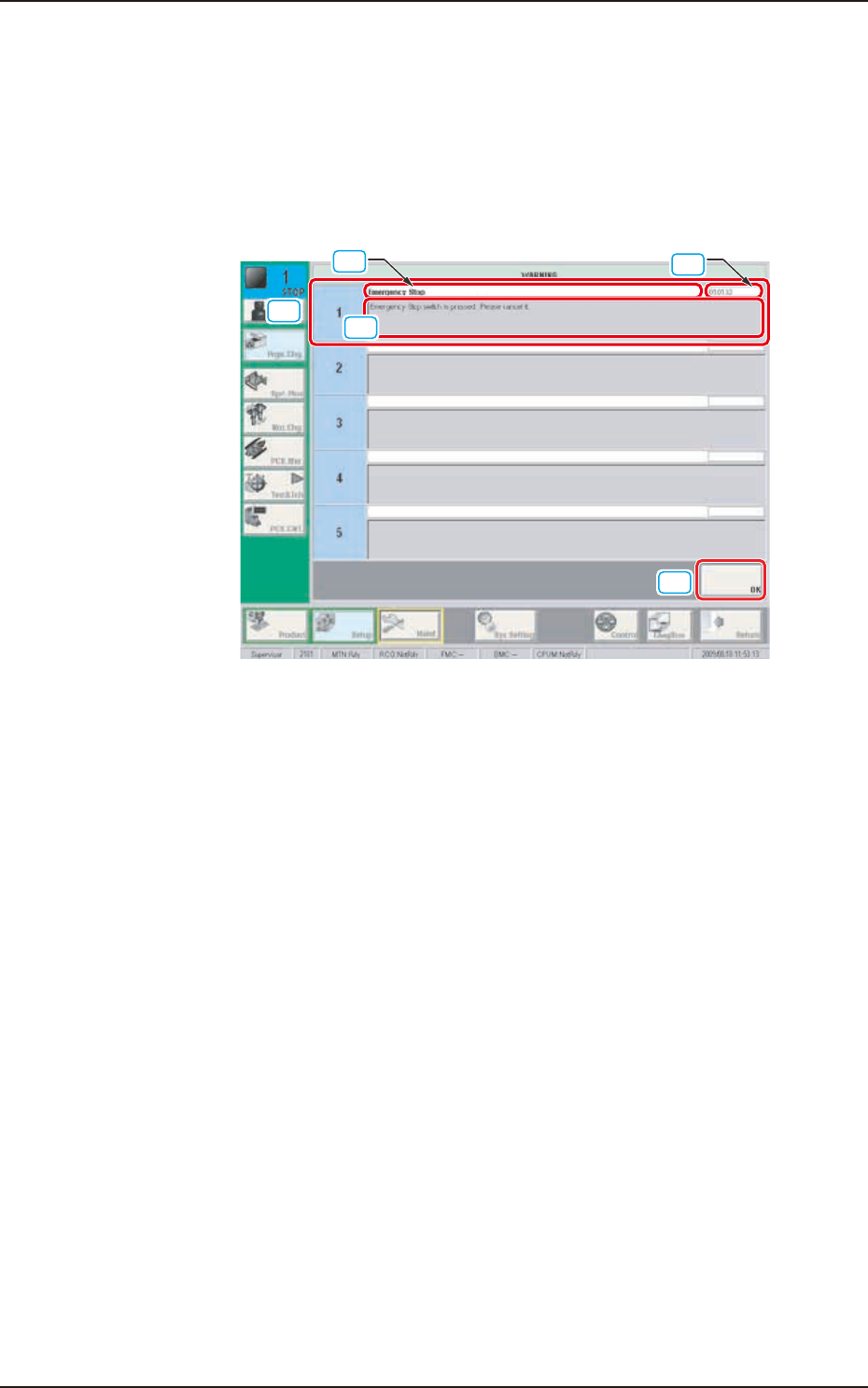
When normal recovery does not occur after a mistake in the machine operation or
an error, the following management information window appears.
[1]
[4]
[3]
[2]
[5]
Example of Management Information F4B2
[1] Management Information
In this window, the management information is displayed.
[2] Management Information Code
In this window, the management information code is displayed.
[3] Display Area A
The outline of the management information is displayed in this area.
[4] Display Area B
The details of the management information are displayed in this area.
[5] [OK] Button
When this button is pressed, the window displayed just prior to the
"Management Information" is returned.
2. Management Information
4OM-1840
2-1-3
1604-001
•
Remedial Procedure from “Management Information” Window
(1) Make a note of the management information.
Notice
If you forget the Management Information, correct recovery can not be
performed. Therefore, make sure to make a note.
(2) Press the [OK] button to return the original window.
(3) Perform the correct recovery based on the Management Information.
2.1 "Management Information" Window