SIPLACE Station Software 7xx to 714 介绍.pdf - 第168页
Station Software 7xx to 714.0 (R20-2) / Feature Description 11/2020 Edition 168 Additionally, the (Auto detecting... ) supplement is displayed in t he Details view under Feed er settings . Figure 9- 13 : Feeder pitch det…
Station Software 7xx to 714.0 (R20-2) / Feature Description 11/2020 Edition
167
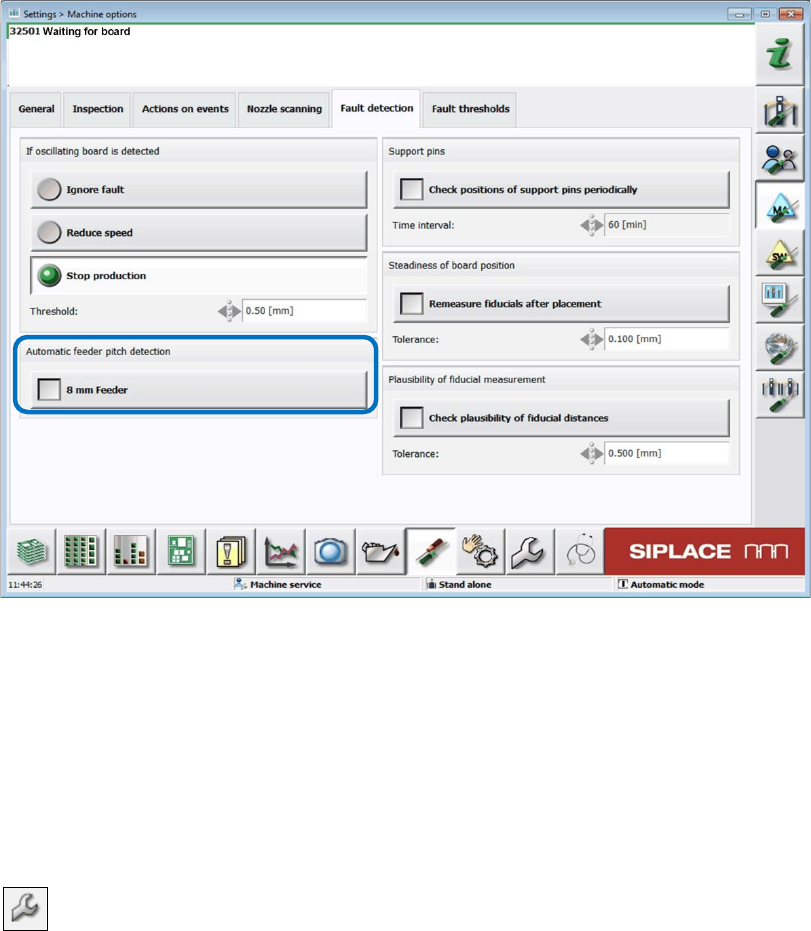
The function can be enabled or disabled in the Machine options on the GUI of the station
software.
Figure 9-12: Enabling Automatic feeder pitch detection
Functionality
The component nominal width is used to calculate the theoretically minimum possible value. The
feeder pitch detection starts with this minimum pitch. 10 components are picked up to check the
pitch setting. If pickup errors occur (pattern: OK, NOK, OK…), it is assumed that the setting is too
small, and the pitch will be increased by one step in the next step and the measurement repeated.
This process is repeated until pickup can be performed without pitch errors.
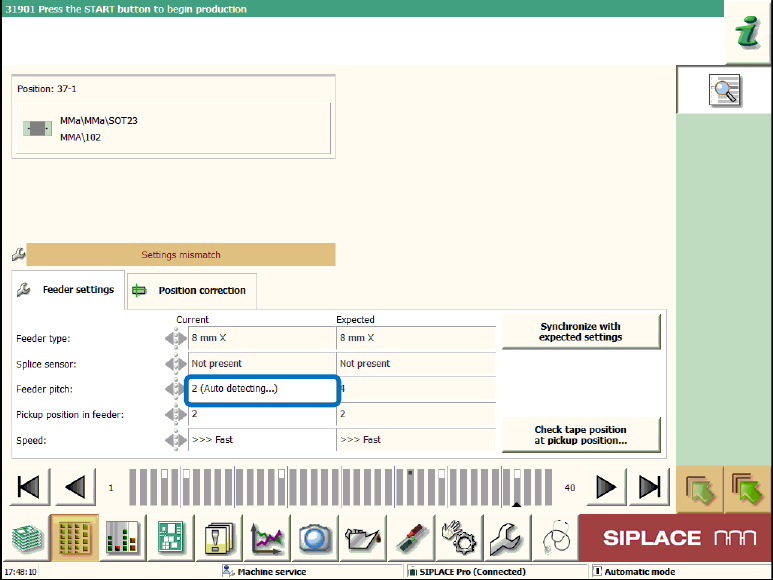
If the function is enabled, the feeder pitch detection is displayed by the following icon for deviating
parameter settings in the setup view of the locations:
Station Software 7xx to 714.0 (R20-2) / Feature Description 11/2020 Edition
168
Additionally, the (Auto detecting...) supplement is displayed in the Details view under Feeder
settings.
Figure 9-13: Feeder pitch detection enabled
If the feeder pitch detection cannot be performed due to a generally reduced pickup reliability, the
Too many errors during automatic pitch detection message is displayed.
Station Software 7xx to 714.0 (R20-2) / Feature Description 11/2020 Edition
169
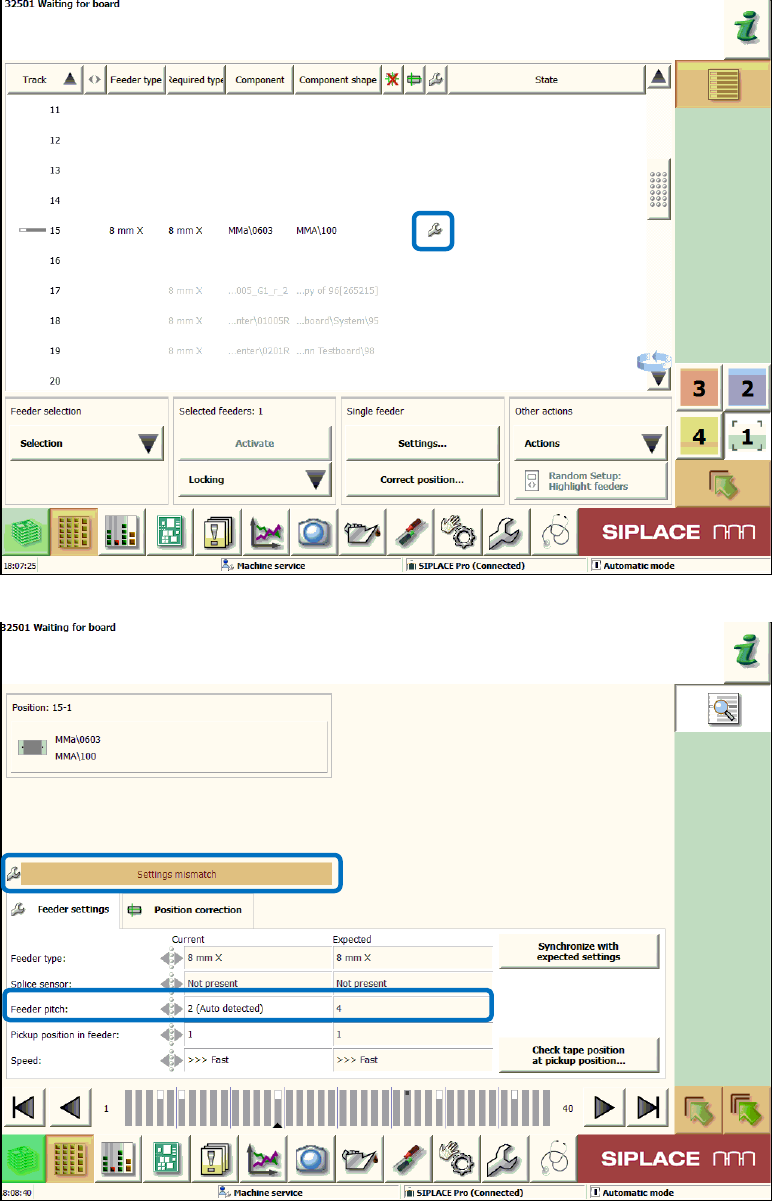
The station software is only allowed to perform an automatic reduction of the pitch settings defined
in SIPLACE Pro. The automatic change is displayed in the setup view for the locations and in the
Details view under Feeder settings on the GUI.
Figure 9-14: Setup view for the locations – Automatic pitch reduction
Figure 9-15: Feeder settings – Automatic pitch reduction