SIPLACE Station Software 7xx to 714 介绍.pdf - 第176页
Station Software 7xx to 714.0 (R20-2) / Feature Description 11/2020 Edition 176 10.1.2 SIPLACE TX Conveyor System A new conveyor system has be en introduced for the SI PLACE TX -series. SIPLACE TX consists of one input s…
Station Software 7xx to 714.0 (R20-2) / Feature Description 11/2020 Edition
175
10 Feature Description – Station Software V709.x
Features (V709.0)
10.1 SIPLACE TX-Series – SIPLACE TX1/TX2/TX2i Placement
Machines
The station software supports the SIPLACE TX1/TX2/TX2i placement machines of the new
SIPLACE TX-series. The main features of the SIPLACE TX-series are presented in the following
sections.
10.1.1 Machine Configurations and Placement Head Combinations
The SIPLACE TX-series placement machines are provided in the machine configurations and
placement head combinations listed below.
The SIPLACE TX1/TX2 and SIPLACE TX2i machine configurations are equipped with different
covers. The indicator lamp system is the same as for SIPLACE X-series S.
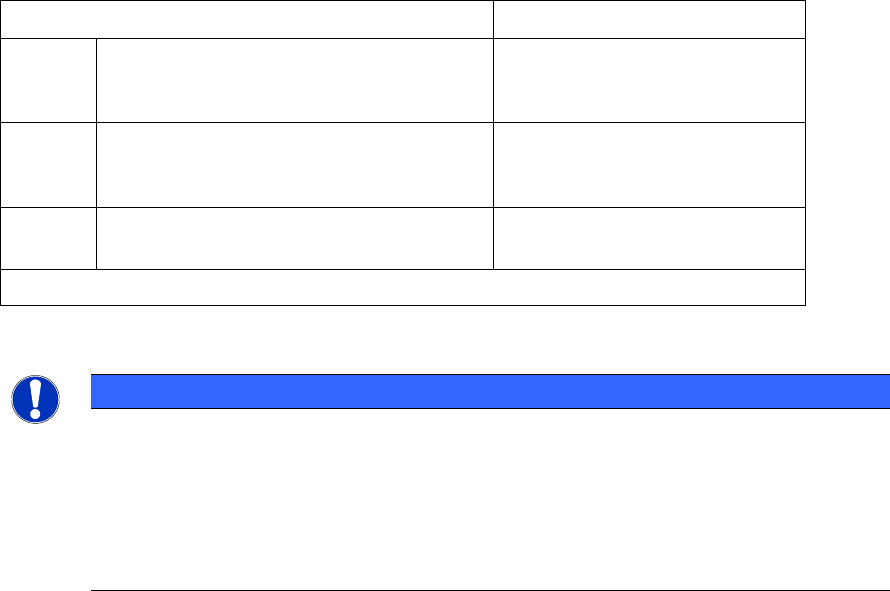
Machine configurations
Placement head combinations
TX1
One gantry, two tables
*)
, table on
location 1 in outer position
C&P20 P or
CPP or
Twin Head
TX2
Two gantries, two tables
*)
, table on
location 1 in outer position
C&P20 P + C&P20 P or
CPP + CPP or
CPP + Twin Head
TX2i
Two gantries, two tables
*)
, table on
location 1 in inner position
C&P20 P + C&P20 P or
CPP + CPP
*)
Table on location 2 always in inner position
Table 10-1: Machine configurations and placement head combinations SIPLACE TX-series
NOTICE
Restricted travel range
– for Twin Head:
The right segment cannot reach 3 tracks on the left side of the table,
the left segment cannot reach 3 tracks on the right side of the table.
– for C&P20 P placement head:
Tracks 1-2 cannot be reached on location 1.

Station Software 7xx to 714.0 (R20-2) / Feature Description 11/2020 Edition
176
10.1.2 SIPLACE TX Conveyor System
A new conveyor system has been introduced for the SIPLACE TX-series.
SIPLACE TX consists of one input section (410 mm), one placement section (380 mm) and one
output section (210 mm). The conveyor supports asynchronous and synchronous dual lane mode
and the I-Placement option as well. Optionally, the new Flexible Dual Lane – Machine Connection
Bound license can be purchased to support the dual lane in single lane mode. This license is
bound to a single station.
The fixed rails are pre-set and mechanically fixed at the outer positions (conveyor lane 1 – to the
right, conveyor lane 2 – to the left). Rail positions: 231.0 mm, 268.0 mm and 281.0 mm. If
necessary, the fixed rails can be mounted to the positions right/right or left/left. User-defined rail
positions are not supported.
The dual lane in single lane mode is only possible with the fixed rails in the outer position. A new
mapping is required the first time this option is activated. When changing to this mode, it is
necessary to remove the mechanical limit stops, which are located between the two lanes.
Therefore, a user interaction will be necessary before starting the rail configuration adjustment
process. The necessary instruction(s) will be displayed via a detailed error message.
Height reference run and leakage test are automatically performed on the fixed rail.
In dual lane mode the width adjustment of the two lanes will start simultaneously. Maximum board
width = 260 mm and maximum board length = 375 mm. With dual lane in single lane mode, the
maximum board width is 460 mm. The Long Board, Wide Board, Thick Board and Heavy Board
options are not supported.
For boards up to 175 mm, the TX conveyor can handle two boards in the placement section of the
machine (Convoy mode). Thus, the board transport time is reduced. An additional stopper collects
the boards before they are transported into the placement section. The Convoy mode is enabled
by default but can be disabled under Service – Conveyor configuration – Lane x – Parameters.
Optionally, input and output conveyor extensions (e.g. for barcode scanner, JTF-ML feeder) and
vacuum tooling may be ordered.
10.1.2.1 Conveyor Reference Run with Board Camera
Due to the mechanics of the TX conveyor system, a special reference run with board camera is
used to determine the rail positions.
During the reference run the software checks if the rail positions have been changed and issues an
estimated position for each rail. After that, the board camera checks if fiducials using these
positions are present on each rail. If yes, these positions are transmitted to the conveyor system for
update.
However, as the rail positions can be changed by the operator while the machine is switched off
and this cannot be recognized neither by the software nor the hardware, the estimated positions
might be invalid. In this case the board camera does not find any fiducials on the rails and a
detailed error message is displayed.
NOTICE
Some workflows, e.g. calibration, may not be interrupted by detailed error messages. In
such cases the workflow will be completed, and a general error message displayed.
During the next regular reference run the error can be corrected via the detailed error.
Station Software 7xx to 714.0 (R20-2) / Feature Description 11/2020 Edition
177
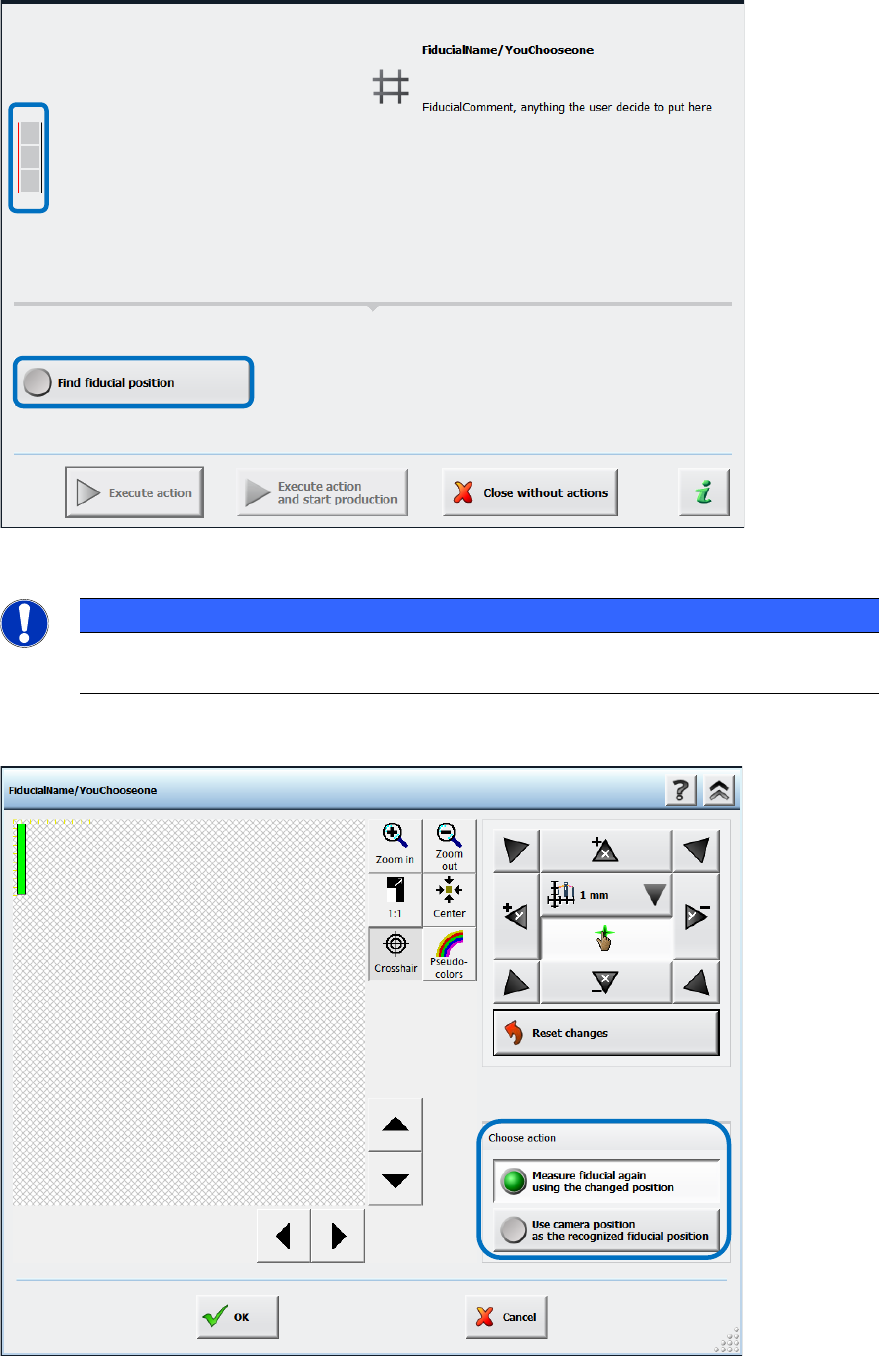
The operator now has to set the rail positions manually via the Find fiducial position button.
Figure 10-1: Finding fiducial position
NOTICE
► Please pay attention to the small icon to the left of the detailed error text!
A thin red line indicates which fiducial could not be found on which conveyor rail.
In the next dialog the camera must be moved until the fiducial is clearly positioned in the field of
view.
Figure 10-2: Setting fiducial position manually