SIPLACE Station Software 7xx to 714 介绍.pdf - 第202页
Station Software 7xx to 714.0 (R20-2) / Feature Description 11/2020 Edition 202 10.13.8 Conveyor Motor Verification With the Conveyor motor verifica tion in the Verification view, all current motors of the conveyor can b…
Station Software 7xx to 714.0 (R20-2) / Feature Description 11/2020 Edition
201
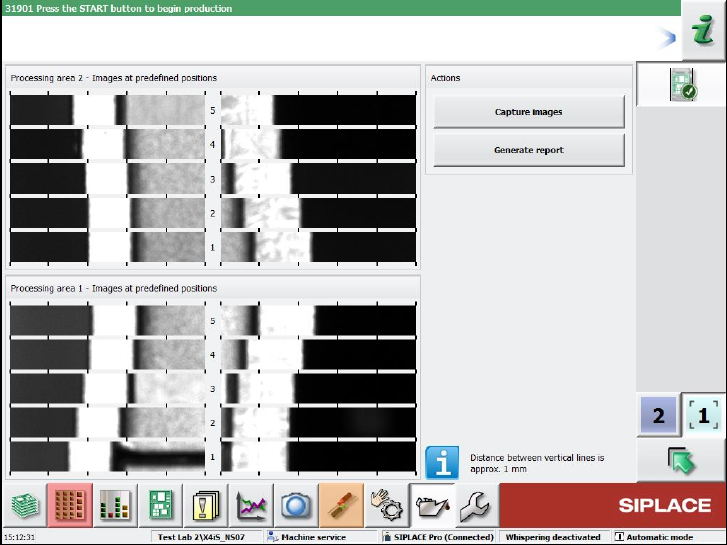
With the Capture images button, pictures are taken of the positions by the board camera.
The measurement is performed for one lane only and the results are displayed on the GUI. For
dual conveyors, there will be two independent measurements and result views. The pictures must
be inspected by the operator.
It is possible to perform the measurements with boards in the conveyor, but not during production.
The machine must be stopped before the measurements can be started.
With the Generate report button, a report can be created that contains a screenshot of the page.
Figure 10-27: Result view of a machine with two processing areas
The report is stored at the station.
Station Software 7xx to 714.0 (R20-2) / Feature Description 11/2020 Edition
202
10.13.8 Conveyor Motor Verification
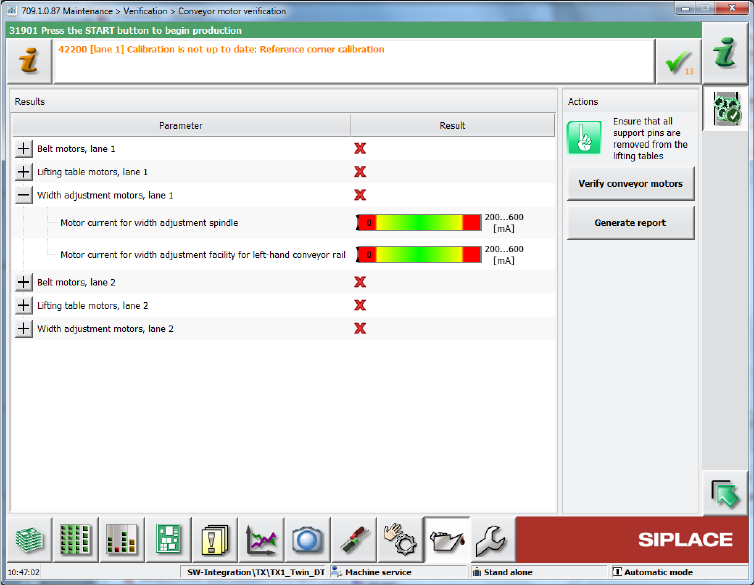
With the Conveyor motor verification in the Verification view, all current motors of the conveyor
can be verified (lifting tables, width adjustment and belt motors). The results are displayed together
with the limits (green mark if within the limits, red cross if outside the limits).
Figure 10-28: Verifying conveyor motors
The functionality is not supported on SIPLACE X-series conveyors.
Restrictions
No support on X-series conveyors.
Station Software 7xx to 714.0 (R20-2) / Feature Description 11/2020 Edition
203
10.13.9 Power Supplies
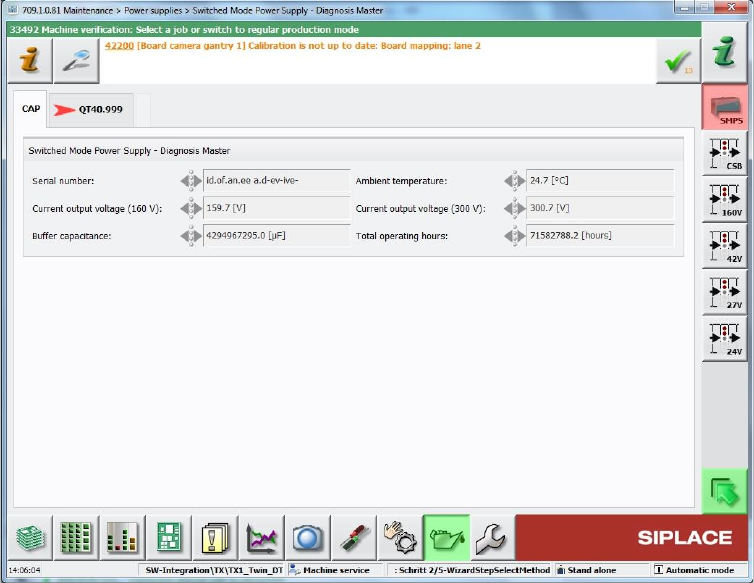
The SMPS (Switched Mode Power Supply) diagnosis has been moved to the Maintenance –
Verification view.
Figure 10-29: SMPS diagnosis