SIPLACE Station Software 7xx to 714 介绍.pdf - 第282页
Station Software 7xx to 714.0 (R20-2) / Feature Description 11/2020 Edition 282 Figure 15-3: Teaching c linching tool Restrictions: – Currently, only one clinching tool is supported at a t ime. 15.10 Navigating Betwee n …
Station Software 7xx to 714.0 (R20-2) / Feature Description 11/2020 Edition
281
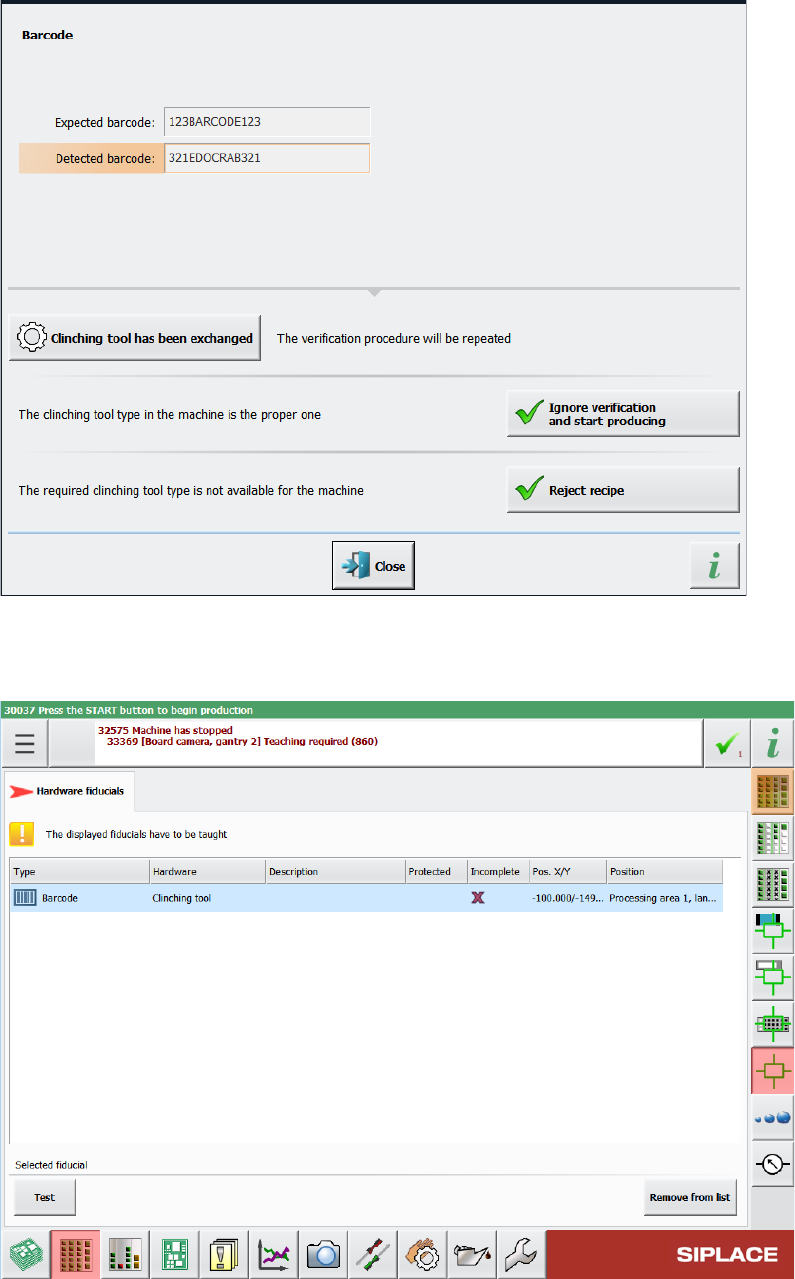
Table 15-1: Displayed error message if barcode information does not match recipe
In the Hardware fiducials tab of the Current machine requests for teaching view in the station
GUI, you can view the barcodes for clinching tool that need to be taught.
Table 15-2: List of clinching tool barcodes that need to be taught
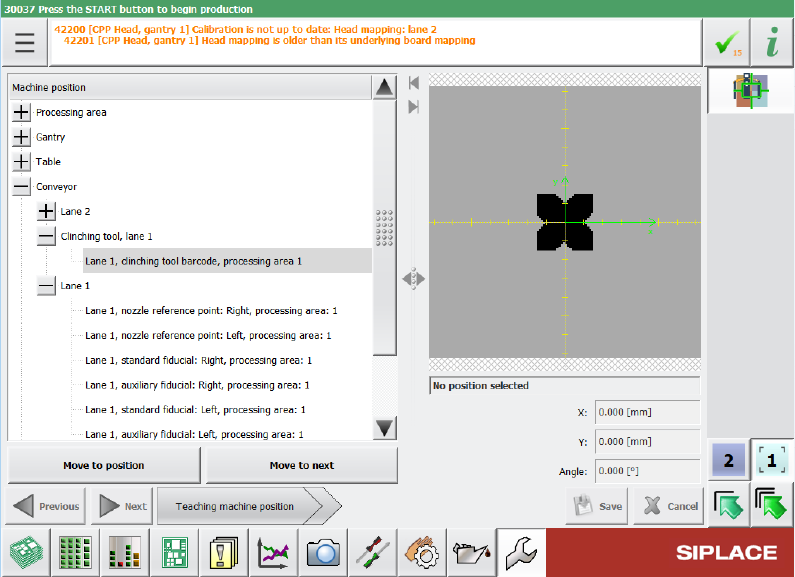
The barcode is also shown in the list of teachable machine positions, after it was saved once within
conveyor individual files. The position is teachable and can be changed.
Station Software 7xx to 714.0 (R20-2) / Feature Description 11/2020 Edition
282
Figure 15-3: Teaching clinching tool
Restrictions:
– Currently, only one clinching tool is supported at a time.
15.10 Navigating Between Related Vision Dump Files
Compatible mode: Complete
The Options for selected positions dialog allows to take additional images of the component
within the pick & place process for the selected placement position. The functionality of this dialog
has now been extended so that, if the Before pick up option and the Dump on error option are
selected at the same time, it is possible to navigate between the two corresponding Vision dump
files to see a component before and after pickup.
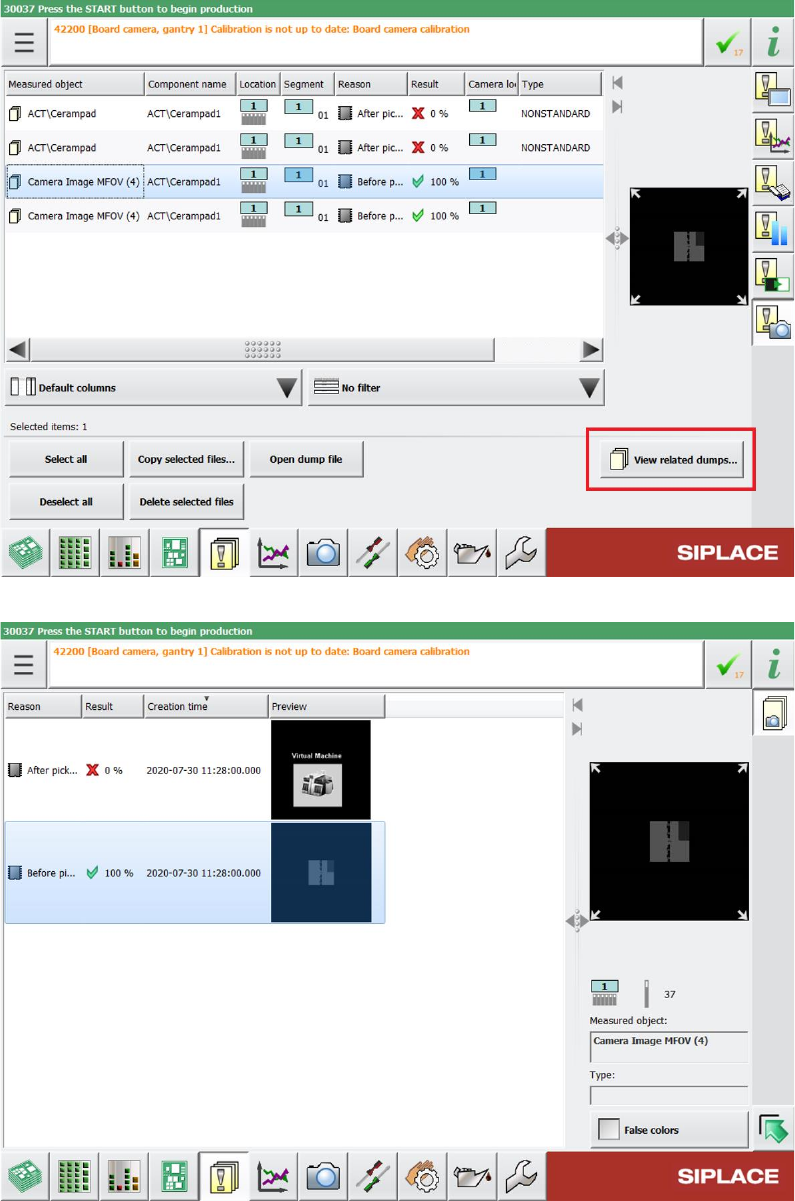
For this, all images that have been taken within the same pick & place process are marked
accordingly. You can see the markup in the Measured object column inside the list of saved
Vision dumps. If you select a Vision dump in this list, you can click the new View related dumps
button to open the Related dumps view to see all Vision dumps that have been taken in the same
pick & place process as the selected file. In this view, you can switch between the Vision dump files
showing the component before and after pickup.
Station Software 7xx to 714.0 (R20-2) / Feature Description 11/2020 Edition
283
Figure 15-4: Navigating between allocated Vision dump files via View related dumps button
Figure 15-5: Related dumps dialog