SIPLACE Station Software 7xx to 714 介绍.pdf - 第87页
Station Software 7xx to 714.0 (R20-2) / Feature Description 11/2020 Edition 87 If the defined time threshold is rea ched, an error message is displa yed on the GUI and the corresponding lamp indicator is a ctivated. This…
Station Software 7xx to 714.0 (R20-2) / Feature Description 11/2020 Edition
86
7.22 Improved Lamp Indicator Control for Empty Trays in MTC and
WPC
If the trays in MTC or WPC are empty the lamp indicator flashes. In former station software
versions, the lamp indicators also flashed for empty trays in a family setup which were not required
for the current product in the line
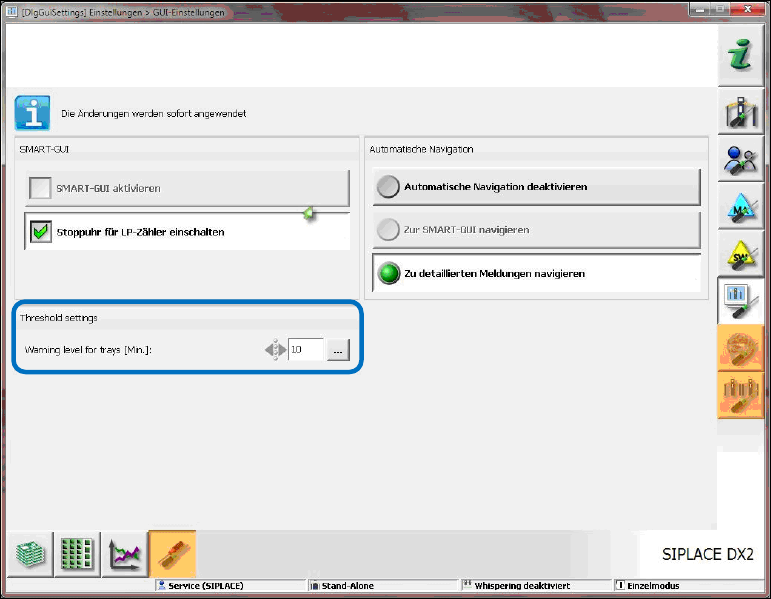
As of this station software version the operator can set the time in minutes as threshold value for
the lamp indicators on the GUI for trays in MTC and WPC which are not controlled by Setup
Center.
Figure 7-23: Setting threshold value for lamp indicators
At every pickup action from a tray of the MTC or WPC a calculation is performed, for how long the
boards can be completely produced with the available components (please refer to section 7.7
Display of Remaining Time in the Filling Level View). The components of the entire chain are
considered in the calculation, i.e. if multiple trays are available the total number of components of
all trays is used.
Station Software 7xx to 714.0 (R20-2) / Feature Description 11/2020 Edition
87
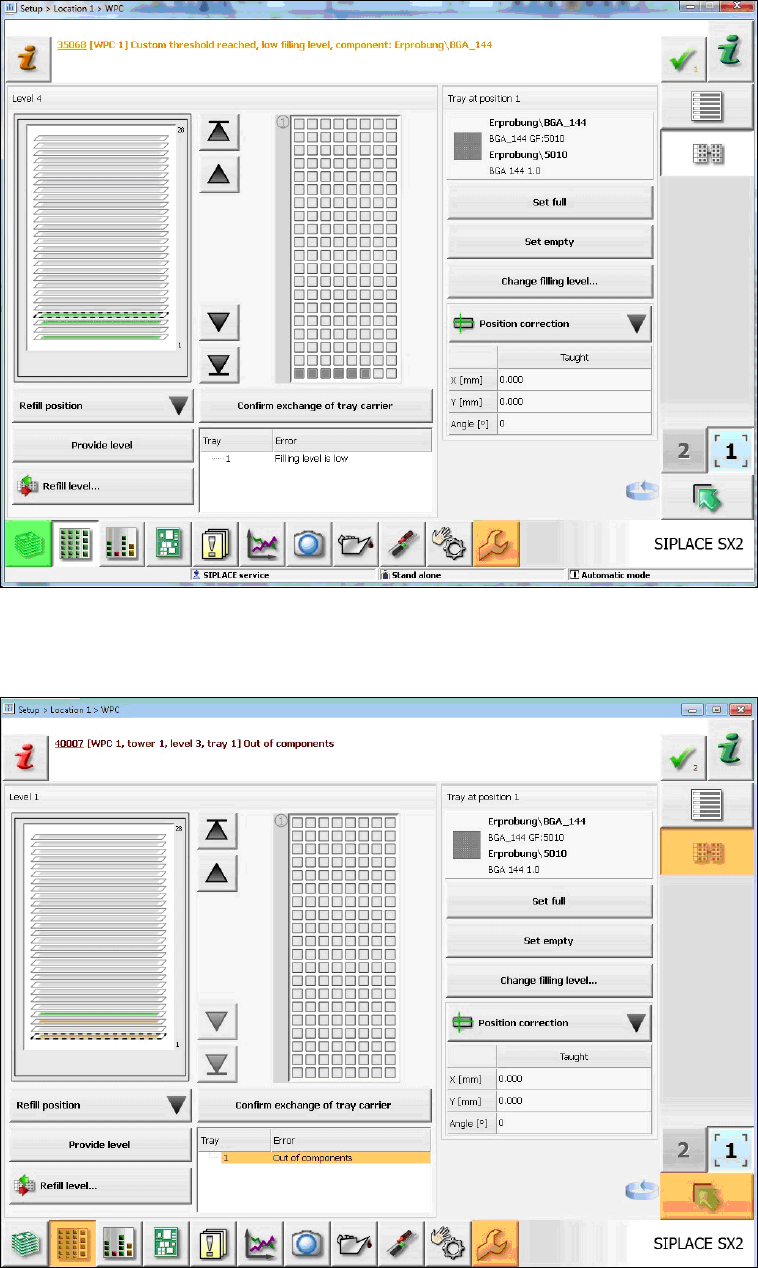
If the defined time threshold is reached, an error message is displayed on the GUI and the
corresponding lamp indicator is activated. This happens whether the trays are empty or not.
Figure 7-24: Threshold value reached
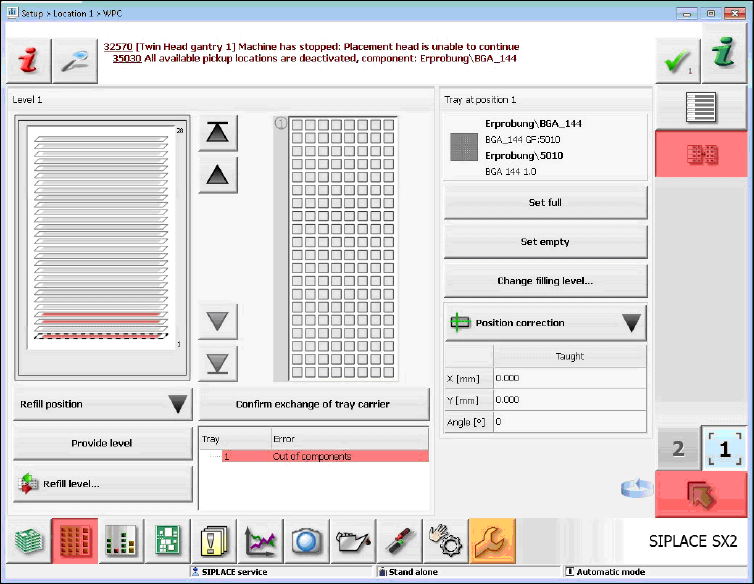
If a single tray is empty, this is only displayed by an error message and orange-marked tray level
on the GUI. The lamp indicators are not activated.
Figure 7-25: Single tray empty
Station Software 7xx to 714.0 (R20-2) / Feature Description 11/2020 Edition
88
If the chain is empty, this is displayed by a track empty error and flashing lamp indicators.
Figure 7-26: Chain empty
7.23 Automatic Recognition and Compensation of Increased
Component Thickness
The component sensor automatically detects an increased component thickness after a batch
change to enable the possibility to automatically correct the Z-axis position at the placement
position.