SIPLACE Station Software 7xx to 714 介绍.pdf - 第89页
Station Software 7xx to 714.0 (R20-2) / Feature Description 11/2020 Edition 89 7.24 Automatic Recognition and Compensation of Oscillating Boards Figure 7- 27 : Error recognition of o scillating board If an oscillating bo…
Station Software 7xx to 714.0 (R20-2) / Feature Description 11/2020 Edition
88
If the chain is empty, this is displayed by a track empty error and flashing lamp indicators.
Figure 7-26: Chain empty
7.23 Automatic Recognition and Compensation of Increased
Component Thickness
The component sensor automatically detects an increased component thickness after a batch
change to enable the possibility to automatically correct the Z-axis position at the placement
position.
Station Software 7xx to 714.0 (R20-2) / Feature Description 11/2020 Edition
89
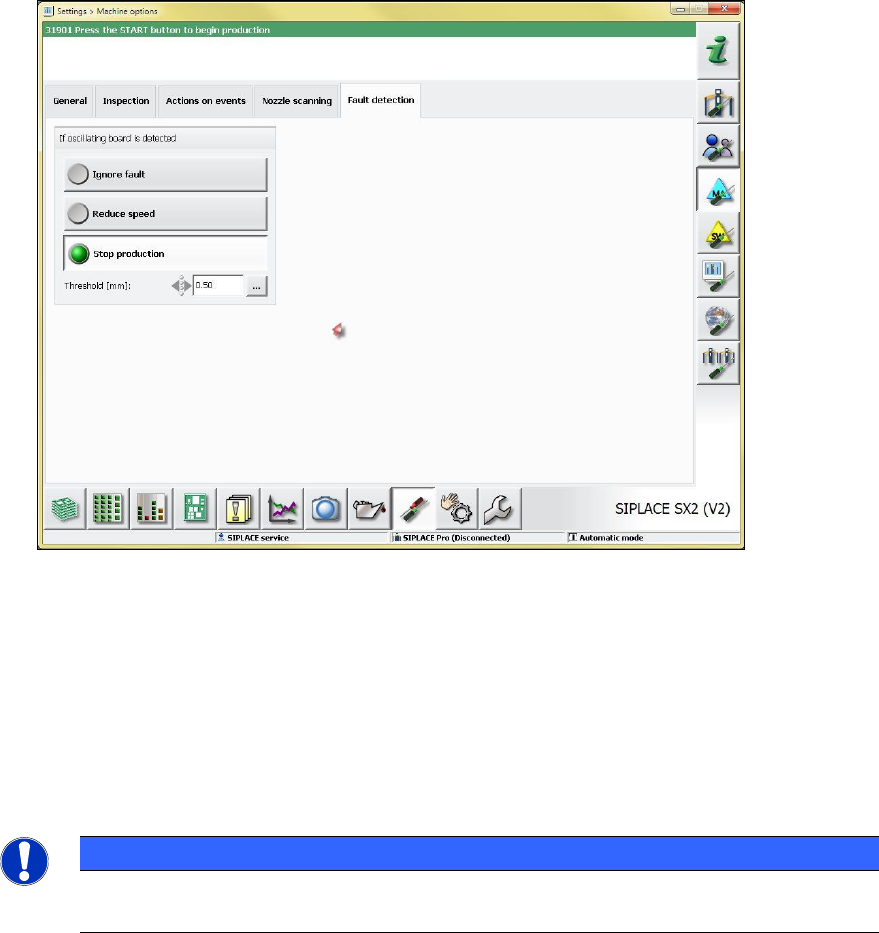
7.24 Automatic Recognition and Compensation of Oscillating Boards
Figure 7-27: Error recognition of oscillating board
If an oscillating board is recognized, the following configuration alternatives exist to define the
machine behavior:
– Ignore fault: no display or warning on the GUI; the error is only visible in the Maintenance
view.
– Reduce speed: the placement automatically runs slowly.
– Stop production: an error message is displayed; after pressing the START button,
production continues as usual.
NOTICE
In the case of oscillation boards, board support should be used, or the support pin
positions should be modified.
Station Software 7xx to 714.0 (R20-2) / Feature Description 11/2020 Edition
90
7.25 New Options on the GUI
In former station software versions, the following three options could only be set via XML
configuration files:
– Shall the station-wise download product change be performed automatically or be confirmed by
the operator?
– Shall the first board of the new recipe be automatically passed on to the succeeding machine
or remain in the output section until it has been inspected by the operator?
– Shall the operator be prompted to check for support pins if the transport width decreases?
As of this station software version these options may also be modified on the GUI. However, for
persistence reasons they will remain in the configuration files.
7.25.1 Station-Wise Download with/without Confirmation at the First Machine
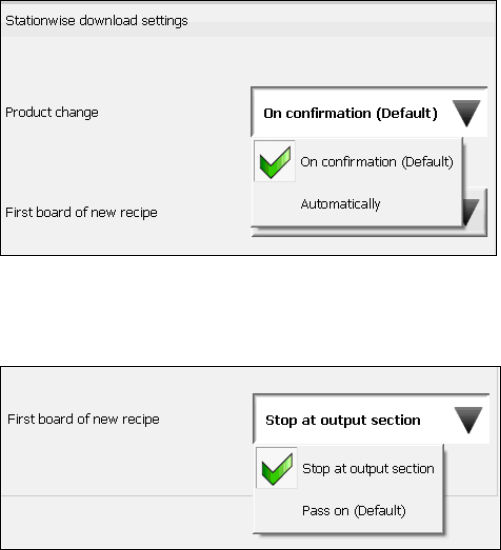
For the Product change option under Settings – Machine settings – Stationwise download
settings you can select if the station-wise download shall be performed On confirmation or
Automatically:
For the First board of new recipe option you can select if Stop at output section or Pass on
shall be applied: