Nordson_EFD_RV_Series_Operating_Manual - 第21页
RV Series Automated Dispensing Systems 21 www.nordsonefd.com info@nordsonefd.com +1-401-431-7000 Sales and service of Nordson EFD dispensing systems are available worldwide. Power On the System After the system is fully …
RV Series Automated Dispensing Systems
20 www.nordsonefd.com info@nordsonefd.com +1-401-431-7000 Sales and service of Nordson EFD dispensing systems are available worldwide.
Prepare the Work Surface or Fixture Plate
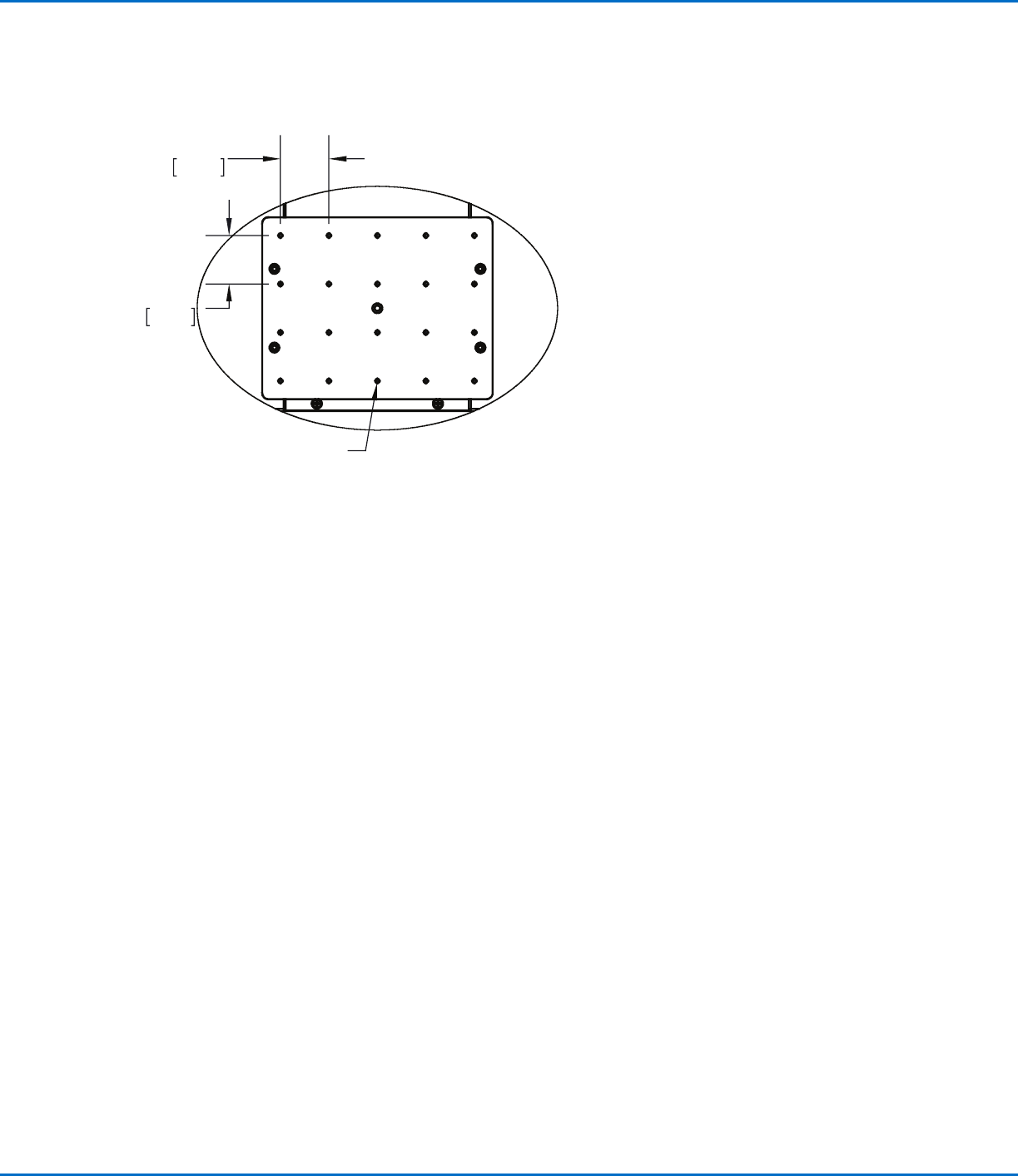
Prepare the robot work surface or fixture plate for secure placement of the workpiece. Refer to “Fixture Plates” on
page92 for fixture plate part numbers. A fixture plate mounting hole template is provided below.
Connect Inputs / Outputs (Optional)
All automated dispensing systems provide 8 standard inputs and 8 standard outputs. Connect input / output
wiring to the I/O PORT connection on the back of the robot. For a wiring diagram, refer to “I/O Port” on page96.
There are several ways to use the system inputs / outputs. Refer to “Setting Up Inputs / Outputs” on page58 for
additional information on inputs / outputs.
300 x 300, 400 x 400, or 600 x 600 fixture plate
1.57
40.00
1.57
40.00
M4X0.7 - 6H THRU ALL
RV Series Automated Dispensing Systems
21www.nordsonefd.com info@nordsonefd.com +1-401-431-7000 Sales and service of Nordson EFD dispensing systems are available worldwide.
Power On the System
After the system is fully installed, including the dispensing system
components, switch on the system to verify the installation.
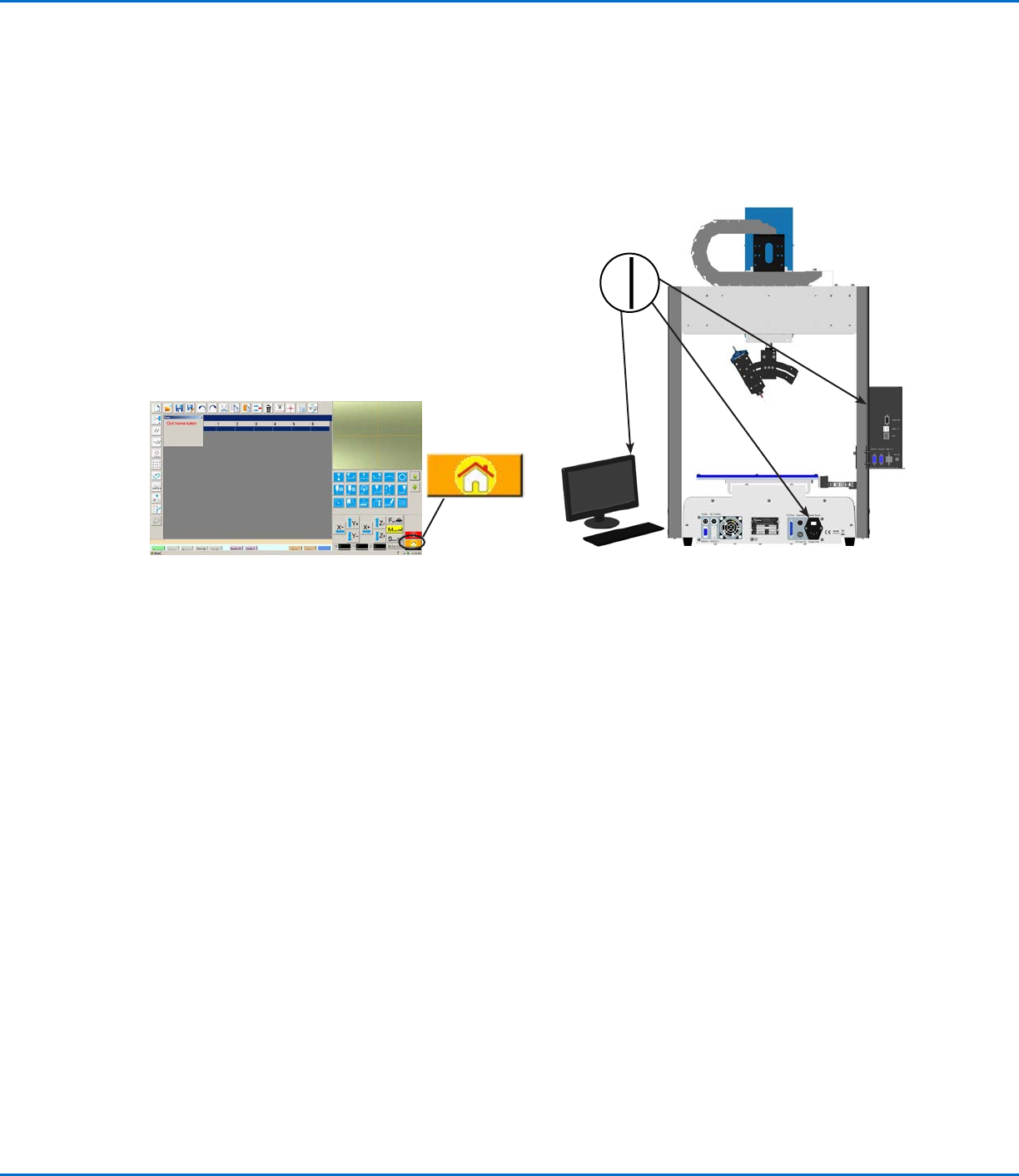
1. Make sure the following installation tasks are complete:
• All applicable system components are installed (refer to “Installation”
on page17).
• Input/output safety plug is installed (if applicable).
• EMERGENCY STOP button on the front panel of the robot
is not depressed.
2. Switch on the DispenseMotion controller, monitor, and
robot.
3. Double-click the DispenseMotion icon to open the
dispensing software.
4. Click HOME.
The robot moves the camera to the home position (0, 0, 0)
and the system is ready.
5. Enable the dispensing system, including the valve controller. Refer to
the dispensing equipment manuals as needed.
6. Refer to the following sections to set up the system and to create
programs for your applications:
• “Concepts” on page22
• “Overview of the DispenseMotion Software” on page25
• “Setup” on page41
• “Programming” on page62
RV Series Automated Dispensing Systems
22 www.nordsonefd.com info@nordsonefd.com +1-401-431-7000 Sales and service of Nordson EFD dispensing systems are available worldwide.
Concepts
Before creating any programs, make sure you understand the concepts explained in this section.
About Programs and Commands
A program is a set of commands stored as a file. Each command is stored in the file as a numbered address.
Commands can be subdivided into the following command types:
• A setup command sets a program-level parameter, such as an XYZR coordinate or the Z clearance height.
• A dispense command is tied to an XYZR coordinate and automatically sends a signal to the dispensing system
to execute the dispense command.
When the robot executes a program, it steps through each address in sequence and executes the command
contained in that address. If an address contains a setup command, the system registers that command. If an
address contains a dispense command, the robot moves the X, Y, Z, and R axes to the location specified for that
command and then performs the dispense command.
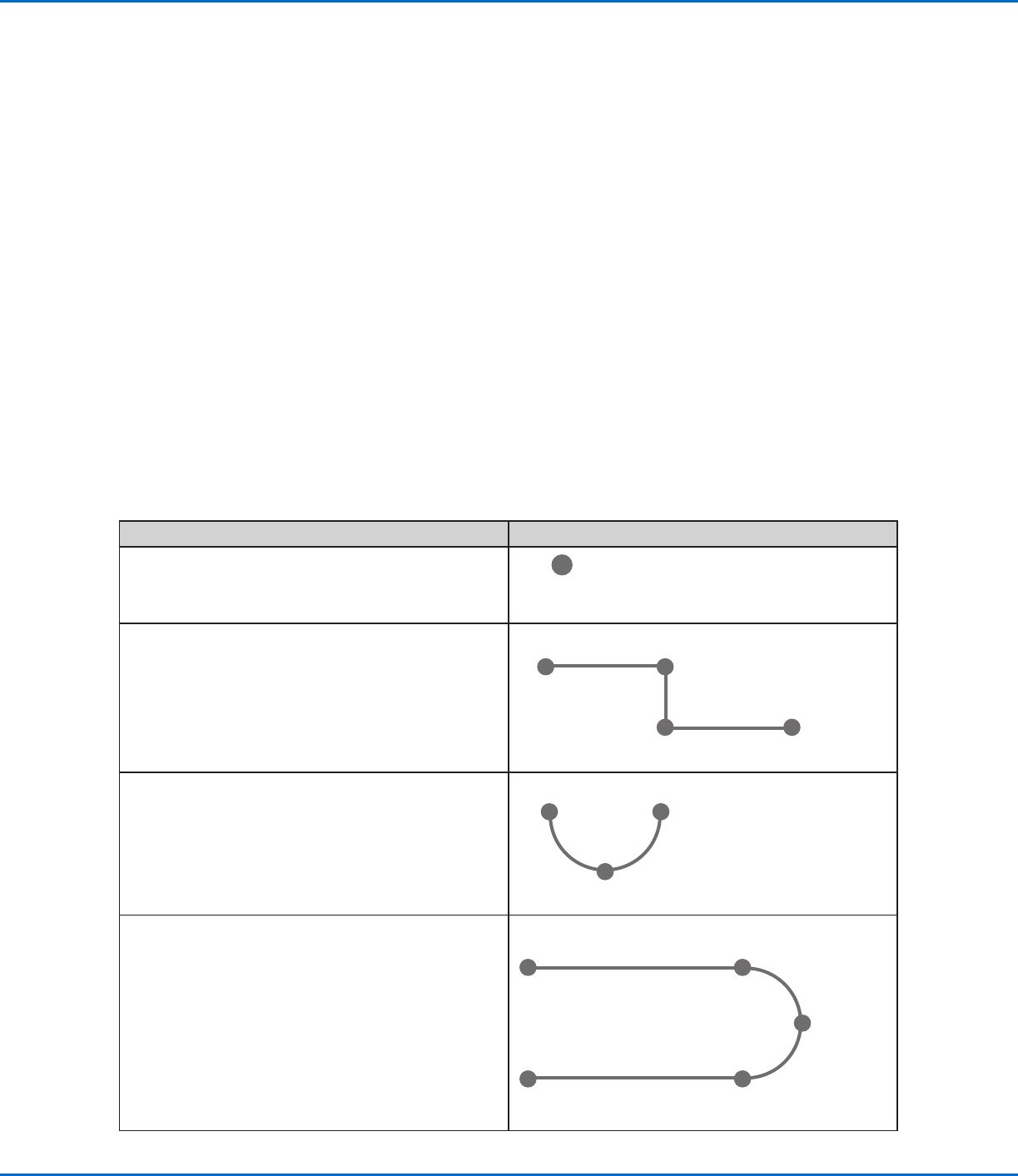
Dispense commands are the building blocks of patterns. To program a dispense command, the dispensing tip is
jogged to the desired XYZR location and then a dispense command is registered for that location. This action is
repeated until the desired dispensing pattern is complete. Several examples are provided below.
Setup commands dictate how dispense commands will be executed. Nordson EFD recommends inserting setup
commands at the beginning of a program. The following setup commands are the most commonly used: Backtrack
Setup, Dispense Dot Setup, Dispense End Setup, Line Dispense Setup, Line Speed, and Z Clearance Setup.
Dispense Command Examples
Commands Resulting Pattern (Overhead View)
To program the robot to dispense a dot of fluid, an
XYZR location is registered as a DISPENSE DOT
command.
DISPENSE DOT
To program the robot to dispense a bead of fluid along
a linear path, the XYZR location of the start of the line
is registered as a LINE START command. The locations
where the tip changes direction are registered as LINE
PASSING commands. The location where the bead of
fluid ends is registered as a LINE END command.
Line Start
Line EndLine Passing
Line Passing
To dispense a bead of fluid in an arc, the XYZR location
of the start of the bead is registered as a LINE START
command. The high point of the arc is registered as an
ARC POINT command. The end of the arc is registered
as a LINE END command.
Arc Point
Line Start Line End
Lines and arcs can also be combined to dispense a
bead of fluid along a complex path.
Line Start
Line End
Arc Point
Line Passing
Line Passing