Nordson_EFD_RV_Series_Operating_Manual - 第55页
RV Series Automated Dispensing Systems 55 www.nordsonefd.com info@nordsonefd.com +1-401-431-7000 Sales and service of Nordson EFD dispensing systems are available worldwide. Robot Initial Setup (Step5 T ab): Setting the…
RV Series Automated Dispensing Systems
54 www.nordsonefd.com info@nordsonefd.com +1-401-431-7000 Sales and service of Nordson EFD dispensing systems are available worldwide.
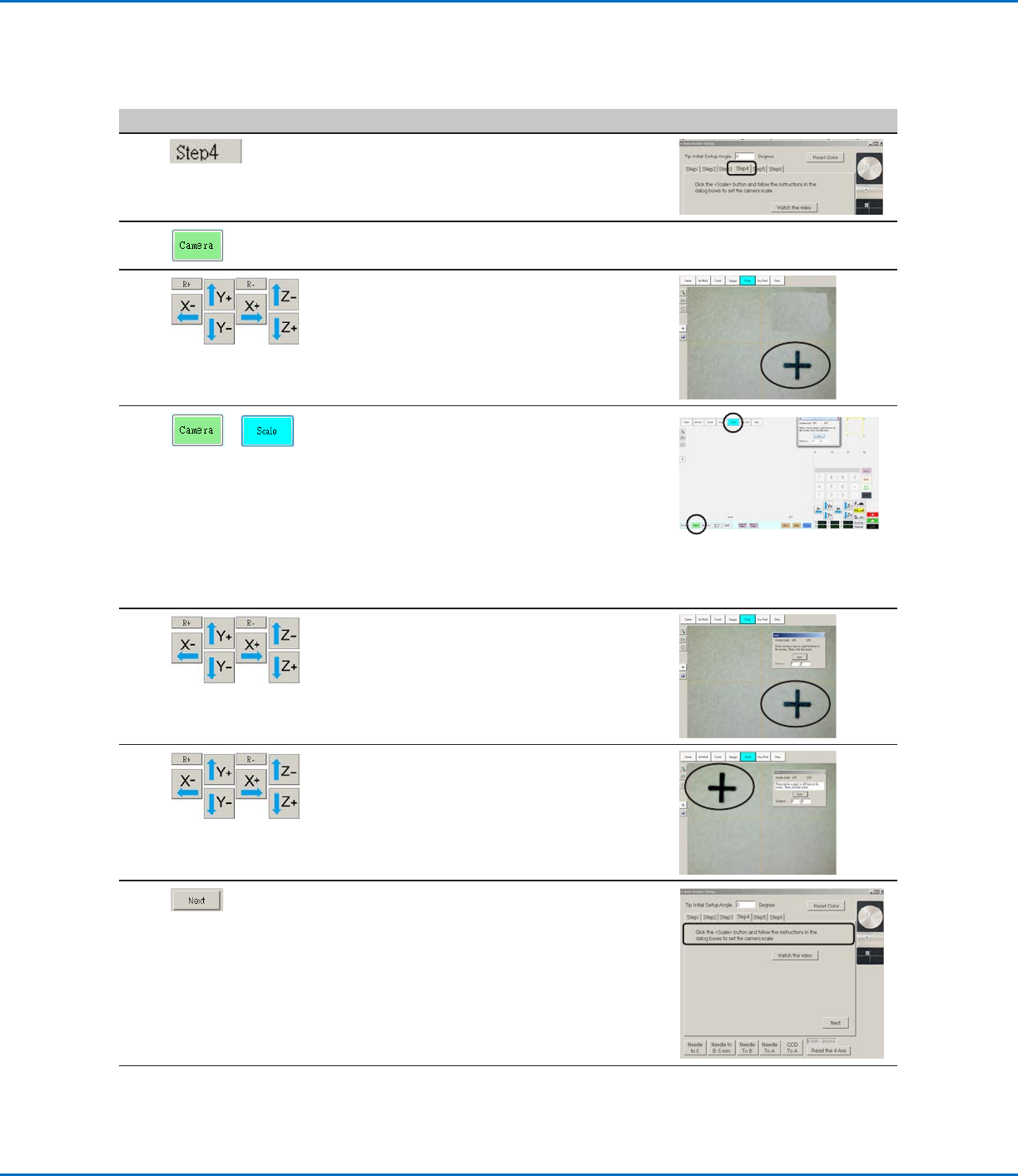
Robot Initial Setup (Step4 Tab): Setting the Camera Scale
# Click Step Reference Image
1
• Ensure that the STEP4 tab is open.
2 • Click the CAMERA tab.
3
• Jog the camera to a point of reference that
is located on the lower right corner of the
workpiece.
• Bring the reference point into focus. Refer
to “Camera” on page16 as needed for
instructions on focusing the camera.
4
>
• Click the CAMERA tab and then click
SCALE.
The Scale window opens.
NOTE: When the camera views an object, it
converts the pixels to a true measurement.
For the camera to make this conversion
accurately, you must “teach” the camera
what the size of an object is in comparison
to pixels per inch by setting the camera
scale.
5 • Choose a point of reference on the
workpiece and jog the camera so that the
reference point is located in the lower right
quadrant of the camera screen, then click
the point.
6 • Jog the camera again until the same
reference point is located in the upper left
quadrant of the camera screen, then click
the point.
The camera scale is now set.
7 • Click NEXT.
8 • Continue to “Robot Initial Setup (Step5
Tab): Setting the Tip-to-Workpiece Offset”
on page55.
Setting Up the System Using the Robot Initial Setup Wizard (continued)
RV Series Automated Dispensing Systems
55www.nordsonefd.com info@nordsonefd.com +1-401-431-7000 Sales and service of Nordson EFD dispensing systems are available worldwide.
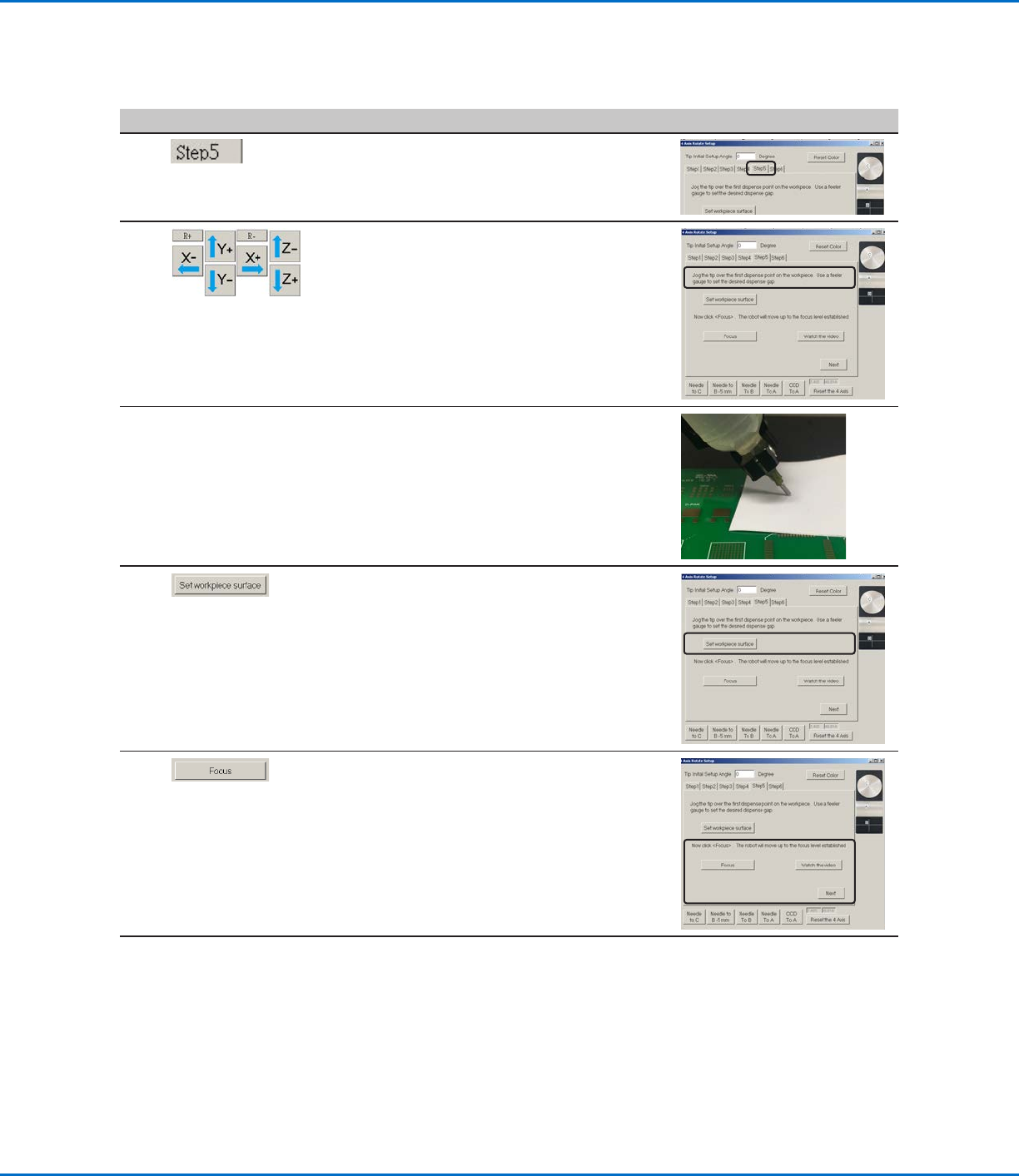
Robot Initial Setup (Step5 Tab): Setting the Tip-to-Workpiece Offset
# Click Step Reference Image
1
• Ensure that the STEP5 tab is open.
2
• Jog the tip to a good reference point on the
workpiece.
• Jog the tip down until it is as close to the
workpiece as possible without touching the
surface.
3 • Using a feeler gauge, set the desired
distance between the bottom of the tip and
the workpiece.
4 • Click SET WORKPIECE SURFACE.
5 • Click FOCUS.
The tip moves to the correct focus height.
• Click NEXT.
6 • Continue to “Robot Initial Setup (Step6
Tab): Testing the System Setup and
Calibration” on page56.
Setting Up the System Using the Robot Initial Setup Wizard (continued)
RV Series Automated Dispensing Systems
56 www.nordsonefd.com info@nordsonefd.com +1-401-431-7000 Sales and service of Nordson EFD dispensing systems are available worldwide.
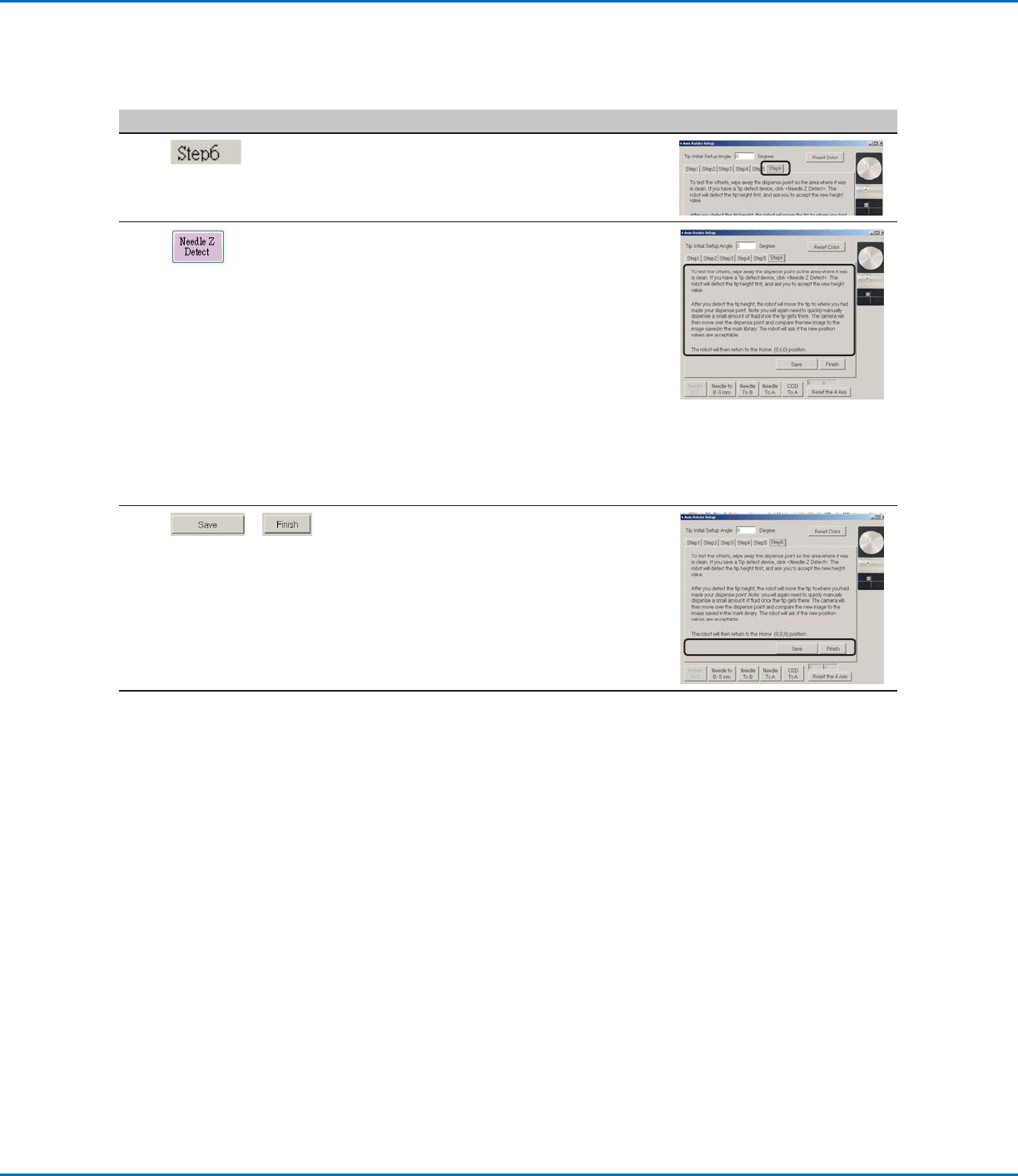
Robot Initial Setup (Step6 Tab): Testing the System Setup and Calibration
# Click Step Reference Image
1
• Ensure that the STEP6 tab is open.
2 • Click NEEDLE Z DETECT to test the setup.
• Click YES/OK when prompted for
confirmations.
NOTES:
• When the system performs a Needle Z
Detect, it automatically performs a Needle
XY Adjust directly after performing the
Needle Z Detect.
• Refer to “How the System Responds to
Needle Z Detect or Needle XY Adjust” on
page57 for a detailed description of
the system response to a Needle Z Detect
selection.
3
>
• Click SAVE.
• Click FINISH.
The system is now properly set up and
calibrated. Refer to “Programming” on
page62 to create programs.
Setting Up the System Using the Robot Initial Setup Wizard (continued)