Nordson_EFD_RV_Series_Operating_Manual - 第68页
RV Series Automated Dispensing Systems 68 www.nordsonefd.com info@nordsonefd.com +1-401-431-7000 Sales and service of Nordson EFD dispensing systems are available worldwide. How to Cr eate Patter ns The vision-guided aut…
RV Series Automated Dispensing Systems
67www.nordsonefd.com info@nordsonefd.com +1-401-431-7000 Sales and service of Nordson EFD dispensing systems are available worldwide.
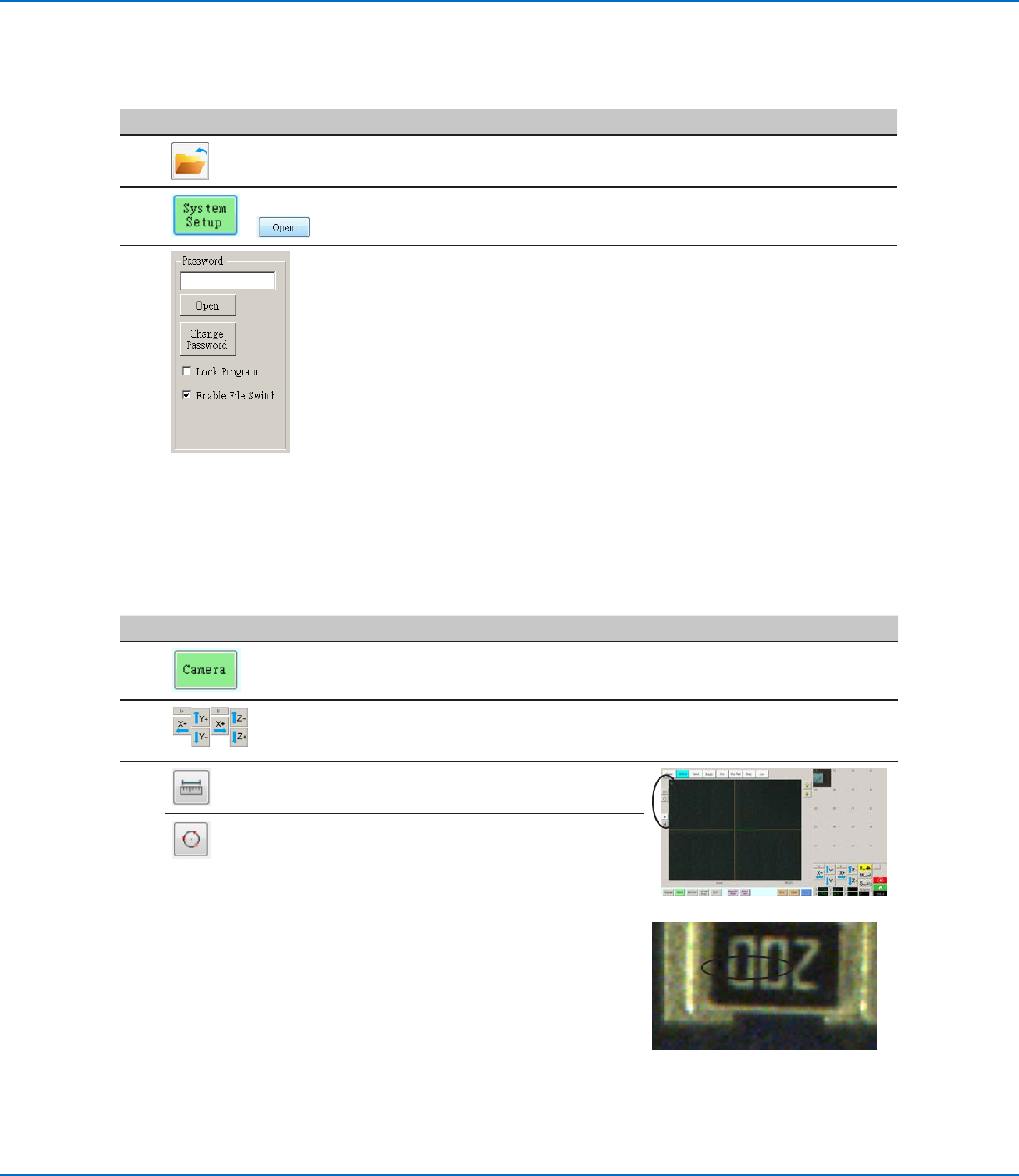
How to Measure a Path or Circle on a Workpiece
The system can measure the distance between two points or the diameter of a circle on a workpiece.
#
Click Step Reference Image
1
• Click CAMERA to go to the camera screen.
2
• Jog the camera until the area on the workpiece
to be measured is in the camera view and then
focus the camera if needed.
3
• To measure a line, click the MEASURE
LENGTH icon.
• To measure the diameter of a circle, click the
MEASURE CIRCLE DIAMETER icon.
4
• To remove the measuring tool, right click the
center of Measure Length or Measure Circle
and then click DELETE.
How to Lock or Unlock a Program
Use the Lock Program checkbox on the System Setup screen to protect a program from unauthorized editing. When
Lock Program is checked, operators can only RUN, VIEW, or PAUSE the currently open program.
#
Click Step
1 • Open the program you want to lock. It should be visible when the Program
tab is selected.
2
>
• Click SYSTEM SETUP > OPEN. If requested, enter the password.
3
• Under Password, check LOCK PROGRAM to lock or unlock a program:
- If LOCK PROGRAM is checked, the currently open program will be locked
from editing and cannot be changed.
- If LOCK PROGRAM is NOT checked, the currently open program will be
unlocked and can be changed.
- If ENABLE FILE SWITCH is checked, the operator can switch programs
when LOCK PROGRAM is checked.
RV Series Automated Dispensing Systems
68 www.nordsonefd.com info@nordsonefd.com +1-401-431-7000 Sales and service of Nordson EFD dispensing systems are available worldwide.
How to Create Patterns
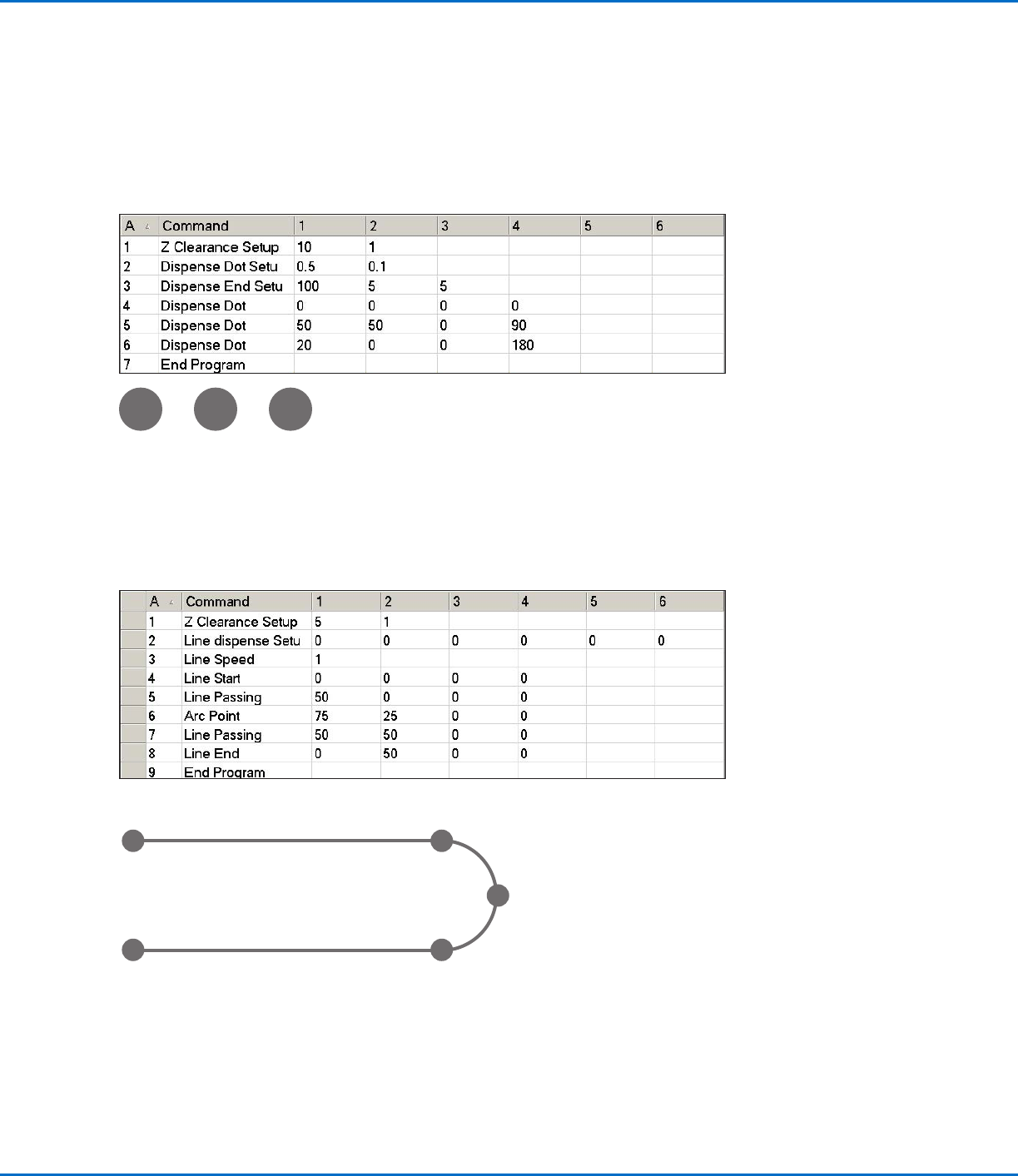
The vision-guided automated dispensing software allows you to create patterns in many ways. This part of the
manual provides example programming for some of the most common command sequences. Use these examples
as a guideline for making other patterns. Refer to “AppendixA, Command Function Reference” on page98
for detailed information on all commands. Refer to “How to Use the Example Icon” on page69 for some pre-
programmed example programs already created in the DispenseMotion software.
Dispense Dot Sample Program
Lines and Arcs Sample Program
Line Start
point
Line End
point
Arc Point
Line Passing
point
Line Passing
point
RV Series Automated Dispensing Systems
69www.nordsonefd.com info@nordsonefd.com +1-401-431-7000 Sales and service of Nordson EFD dispensing systems are available worldwide.
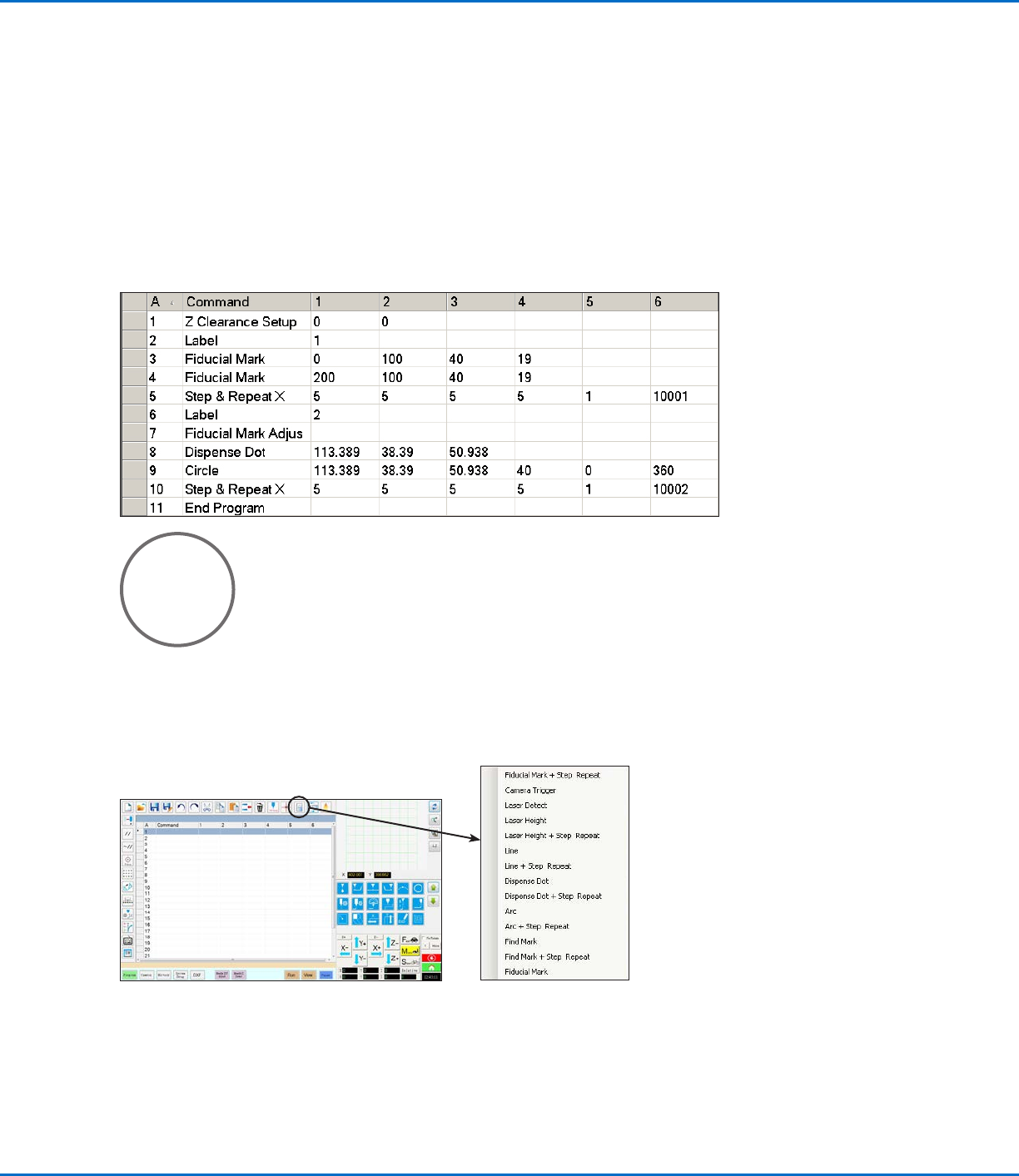
Circle Sample Program
NOTES:
• The X and Y parameters are the center of the circle.
• The diameter of the circle on the workpiece was measured as 5.5mm. Click the Measure Circle Diameter icon
on the Camera screen to measure the diameter of a circle on a workpiece. Refer to “How to Measure a Path or
Circle on a Workpiece” on page67.
• Do not use a non-zero rotation angle in a circle command; doing so will cause the rotation angle to reset to 0
when the command occurs.
How to Create Patterns (continued)
How to Use the Example Icon
A selection of pre-programmed sets of commands are available when you click the Example icon. You can use
these programs as a starting point for any program.