Nordson_EFD_RV_Series_Operating_Manual - 第99页
RV Series Automated Dispensing Systems 99 www.nordsonefd.com info@nordsonefd.com +1-401-431-7000 Sales and service of Nordson EFD dispensing systems are available worldwide. AppendixA, Command Function Refer ence (conti…
RV Series Automated Dispensing Systems
98 www.nordsonefd.com info@nordsonefd.com +1-401-431-7000 Sales and service of Nordson EFD dispensing systems are available worldwide.
AppendixA, Command Function Reference
This appendix provides detailed information for each setup and dispense command. Commands are in alphabetical
order.
The following rules apply to all commands:
• A command is in effect until it is superseded by another command.
• Command settings override system settings.
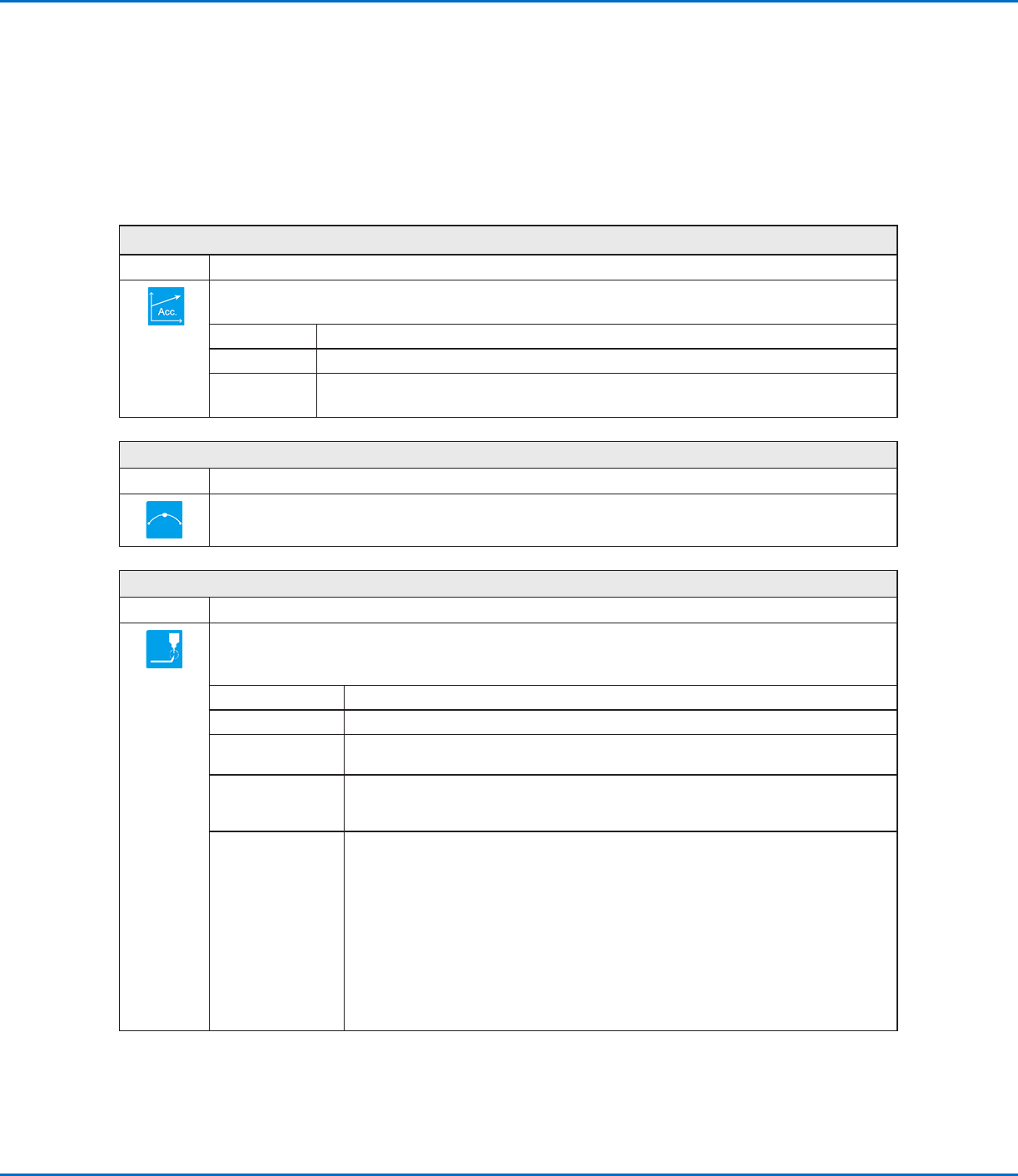
Acceleration
Click Function
Controls the acceleration of the robot from point to point (ptp) or along a continuous path (cp). In general, the
value of this parameter is inversely related to the robot’s acceleration.
Parameter Description
0:ptp 1:cp Toggles the acceleration control between point to point (ptp) or continuous path (cp).
Value Sets the rate of acceleration from point to point or on a continuous path.
Range: 20–600 (mm/s
2
)
Arc Point
Click Function
Registers the current XYZR location as an Arc Point. Arc Points dispense fluid along an arched path.
Backtrack Setup
Click Function
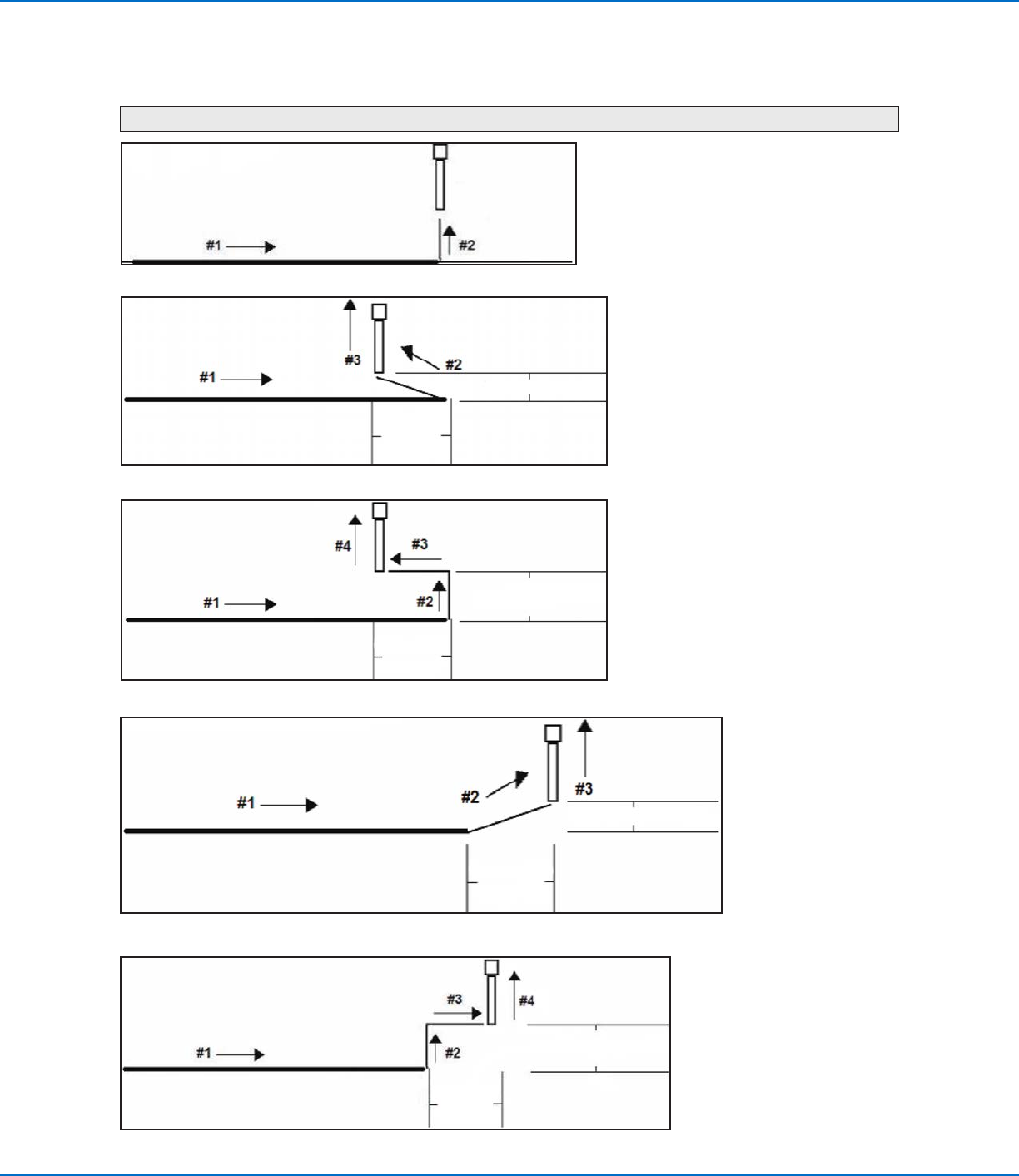
Sets how the dispensing tip raises at the end of line dispensing. This is useful for high-viscosity or stringy fluids
to control where the fluid tail falls. The illustrations on the next page provide a visual representation of the
Backtrack Setup selections.
Parameter Description
Backtrack Length Distance the dispensing tip travels away from the Line End point.
Backtrack Gap Distance the dispensing tip raises as it moves away from the Line End point. This value
must be less than the Z Clearance value for that point.
Backtrack Speed Speed at which the dispensing tip moves either (1) back and up along the retract path
to reverse direction after line dispensing or (2) forward and up at an angle after line
dispensing.
Type
0 or blank (Normal) The dispensing tip moves straight up for the height entered for
Backtrack Gap.
1 (Back) The dispensing tip moves backward at an angle for the distance and
height entered for Backtrack Length and Backtrack Gap.
2 (Square Back) The dispensing tip moves up and then back at the distance and
height entered for Backtrack Length and Backtrack Gap.
3 (Forward) The dispensing tip moves forward at an angle for the distance and
height entered for Backtrack Length and Backtrack Gap.
4 (Square Forward) The dispensing tip moves up and then forward for the distance and
height entered for Backtrack Length and Backtrack Gap.
RV Series Automated Dispensing Systems
99www.nordsonefd.com info@nordsonefd.com +1-401-431-7000 Sales and service of Nordson EFD dispensing systems are available worldwide.
AppendixA, Command Function Reference
(continued)
Backtrack Setup (continued)
Example illustrations of Backtrack Setup
0 or blank (Normal)
Backtrack Gap
1 (Back)
Backtrack Gap
Backtrack
Length
2 (Square Back)
Backtrack Gap
Backtrack
Length
3 (Forward)
Backtrack Gap
Backtrack
Length
4 (Square Forward)
Backtrack Gap
Backtrack
Length
RV Series Automated Dispensing Systems
100 www.nordsonefd.com info@nordsonefd.com +1-401-431-7000 Sales and service of Nordson EFD dispensing systems are available worldwide.
AppendixA, Command Function Reference
(continued)
Block Initialize
Click Function
Double-click
address and
select from drop-
down menu
When two Step & Repeat Block commands are present in a program, use Block Initialize to specify only the
points that are selected in the Run Block Select window. Refer to “How to Disable Dispensing for Specific
Workpieces in an Array” on page71 for details.
Call Pattern
Click Function
Double-click
address and
select from
drop-down
menu
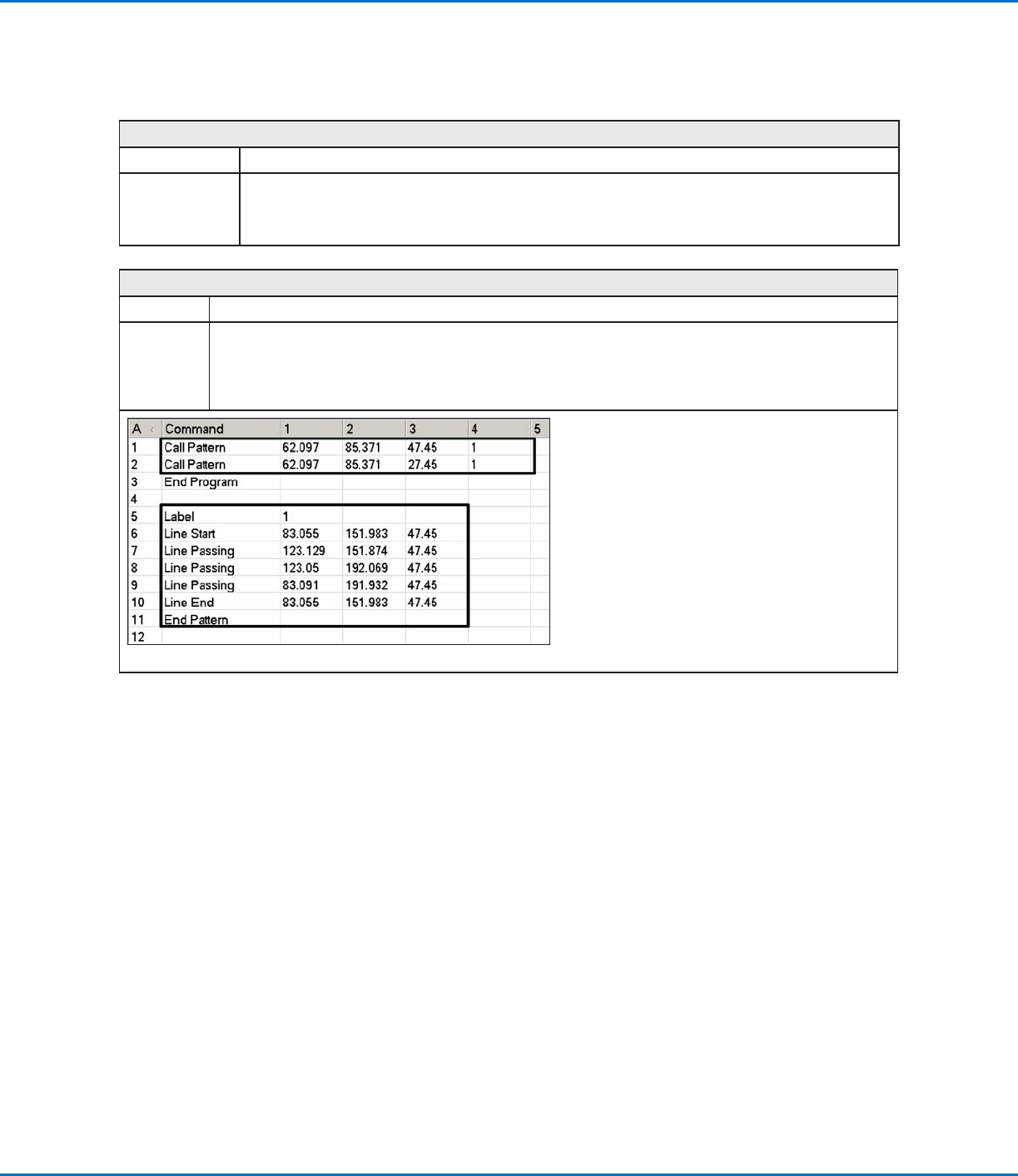
Causes the system to dispense in a pattern that is like another pattern in the program, but at the location in
the program where the Call Pattern command occurs. The called pattern must have a Label assigned to it. The
system stops dispensing the called pattern when it reaches an End Pattern command.
Example of a program that includes a Call Pattern command