Schneller MTC Wechseltisch.pdf - 第33页
Special design Assembly instructions Changeover table in place of the MTC2 03/2007 Edition 33 2.8 Inst allation : Log onto the machine as admini strator . : Insert the CD into the sta tion computer . The Insta llShield® …
Assembly instructions Changeover table in place of the MTC2 Special design
03/2007 Edition
32
2
: When you push it in, make sure that the pins of the ODU connector are not bent. Once you
have installed the table successfully, check that the table and the ODU connector are seated
correctly.
2
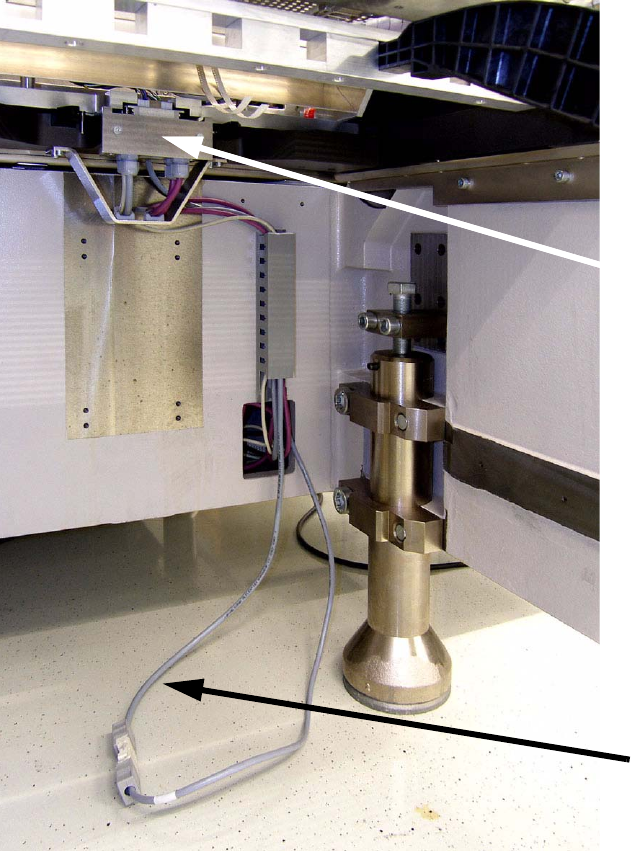
: Plug in the cable at connector X121 (03002492-01) and run it through the cable duct and into
the body of the machine.
2
ODU connector
Cable for table
communication
Special design Assembly instructions Changeover table in place of the MTC2
03/2007 Edition
33
2.8 Installation
: Log onto the machine as administrator.
: Insert the CD into the station computer.
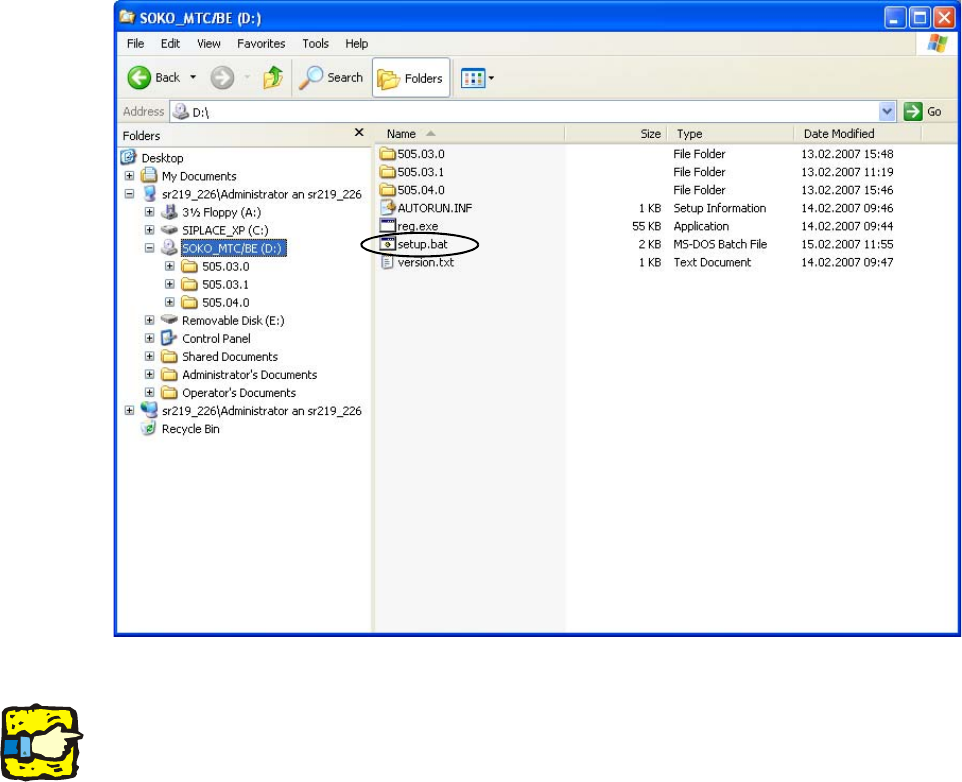
The InstallShield® starts automatically. If it does not, call up the CD in Windows Explorer and
run “D:\setup.bat”.
2
2
2
The installation can be stopped at any time using the “Cancel” button. 2
Some of the settings may be lost when the procedure is canceled. The software should therefore
be reinstalled. 2
2
2
2
2
2
Assembly instructions Changeover table in place of the MTC2 Special design
03/2007 Edition
34
2.8.1 Installing the software
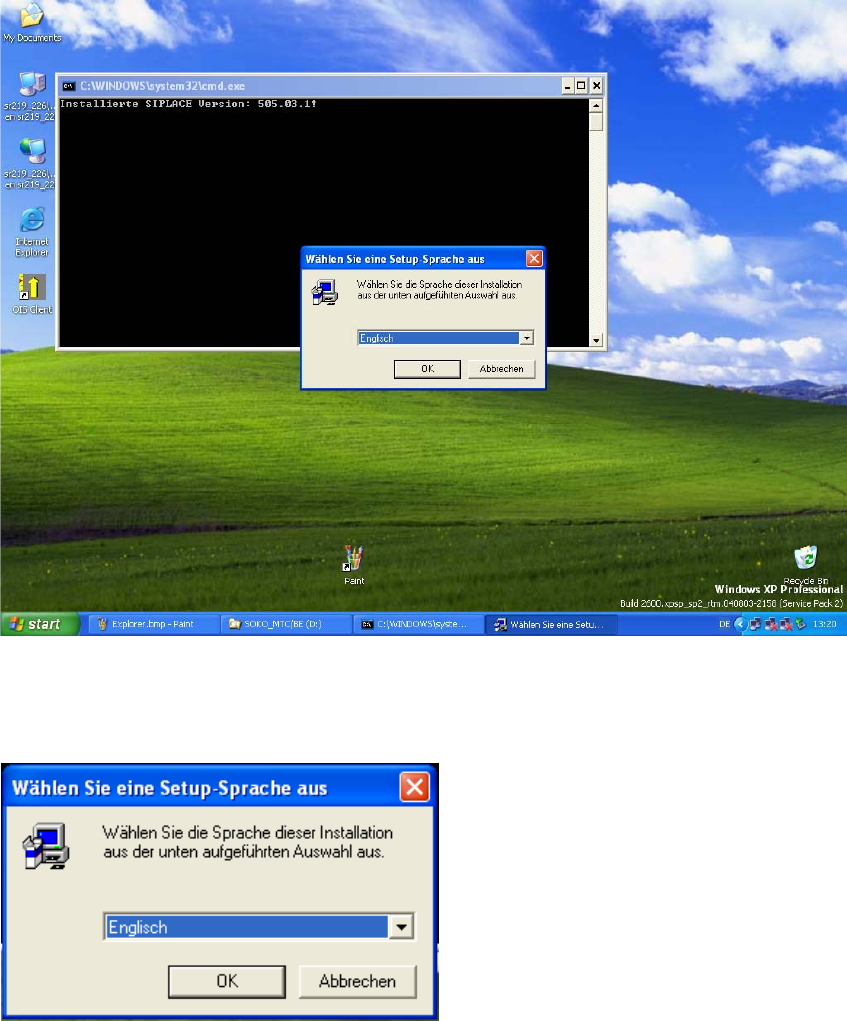
After you insert the CD the following window appears. 2
: Wait until the InstallShield® Wizard is loaded.
: Choose the language you want and click on “OK”.
2
2
: Choose a language and click "OK".
2
2