Schneller MTC Wechseltisch.pdf - 第35页
Special design Assembly instructions Changeover table in place of the MTC2 03/2007 Edition 35 : Click on "Next" to continue. 2 2 : Enter your name and company . After you insert the registr ation informat ion, …
Assembly instructions Changeover table in place of the MTC2 Special design
03/2007 Edition
34
2.8.1 Installing the software
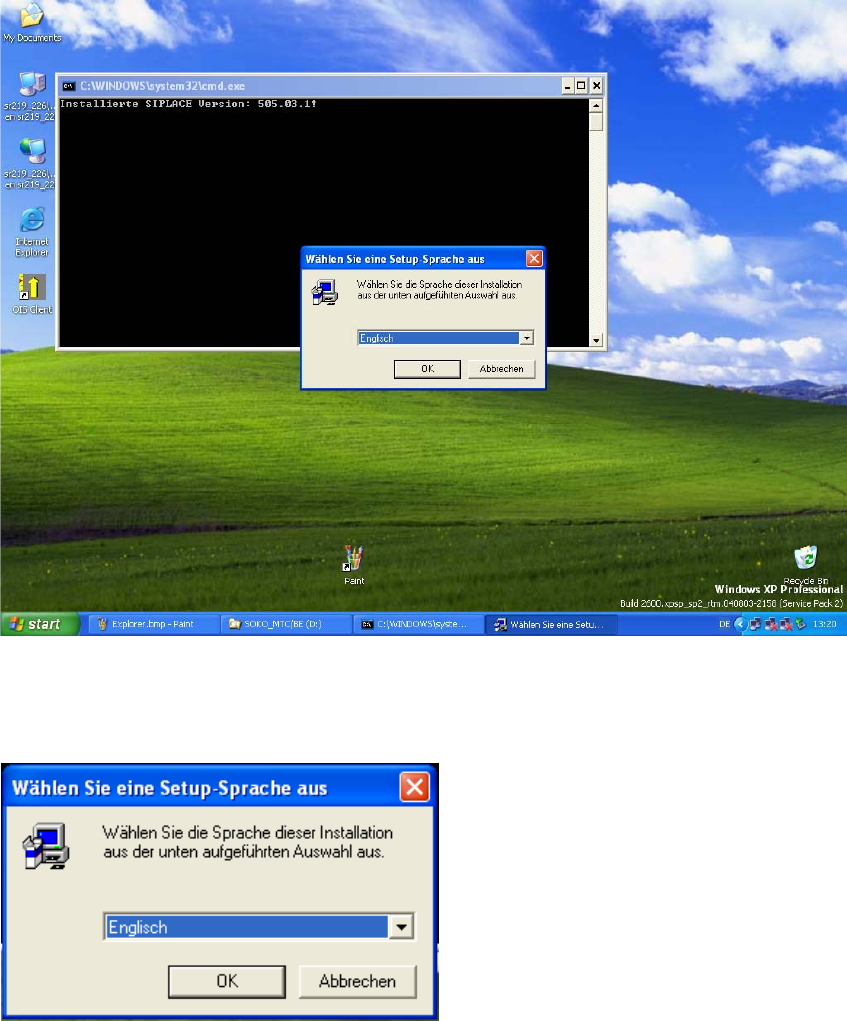
After you insert the CD the following window appears. 2
: Wait until the InstallShield® Wizard is loaded.
: Choose the language you want and click on “OK”.
2
2
: Choose a language and click "OK".
2
2
Special design Assembly instructions Changeover table in place of the MTC2
03/2007 Edition
35
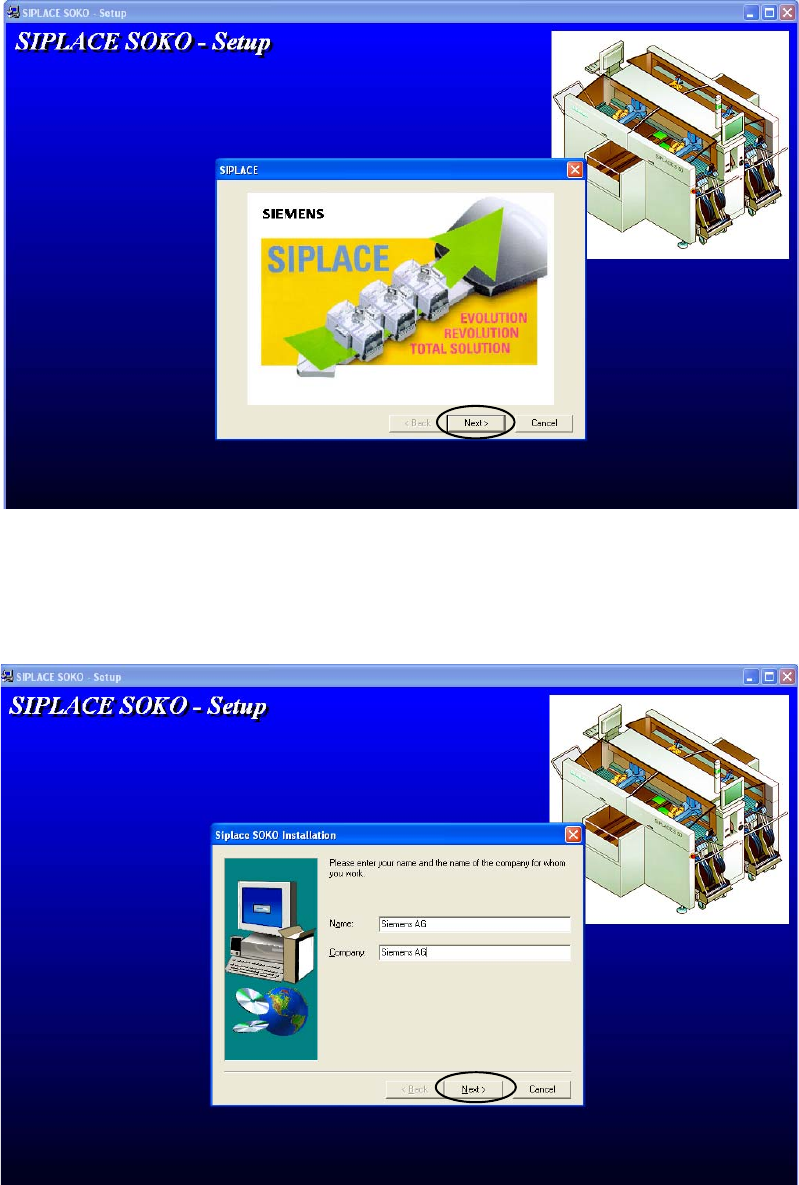
: Click on "Next" to continue.
2
2
: Enter your name and company. After you insert the registration information, the button “Next”
will be activated. Click on it to continue.
2
Assembly instructions Changeover table in place of the MTC2 Special design
03/2007 Edition
36
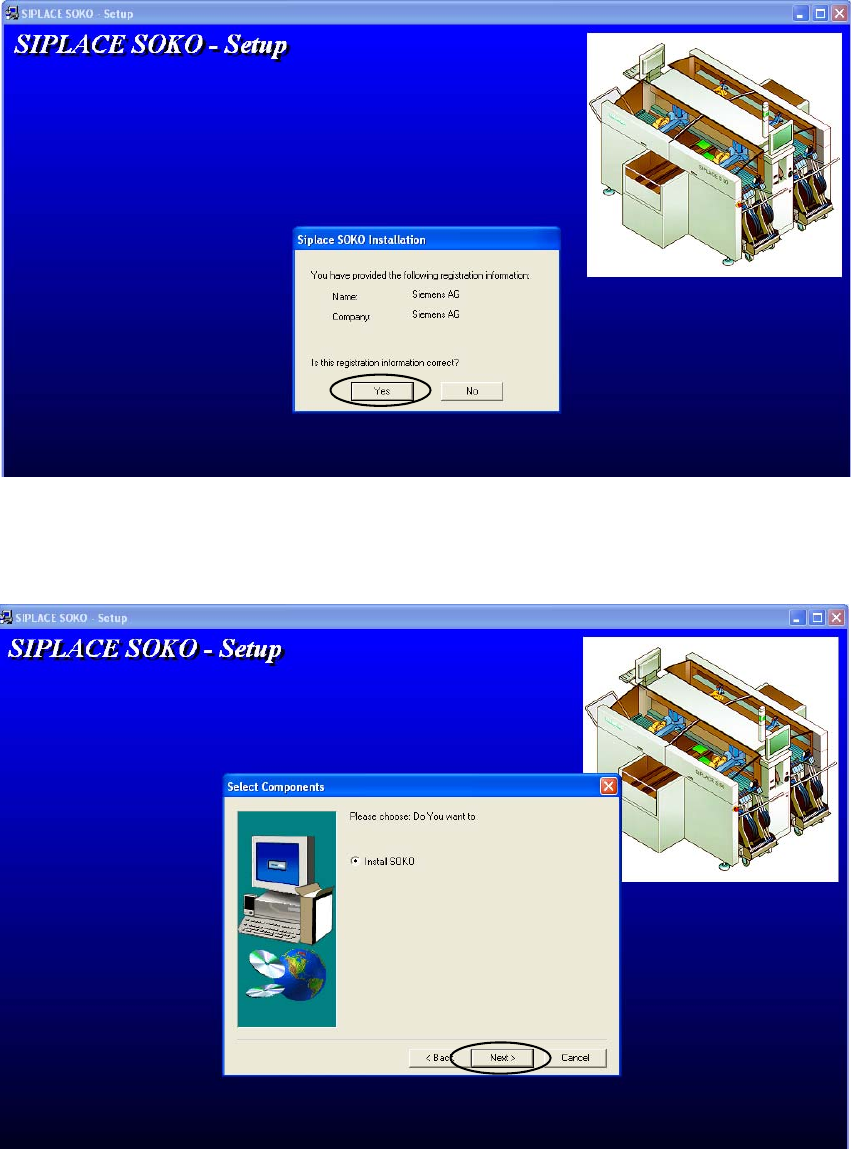
: To make sure the registration information is correct, you are asked again. If it is correct, click
on “Yes” if not click on “No” and insert it correctly.
2
2
: Choose “Install SOKO” and click on “Next” to continue.
2