Schneller MTC Wechseltisch.pdf - 第38页
Assembly instructions Changeover table in place of the MTC2 Special design 03/2007 Edition 38 2 2 After re start the machine you can check on the GUI in the help menu --> Info th e Softwa re ver- sion. 2 2
Special design Assembly instructions Changeover table in place of the MTC2
03/2007 Edition
37
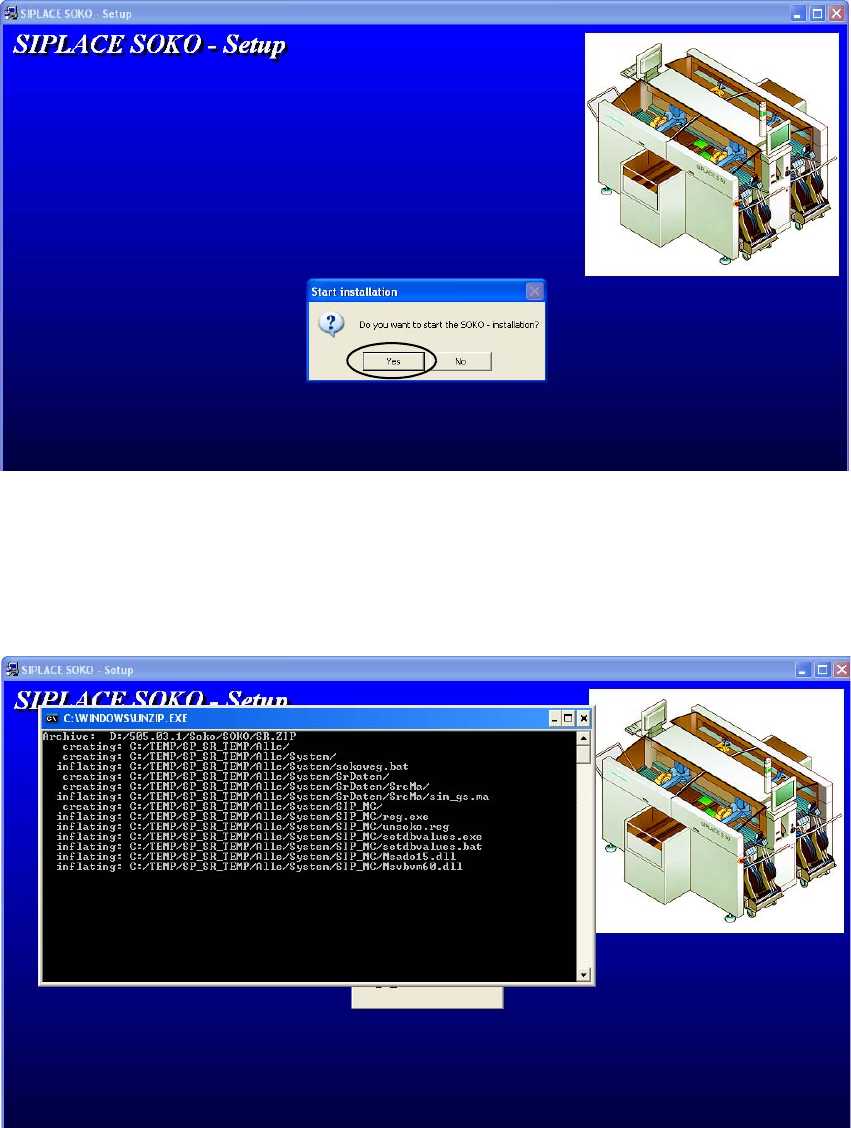
: Click on “Yes” to start installation.
2
2
: The following windows appear while the installation, wait until the final screen appears which
says that the installation was completed successfully.
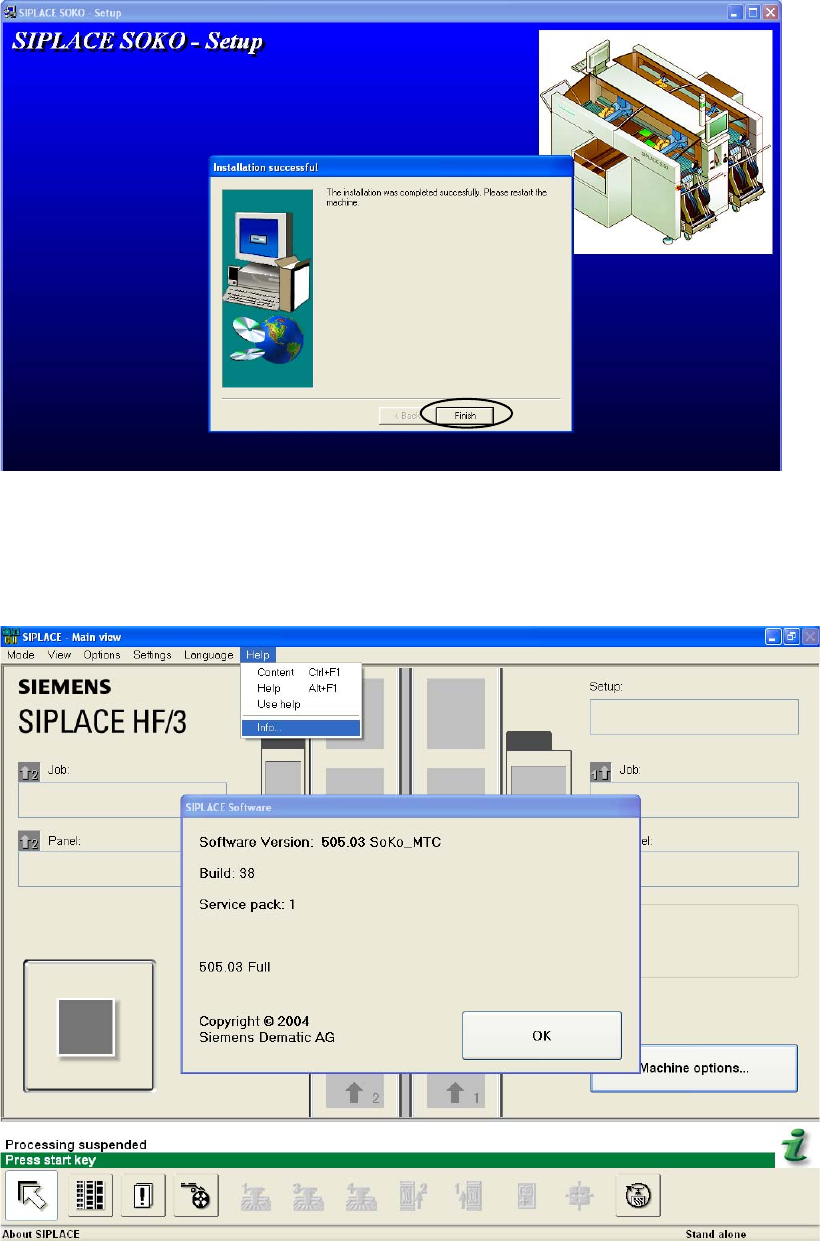
Click “Finish” and restart the machine afterwards to activate the new settings.
2
2
2
Assembly instructions Changeover table in place of the MTC2 Special design
03/2007 Edition
38
2
2
After restart the machine you can check on the GUI in the help menu --> Info the Software ver-
sion. 2
2
Special design Assembly instructions Changeover table in place of the MTC2
03/2007 Edition
39
2.9 Uninstalling
: Log onto the machine as administrator.
: Insert the CD into the station computer.
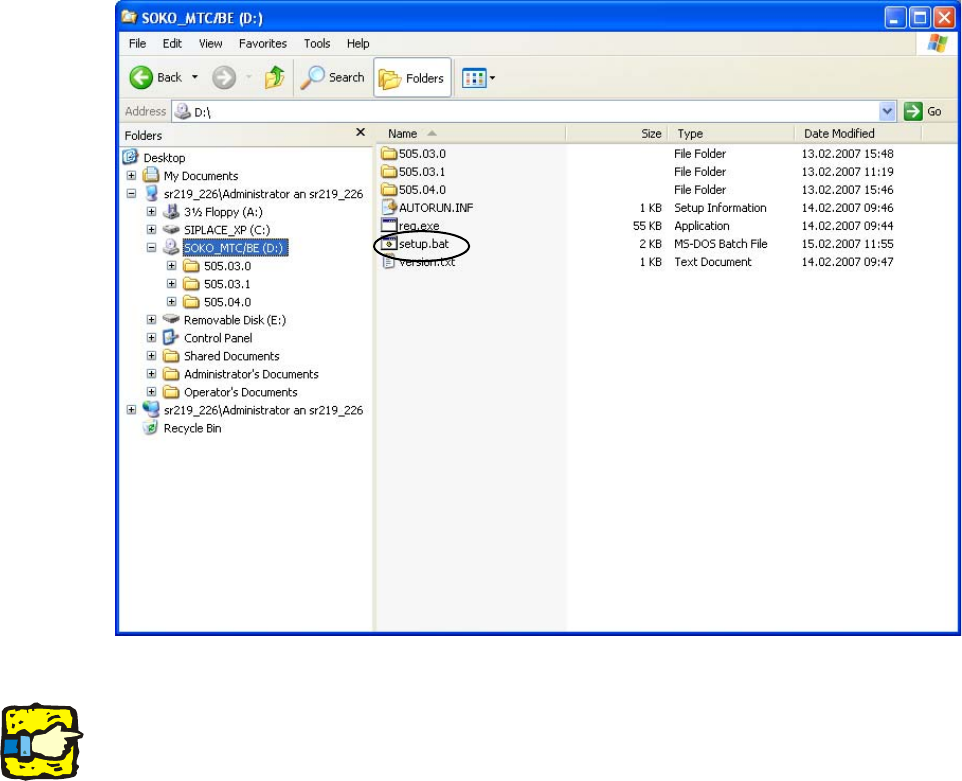
The InstallShield® starts automatically. If it does not, call up the CD in Windows Explorer and
run “D:\setup.bat”.
2
2
2
The installation can be stopped at any time using the "Cancel" button. 2
2
2
2
2
2