JO-116-001_w.pdf - 第155页
5-B JO-1 16 1 105-001

5-A
JO-116
1105-001
Section 5
Supplement
•
Troubleshooting against Main Errors
•
Others
•
Layout
•
Electrical Circuit Diagram

5-B
JO-116
1105-001
5-1
JO-116
1. Troubleshooting against Main Errors
(1) RS Communication Initial Error
Error Message
: An error has occurred in the initialization of the
error message communication.
Follow the restart procedure. When the same error
still occurs, check the board.
Cause
: 1. The serial communications equipment such as a bar
code reader is not connected.
2. The port Nos. were changed.
This kind of error seems to occur when another USB
port is selected.
Remedy
: 1. Connect the equipment.
2. Check the COM port, using the device manager of
the OS and select "COM3" for the bar code reader.
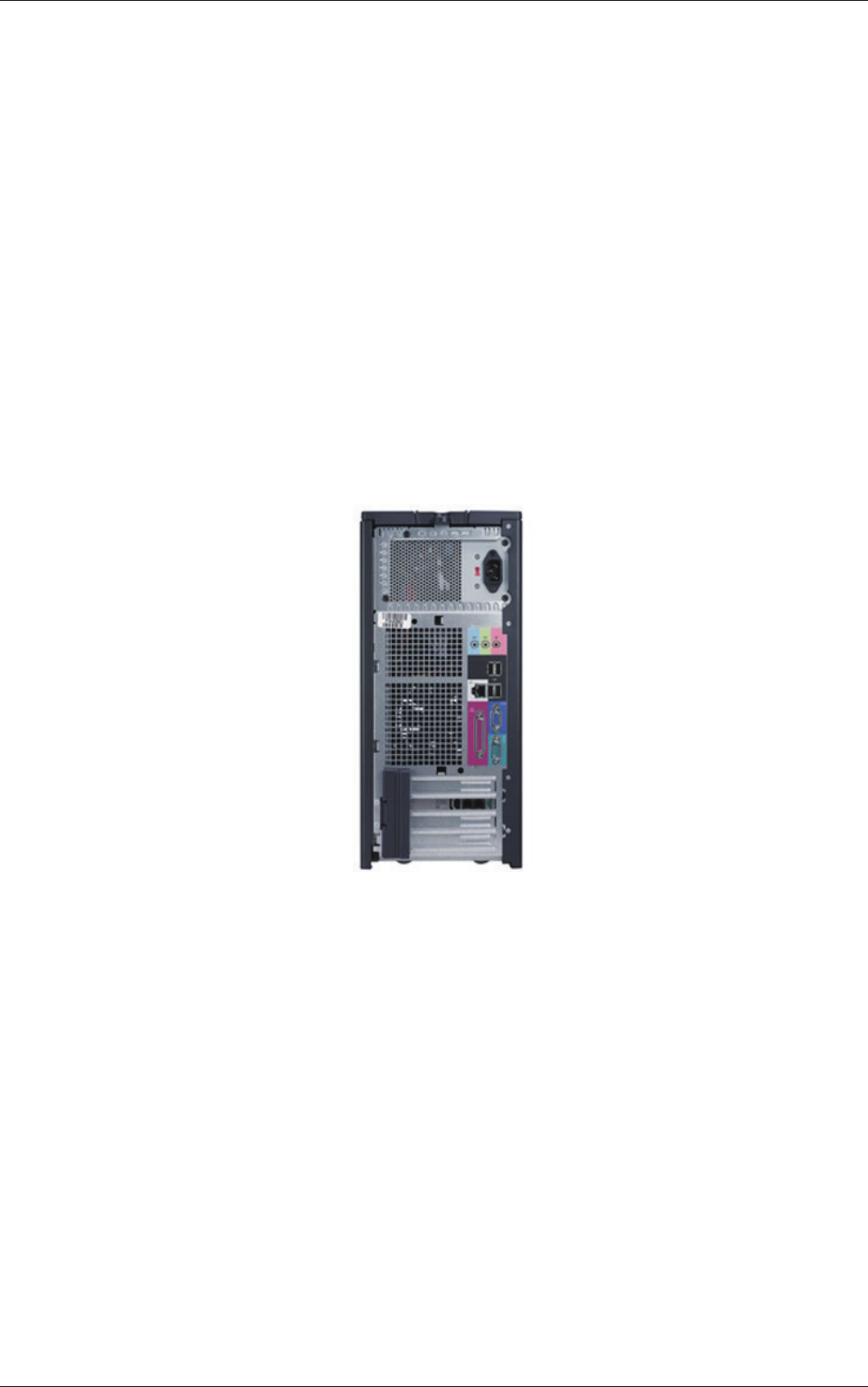
Fig. E1
Use the lowest USB port (see the photo above) for the connection.
(2) DIO Board Initial Error
Error Message
: Error at Initial Setting of DIO Board Follow the
restart procedure. When the same error still occurs,
check the board.
Cause
: 1. The DIO equipment is not connected.
Remedy
: 1. Connect the inspection device and the personal
computer.
1. Troubleshooting against Main Errors
1105-001