JO-116-001_w.pdf - 第35页
1-6 JO-1 16 3. Rough View of Device 1 105-001 3. Rough View of Device Liquid Crystal Display (DELL E176FP) Micrometer Mouse Keyboard Pickup Position Master T oggle Clamp Measuring Jig Adjustment Base Pickup Position Came…
1-5
JO-116
2. Specications
1105-001
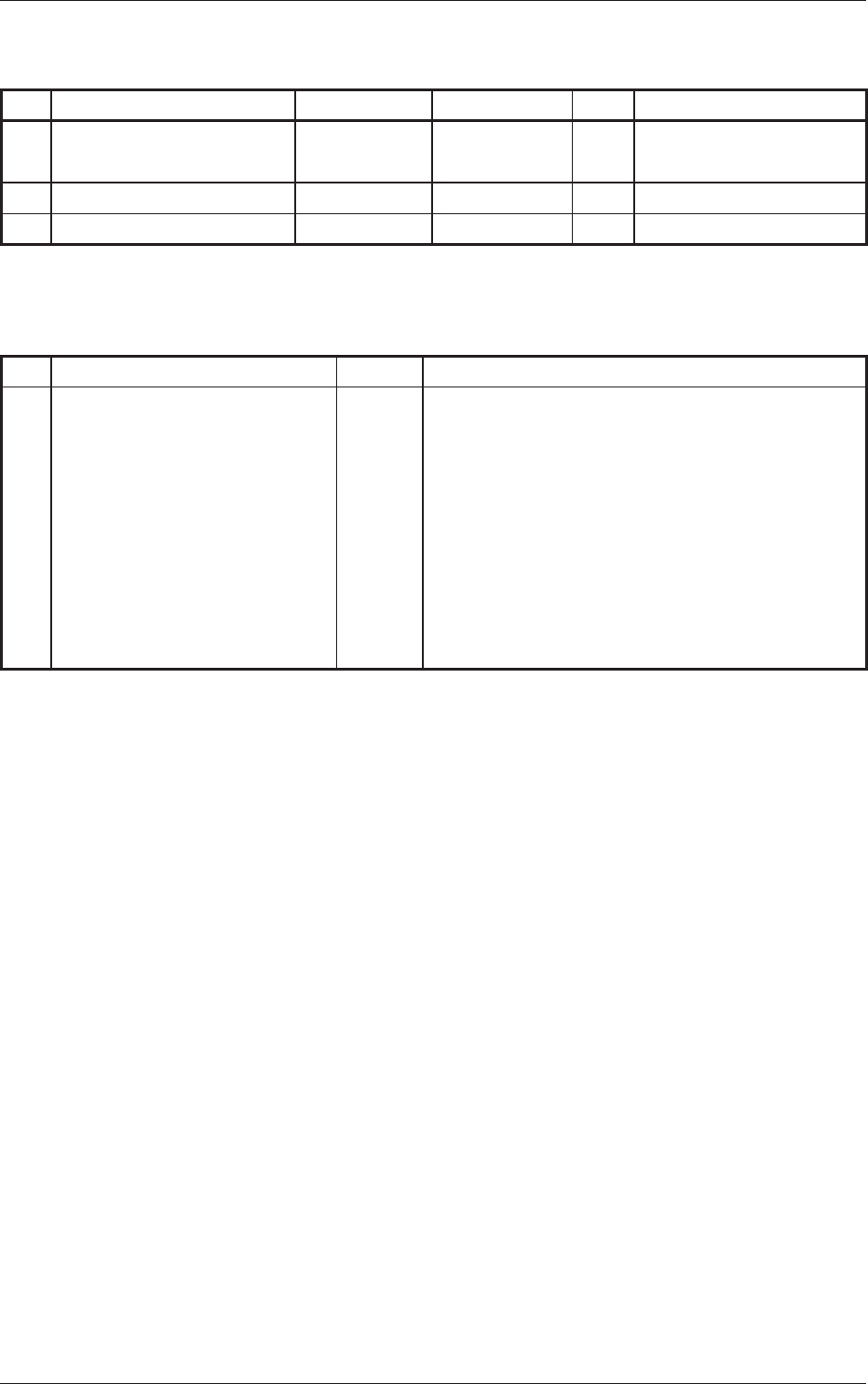
Standard Accessory Parts List
Table A2
No. Product Name Part No. Part Name Q'ty Remarks
1 Ferrite Core for Power
Cable
1
2 Light Shielding Jig 1
3 Pickup Position Master 1
Part to be prepared at the local site
* The following part must be prepared on the customer side.
No. Product Name Q'ty Specications
1 AC Power Cable (2m) 1 Length : Approx. 2m
Single Phase : 220 V 10 A
Number of Cores : 2 + Grounding Pin
Male Plug (Wall Outlet Side in Factory):
Prepare a plug that ts the wall outlet in the
local factory.
Female Plug (Power Box Side):
IEC Standard Connector
IEC60320C13 (Type No: YC-12)
1-6
JO-116
3. Rough View of Device
1105-001
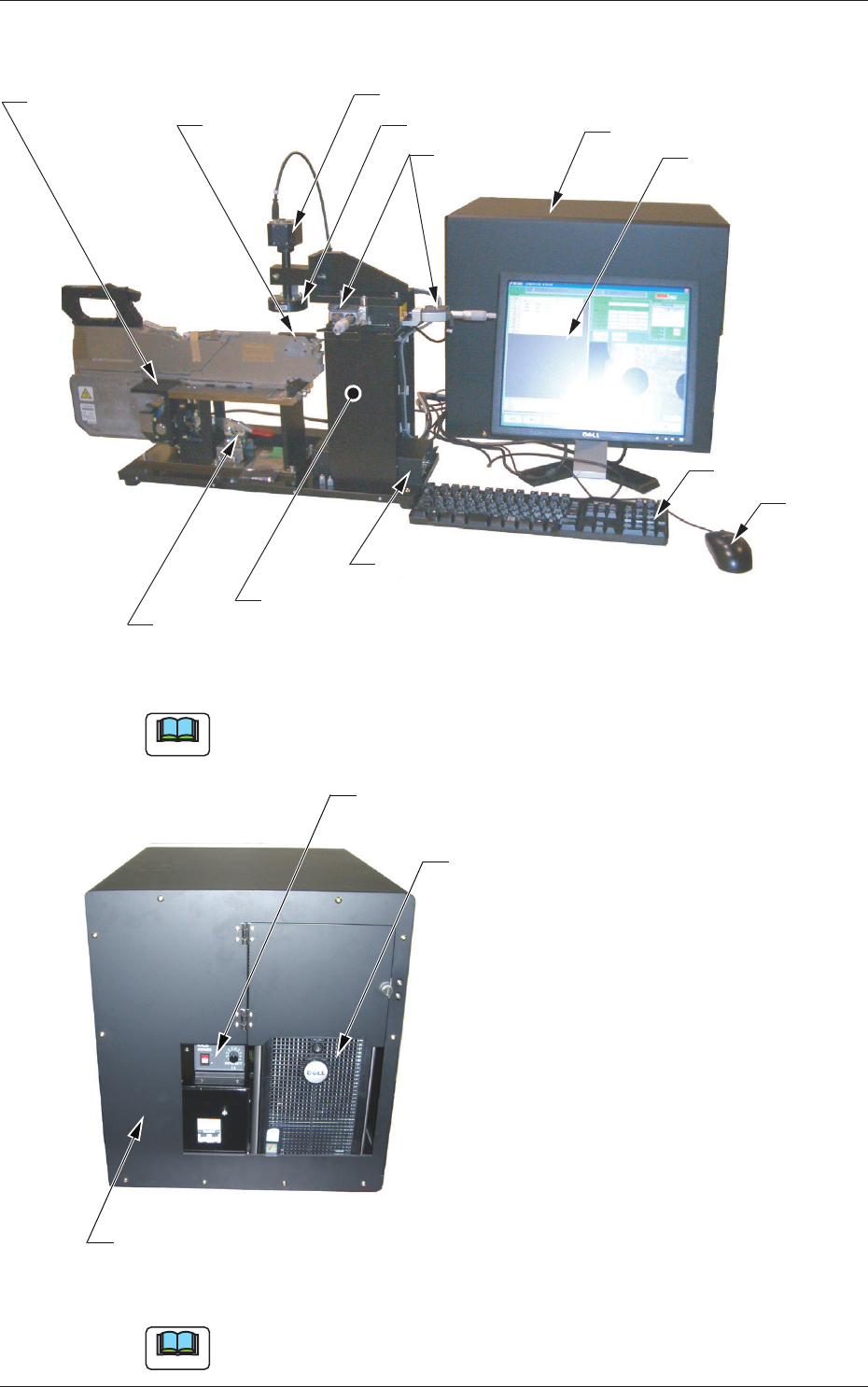
3. Rough View of Device
Liquid Crystal Display
(DELL E176FP)
Micrometer
Mouse
Keyboard
Pickup Position
Master
Toggle Clamp
Measuring Jig
Adjustment Base
Pickup Position Camera
Personal Computer Box
LED Illumination
Micrometer Unit
(Measured Data Transfer Unit)
Fig. A1
Note
The jig in the above inset photo might look different from the actual one.
Electrical Box
Pickup Position Camera Control Unit
(Power Supply for LED Illumination)
Personal Computer for Data Writing
(DELL Optiplex Series)
Fig. A2 Side View of Personal Computer Box
Note
The jig in the above inset photo might look different from the actual one.

2-A
JO-116
1105-001
Section 2
Basic Knowledge
This section describes the procedure for the jig installation
and how to start and end the system.
•
Procedure for Jig Installation
•
How to start and end the system