JO-116-001_w.pdf - 第47页
2-10 JO-1 16 1 105-001
2-9
JO-116
1105-001
2.2 Ending the Program
2.2 Ending the Program
Procedure
(1) Press the [ ] button located on the upper right side of each
window.
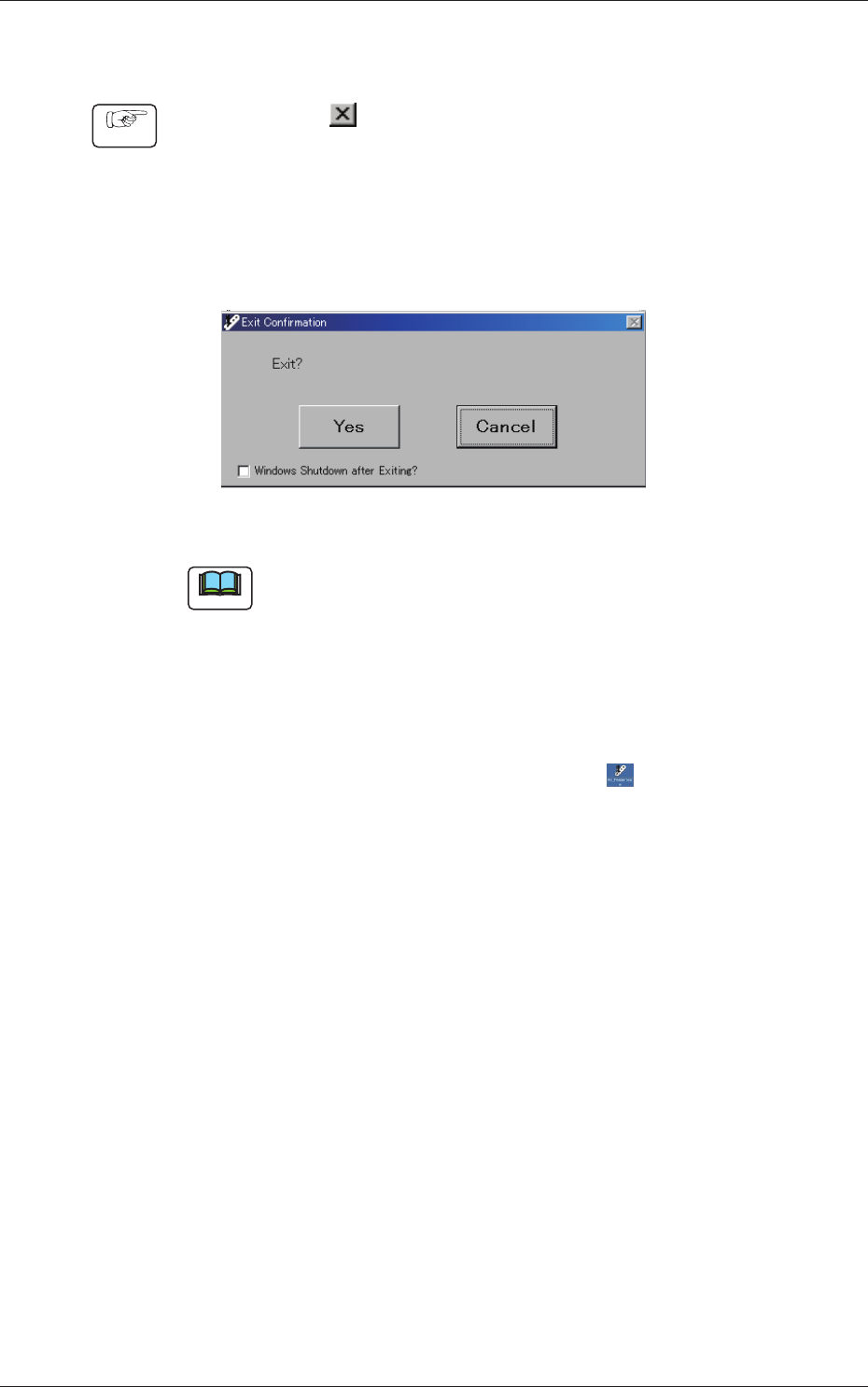
(2) The "Exit Conrmation" dialog box opens. Press the[Yes] or the
[Cancel] button.
When you select the [Yes] button, you can exit from the program.
Selecting the [Cancel] button resumes the origin window.
Fig. B10
Note
When the Windows shutdown function is valid (default), the
"Windows" system program also closes.
To invalidate the function, the authority higher than the power user is
required.
Tick the check box "Windows Shutdown after Exiting" located on
the lower left side of the "Exit Conrmation" dialog box. The "Tick"
mark disappears.
When the program is started again, press the [
] icon on the
desktop of the personal computer.

2-10
JO-116
1105-001

3-A
JO-116
1105-001
Section 3
Description of Windows
This section describes the details of each window.
•
Administrative Authority Change
•
Set Data Change
•
"Type Listup" Window
•
"Type Setting" Window
•
"System Setting" Window
•
"Measurement" Window
•
"Errors" Window