4OM-1011-002.pdf - 第108页
0305-001 Tg0860-PM-MM *10 [GAIN ・ LEVEL] Key When this key is pressed, the “GAIN ・ LEVEL” display (Fig. 4C69) appears on the screen. These parameters are used to set amplifications at which the image signals of the image…
0305-001 Tg0860-PM-MM
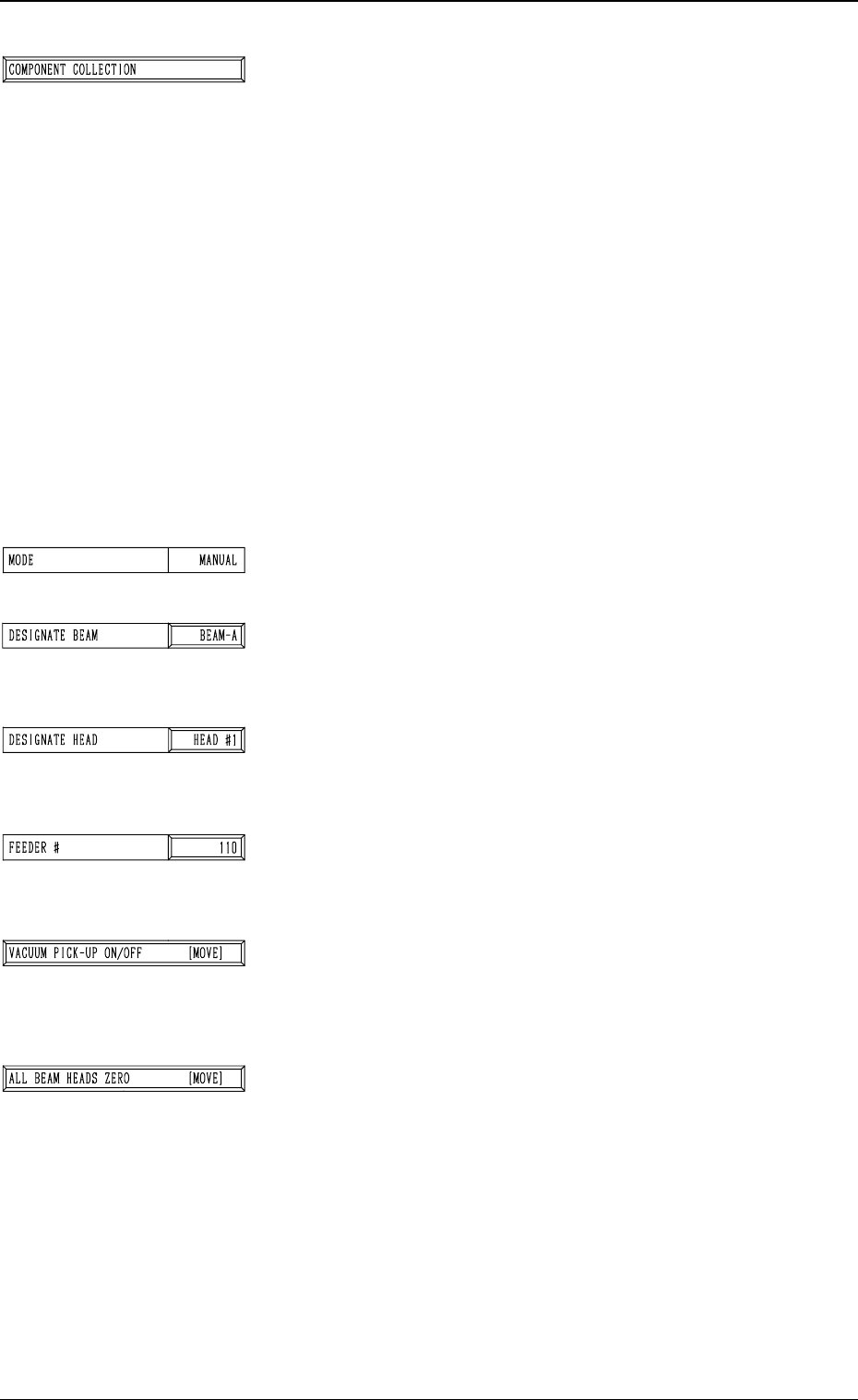
*3 [COMPONENT COLLECTION] Key
The machine works to collect the picked special jig.
When this key is selected and the [MOVE] button is pressed,
the machine starts to collect the special jig.
Note: Perform this collection operation after the teaching
operation is completed.
The head moves down to the pick-up point over the desig-
nated feeder and stops.
The [VACUUM PICK-UP ON/OFF [MOVE]] key must
be selected and the [MOVE] button must be pressed to
turn off the vacuum. Then, the jig component must be col-
lected.
(Be sure not to drop the jig component. Otherwise, it may
break because it is very fragile.)
Note: When the special jig must be collected by hand,
special care is required for safety purposes because
the operator has to put part of his/her body inside
the machine.
*4 MODE
Only “MANUAL” is available.
*5 DESIGNATE BEAM
Designate the beam to be used to pick up the special jig.
Set either “BEAM-A” or “BEAM-B” in the data box.
*6 DESIGNATE HEAD
Designate the head to be used to pick up the special jig.
Set either “HEAD #1” or “HEAD #2” in the data box.
*7 FEEDER #
The head moves to the feeder designated when the special
jig is picked up or collected.
*8 [VACUUM PICK-UP ON/OFF [MOVE]] Key
The vacuum can be turned on or off.
When this key is selected and the [MOVE] button is pressed,
the vacuum is turned ON or OFF.
*9 [ALL BEAM HEADS ZERO [MOVE]] Key
Both Beams A and B are zeroed.
When this key is selected and the [MOVE] button is pressed,
the zeroing operation starts.
3-56
6.2 COMP. RECOG. CAMERA MAG. (STEP-2) Display
Fig. 4C76
Fig. 4C77
Fig. 4C78
Fig. 4C79
Fig. 4C80
Fig. 4C81
Fig. 4C82
0305-001 Tg0860-PM-MM
*10 [GAIN・LEVEL] Key
When this key is pressed, the “GAIN・LEVEL” display (Fig.
4C69) appears on the screen.
These parameters are used to set amplifications at which
the image signals of the image taken by the component rec-
ognition camera is converted into the picture information
representing brightness.
Parameters are set as the offset values for camera refer-
ence gain and level.
Normal Fixed Value: ± 0
• When "ENABLE” is set in the “DESIGNATE” data box
at the “GAIN・LEVEL” display, be sure to set param-
eters in the “GAIN” and “LEVEL” data boxes. The set
parameters are used for P.E.C. recognition.
When “DISABLE” is set in the data box, the standard
parameters are set in the “GAIN” and “LEVEL” data
boxes.
• The lower the gain is, the bigger the contrast becomes.
• The lower the level is, the brighter the whole view be-
comes.
Note: Teaching operations are performed through com-
ponent recognition.
Incorrect gain and level parameters lead to the ad-
verse result of teaching operations, causing some
trouble.
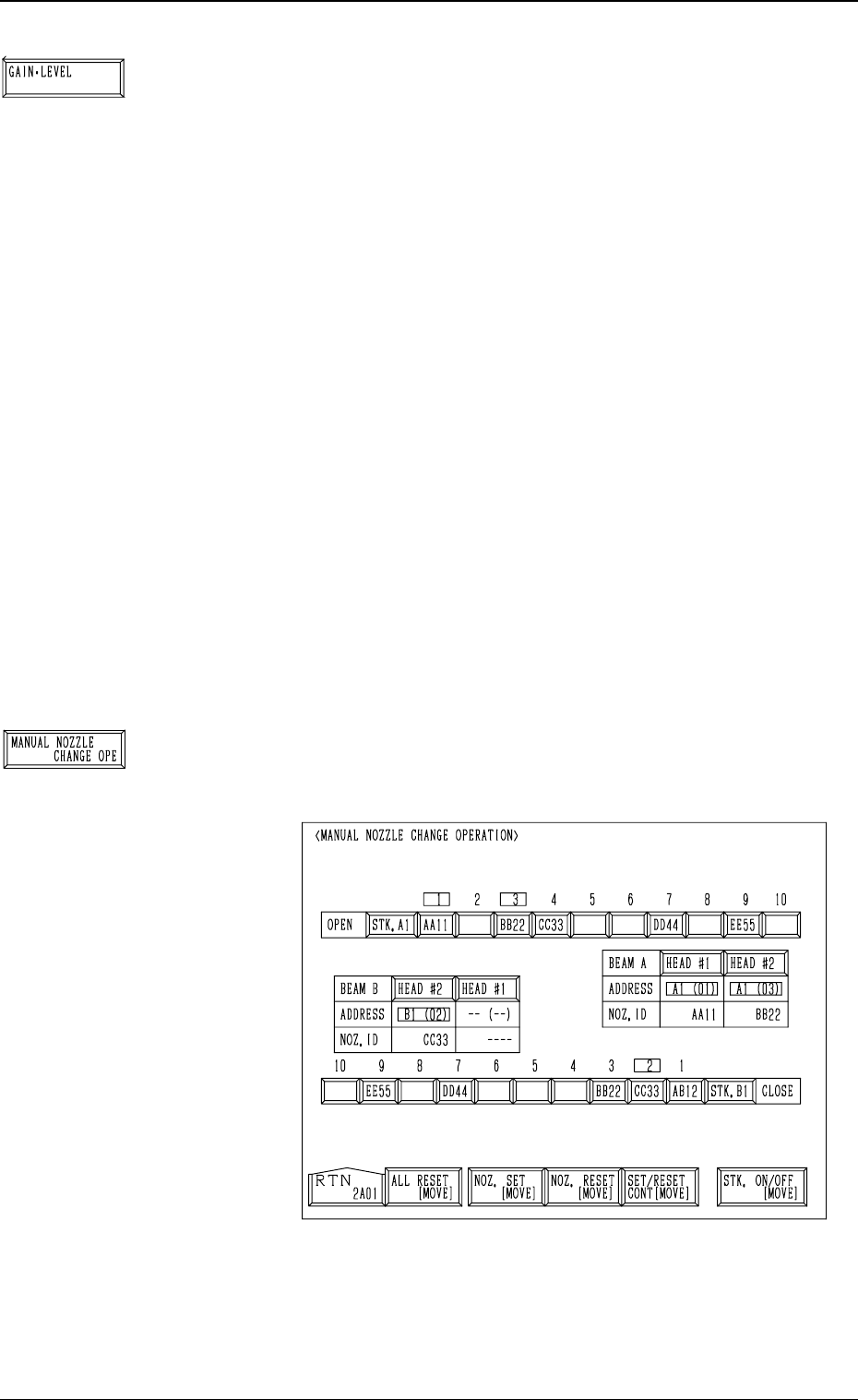
*11 [MANUAL NOZZLE CHANGE OPE] Key
When this key is pressed, the following display appears on
the screen.
Designate the head and the nozzle and attach the
“MF01”-, “MF02”-, or “MA06”-type nozzle to the head.
Refer to “9. Manual Nozzle Change Operation of Section
4 in Volume 1” for details.
3-57
6.2 COMP. RECOG. CAMERA MAG. (STEP-2) Display
Fig. 4C85
Fig. 4C83
Fig. 4C84
0305-001 Tg0860-PM-MM
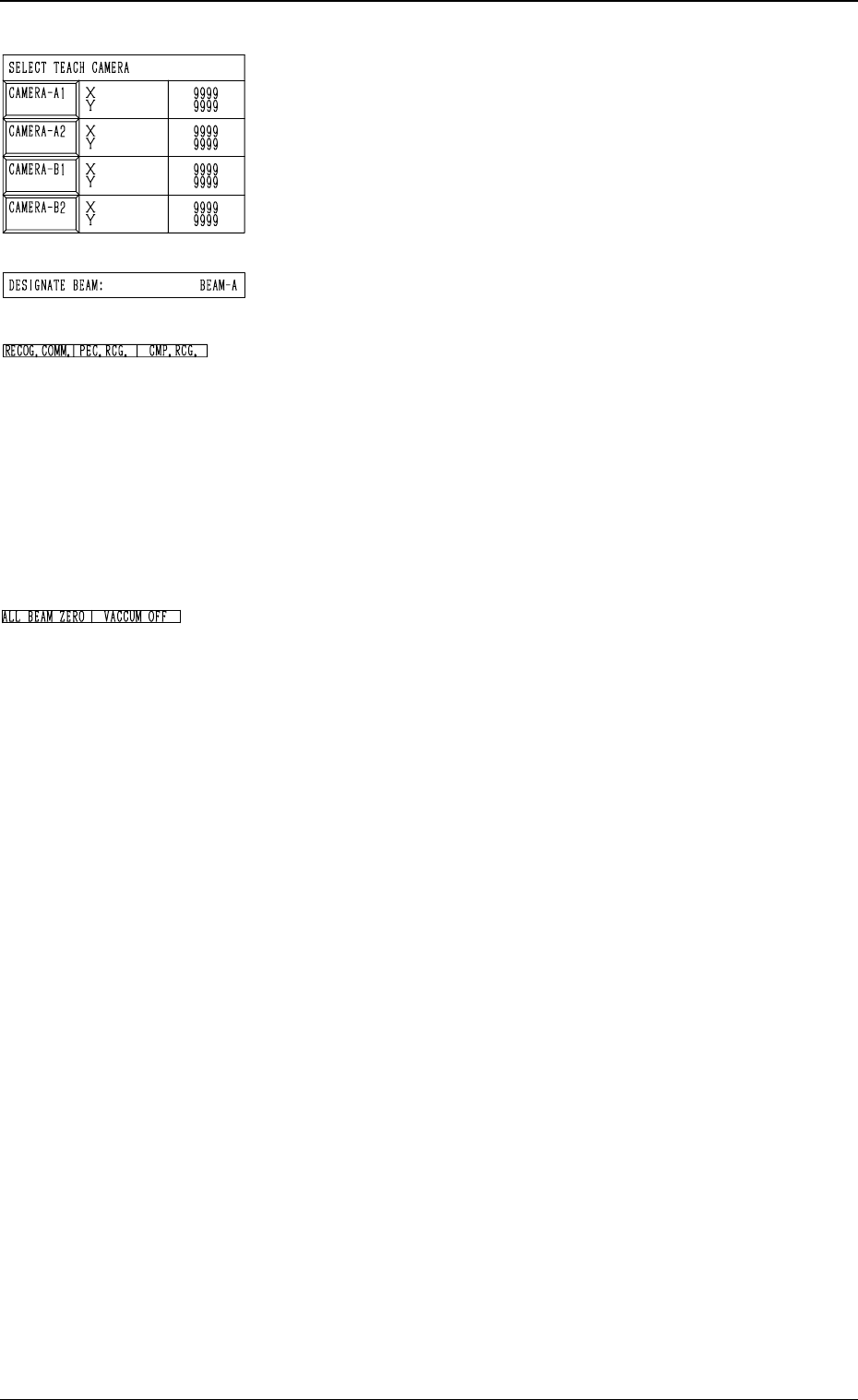
*12 SELECT TEACH CAMERA
A component recognition camera can be designated for
camera magnification teaching operation.
Press the [CAMERA-A1], the [CAMERA-A2], the
[CAMERA-B1], or the [CAMERA-B2] key.
Two or more cameras can be designated.
*13 DESIGNATE BEAM
Shown is the beam selected to pick up the special jig.
*14 RECOG. COMM.
When “DISABLE” is set in the “P.E.C.” and "COMPO
NENT RECOGNITION” data boxes at the “TEST
MODE” display, the background color of “P.E.C. RECOG.”
and “COMP. RECOG.” becomes light red. (No background
color in normal cases)
Note: In this case, the recognition processing is not made
even if the teaching operations are performed.
Therefore, the results of various teaching opera-
tions are not reflected on the offset data.
*15 Set State Indications
When all beams are zeroed completely, the background
color of “ALL BEAM ZERO” turns green. Otherwise,
the background has no color.
“VACUUM ON” or “VACUUM OFF” indicates that the
vacuum is turned ON or OFF.
Operation Procedure
• Required Items
Nozzle: Either “MF01”, “MF02” or “MA06”
Special Jig (Option): Component Recognition Calibration Jig
(JG-0084)
(1) Set either “MF01”-, “MF02”- or “MA06”-type nozzle in
the nozzle stocker.
(2) Check the followings.
• Check that the machine is powered.
• Check that the supply cover is completely closed.
(3) Check the following data.
• “DESIGNATE BEAM”
• “DESIGNATE HEAD”
• “FEEDER #”
• “SELECT TEACH CAMERA”
(4) Select the [ALL BEAM HEADS ZERO [MOVE]] key
and press the [MOVE] button to zero all beam heads.
(5) Attach either “MF01”-, “MF02”- or “MA06”-type nozzle
at the “MANUAL NOZZLE CHANGE OPERATION”
display.
(6) To specify the gain and level, use the “GAIN・LEVEL”
display.
Note: In normal cases, set “DISABLE” in the “DES-
IGNATE” data box.
3-58
Fig. 4C86
Fig. 4C87
Fig. 4C88
Fig. 4C89
6.2 COMP. RECOG. CAMERA MAG. (STEP-2) Display