4OM-1011-002.pdf - 第167页
0305-001 Tg0860-PM-MM • This display allows the teaching operation on the matrix pitch X and Y , the side length, and the component data offset of the tray . Described in this session is mainly how to teach the component…
0305-001 Tg0860-PM-MM
*10 “ALL BEAM ZERO”
When all beams are zeroed completely, the background
turns green. Otherwise, the background has no color.
Note: When the teaching operation is performed with all
beams not zeroed completely, the offset values may
not be taught correctly.
*11 “RECOG. COMM.”
When “DISABLE” is set in the “P.E.C.” and “COMPO
NENT RECOGNITION” data boxes at the “TEST
MODE” display, the background color of “P.E.C. RECOG.”
and “COMP. RECOG.” becomes light red. (No background
color in normal cases)
*12 [COMPONENT LIBRARY EDIT] Key
When this key is pressed, the “COMPONENT LIBRARY
EDIT” display appears on the screen, enabling the opera
tor to edit the data related to the feeder No. which was
selected in *1.
Operation Procedure
(1) Confirm that “ALL BEAM ZERO” is displayed.
(2) Confirm that the multi-layer tray feeder is set in the
“LINE” mode and located at its origin.
(3) Select the tray carriage to be taught and perform the set-
ting of the feeder.
(4) Select the [DRAWING CARRIAGE [MOVE]] key and
press the [MOVE] button.
(5) Select the item to be taught and perform the teaching
operation.
Refer to the operation procedures in “6.12.1 MATRIX
PITCH XY・SIDE LENGTH・LOC. OFFSET Display
(Option)” and “6.12.2 FEEDER (B) OFFSET・ECC. LO-
CATE OFFSET Display (Option)” for details.
(6) After the teaching operation is completed, select the
[STORING CARRIAGE [MOVE]] key and press the
[MOVE] button.
3-115
6.12 PICK-UP LOCATION (TRAY) Display (Option)
Fig. 4C216
Fig. 4C217
Fig. 4C218
0305-001 Tg0860-PM-MM
• This display allows the teaching operation on the matrix pitch X and Y, the side length, and
the component data offset of the tray.
Described in this session is mainly how to teach the component library data items. The next
session “Teaching Operation of Feeder (B) Offset” describes how to teach the pick-up
position at each step when the same types of components (the same library data) are used in
several steps of the magazine.
This teaching operation is performed on each component library data.
Note: Before performing the teaching operation, be sure to confirm that correct param-
eters are set in the “X” and “Y” data boxes of the label “MATRIX” in the compo-
nent library data of the pertinent tray.
If incorrect parameters are set, the pitch data cannot be calculated correctly.
When the [MATRIX PITCH XY SIDE LENGTH COMP. DATA OFFSET] key is pressed
at the “PICK-UP LOCATION (TRAY)” display, the following display appears on the screen.
Note: The graphic looks different when the recognition monitor is installed on the Beam A
side (option).
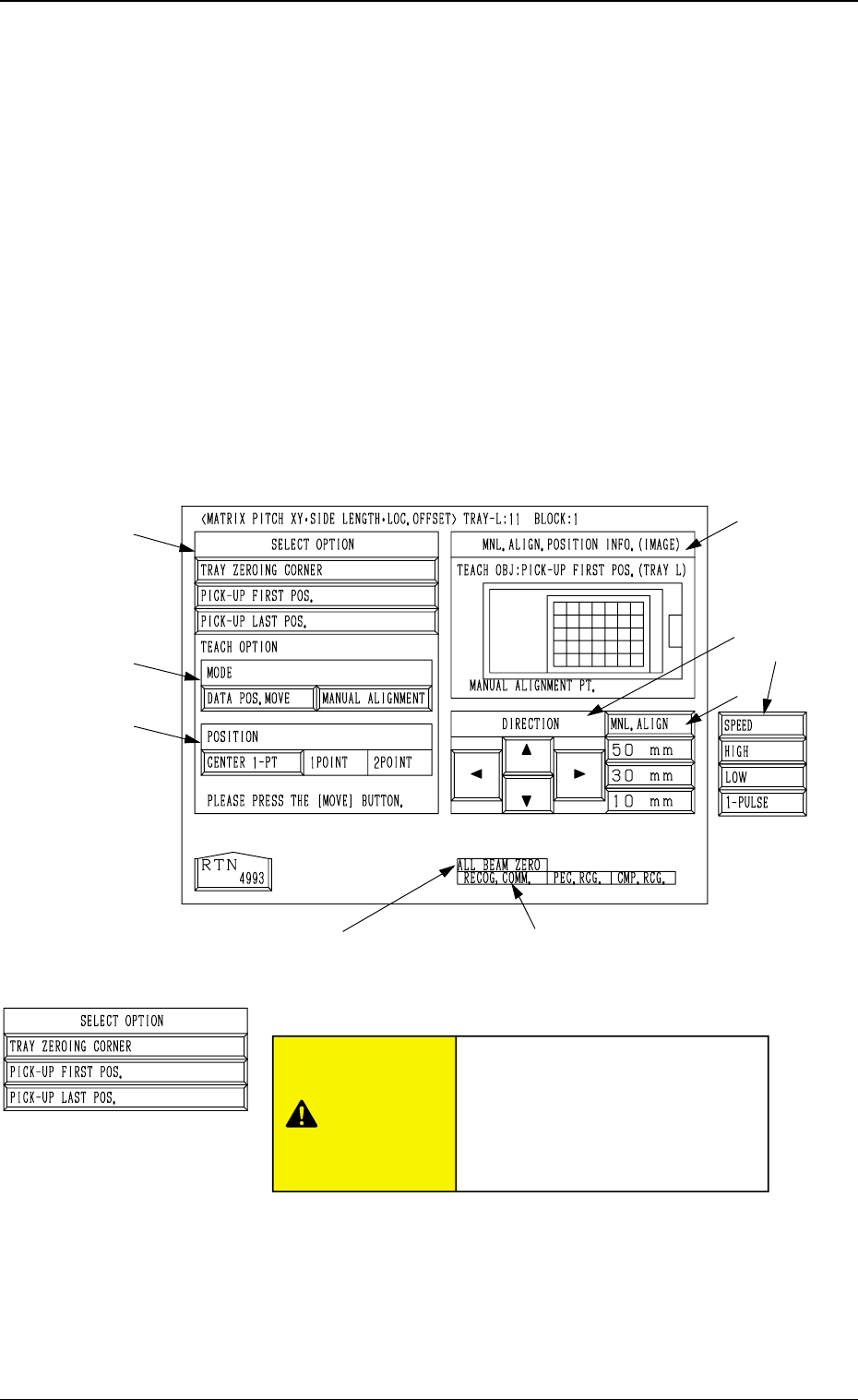
*1 “SELECT OPTION”
[TRAY ZEROING CORNER] Key
When this key is pressed, the teaching operation is per-
formed on the tray zeroing corner.
The teaching operation is performed on the tray zeroing
corner through manual alignment to calculate the tray
positional offset (“X (mm)” and “Y (mm)” of “OFF-
SET” in the component data (“Tray Steps Information”).
*8 *9
3-116
6.12 PICK-UP LOCATION (TRAY) Display (Option)
*1
*2
*3
*7
*5
*4
*6
Fig. 4C219
6.12.1 MATRIX PITCH XY·SIDE LENGTH·LOC. OFFSET
Display (Option)
Fig. 4C220
CAUTION
“TRAY DATA” in the component
library data is modified addition-
ally.
Incorrect teaching operation will
cause an error in component
picks.
0305-001 Tg0860-PM-MM
[PICK-UP FIRST POS.] Key
When this key is pressed, the teaching operation is per-
formed on the position where the first component should
be taken out from the tray.
While the “SIDE LENGTH” parameters (X and Y) in
“TRAY DATA” are calculated, the first data for pitch
calculation is extracted.
[PICK-UP LAST POS.] Key
When this key is pressed, the teaching operation is per-
formed on the position where the last component should
be taken out from the tray.
This function is used to extract the second data for pitch
calculation. The “PITCH (CALC.)” parameters (X and
Y) in the component data are calculated in combination
with the previously calculated first data (takeout posi-
tion).
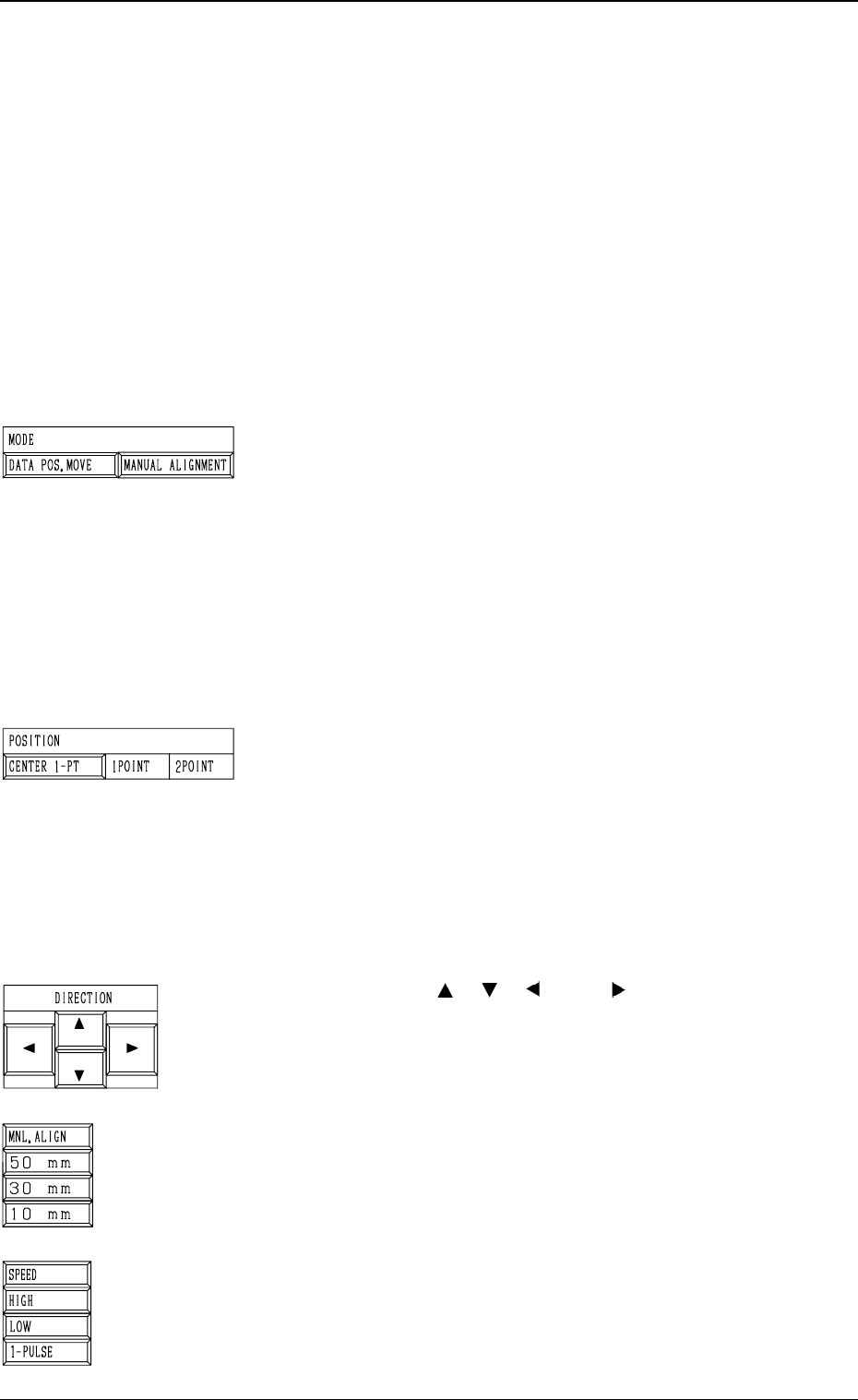
*2 “MODE”
[DATA POS. MOVE] Key
When one of the “POSITION” keys *3 is selected and
the [MOVE] button is pressed after this key is selected,
the X/Y beam (center of P.E.C. recognition camera)
moves to the position where the parameters set in the
“X (mm)” and “Y (mm)” data fields of the label “OFF-
SET” in the component library data and the step data
are referred to.
[MANUAL ALIGNMENT] Key
When one of the “POSITION” keys *3 is selected and
the [MOVE] button is pressed after this key is selected,
the trackball operation becomes accessible.
*3 “POSITION”
[CENTER 1-PT] Key
When this key is pressed, the X/Y beam moves to the
center of the component.
[1POINT] and [2POINT] Keys
These keys are used to align the component with two
diagonally-located points.
When the maximum outside dimensions of the compo-
nent exceeds “10 × 10 mm”, use these keys.
Note: This function cannot be used when the [TRAY
ZEROING CORNER] key is selected in *1.
*4 “DIRECTION” [ ], [ ], [ ], and [ ] Keys
Use these keys to specify the direction in which the X/Y
beam is manually aligned.
*5 [MNL. ALIGN], [10 mm], [30 mm], and [50 mm] Keys
Use these keys to select the distance by which the X/Y
beam is manually aligned.
When the [MNL. ALIGN] key is pressed, the [SPEED]
and the related keys appear in place.
*6 [SPEED], [HIGH], [LOW], and [1-PULSE] Keys
Use these keys to specify the speed at which the X/Y beam
is manually aligned.
When the [SPEED] key is pressed, the [MNL. ALIGN]
and the related keys appear in place.
3-117
6.12 PICK-UP LOCATION (TRAY) Display (Option)
Fig. 4C221
Fig. 4C222
Fig. 4C223
Fig. 4C224
Fig. 4C225