4OM-1011-002.pdf - 第184页
0305-001 Tg0860-PM-MM 7.1 P .E.C. RECOG TEST Display 3-133 (5) Select the [P .E.C. RECOG. TEST [MOVE]] key at the “P .E.C. RECOG TEST” display and press the [MOVE] button. The P .E.C. recognition test starts. Check wheth…
0305-001 Tg0860-PM-MM
7.1 P.E.C. RECOG TEST Display
3-132
7.1.3 Procedure for P.E.C. Recognition Test
(1) Position the P.C.B. to be tested on the P.C.B. positioning section (P Con-
veyor).
• Open the “MANUAL TRANSFER OPERATION” display and posi-
tion the P.C.B. manually. (Hierarchical Sequence: “MANUAL MODE”
Display → “MANUAL TRANSFER OPERATION” Display)
• Confirm that each device is located at its origin.
(2) Set “CAM-A3” (Beam A) or “CAM-B3” (Beam B) in the “P.E.C. RECOG
CAMERA” data box at the “P.E.C. RECOG TEST” display.
When the camera is selected, the P.E.C. recognition lamp illuminates and
the specified camera captures the real image.
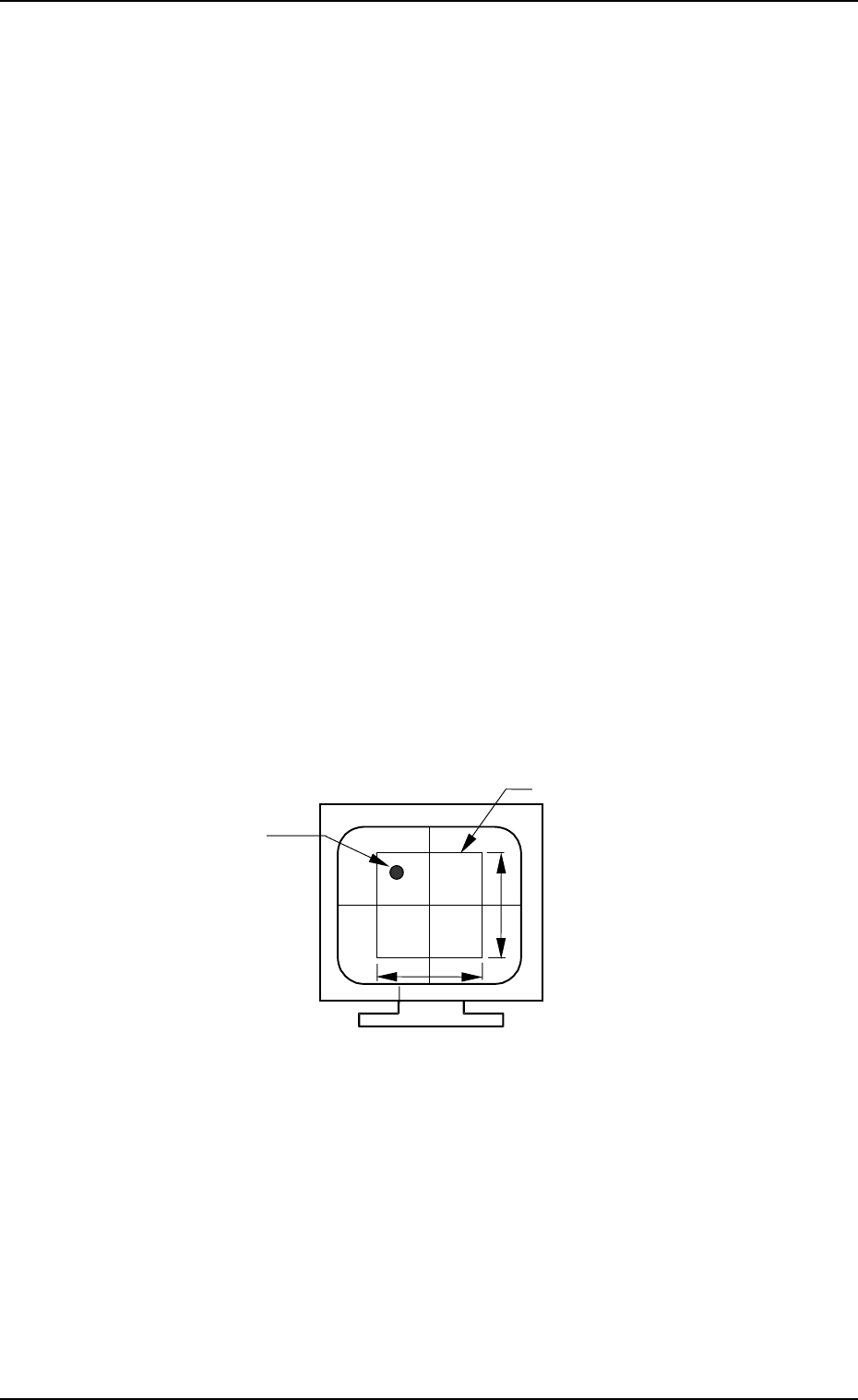
(3) Open the “X/Y BEAM MOVE”display (Fig. 4C258) and follow the steps
in “X/Y Beam Movement to Designated Position” to move the P.E.C.
recognition camera to the position of the P.E.C. recognition mark cap-
tured on the recognition monitor.
The parameters to be set here for “X AXIS POSITION” and “Y-AXIS
POSITION” must be the coordinates originated from the P.C.B. position-
ing reference point.
When the fiducial mark (recognition mark) to be recognized does not
enter into the window, open the “X/Y BEAM MOVE” (MANUAL
ALIGNMENT) display and move the camera (the X/Y beam) to the posi-
tion where the mark stays inside the window or open the “P.E.C. RECOG
TEST” display and enlarge the window size.
Note: The maximum size of the window is “10 × 10 mm”.
Image on Recognition Monitor (Before Recognition)
(4) Set various parameters for the P.C.B. recognition test.
(MARK TYPE, MARK SIZE, WINDOW SIZE, etc.)
• Select the key for which a parameter should be set.
The background color of the selected key becomes “Blue”.
• Use option keys or the ten-key pad to enter a parameter and press the
[SET] key. Option keys or the ten-key pad appears depending on which
data box is selected.
(Every time the [+] or [−] key beside the labels “GAIN” and “LEVEL”
is pressed, the set parameter increases or decreases one by one. It is not
necessary to press the [SET] key.)
Window
Fiducial Mark
(Recognition Mark)
Max. 10 mm
Max. 10 mm
Fig. 4C261
0305-001 Tg0860-PM-MM
7.1 P.E.C. RECOG TEST Display
3-133
(5) Select the [P.E.C. RECOG. TEST [MOVE]] key at the “P.E.C. RECOG
TEST” display and press the [MOVE] button. The P.E.C. recognition test
starts.
Check whether the recognition is normally completed or not.
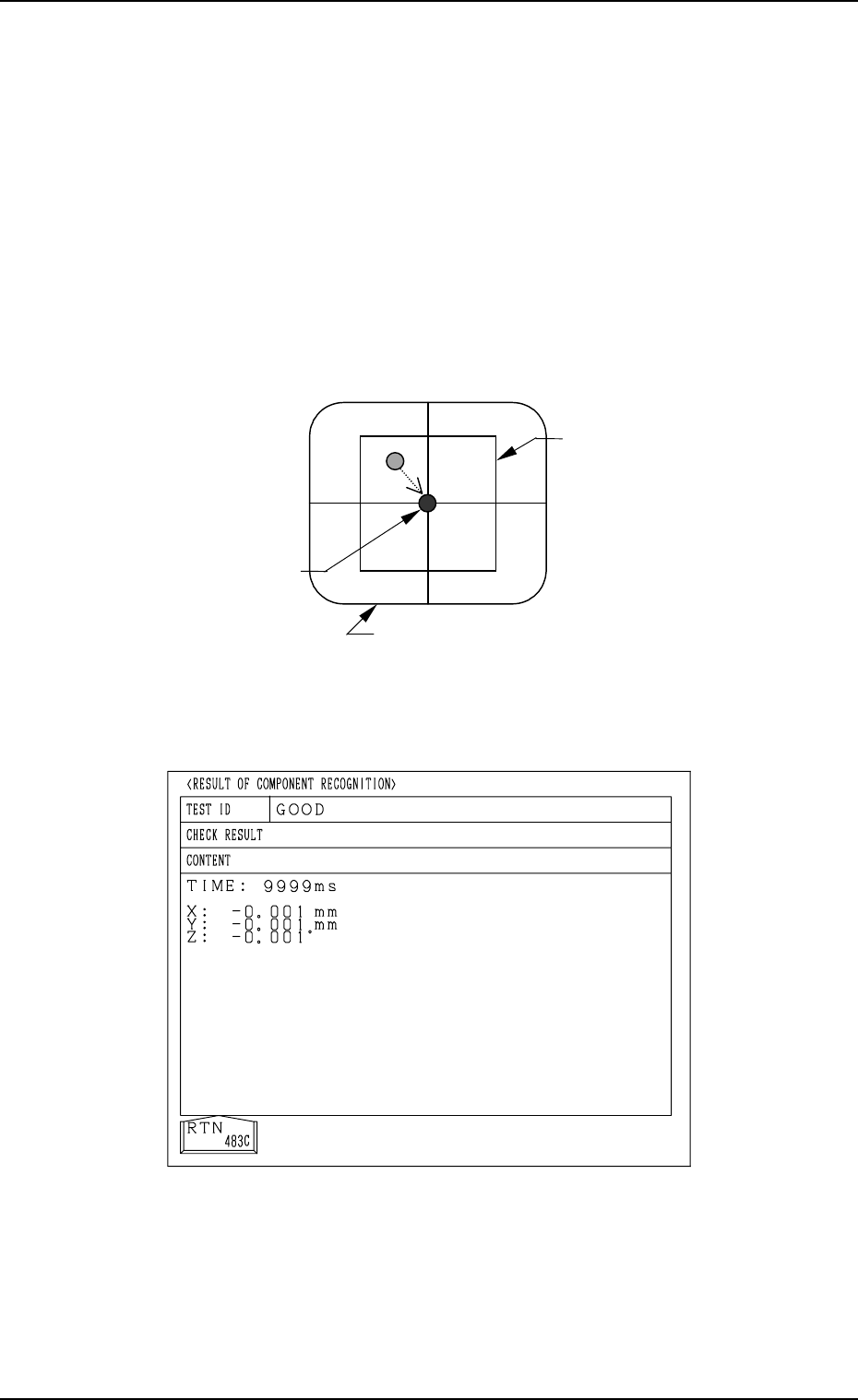
Case: Recognition has completed normally.
• Display on Recognition Monitor
The camera (the X/Y beam) moves automatically until the fiducial mark
lies over the center of the crosslines while the result of the recognition
is being displayed at the bottom of the recognition monitor.
• Result of Recognition
Deviation X : Increments in µm
Y : Increments in µm
Recognition Time (TIME) : Increments in msec
• Display of Operation Monitor
Normal Completion of Recognition
Fig. 4C263
Image on Recognition Monitor (After Recognition)
Fig. 4C262
Window
X =*** Y =*** TIME =***
Result of Recognition
Fiducial Mark
0305-001 Tg0860-PM-MM
7.1 P.E.C. RECOG TEST Display
3-134
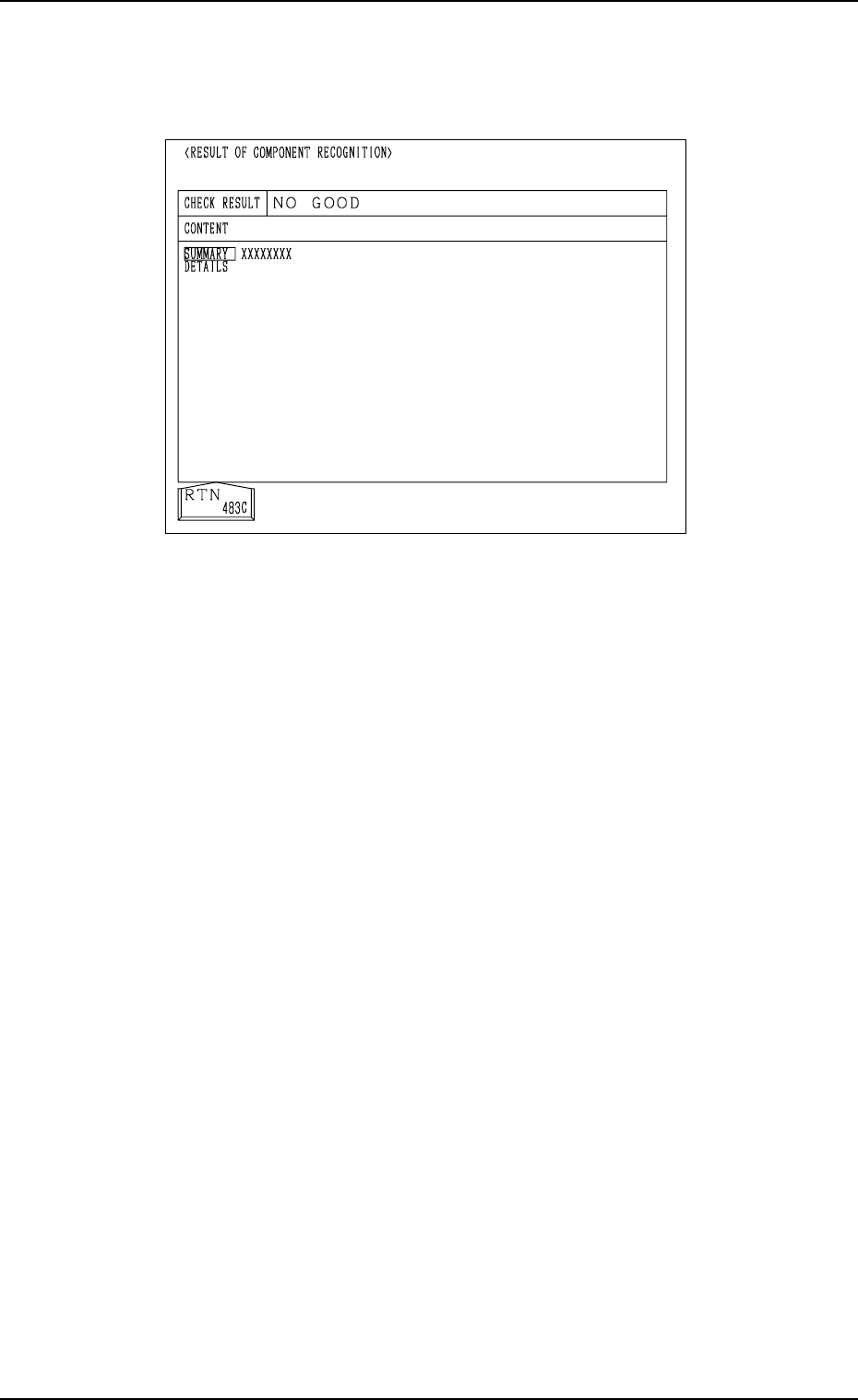
Case: An error was found in the recognition.
The details of the error are displayed on the operation monitor.
Note: The values X and Y displayed as the results of recognition on the
recognition monitor may differ from the values X and Y displayed
on the operation monitor, depending on the offset values of the
camera system.
(6) Press the [RTN] key.
(7) Change the condition according to Steps (3) through (6) and re-perform
the P.E.C. recognition test.
Make the test under the condition diversified by changing the location of
the X/Y beam and various settings.
Ref.: The recognition test can be implemented as many times as required.
The check operation can be made after the fiducial mark is ad-
justed to various positions by moving the X/Y beam (through
manual alignment operation).
(8) Exit from the P.E.C. recognition test operation.
Select the [X/Y BEAM ZERO [MOVE]] key and press the [MOVE] but-
ton.
The X/Y beam is zeroed.
Abnormal Completion of Recognition
Fig. 4C264