4OM-1011-002.pdf - 第186页
0305-001 Tg0860-PM-MM 7.2 COMPONENT RECOG. TEST Display ● A recognition test can be performed to check whether or not the component specified in the “TEST ID” text box can be recognized normally . When the [COMPONENT REC…
0305-001 Tg0860-PM-MM
7.1 P.E.C. RECOG TEST Display
3-134
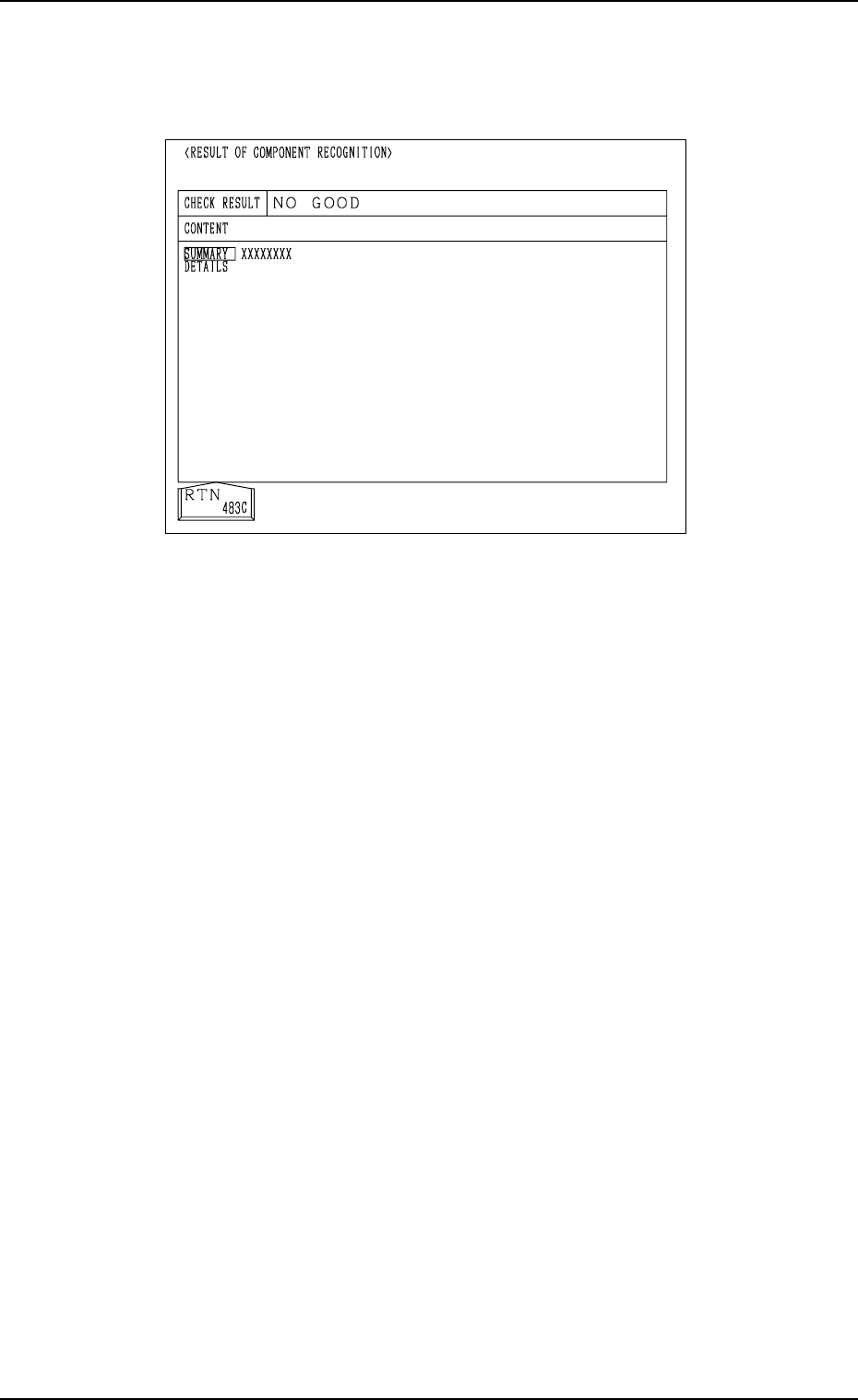
Case: An error was found in the recognition.
The details of the error are displayed on the operation monitor.
Note: The values X and Y displayed as the results of recognition on the
recognition monitor may differ from the values X and Y displayed
on the operation monitor, depending on the offset values of the
camera system.
(6) Press the [RTN] key.
(7) Change the condition according to Steps (3) through (6) and re-perform
the P.E.C. recognition test.
Make the test under the condition diversified by changing the location of
the X/Y beam and various settings.
Ref.: The recognition test can be implemented as many times as required.
The check operation can be made after the fiducial mark is ad-
justed to various positions by moving the X/Y beam (through
manual alignment operation).
(8) Exit from the P.E.C. recognition test operation.
Select the [X/Y BEAM ZERO [MOVE]] key and press the [MOVE] but-
ton.
The X/Y beam is zeroed.
Abnormal Completion of Recognition
Fig. 4C264
0305-001 Tg0860-PM-MM
7.2 COMPONENT RECOG. TEST Display
●
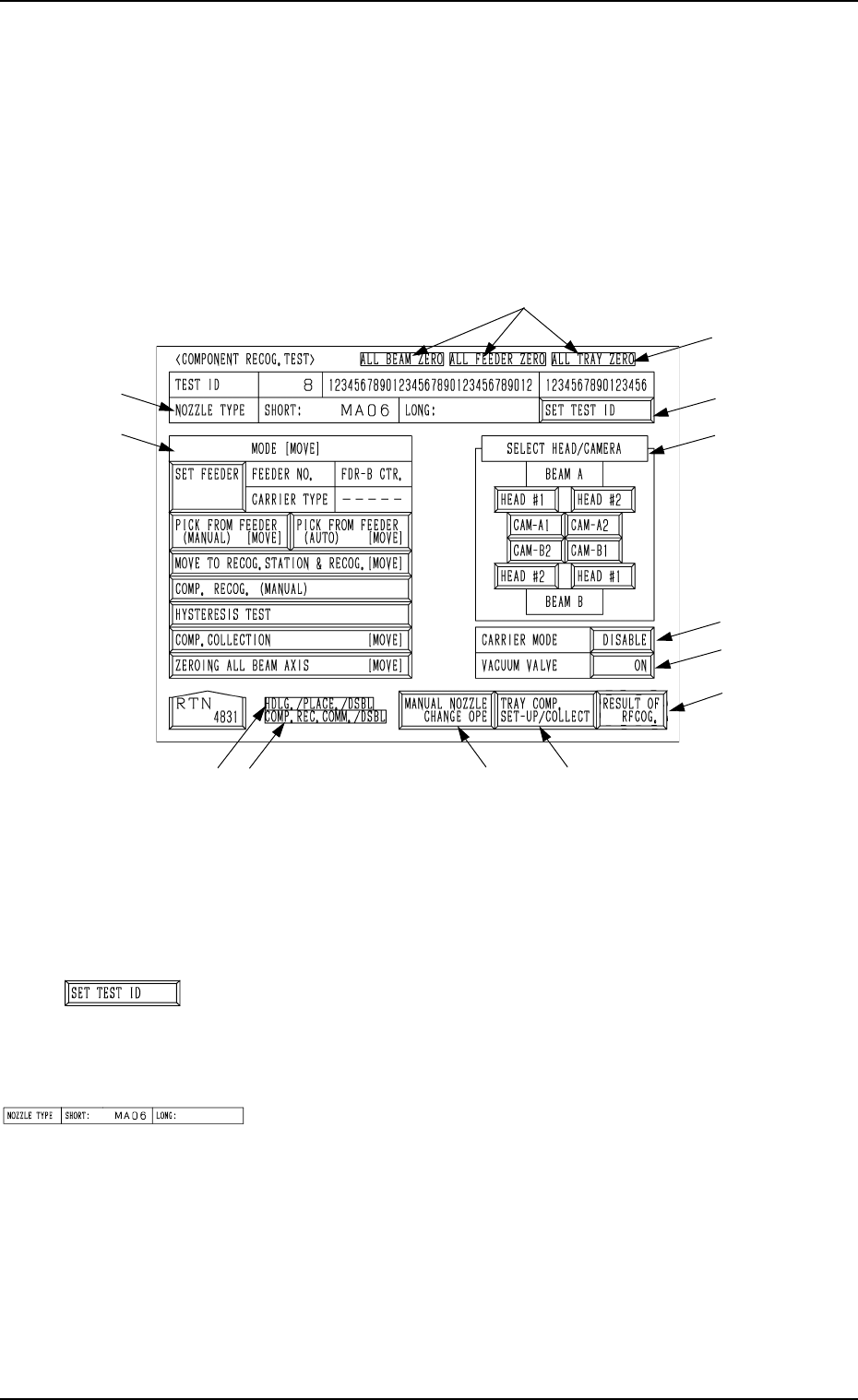
A recognition test can be performed to check whether or not the component
specified in the “TEST ID” text box can be recognized normally.
When the [COMPONENT RECOG TEST] key is pressed at the “DEVICE
TEST” display, the following display appears on the screen.
Note: The -marked function is optional.
Ref.: The yellow and light blue keys indicate that they are linked with other
displays (located in the lower hierarchical structure).
The other keys can be selected and used together with the [MOVE]
button.
*1 [SET TEST ID] Key
When this key is pressed, the “SET TEST ID” display ap-
pears on the screen, enabling the operator to set the compo-
nent ID to be tested as a test ID.
*2 “NOZZLE TYPE”
Displayed is the type of the nozzle specified in the “TEST
ID” text box.
7.2 COMPONENT RECOG. TEST Display
3-135
Fig. 4C265
*1
*4
*6
*5
*9
*8*7
*12
*11
*3
*2
*10
Fig. 4C266
Fig. 4C267
0305-001 Tg0860-PM-MM
7.2 COMPONENT RECOG. TEST Display
3-136
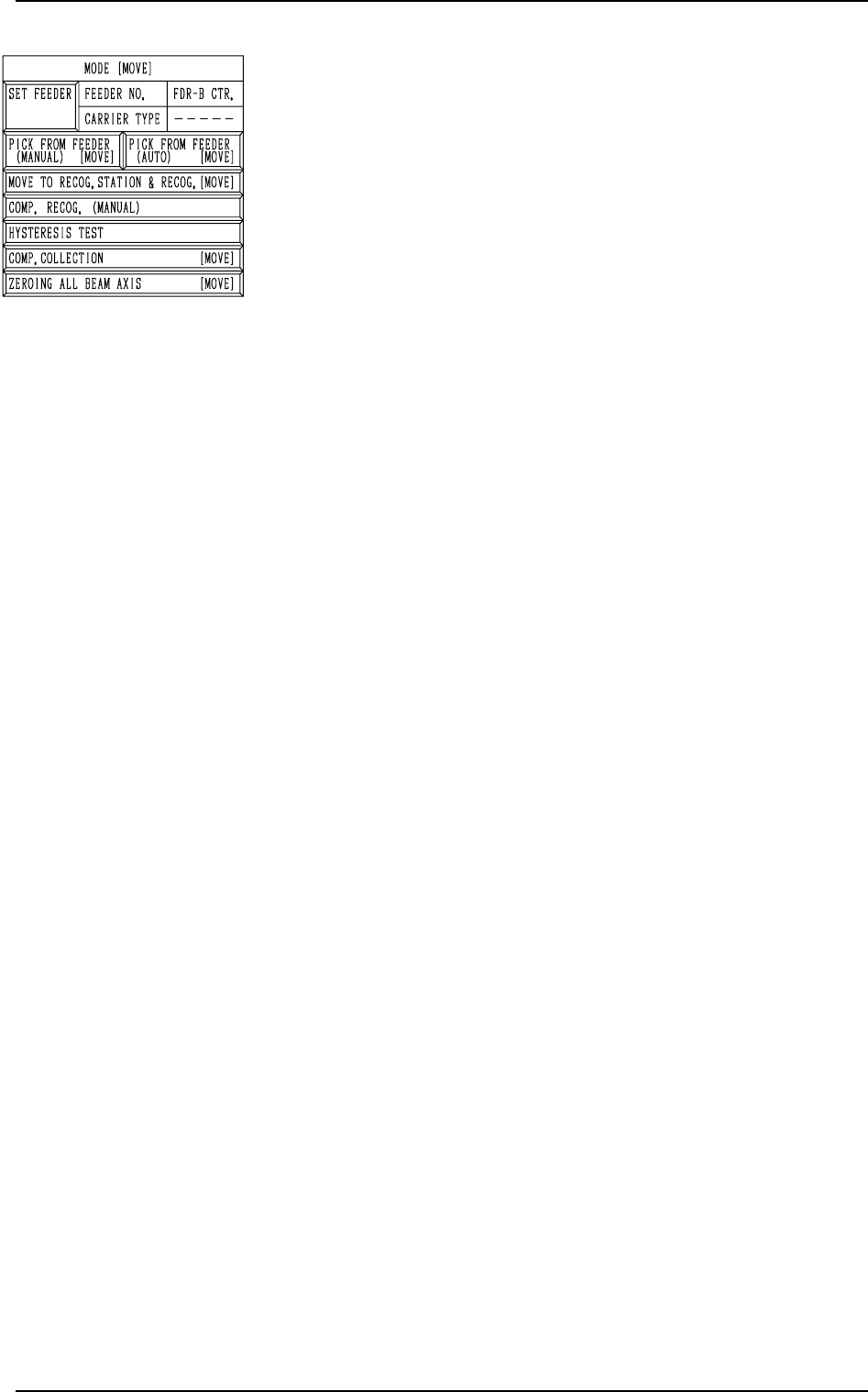
*3 “MODE [MOVE]”
[SET FEEDER] Key
When this key is pressed, the “COMP. RECOG.
TEST - SET FEEDER” display appears on the screen,
enabling the operator to set the feeder from which
the component to be tested should be taken out.
[PICK FROM FEEDER (MANUAL) [MOVE]] Key
This key is used to manually attach a component.
When this key is selected and the [MOVE] button is
pressed, the designated head moves to the position
of the specified feeder No. and the vacuum valve is
turned ON.
[PICK FROM FEEDER (AUTO) [MOVE]] Key
This key is used to automatically take out a compo-
nent.
When this key is selected and the [MOVE] button is
pressed, the designated head moves to the position
of the specified feeder No. and picks up a compo-
nent from the feeder.
[MOVE TO RECOG. STATION & RECOG. [MOVE]] Key
When this key is selected and the [MOVE] button is
pressed, the designated head moves to the position
of the component recognition camera and a compo-
nent recognition test is performed.
Note: When the component pick-up operation is not
completed, this key cannot be selected.
[COMP. RECOG. (MANUAL)] Key
When this key is pressed, the “COMPONENT REC-
OGNITION TEST” display appears on the screen,
enabling the operator to correct the posture of the
picked component, set the lighting for recognition,
and implement the component recognition operation.
Note: When the component pick-up operation is not
completed, this key cannot be selected.
[HYSTERESIS TEST] Key
When this key is pressed, the “HYSTERESIS TEST”
display appears on the screen, enabling the operator
to verify the beam speed reduction and the θ-
ro0tational speed reduction (specified in the compo-
nent library data) for component picks and set some
supplementary data in relation to the beam and rota-
tional speed reduction.
[COMP. COLLECTION [MOVE]] Key
This key is used to collect (discharge) component
and zero the X/Y beam.
Components are discharged to the component dis-
charge box near the X/Y beam or to the component
discharge conveyor (option).
Note: Turn off the vacuum valve after the compo-
nent collection is completed.
The display cannot be resumed when the
vacuum valve is kept “ON”.
[ZEROING ALL BEAM AXIS [MOVE]] Key
Both Beams A and B are zeroed.
When this key is selected and the [MOVE] button is
pressed, the beams are zeroed.
Fig. 4C268