4OM-1011-002.pdf - 第192页
0305-001 Tg0860-PM-MM 7.2 COMPONENT RECOG. TEST Display 7.2.2 COMP . RECOG. TEST - SET FEEDER Display • This display allow the operator to specify the slot No. of the feeder from which the component should be taken out f…
0305-001 Tg0860-PM-MM
7.2 COMPONENT RECOG. TEST Display
3-140
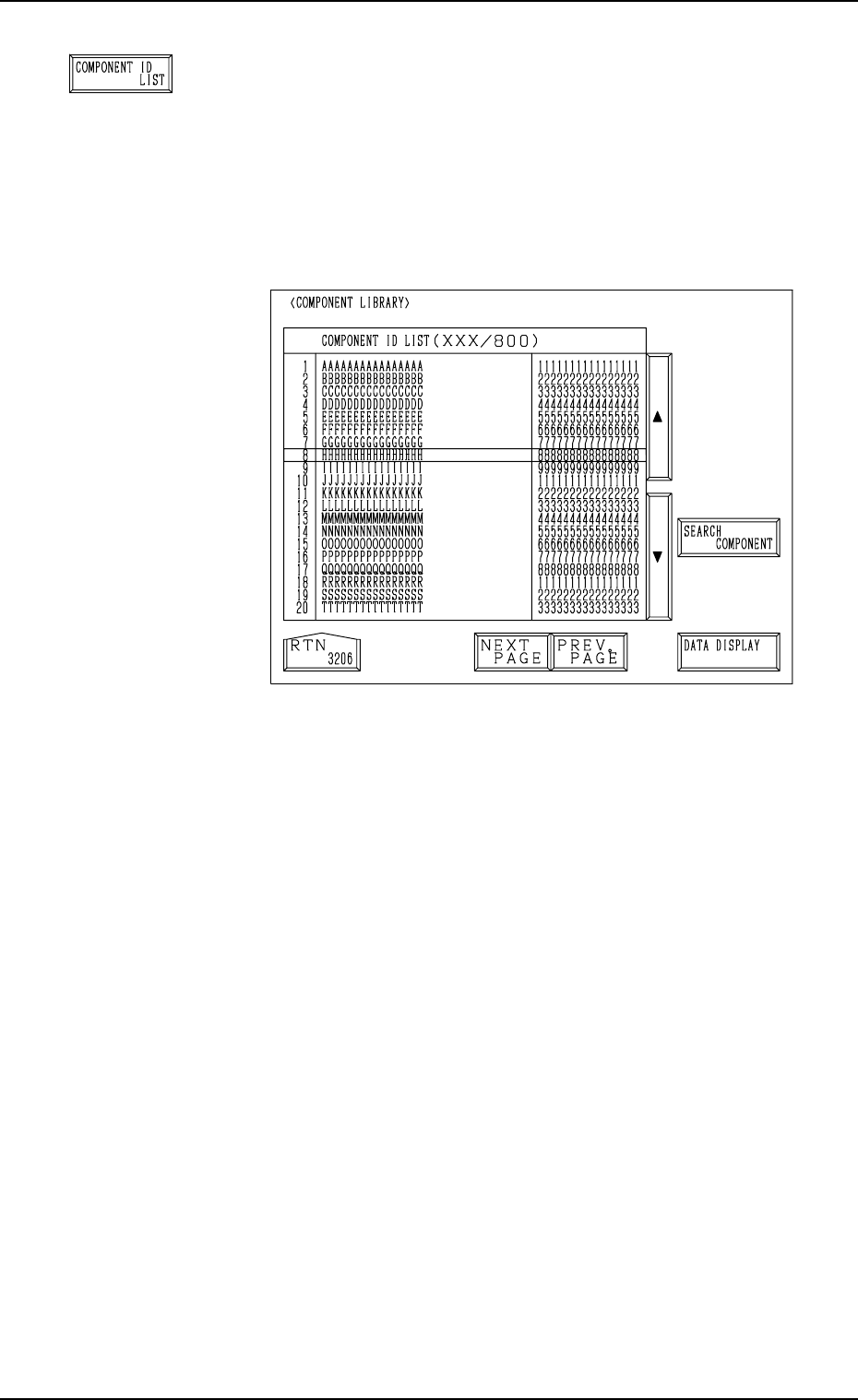
[COMPONENT ID LIST] Key
When this key is pressed, the following display appears on
the screen.
The [SEARCH COMPONENT] key is proved to easily lo-
cate the component ID of the data set as test ID data. The
located component ID appears at A in Fig. 4C278.
The [DATA DISPLAY] key is also provided to display the
contents of the component library data.
Fig. 4C289
Fig. 4C288
0305-001 Tg0860-PM-MM
7.2 COMPONENT RECOG. TEST Display
7.2.2 COMP. RECOG. TEST - SET FEEDER Display
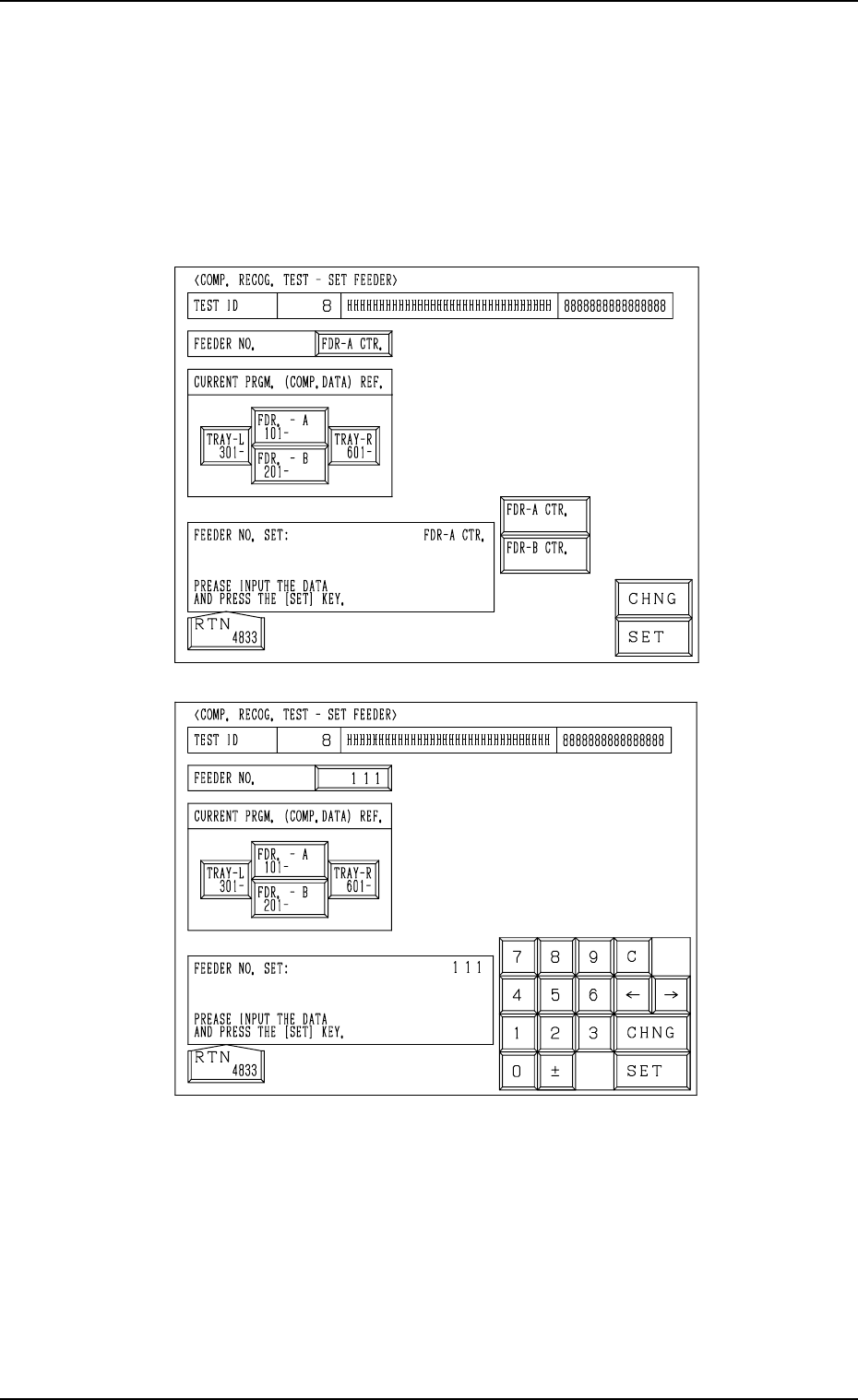
• This display allow the operator to specify the slot No. of the feeder from
which the component should be taken out for the component recognition
test or the position where the component should be attached manually.
When the [SET FEEDER] key is pressed at the “COMPONENT RECOG.
TEST” display, the following display appears on the screen.
The contents of the display change according to the selected feeder No.
To manually attach a component
(1) Select the [FDR. - A 101-] or the [FDR. -B 201-] key located under “CUR-
RENT PRGM. (COMP. DATA) REF.”.
(2) Select the [FDR-A CTR.] or the [FDR-B CTR.] key and press the [SET]
key.
A component can be attached manually above the component discharge
box or the component discharge conveyor (option).
To directly enter the feeder No.
(1) Press the [CHNG] key at the display (Fig. 4C290).
(2) Enter the feeder No., using the ten-key pad and press the [SET] key.
Fig. 4C290
Fig. 4C291
3-141
0305-001 Tg0860-PM-MM
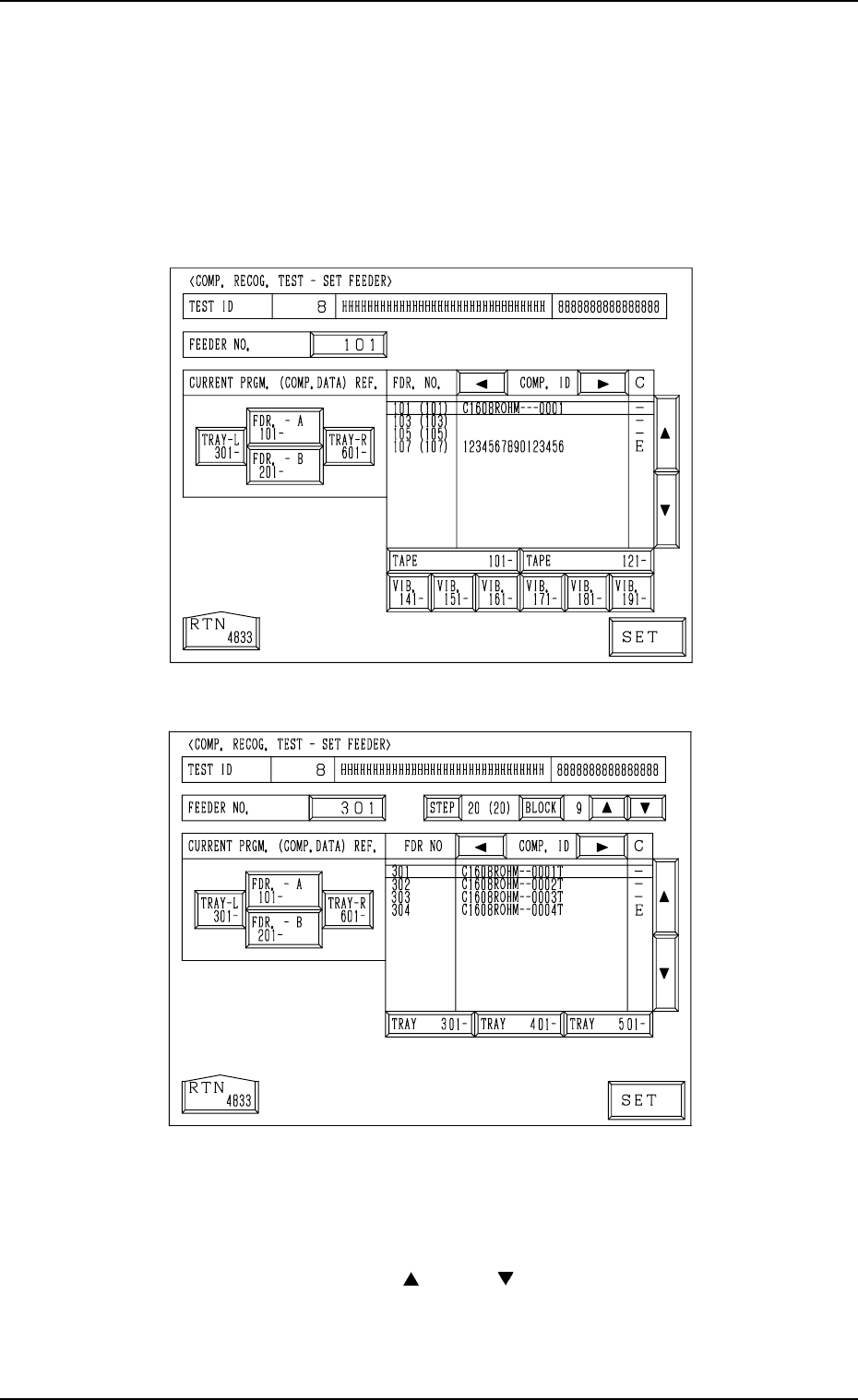
To select the feeder number referring to the current program (com-
ponent data)
(1) Select the [FDR. - A 101-], the [FDR. - B 201-], the [TRAY-L 301-]
(option), or the [TRAY-R 601-] (option) key located under “CURRENT
PRGM. (COMP. DATA) REF.”.
The keys labeled with feeder Nos. (Nos. classified in every one hundreds)
are displayed.
[FDR. - A 101-] and [FDR. - B 201-] Keys
[TRAY-L 301-] and [TRAY-R 601-] Keys
(2) Press the unit key related to the feeder No. to be set.
The list of component IDs is displayed.
Note: It is impossible to select the unit for which no data is registered in
the component data of the current pattern program data.
(3) Move the cursor with the [ ] or the [ ] key and select the feeder No.
Then, press the [SET] key.
• When the data for the multi-layer tray feeder (option) is selected, the
related step and block numbers must also be set, using the [STEP] and
the [BLOCK] keys.
7.2 COMPONENT RECOG. TEST Display
3-142
Fig. 4C292
Fig. 4C293