4OM-1011-002.pdf - 第231页
Tg0860-PM-MM 8.1 INPUT CHECK Display 0305-001 3-180 8.1.4 Setting of SDS Nodes Notes: (a) If the dip switches are not set correctly , normal performance will not be expected. (b) Note that the dip switches may be oriente…
Tg0860-PM-MM
8.1 INPUT CHECK Display
0305-001 3-179
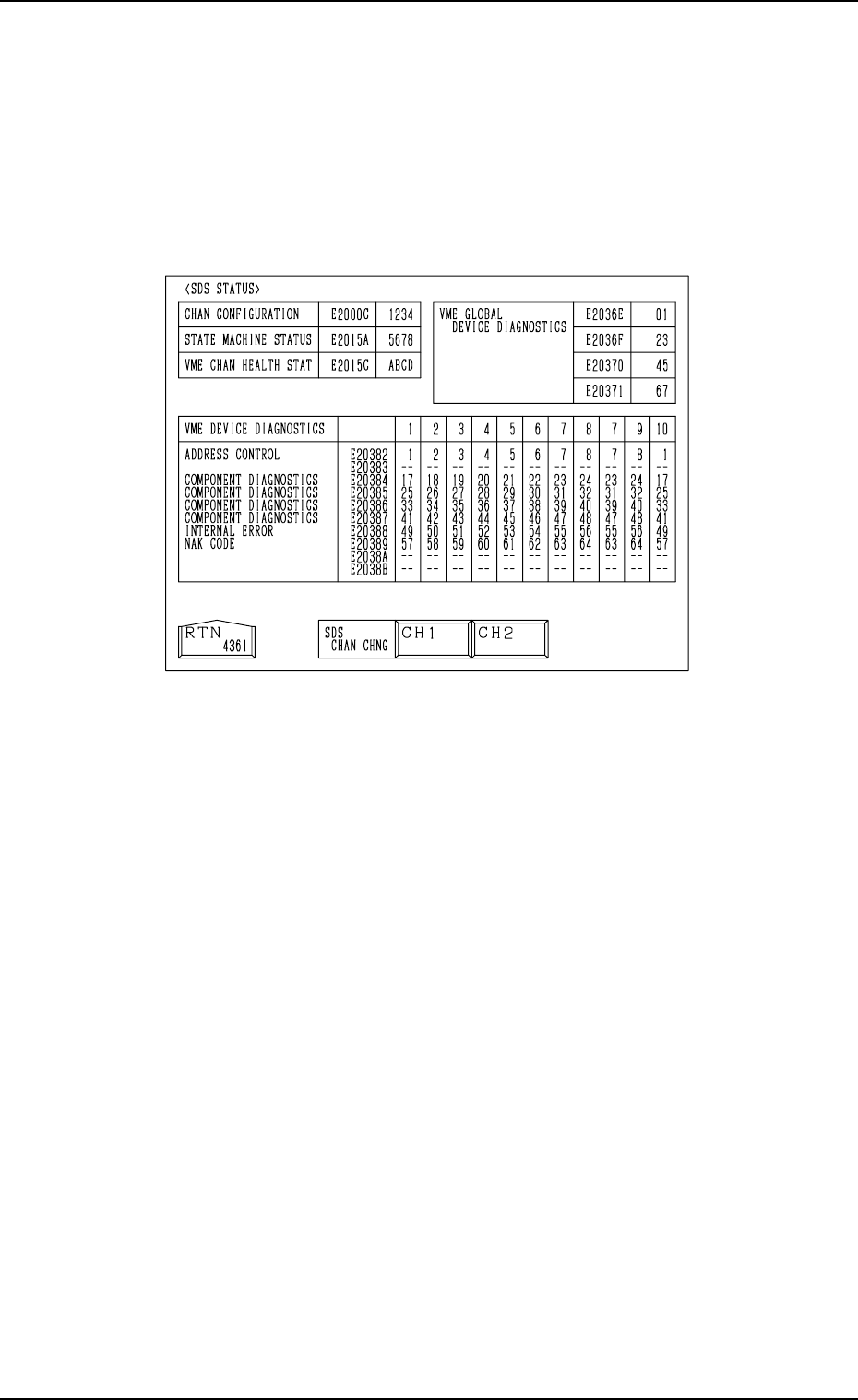
8.1.3 SDS STATUS Display
• Shown is the state of each channel.
This display is prepared only for a service personnel.
When the [SDS STATUS] key is pressed at the “INPUT CHECK” display, the
following display appears on the screen.
Fig. 4C334
Tg0860-PM-MM
8.1 INPUT CHECK Display
0305-001 3-180
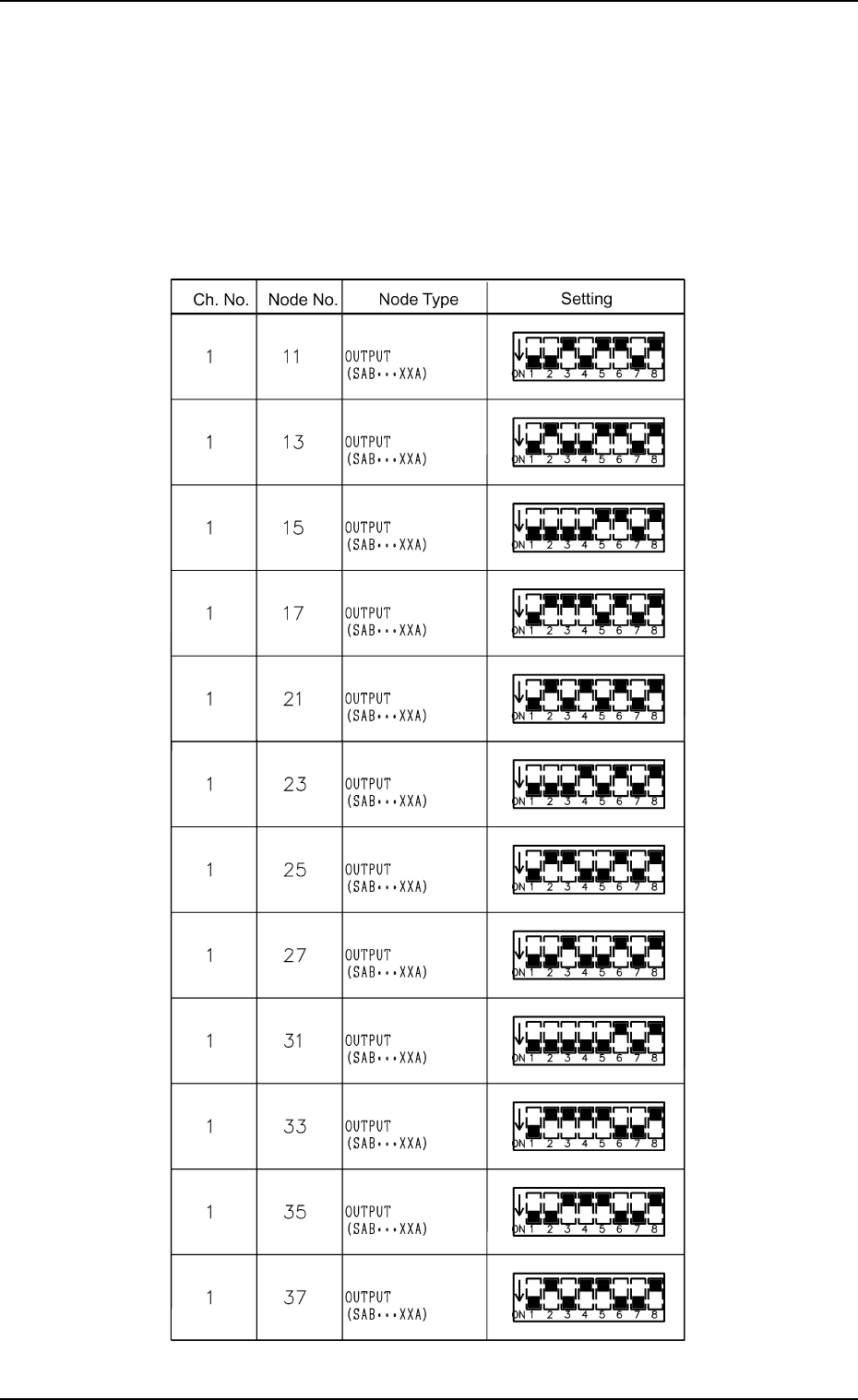
8.1.4 Setting of SDS Nodes
Notes: (a) If the dip switches are not set correctly, normal performance will
not be expected.
(b) Note that the dip switches may be oriented differently.
Setting of SDS Output Nodes (Main Body)
Table 4C5
Tg0860-PM-MM
8.1 INPUT CHECK Display
0305-001 3-181
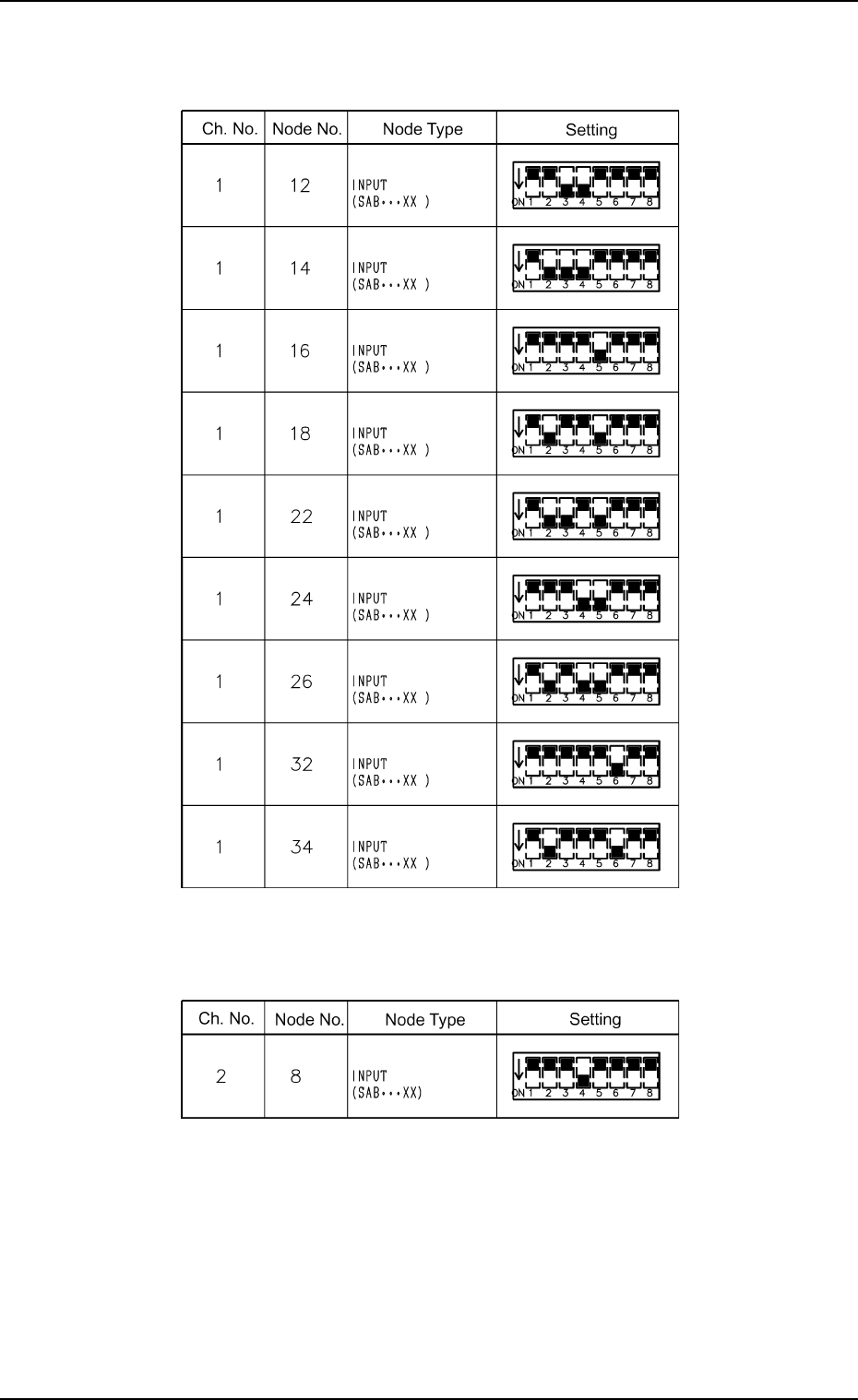
Setting of SDS Traverse Nodes (Option)
Table 4C6
Table 4C7
Setting of SDS Input Nodes (Main Body)