4OM-1011-002.pdf - 第242页
0305-001 Tg0860-PM-MM CARRIER TYPE Set the type of a carrier tape in the data box. “P APER”, “EMBOSSED”, or “ADHESIVE” can be selected. TEST MODE Set “0” (zero) in the data box. T APE FEED COUNTS Set the number of tape f…
0305-001 Tg0860-PM-MM
9.2 FEEDER BASE Display
3-190
9.2 FEEDER BASE Display
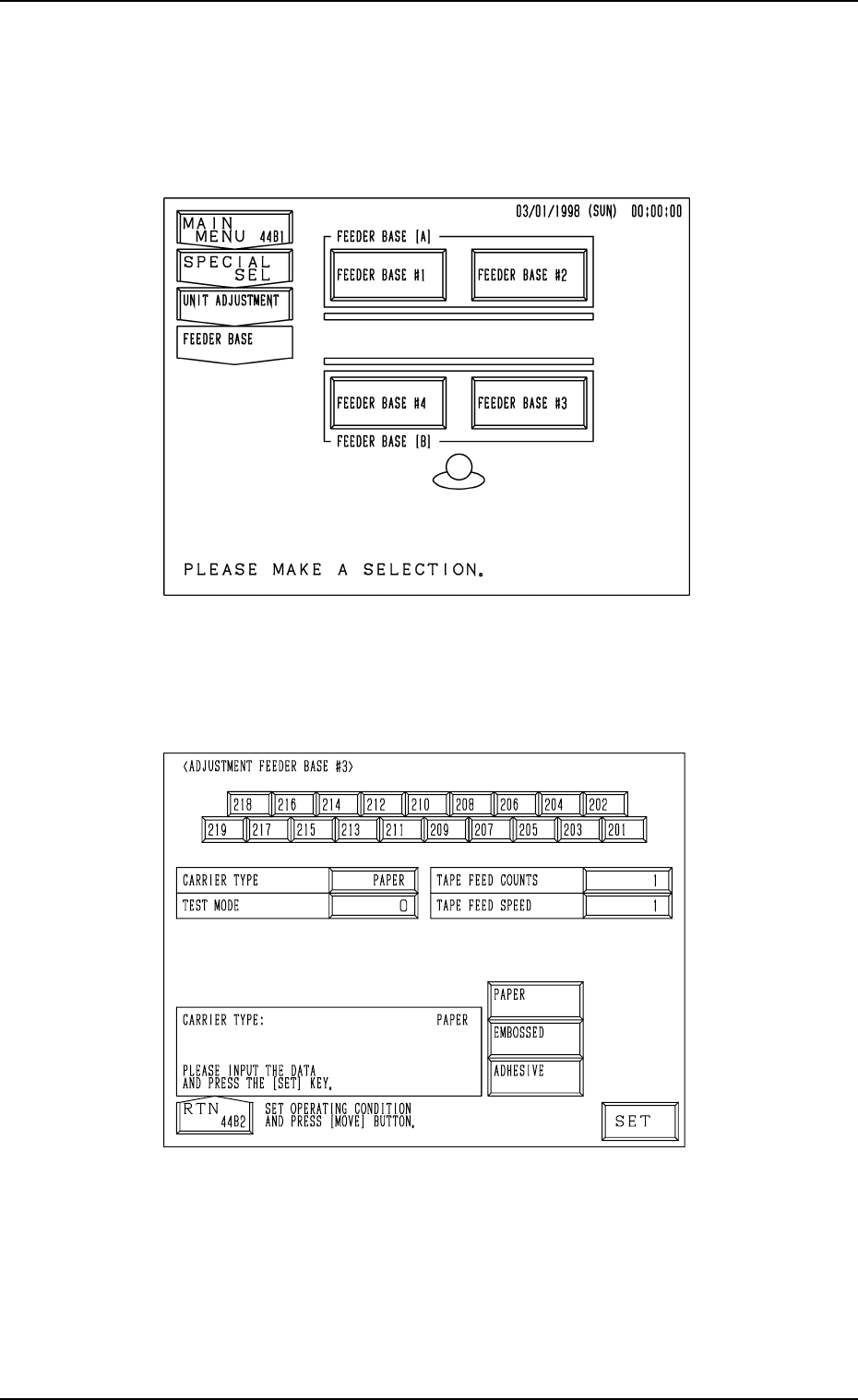
When the [FEEDER BASE] key is pressed at the “UNIT ADJUSTMENT”
display, the following display appears on the screen.
When the [FEEDER BASE #1], the [FEEDER BASE #2], the [FEEDER BASE
#3], or the [FEEDER BASE #4] key is pressed, the corresponding display such
as the following dispiay appears on the screen.
“ADJUSTMENT FEEDER BASE
##
##
#3” Display
Fig. 4C340
Fig. 4C339

0305-001 Tg0860-PM-MM
CARRIER TYPE
Set the type of a carrier tape in the data box.
“PAPER”, “EMBOSSED”, or “ADHESIVE” can be selected.
TEST MODE
Set “0” (zero) in the data box.
TAPE FEED COUNTS
Set the number of tape feeding times in the data box.
The number of tape feeding times means how many times tape feeding
actions are taken.
In normal cases, set “1” in the data box.
When the selected carrier tape has to be fed more than once due to the
relation between the feed pitch and speed, set the required number of tape
feeding times.
TAPE FEED SPEED
Set the tape feeding speed in the data box.
Operation Procedure
(1) Set a parameter in each data box.
(2) Select the No. key of the feeder to be activated.
When the [MOVE] button is pressed, the selected feeder starts moving
forward.
Ref.: Two feeder Nos. can be selected at the same time to simultaneously
move the two feeders forward.
9.2 FEEDER BASE Display
3-191
0305-001 Tg0860-PM-MM
9.3 CONVEYOR ADJUSTMENT Display
3-192
9.3 CONVEYOR ADJUSTMENT Display
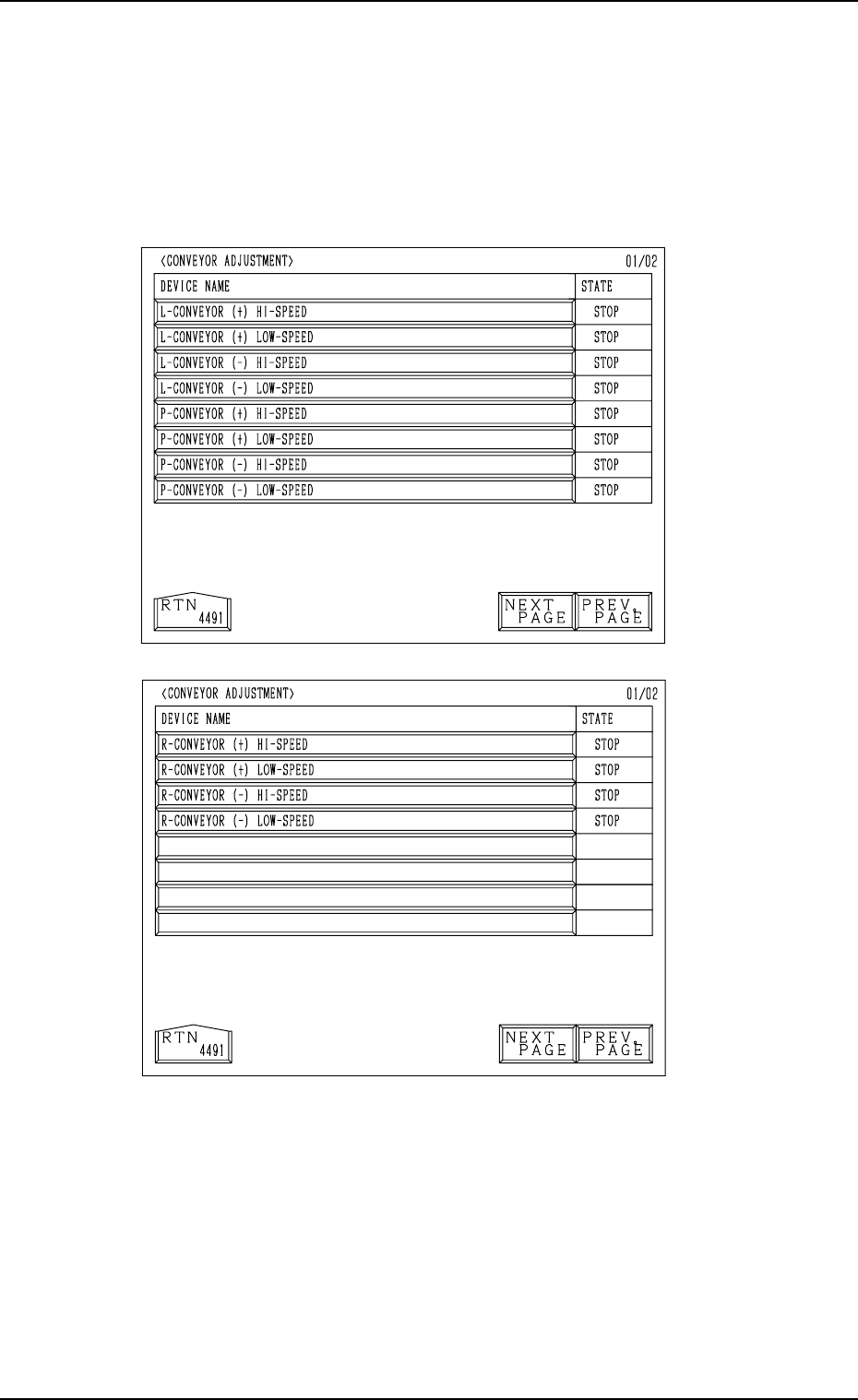
When the [CONVEYOR ADJUSTMENT] key is pressed at the “UNIT AD-
JUSTMENT” display, the following display appears on the screen.
Every time the [NEXT PAGE] or the [PREV. PAGE] key is pressed, another or
previous page appears on the screen.
Cycle operations related to the L and R conveyors can be performed.
Select the desired device and press the [MOVE] button. The selected device is
activated.
[L-CONVEYOR (+) HI-SPEED] Key
When this key is selected and the [MOVE] button is pressed, the L con-
veyor moves forward at high speed.
[L-CONVEYOR (+) LOW-SPEED] Key
When this key is selected and the [MOVE] button is pressed, the L con-
veyor moves forward at low speed.
Fig. 4C342
Second Page
Fig. 4C341
First Page