4OM-1011-002.pdf - 第252页
0307-002 Tg0860-PM-MM 10.1 SA VE ALL BACKUP DA T A Display 3-200 Created Files Shown below are the files and the addresses created in the four floppy disks. T able 4C18
0305-001 Tg0860-PM-MM
10.1 SAVE ALL BACKUP DATA Display
3-199
10.1 SAVE ALL BACKUP DATA Display
This function can be used to temporarily save data before version improve-
ment operation of the machine software, analyze data after an error has oc-
curred, and save such data that cannot be exchanged between the machine and
the programming device (option). It is recommended that all backup data should
be saved on floppy disks.
Note: Special operation is required when all backup data must be loaded.
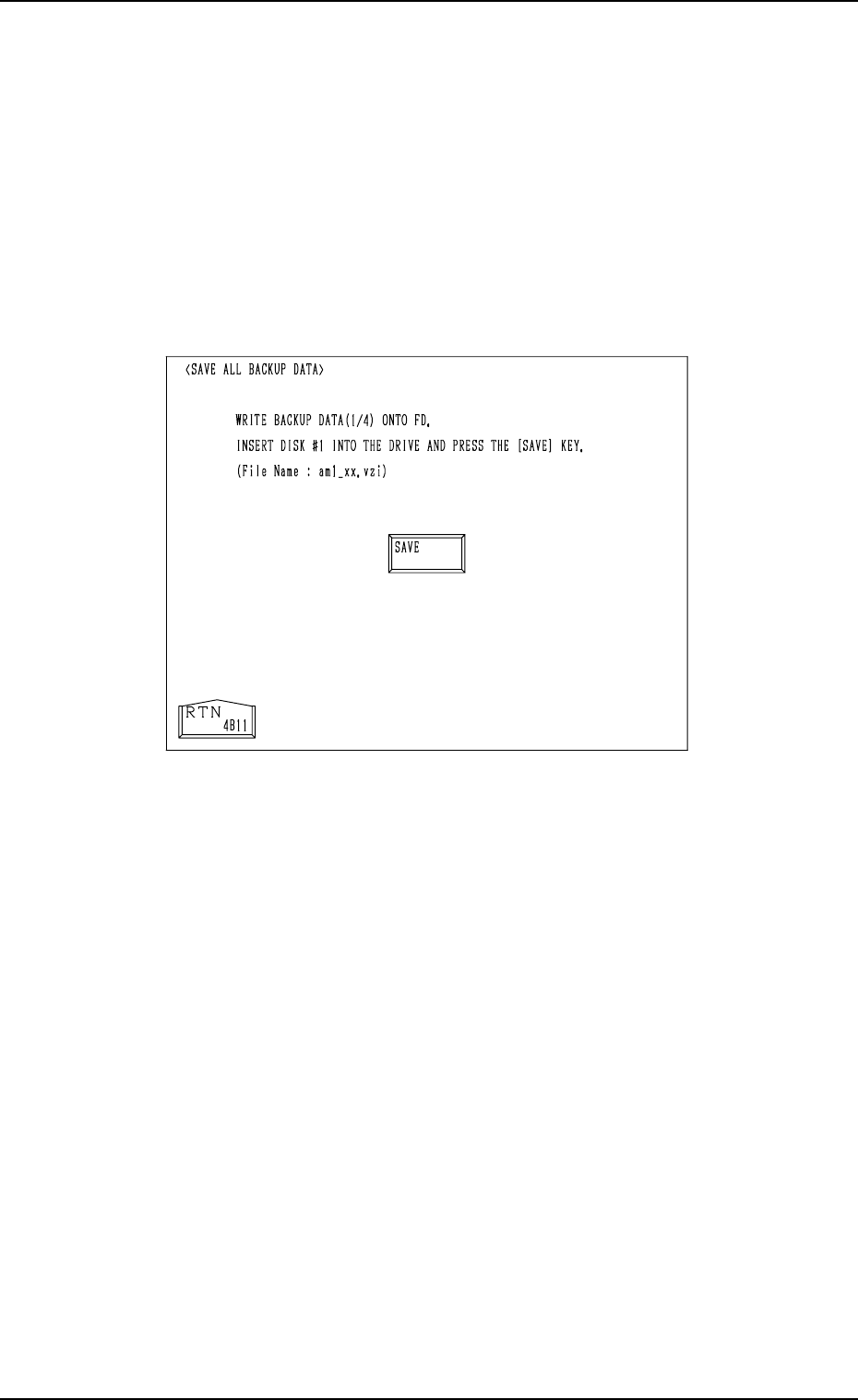
When the [SAVE ALL BACKUP DATA] key is pressed at the “HDD/FDD
OPERATION” display, the following display appears on the screen.
Operation Procedure
(1) Prepare four pieces of 2HD floppy disks (1.44 MB, DOS-Formatted).
Label the floppy disks “1/4”, “2/4”, “3/4”, and “4/4” individually.
(2) Insert the floppy disk (labeled 1/4) into FDD and press the [SAVE] key.
• After the data is written (saved), a message is issued, reminding that
the floppy disk should be replaced with another one.
(3) Insert the floppy disk (labeled 2/4) into FDD and press the [SAVE] key.
(4) Follow the same procedure until all four disks are used up.
(5) After all data is saved, a message is issued, indicating that the save opera-
tion is completed.
• While the data is being saved, a [CANCEL] key and a progress bar
appear in the display.
• When the [CANCEL] key is pressed, the save operation is interrupted
and the “HDD/FDD OPERATION” display appears on the screen.
Fig. 4C348
0307-002 Tg0860-PM-MM
10.1 SAVE ALL BACKUP DATA Display
3-200
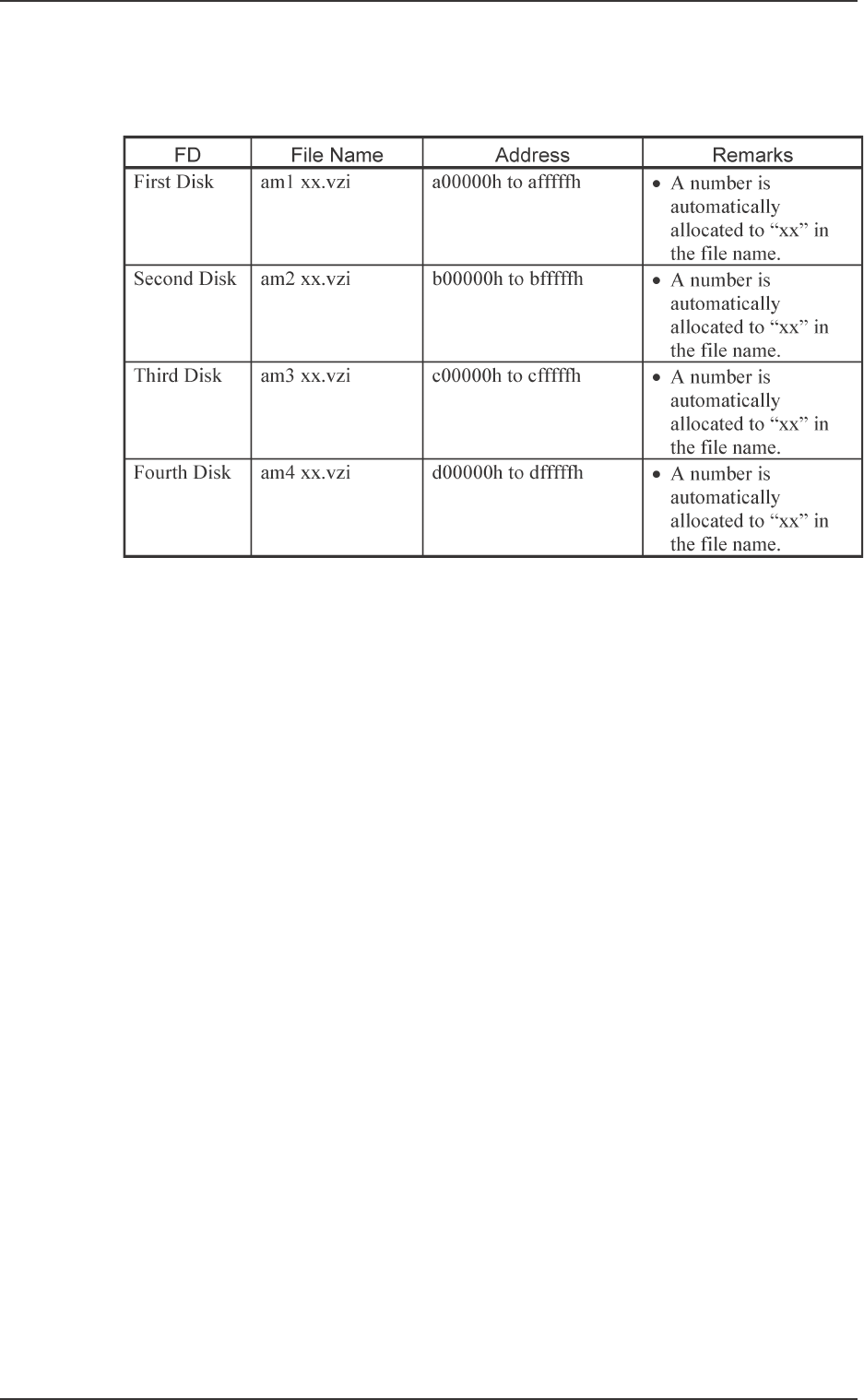
Created Files
Shown below are the files and the addresses created in the four floppy disks.
Table 4C18
Tg0860-PM-MM
10.2 SAVE/LOAD PATTERN PROGRAM Display
0307-002 3-201
10.2 SAVE/LOAD PATTERN PROGRAM Display
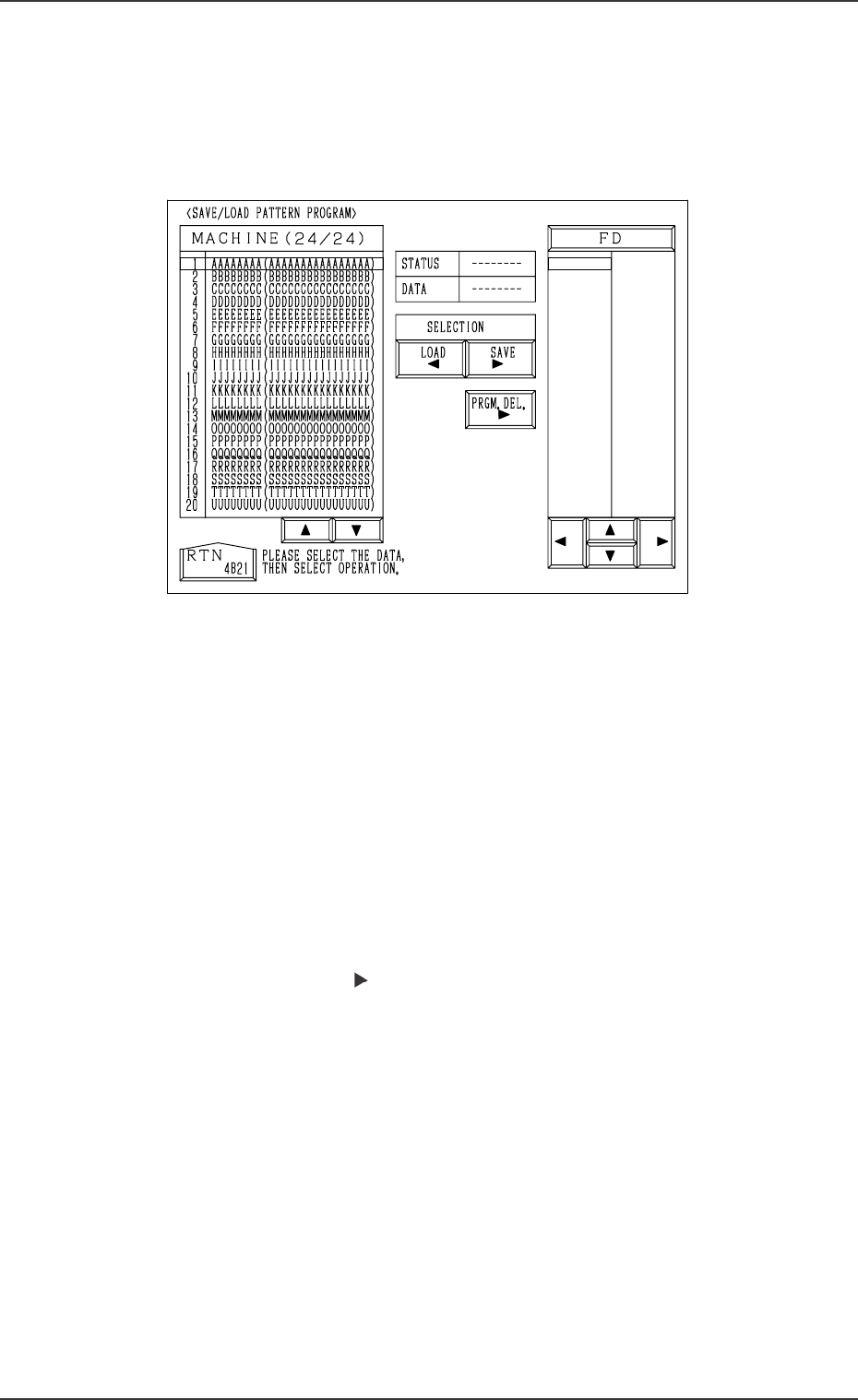
When the [SAVE/LOAD PATTERN PROGRAM] key is pressed at the
“HDD/FDD OPERATION” display, the following display appears on the
screen.
Notes: (a) This display can be opened only when the machine is in the
“STOP” mode and no pattern program data or component library
data is exchanged between the machine and the programming
device (option).
(b) While this display is open, no pattern program data or compo-
nent library data can be exchanged between the machine and the
programming device.
The [ZERO] and [READY] buttons also become unavailable.
(c) Another display cannot be opened from this display during save
and load operation.
Save Operation (Machine
→→
→→
→
FD)
(1) Insert a DOS-formatted floppy disk (1.44 MB) into the FDD (floppy
disk drive).
(2) Move the line cursor (“MACHINE” side) to the pattern program data
to be saved.
Press the [SAVE ] key.
(3) “SAVING” appears in the “STATUS” text box, indicating that the
selected pattern program data is being saved.
• When the data is saved normally, “SAVED” appears in the text box
and the saved pattern program data name appears on the “FD” side.
• When an error is found during save operation, an error message is
issued and the save operation is interrupted.
Ref.: When the pattern program data having the same name is found
in the floppy disk, the display for confirmation to overwrite
appears on the screen.
Note: When a file in the floppy disk (a program file created on the
programming device side) keeps the data to be used exclu-
sively for another machine and is replaced with the new one,
it cannot be used for another machine.
To keep the exclusive data stored in memory, follow the data
replacement procedure through data communication with the
programming device.
Fig. 4C349