4OM-1011-002.pdf - 第271页
0305-001 Tg0860-PM-MM 4-6 (3) The “P ASSWORD ENTR Y” display (Fig. 4D7) appears on the screen. Enter the password and press the [ENTER] key . If the password is cor- rect, the “MAIN MENU” display appears on the screen. (…
0305-001 Tg0860-PM-MM
3.2 Flow of Operation
(1) When the machine is powered, the display for system initialization ap-
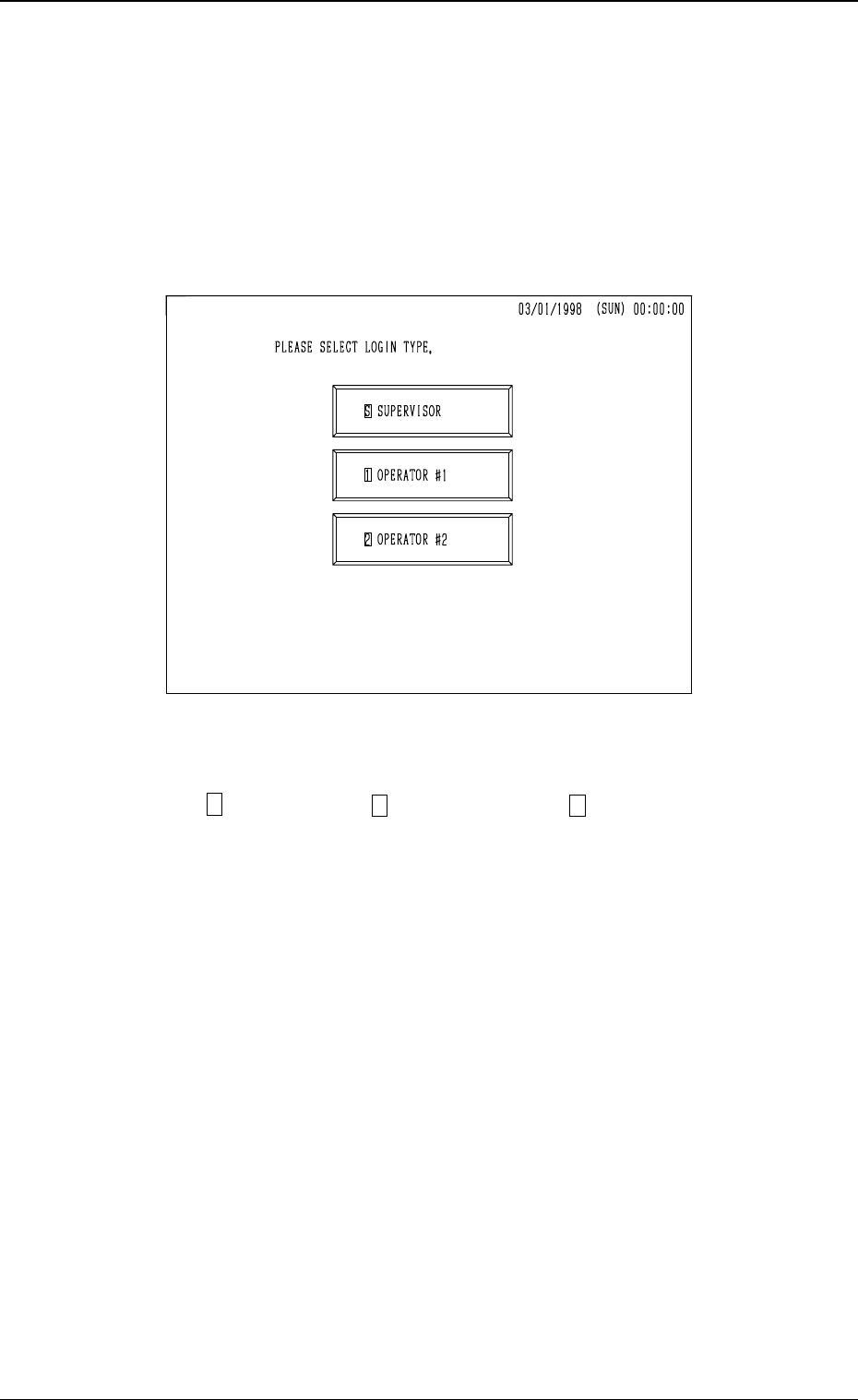
pears on the screen and the display (Fig. 4D6) for “Log In” type selection
follows.
As long as the operator does not select any “Log In” type, no operation
(including the zeroing operation) becomes available.
Note: The touch screen calibration is excluded.
(2) Select a “Log In” type
(“ S SUPERVISOR”, “ 1 OPERATOR #1”, or “ 2 OPERATOR #2”).
• When a password is set for the selected “Log In” type, the “PASS-
WORD ENTRY” display appears on the screen. (Proceed to (3).)
• When no password is set for the selected “Log In” type, the “MAIN
MENU” display appears on the screen. The “PASSWORD ENTRY”
display is bypassed. (Proceed to (4).)
4-5
3.2 Flow of Operation
Fig. 4D6
0305-001 Tg0860-PM-MM4-6
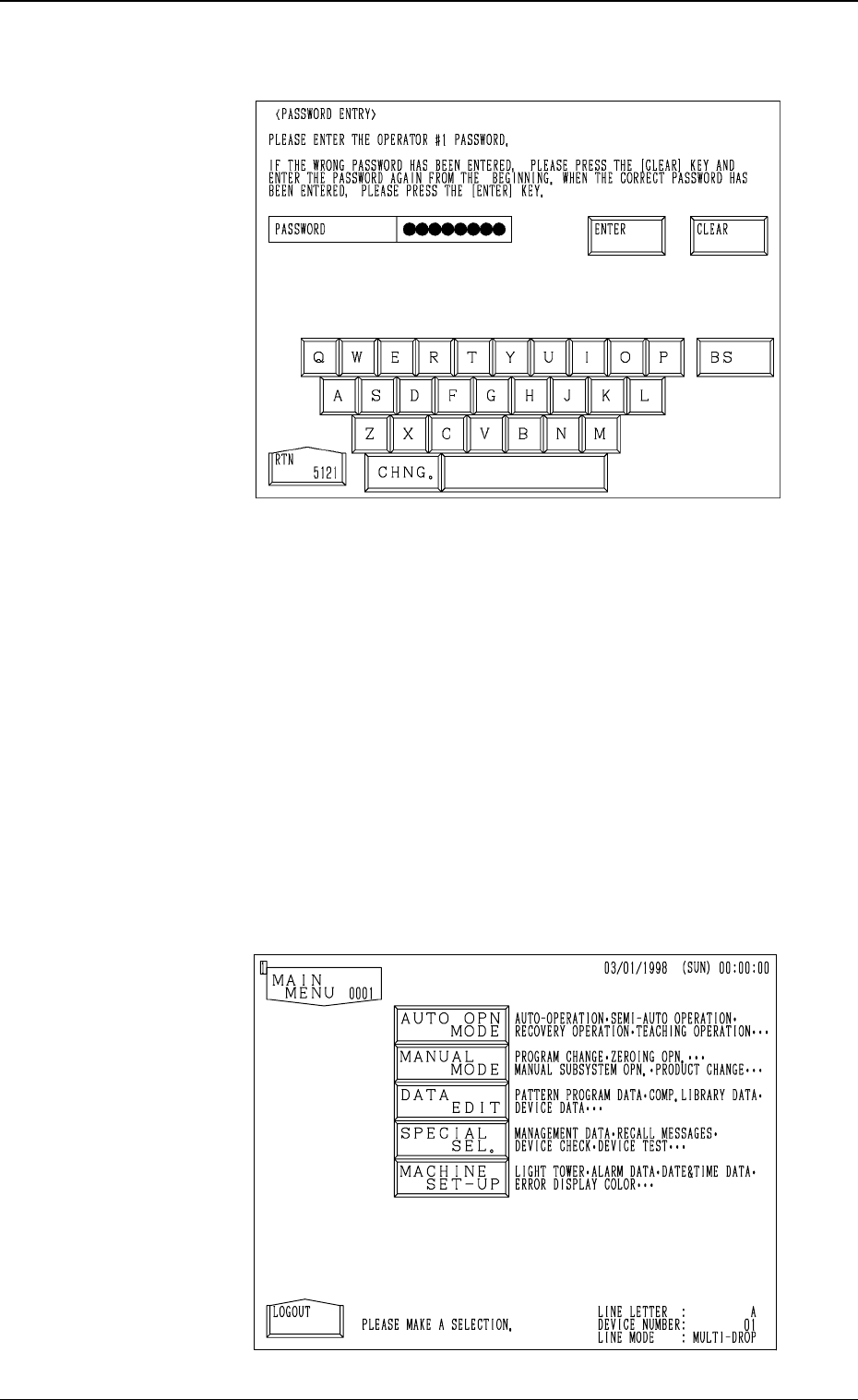
(3) The “PASSWORD ENTRY” display (Fig. 4D7) appears on the screen.
Enter the password and press the [ENTER] key. If the password is cor-
rect, the “MAIN MENU” display appears on the screen.
(Completion of “Log In” Operation)
• If the entered password is not correct, the display for “Log In” type
selection appears on the screen.
Select a “Log In” type again and correctly set the password. Then,
press the [ENTER] key.
• Use the [BS] key to delete a character to the left of the cursor when you
accidentally press the wrong key in the middle of password entry or
press the [CLEAR] key to delete all entries and enter your password
from the beginning.
(4) The “MAIN MENU” display (Fig. 4D8) appears on the screen.
3.2 Flow of Operation
Fig. 4D7
Fig. 4D8

0305-001 Tg0860-PM-MM
• All operations set as available at the “PASSWORD AVLBL. AREA
SET” display can be performed.
Note: When you open the data edit display corresponding to the item
whose editing is prohibited at the “PASSWORD AVLBL.
AREA SET” display, the parameters can be checked but can-
not be edited. A message “CANNOT INPUT THE DATA” ap-
pears in place of “PLEASE INPUT THE DATA AND PRESS
THE [SET] KEY.”.
When a prohibited operation item is selected, a message “OP-
ERATION DENIED BY LOGIN TYPE.” appears in the dis-
play.
• After you finish machine operations, be sure to select the [LOGOUT]
key located at the bottom left of the “MAIN MENU” display. The dis-
play for “Log In” type selection appears on the screen.
Note: If you keep the “MAIN MENU” open for a long period of time
without opening the display for “Log In” type selection, the
password’s security function becomes meaningless.
Especially when the system is logged on to by a highly autho-
rized personnel such as the supervisor, be sure to return to the
display for “Log In” type selection.
4-7
3.2 Flow of Operation