4OM-1011-002.pdf - 第276页
0305-001 Tg0860-PM-MM • When the [OPTIONAL ALARM SET] key is pressed, the following display appears on the screen, enabling the setting of an optional alarm sound. • An optional alarm sounds in a cycle of two seconds. Th…
0305-001 Tg0860-PM-MM
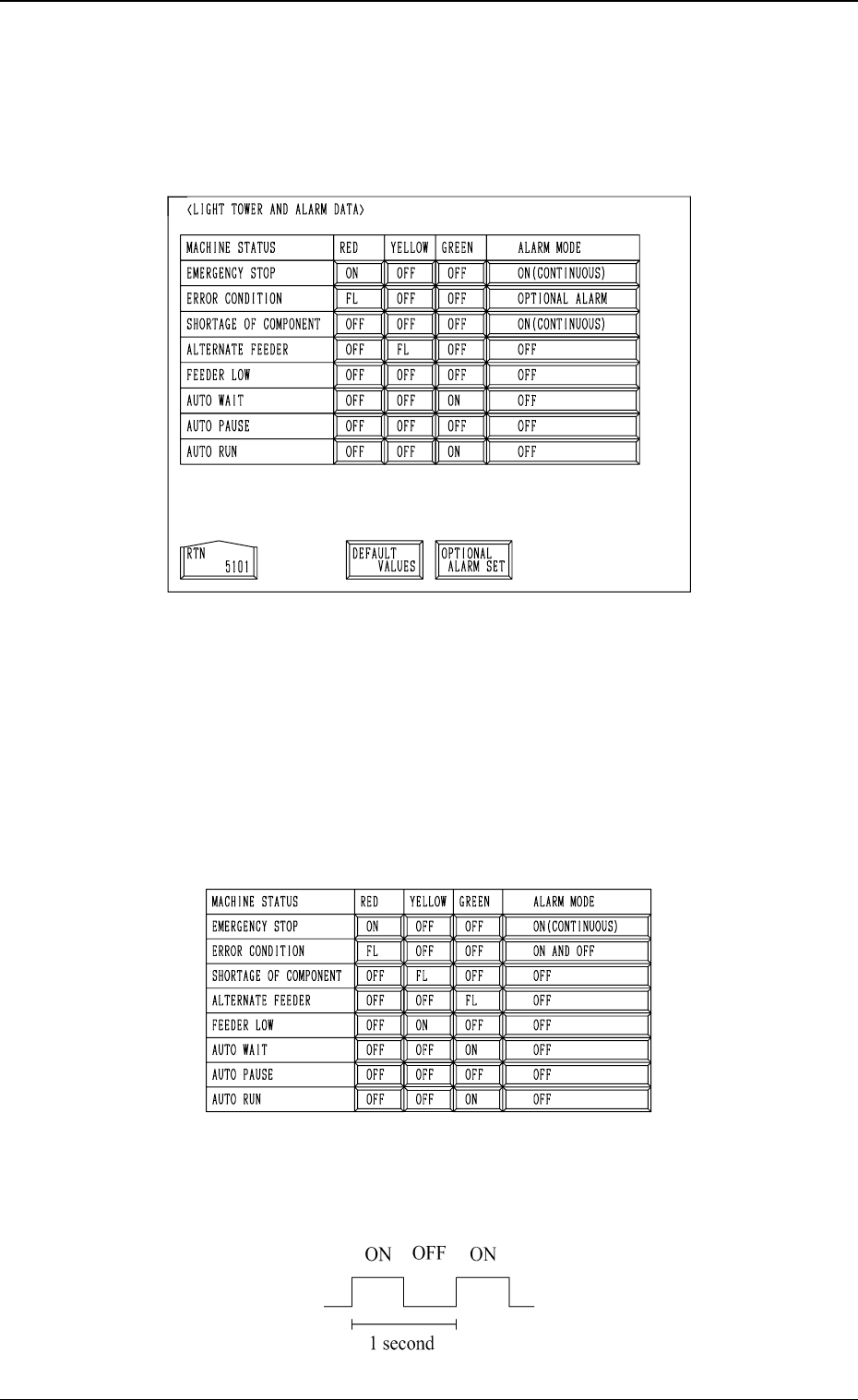
4. Setting of Light Tower and Alarm Data
When the [LIGHT TOWER AND ALARM DATA] key is pressed at the “MA-
CHINE SET-UP” display, the following display appears on the screen.
• The “ON, OFF, or FL (flashing)” can be selected for the tower lights (red,
yellow, and green lights) according to the machine status.
The “ON (CONTINUOUS), OFF, ON AND OFF, or OPTIONAL ALARM”
can also be selected for the alarm buzzer according to the machine status.
Every time a key switch is pressed, the label changes such as “ON → OFF
→ FL”.
• When the [DEFAULT VALUES] key is pressed, default parameters are set
as follows.
Note: A tower light blinks in a fixed cycle as follows.
(Duty : 50)
4-10
4. Setting of Light Tower and Alarm Data
Fig. 4D11
Fig. 4D12
Fig. 4D13
0305-001 Tg0860-PM-MM
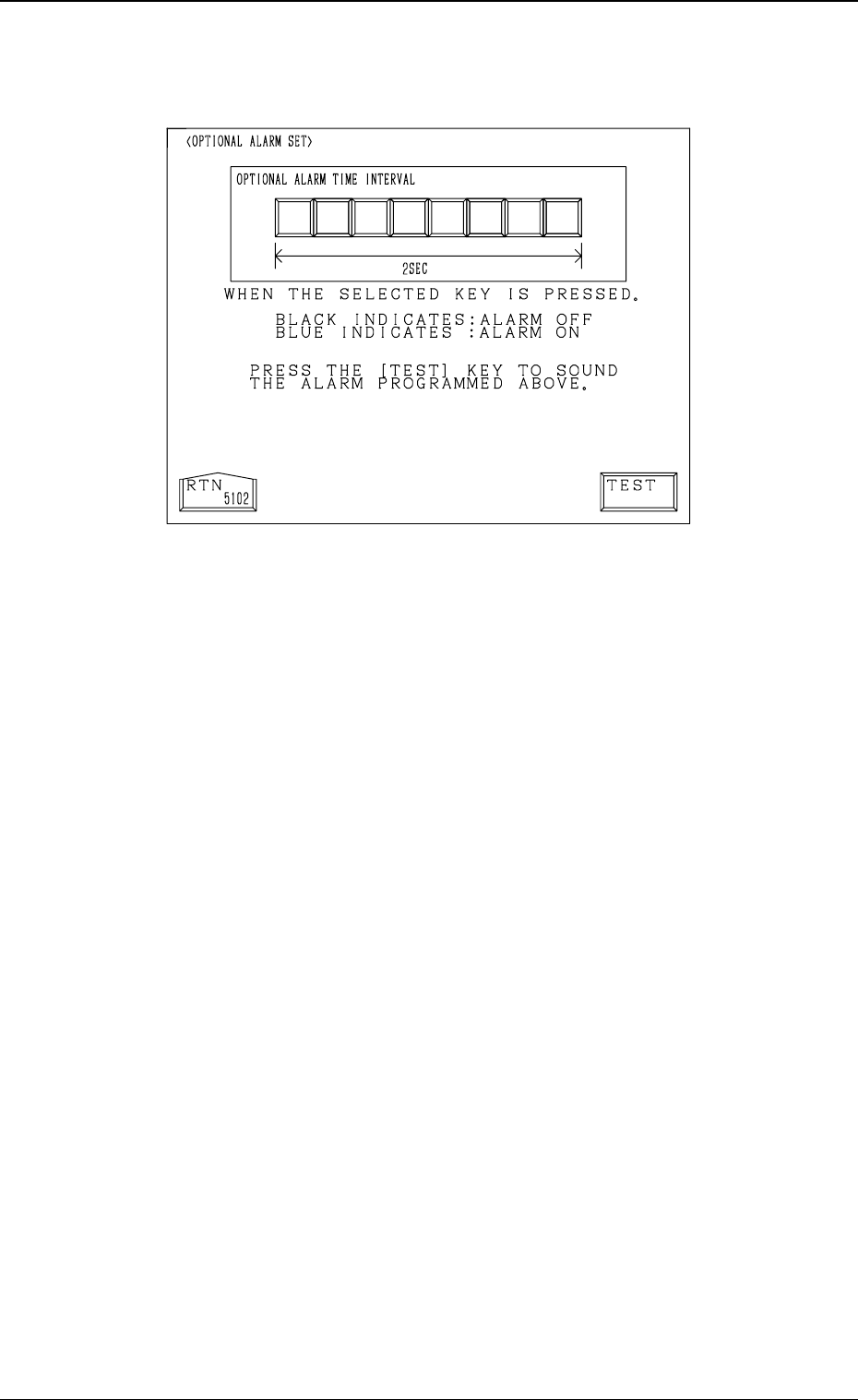
• When the [OPTIONAL ALARM SET] key is pressed, the following display
appears on the screen, enabling the setting of an optional alarm sound.
• An optional alarm sounds in a cycle of two seconds. The two seconds is
divided into 8 intervals and each interval is assigned as “ON” or “OFF” to
make a sound of your own.
• When the [TEST] key is pressed, the set optional alarm sounds in two cycles.
4-11
4. Setting of Light Tower and Alarm Data
Fig. 4D14
0305-001 Tg0860-PM-MM
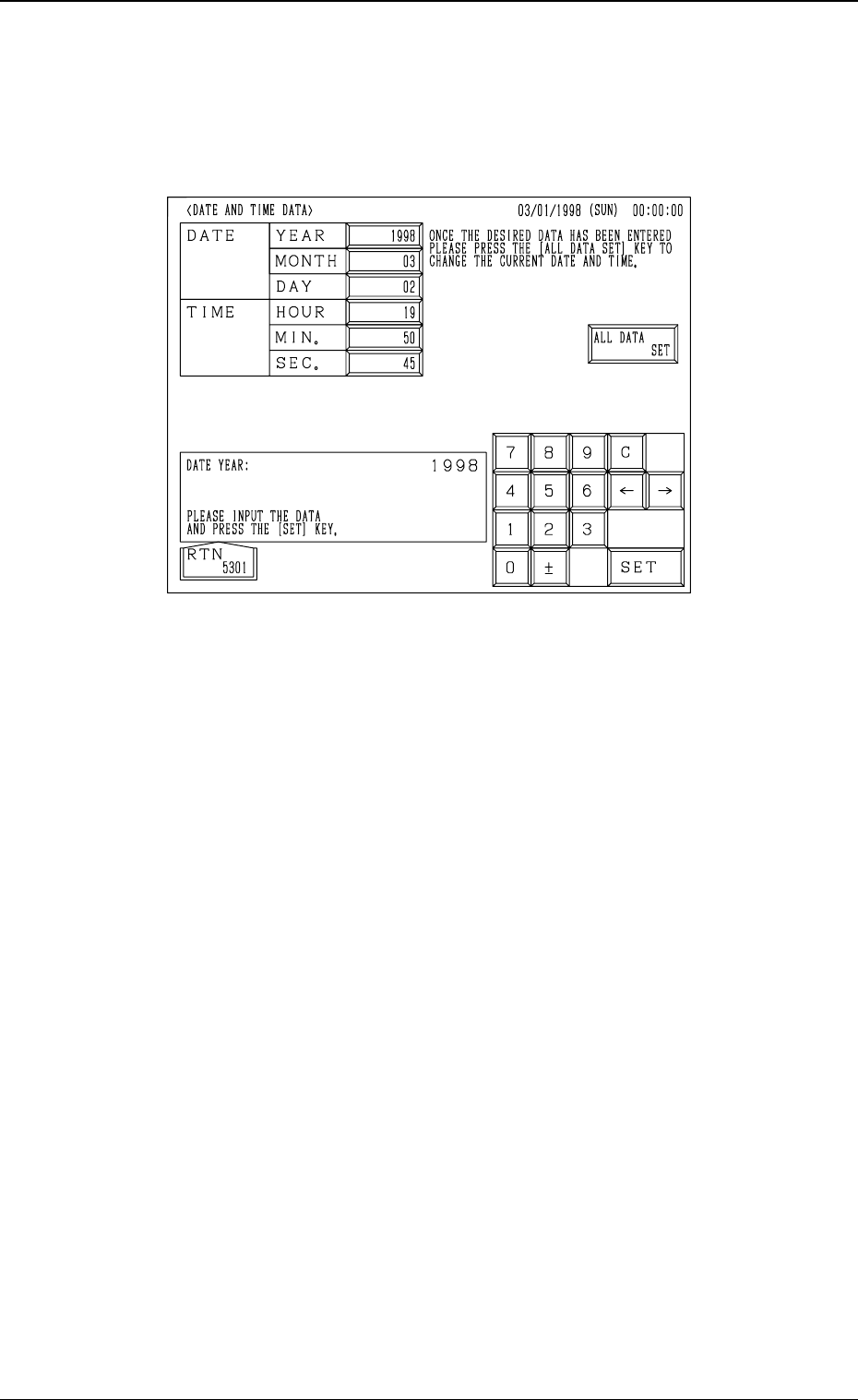
5. Setting of Date and Time Data
When the [DATE AND TIME DATA] key is pressed at the “MACHINE SET-
UP” display, the following display appears on the screen.
Operation Procedure
(1) Select the key for which a parameter should be set. The selected key turns
blue.
(2) Use the ten-key pad to enter a parameter and press the [SET] key.
(3) After all parameters are set, press the [ALL DATA SET] key. The new
parameters are set in the text boxes.
4-12
5. Setting of Date and Time Data
Fig. 4D15