4OM-1011-002.pdf - 第277页
0305-001 Tg0860-PM-MM 5. Setting of Date and Time Data When the [DA TE AND TIME DA T A] key is pressed at the “MACHINE SET- UP” display , the following display appears on the screen. Operation Procedure (1) Select the ke…
0305-001 Tg0860-PM-MM
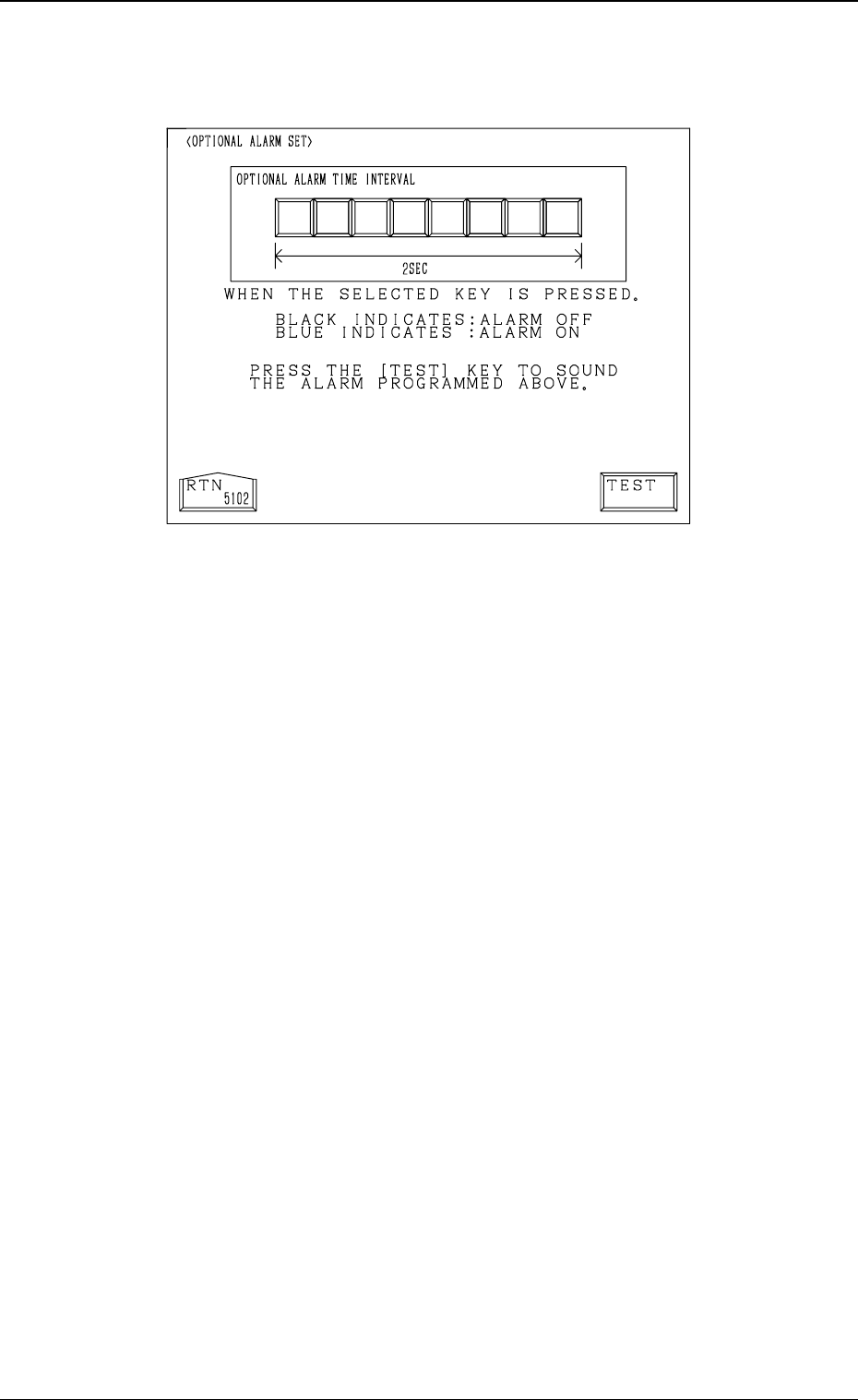
• When the [OPTIONAL ALARM SET] key is pressed, the following display
appears on the screen, enabling the setting of an optional alarm sound.
• An optional alarm sounds in a cycle of two seconds. The two seconds is
divided into 8 intervals and each interval is assigned as “ON” or “OFF” to
make a sound of your own.
• When the [TEST] key is pressed, the set optional alarm sounds in two cycles.
4-11
4. Setting of Light Tower and Alarm Data
Fig. 4D14
0305-001 Tg0860-PM-MM
5. Setting of Date and Time Data
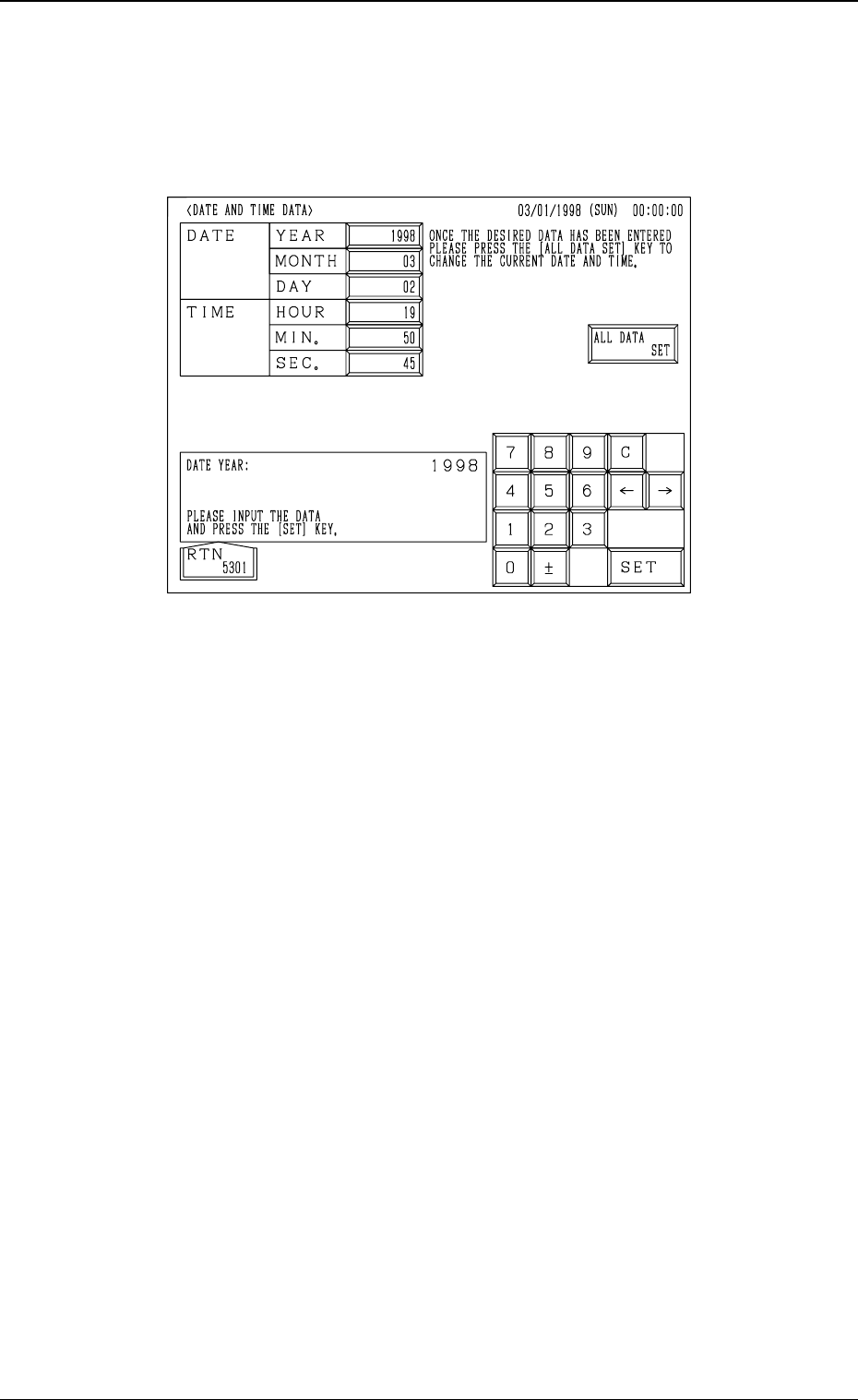
When the [DATE AND TIME DATA] key is pressed at the “MACHINE SET-
UP” display, the following display appears on the screen.
Operation Procedure
(1) Select the key for which a parameter should be set. The selected key turns
blue.
(2) Use the ten-key pad to enter a parameter and press the [SET] key.
(3) After all parameters are set, press the [ALL DATA SET] key. The new
parameters are set in the text boxes.
4-12
5. Setting of Date and Time Data
Fig. 4D15
0305-001 Tg0860-PM-MM
6. Setting of Error Display Colors
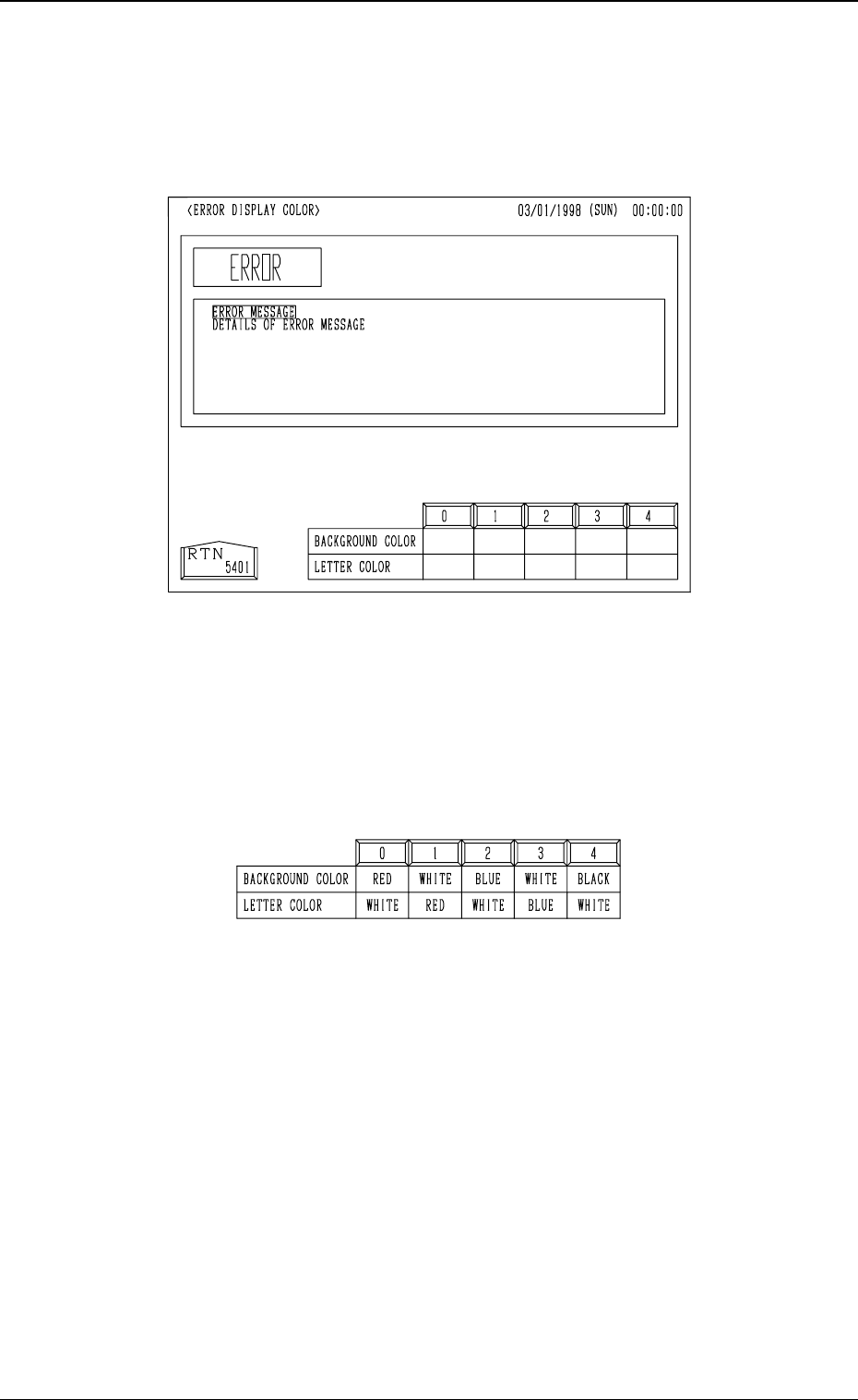
When the [ERROR DISPLAY COLOR] key is pressed at the “MACHINE
SET-UP” display, the following display appears on the screen.
• The background and letter colors of the error information box can be changed
according to one of the five optional combinations (0 to 4). When the de-
sired combination No. box is pressed, the colors are reflected in the error
information box.
• One of the five patterns (combinations of background and letter colors) can
be selected.
4-13
6. Setting of Error Display Colors
Fig. 4D16
Fig. 4D17