4OM-1011-002.pdf - 第282页
0305-001 Tg0860-PM-MM Section 5 T ouch Screen 5 - A This section explains the touch panel image adjustment, etc.
0305-001 Tg0860-PM-MM
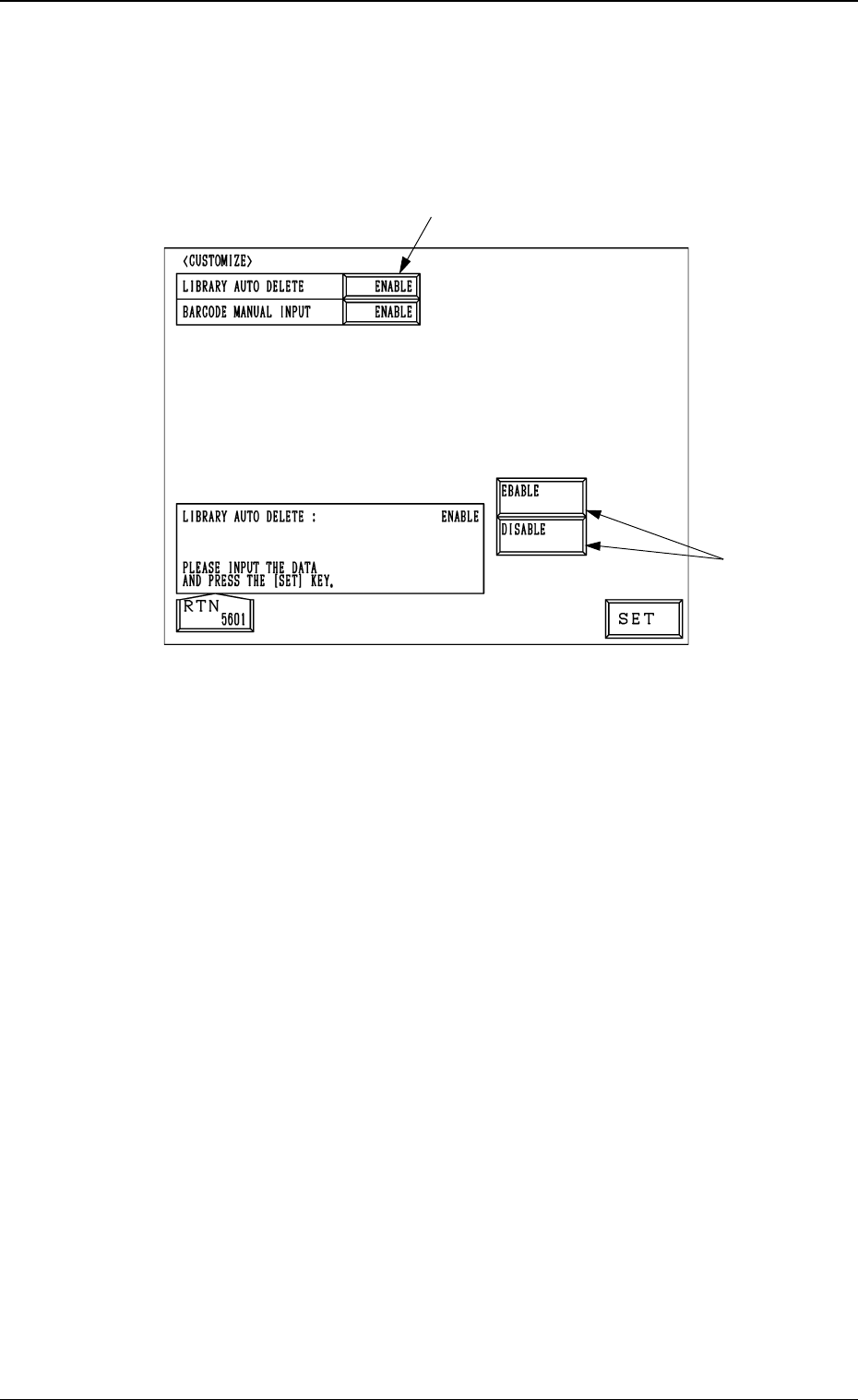
8. CUSTOMIZE Display
When the [CUSTOMIZE] key is pressed at the “MACHINE SET-UP” display,
the following display appears on the screen.
LIBRARY AUTO DELETE
“ENABLE” or “DISABLE” can be set in this text box. When “ENABLE”
is set, this function automatically deletes all component library data which is
not used by the machine after the corresponding pattern program data is
deleted. When “DISABLE” is set, this function is not implemented.
BARCODE MANUAL INPUT
The initialization of barcode in pattern program change can be set.
Each mode is described as follows:
[STANDARD]
When the barcode in pattern program change is the identical type or
unused, it is continued. When the ID is changed to the different ID, the
barcode can be initialized by entering (0, 0).
[HOLD]
When the barcode in pattern program change is of the same type, or
has not been used, it is continued. When the ID is changed to a differ-
ent ID, the barcode can be initialized by entering (1, 1).
[INITIALIZE]
All the barcodes to be used in the pattern program can be initialized by
entering (1, 1).
Operation Procedure
(1) Select the data box A.
(2) Select one of the keys B and press the [SET] key.
4-16
8. CUSTOMIZE Display
A
B
Fig. 4D19

0305-001 Tg0860-PM-MM
Section 5
Touch Screen
5-A
This section explains the touch panel image adjustment, etc.

0305-001 Tg0860-PM-MM
5-B