4OM-1011-002.pdf - 第59页
0305-001 Tg0860-PM-MM (2) Machine Performance Data Select the pattern program to be checked by pressing the corresponding “NAMES (XX/XX)” key . When the [MACHINE PRFM. DA T A] key is pressed, the following display appear…
0305-001 Tg0860-PM-MM
3.1 PATTERN PROGRAM MANAGEMENT DATA
Display
Current program management data of each pattern program data can be checked
at this display.
When the [PATTERN PROGRAM MANAGEMENT DATA] key is pressed at
the “MANAGEMENT DATA” display, the following display appears on the
screen.
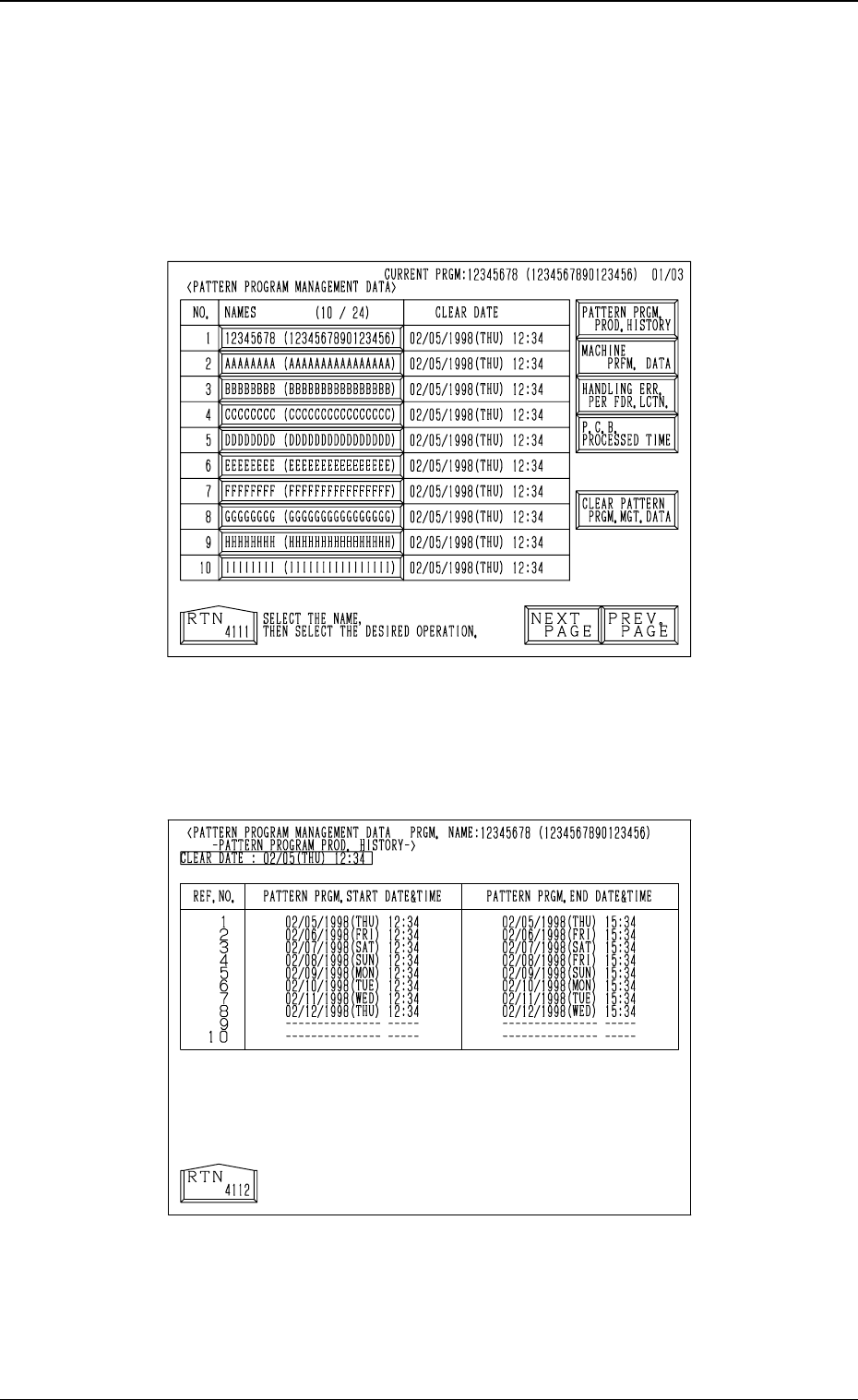
(1) Pattern Program Production History
Select the pattern program to be checked by pressing the corresponding
“NAMES (XX/XX)” key. When the [PATTERN PRGM. PROD. HIS-
TORY] key is pressed afterwards, the following display appears on the
screen.
• A maximum of 10 pattern program production history data is displayed.
Each pattern program’s start date, including time, is stored in memory as
history data (a period of time when a pattern program is set as a current
one).
• When there are more than 10 history data, the oldest dates are deleted one
by one.
3.1 PATTERN PROGRAM MANAGEMENT DATA Display
3-7
Fig. 4C5
Fig. 4C6
0305-001 Tg0860-PM-MM
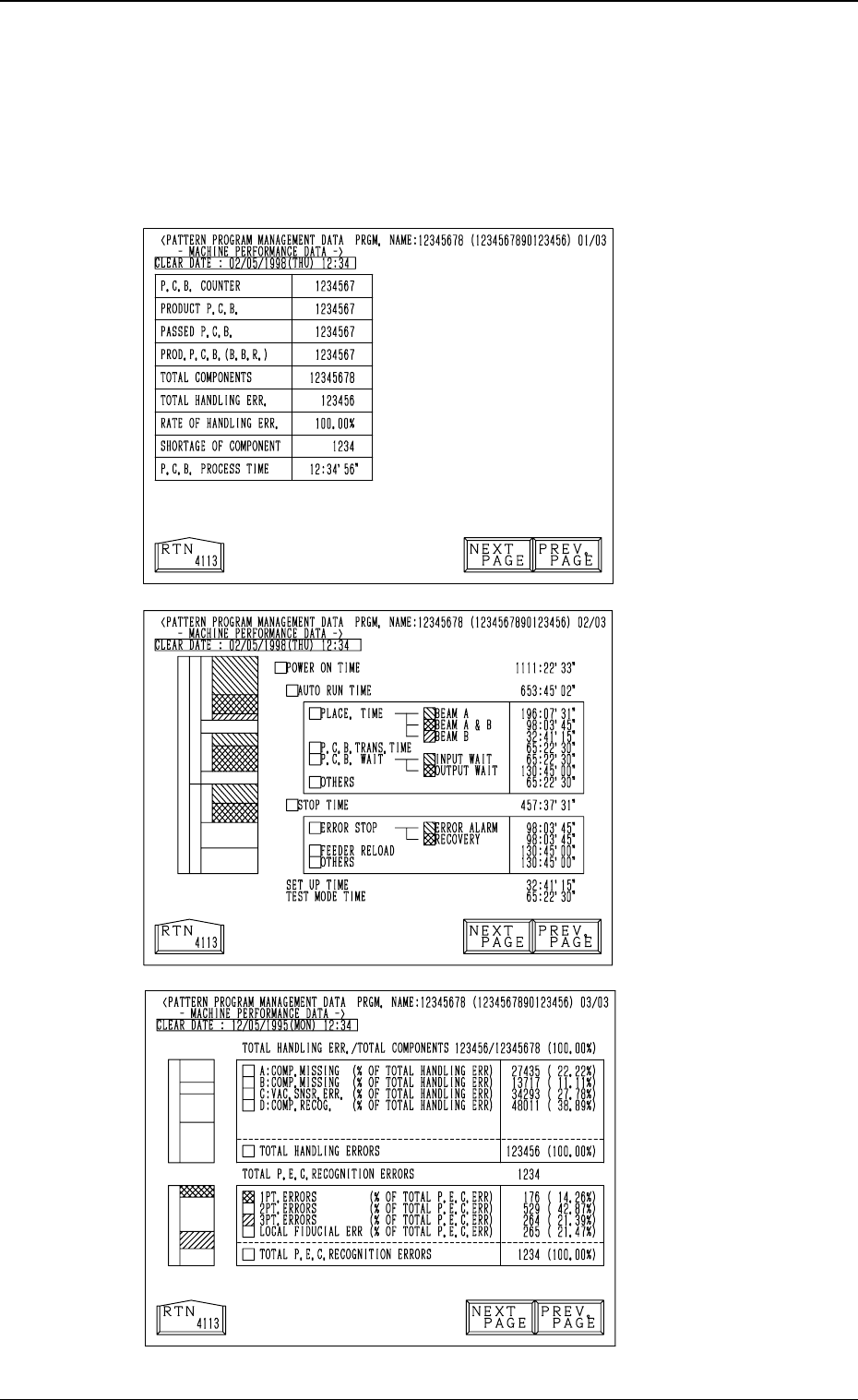
(2) Machine Performance Data
Select the pattern program to be checked by pressing the corresponding
“NAMES (XX/XX)” key. When the [MACHINE PRFM. DATA] key is
pressed, the following display appears on the screen.
Every time the [NEXT PAGE] or the [PREV. PAGE] key is pressed, an-
other or previous page appears on the screen.
Fig. 4C7
First Page
Second Page
Fig. 4C8
Fig. 4C9
Third Page
3-8
3.1 PATTERN PROGRAM MANAGEMENT DATA Display
0305-001 Tg0860-PM-MM
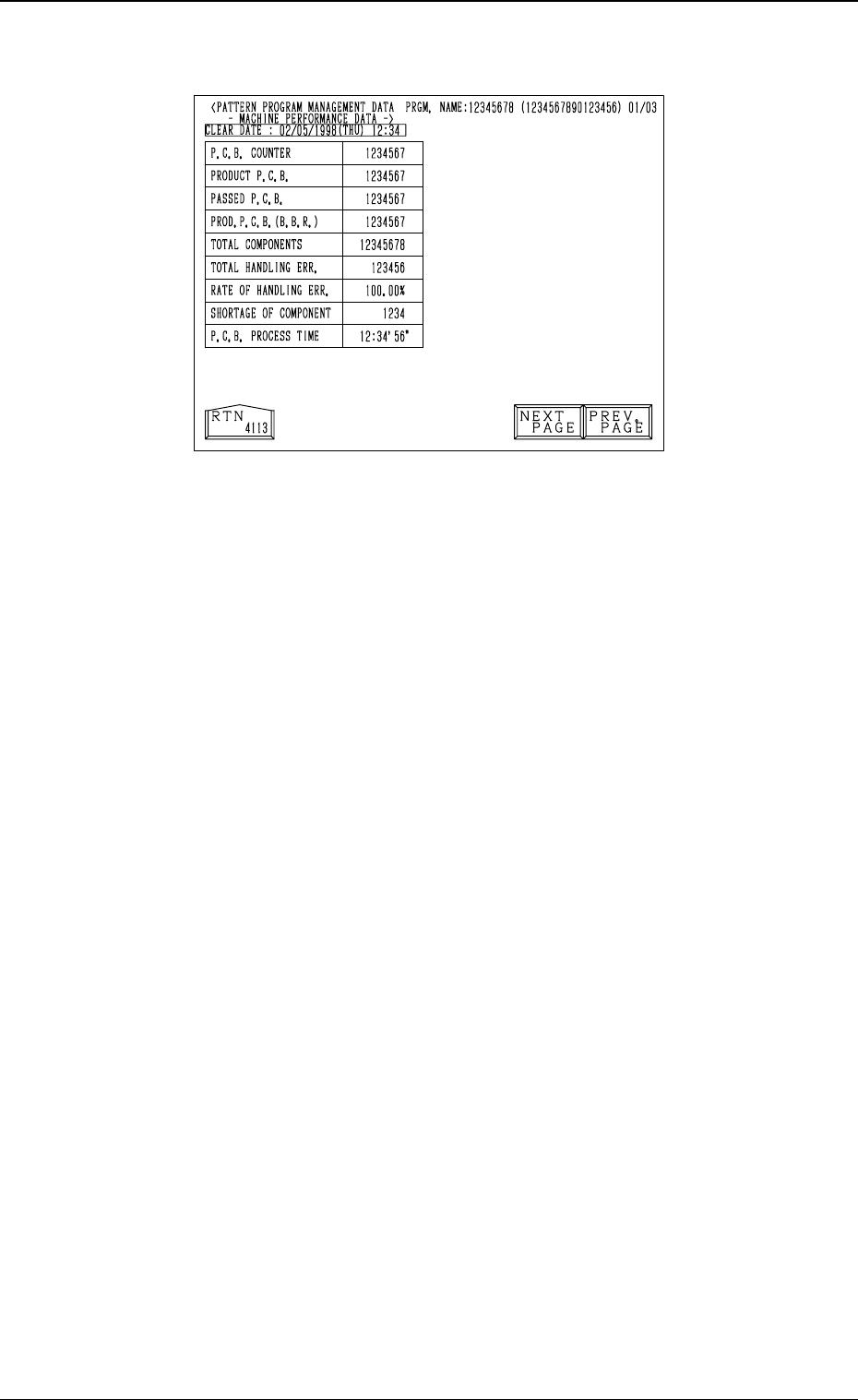
First Page
P.C.B. COUNTER
Shown is the number of produced P.C.B.’s.
Counting is implemented when the X/Y beam is zeroed after component
placement operation (when a P.C.B. is finished).
Note: When a pattern program is set several times as the current program,
the sum total is computed.
PRODUCT P.C.B.
The number of produced unit P.C.B.’s on multi-unit P.C.B. is summed up.
Counting is implemented when the X/Y beam is zeroed after component
placement operation (when a unit P.C.B. is finished).
When the bad board reject (B.B.R.) function (option) is used, defective
unit P.C.B.’s are excluded.
PASSED P.C.B.
The number of passed P.C.B.’s is counted when the machine is set in the
“PASS” mode.
Counting is implemented when the P.C.B. transfer starts (when a positioned
P.C.B. is transferred to the output conveyor).
PROD. P.C.B. (B.B.R.)
Shown is the number of defective P.C.B.’s summed up when the bad board
reject function (option) is used.
TOTAL COMPONENTS
Shown is the number of picked components (the number of pick-up opera-
tions).
TOTAL HANDLING ERR.
Shown is the total number of component handling errors.
RATE OF HANDLING ERR.
Shown is the percentage of handling errors per total number of picked com-
ponents.
SHORTAGE OF COMPONENT
Shown is the number of component shortage errors.
P.C.B. PROCESS TIME
The time between P.C.B. transfer start and the X/Y beam arrival at its
origin (completion of P.C.B. process) is measured during component place-
ment operation and the shortest processing time is displayed.
This does not apply to P.C.B.’s which are processed in step operation or
step-specified operation.
3.1 PATTERN PROGRAM MANAGEMENT DATA Display
3-9
Fig. 4C10