4OM-1011-002.pdf - 第70页
0305-001 Tg0860-PM-MM 3.2.1 Feeder Message Rate Pick-up rates managed for each feeder (feeder slot No.) are displayed accord- ing to the parameters specified at the “AUTO OPERA TION SET-UP” display . When the [FEEDER MES…
0305-001 Tg0860-PM-MM
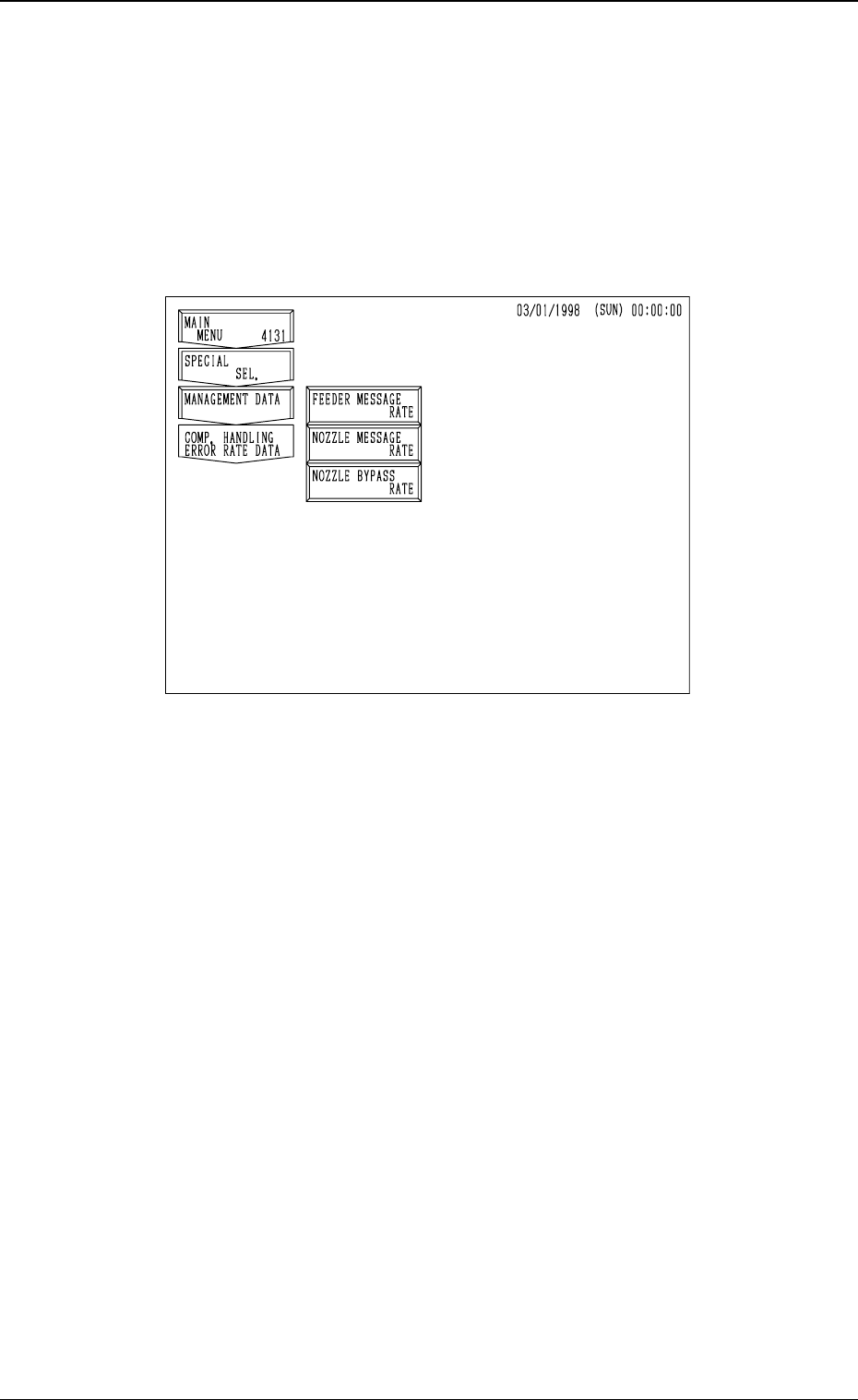
3.2 Component Handling Error Rate Data
This session describes how to check the pick-up rate calculated for each feeder
or nozzle and based on each pick-up rate specified in the automatic operation
set-up data.
When the [COMP. HANDLING ERROR RATE DATA] key is pressed at the
“MANAGEMENT DATA” display, the following display appears on the screen.
Fig. 4C21
3-18
3.2 Component Handling Error Rate Data
0305-001 Tg0860-PM-MM
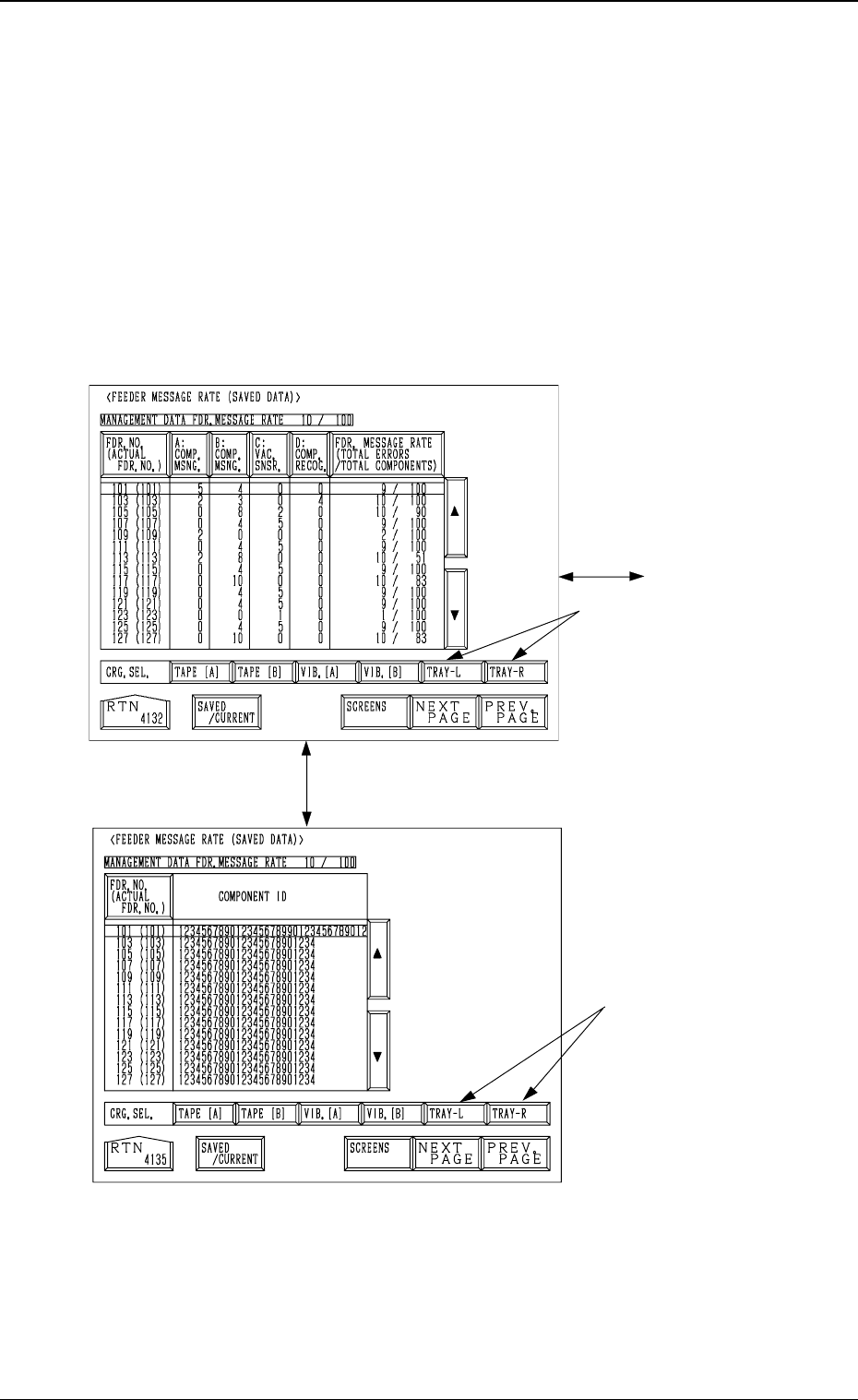
3.2.1 Feeder Message Rate
Pick-up rates managed for each feeder (feeder slot No.) are displayed accord-
ing to the parameters specified at the “AUTO OPERATION SET-UP” display.
When the [FEEDER MESSAGE RATE] key is pressed at the “COMP. HAN-
DLING ERROR RATE DATA” display, the following display appears on the
screen.
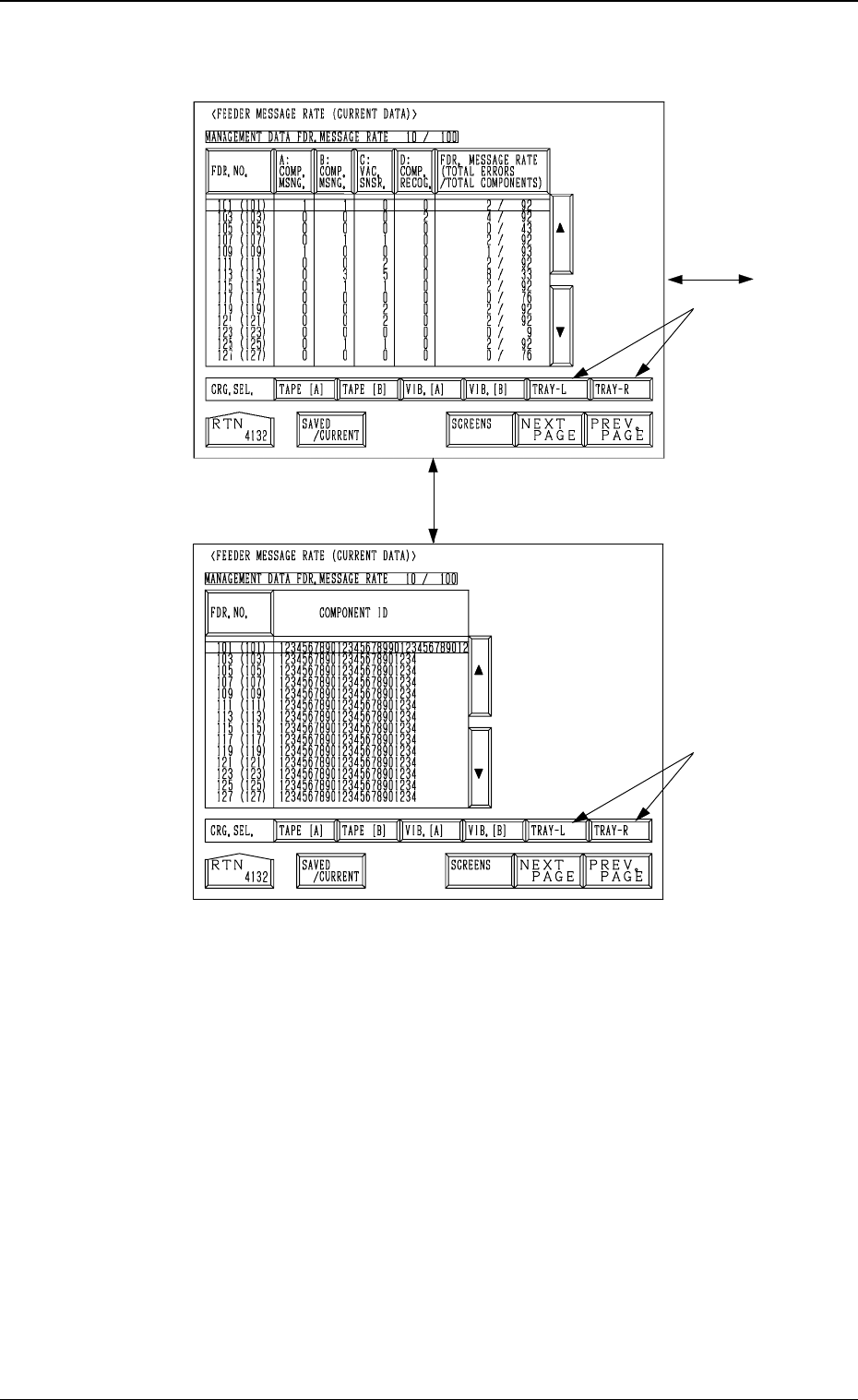
When the [SAVED/CURRENT] key or the [SCREENS] key is pressed, an-
other display is selected.
Note: The -marked items are optional.
(SAVED DATA)
Fig. 4C22
Fig. 4C23
3-19
3.2 Component Handling Error Rate Data
[SAVED/CURRENT] Key
Current Data
[SCREENS] Key
0305-001 Tg0860-PM-MM
(CURRENT DATA)
[SCREENS] Key
Fig. 4C24
[SAVED/CURRENT] Key
Saved Data
Fig. 4C25
3-20
3.2 Component Handling Error Rate Data