4OM-1011-002.pdf - 第78页
0305-001 Tg0860-PM-MM 3.3.1 MACHINE PERFORMANCE DA T A When the [MACHINE PERFORMANCE DA T A] key is pressed at the “MAN- AGEMENT DA T A (TYPE 1)” display , the following display appears on the screen. • This display look…
0305-001 Tg0860-PM-MM
3.3 Management Data (Type 1)
Keys and menus related to production performance of the machine are pro-
vided, enabling the checking of overall performance data.
When the [MANAGEMENT DATA (TYPE 2)] key is pressed at the “MAN-
AGEMENT DATA” display, the “MANAGEMENT DATA (TYPE 2)” dis-
play appears, enabling the checking of almost the same items as those of the
“MANAGEMENT DATA (TYPE 1)” display. Distinguish between manage-
ment spans and check the required items.
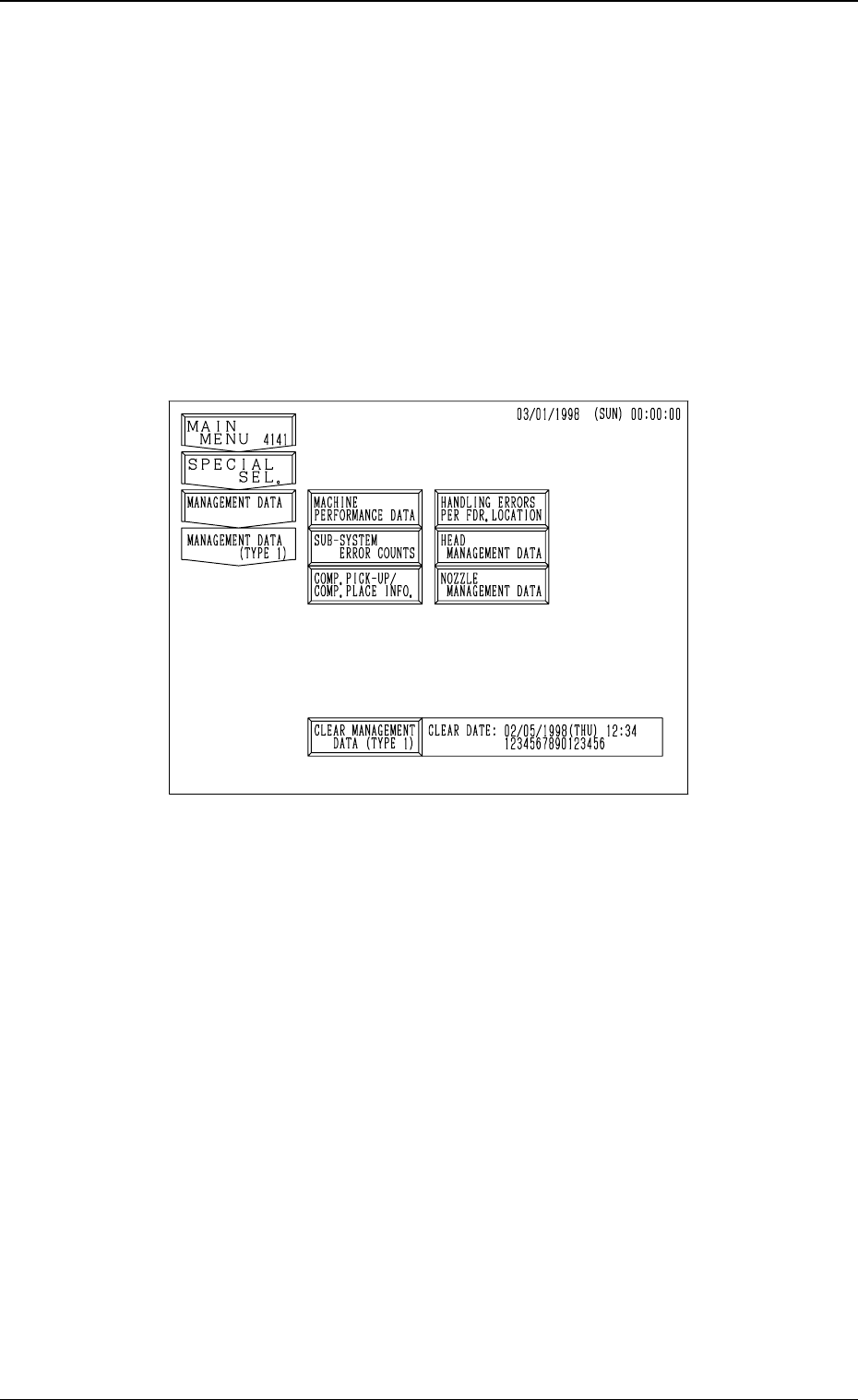
When the [MANAGEMENT DATA (TYPE 1)] key is pressed at the “MAN-
AGEMENT DATA” display, the following display appears on the screen.
3-26
3.3 Management Data (Type 1)
Fig. 4C30
0305-001 Tg0860-PM-MM
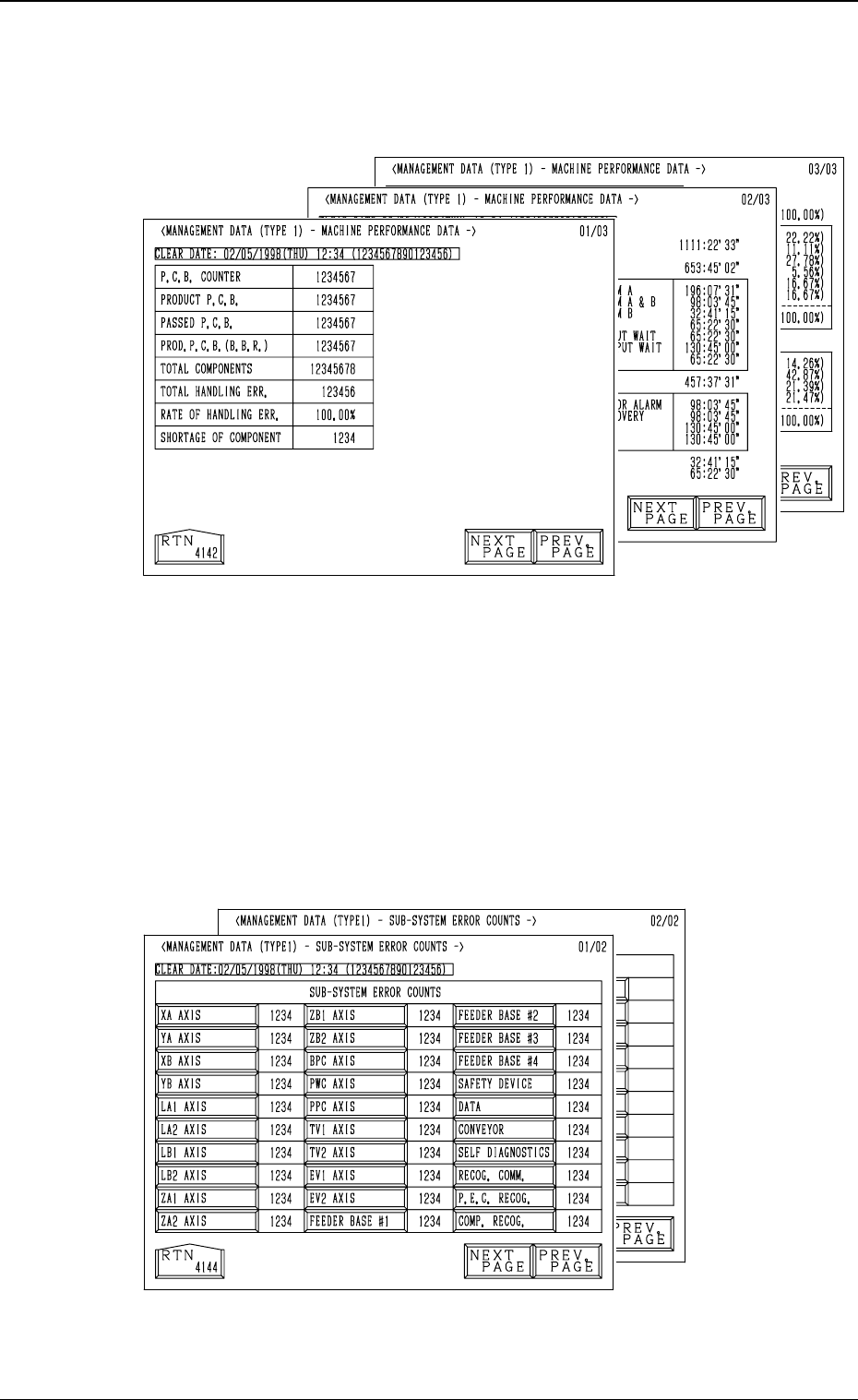
3.3.1 MACHINE PERFORMANCE DATA
When the [MACHINE PERFORMANCE DATA] key is pressed at the “MAN-
AGEMENT DATA (TYPE 1)” display, the following display appears on the
screen.
• This display looks similar to the “PATTERN PROGRAM MANAGEMENT
DATA - MACHINE PERFORMANCE DATA” display. Eachparameter is
based on management data of the machine (not on each pattern program).
(Refer to “3.1 (2) Machine Performance Data” for details.
3.3.2 SUB-SYSTEM ERROR COUNTS
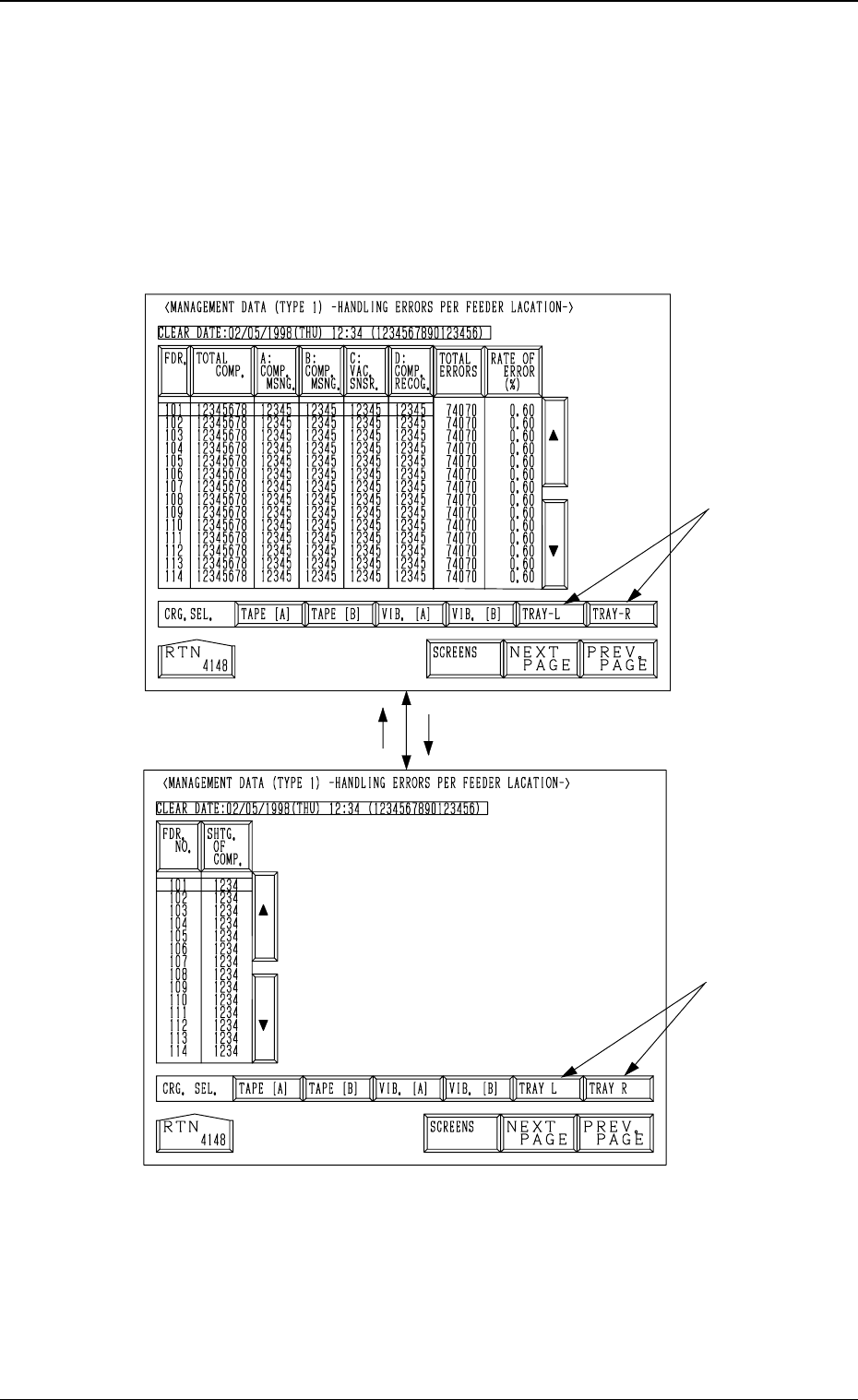
When the [SUB-SYSTEM ERROR COUNTS] key is pressed at the
“MANAGEMENT DATA (TYPE 1)” display, the following display ap-
pears on the screen.
• Shown is the total number of errors which occurred on each device
during automatic operation.
• When each data key is pressed, the corresponding display appears, enabling
the checking of detailed information of the selected device or function where
an error(s) occurred.
3-27
3.3 Management Data (Type 1)
Fig. 4C31
Fig. 4C32
0305-001 Tg0860-PM-MM
3.3.3 Handling Errors Per Feeder Location
When the [HANDLING ERRORS PER FDR. LOCATION] key is pressed
at the “MANAGEMENT DATA (TYPE 1)” display, the following dis-
play appears on the screen.
Pressing the [SCREENS] key at this display opens another “MANAGE-
MENT DATA (TYPE 1) - HANDLING ERRORS PER FEEDER LOCA-
TION-” display.
Note: The -marked items are optional.
• This display looks similar to the “PATTERN PROGRAM MANAGEMENT
DATA - HANDLING ERRORS PER FEEDER LOCATION” display.
(Refer to “3.1 (3) Handling Errors Per Feeder Location” for details.)
Each parameter is based on management data of the machine (not on each
pattern program).
Fig. 4C33
Fig. 4C34
3-28
3.3 Management Data (Type 1)
[
SCREENS
]