4OM-1011-002.pdf - 第91页
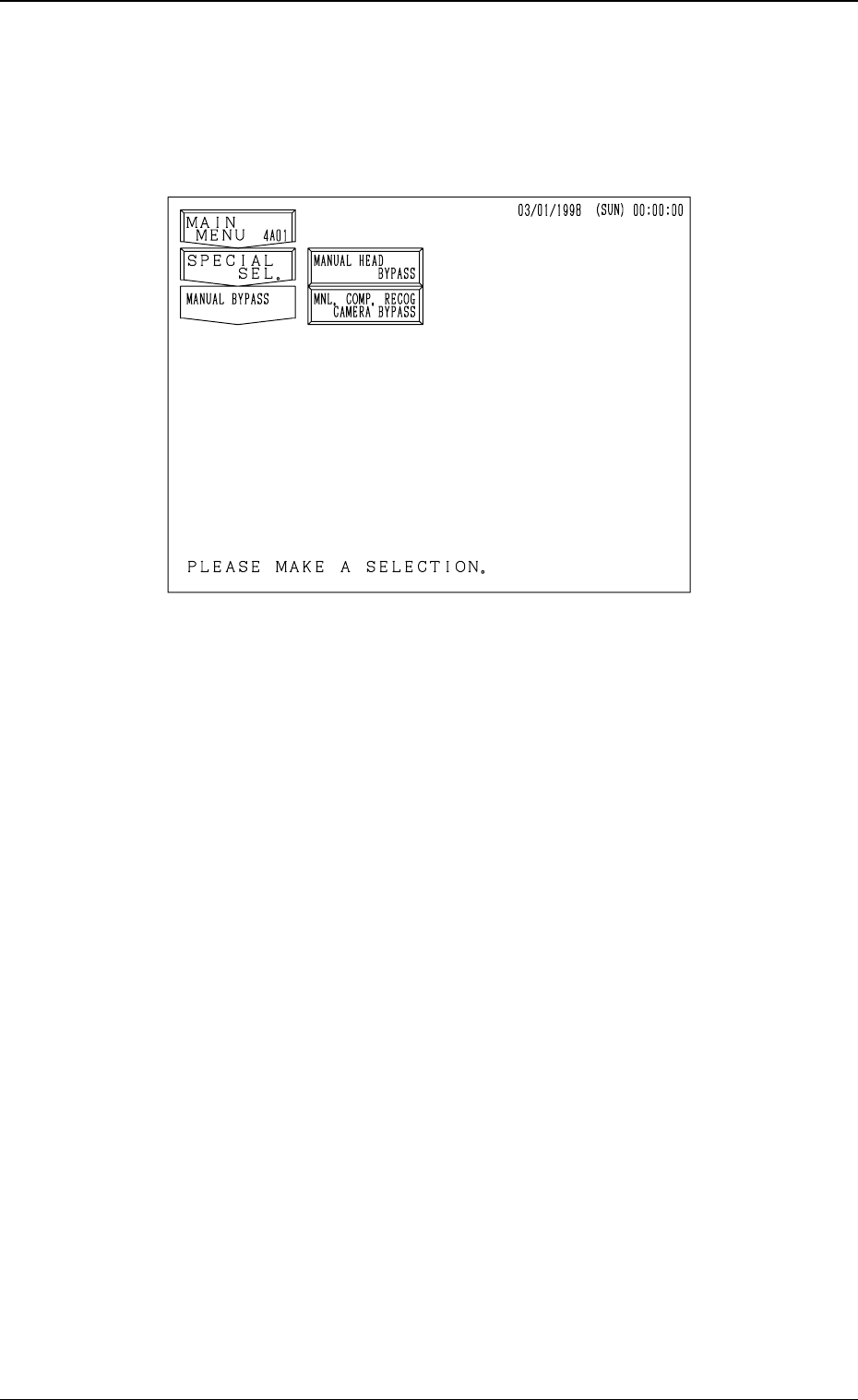
0305-001 Tg0860-PM-MM 5. MANUAL BYP ASS Display When the [MANUAL BYP ASS] key is pressed at the “SPECIAL SEL.” dis- play , the following display appears on the screen. [MANUAL HEAD BYP ASS] Key When this key is pressed…

0305-001 Tg0860-PM-MM
Notes: (a) Image data cannot be saved during data communication with the
external device (during communication with the programming
device).
Data communication with the external device becomes unavail-
able while data is being saved on a floppy disk.
(b) The [SYSTEM CLEAR] key becomes unavailable while data is
being saved on a floppy disk.
(c) Before saving an error image, be sure to insert a formatted floppy
disk (1.44MB, DOS-Formatted) because the machine is not pro-
vided with the format function.
(d) When the error image analysis is performed on the manufacturer's
side, set “1” in the “IMAGE NO” data box at the “RECOGNI-
TION ERROR IMAGE SAVE SET-UP” display.
Refer to “3. RECOGNITION ERROR IMAGE SAVE SET-UP
Display of Section 4 in Volume 2” for details.
3-39
4.1 Error Image Save Function
0305-001 Tg0860-PM-MM
5. MANUAL BYPASS Display
When the [MANUAL BYPASS] key is pressed at the “SPECIAL SEL.” dis-
play, the following display appears on the screen.
[MANUAL HEAD BYPASS] Key
When this key is pressed, the “MANUAL HEAD BYPASS” display ap-
pears on the screen, enabling the manual bypass setting of the head which
is not in good shape or which should not be used. The bypass setting can
also be canceled manually.
[MNL. COMP. RECOG CAMERA BYPASS] Key
When this key is pressed, the “MANUAL COMPONENT RECOGNITION
CAMERA BYPASS” display appears on the screen, enabling the manual
bypass setting of the component recognition camera which is not in good
shape or which should not be used. The bypass setting can also be canceled
manually.
3-40
5. MANUAL BYPASS Display
Fig. 4C51
0305-001 Tg0860-PM-MM
5.1 MANUAL HEAD BYPASS Display
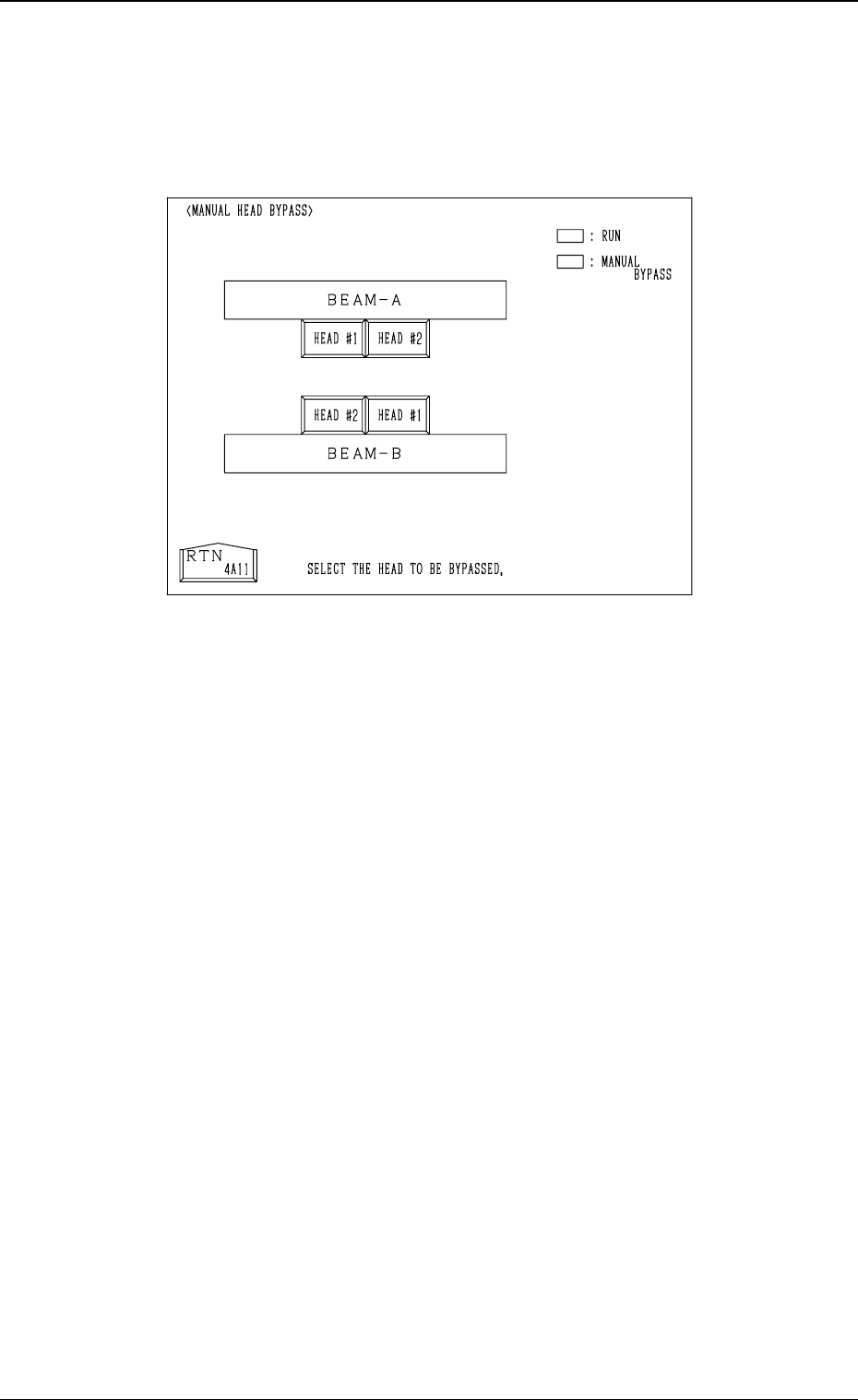
When the [MANUAL HEAD BYPASS] key is pressed at the “MANUAL BY-
PASS” display, the following display appears on the screen.
Color of Head # Keys
• Case: A head is not bypassed.
Line and Foreground Color: Green
Background Color: Black
• Case: A head is bypassed.
Line and Foreground Color: Yellow
Background Color: Blue
Operation Procedure
• Select the head # key to be bypassed.
The selected key turns blue.
• To cancel the bypass setting, select the head # key again.
3-41
5.1 MANUAL HEAD BYPASS Display
Fig. 4C52