00197475-01_IM_Traceability3.6_EN.pdf - 第5页
Introduction Symbols/Notes Installation Manual SIPLACE Traceability 3.6 5 1 1 I n t r o d u c t io n Introduction Please read chapters 2 throu gh 7 before you install SIPLACE Tra ceability 3.6. Chapter 4 and ch apter 5 d…
Inhaltsverzeichnis
4 Installation Manual SIPLACE Traceability 3.6
Introduction
Symbols/Notes
Installation Manual SIPLACE Traceability 3.6 5
1
1 Introduction
Introduction
Please read chapters 2 through 7 before you install SIPLACE Traceability 3.6.
Chapter 4 and chapter 5 describe the installation sequence for Traceability as well as the important in-
formation regarding the installation.
In case of an upgrade of older Traceability versions 1.x, 2.x to 3.x please read chapter 7 carefully.
Please note that in the software GUI you will find the terms Traceability Service and Trace Service as
well as Traceability Monitor and Trace Monitor as synonyms.
In this document the shorter terms Trace Service and Trace Monitor are used.
1.1
1.1 Symbols/Notes
Symbols/Notes
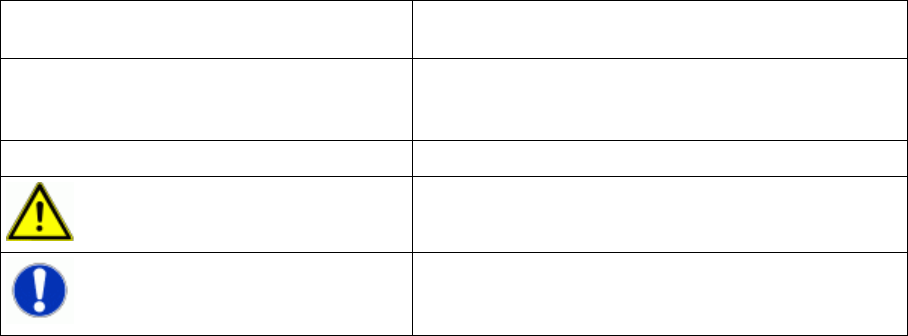
This document uses the following symbols and notes for your convenience.
Words in bold/italic print This text is a dialog, a dialog box, menu item or com-
mand.
Step … An installation step includes all the actions relating to a
specific dialog box. A dialog may be composed of sev-
eral actions ( → ).
► Requires an action (e.g. mouse click, open file)
Corresponds to a warning. This warning is critical for
successful operation.
Indicates explanatory information.
Introduction
Symbols/Notes
6 Installation Manual SIPLACE Traceability 3.6