Operating Manual - 第11页
4022 591 960 62 Operating Manual 02.0 2 FCM Mu ltif lex 9 General Mach ine Informatio n 2.5 F eedin g Items FIGURE 7 Twin Bulk Feeder (TBF) Intellig ent T a pe Feeder (ITF) Feeder trolley Feeder storage cart Loading unit…
4022 591 96062 Operating Manual
02.02 FCM Multiflex 8
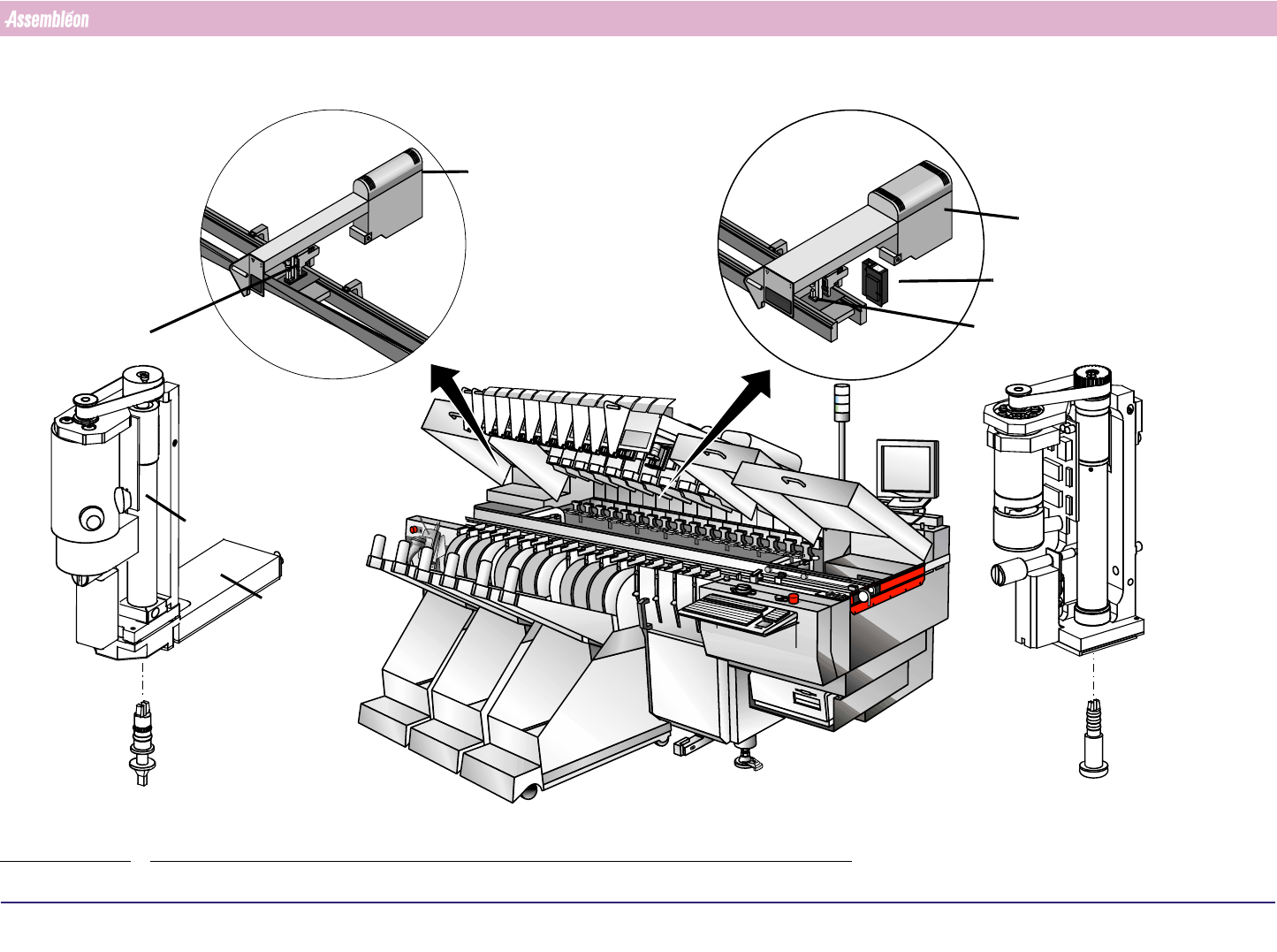
2.4 Placement Module Items
FIGURE 6
CLM (Compact Laser Module)
Nozzle
PPU - LA
(Placement Phi Unit Laser Align)
Camera unit
WVM (Wide Vision Module)
PPU - vision (Placement Phi Unit vision)
Nozzle
MUP (Multi User Pipette)
LAM (Laser Align Module)
4022 591 96062 Operating Manual
02.02 FCM Multiflex 9
General Machine Information
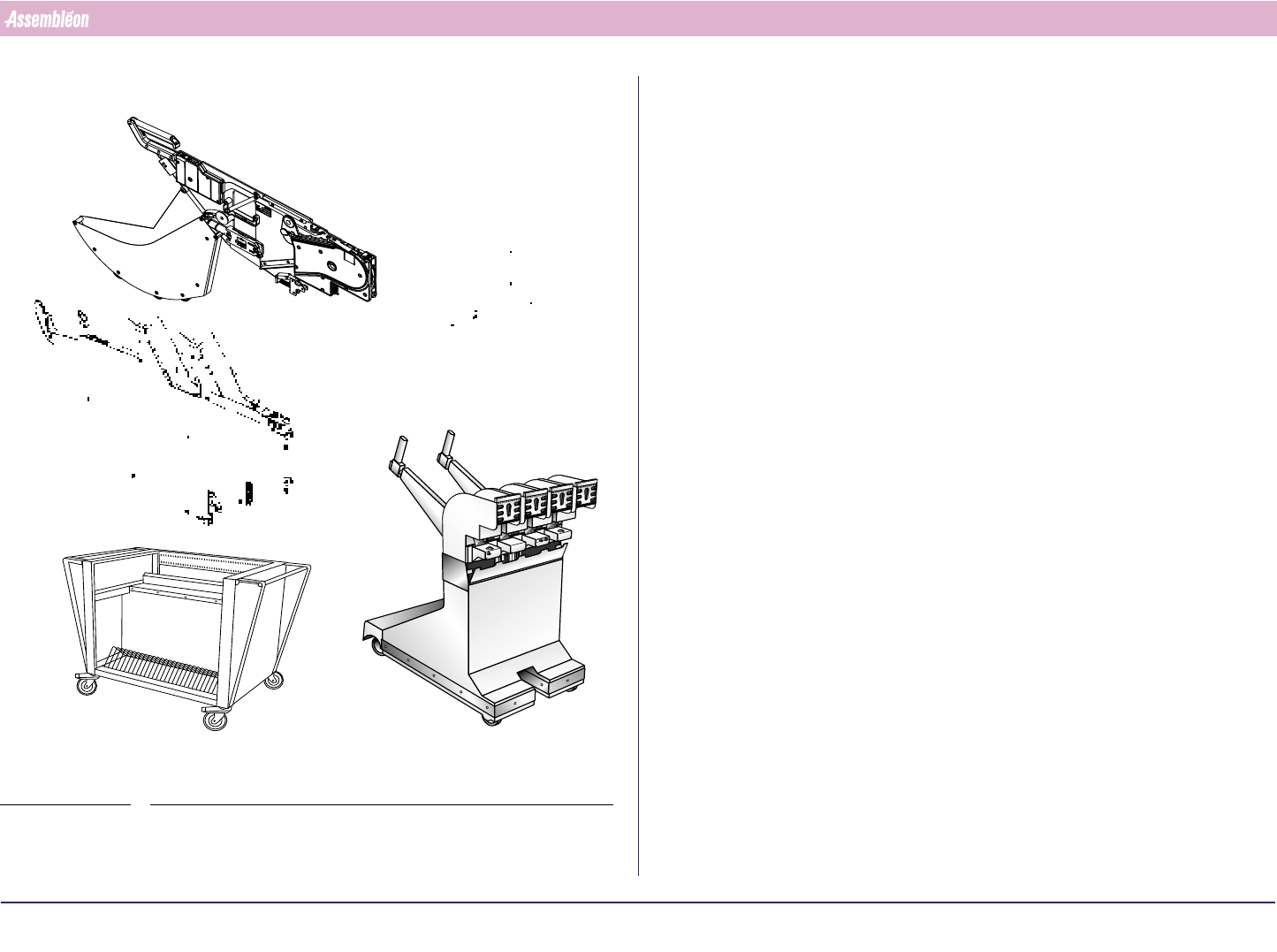
2.5 Feeding Items
FIGURE 7
Twin Bulk Feeder (TBF)
Intelligent Tape Feeder (ITF)
Feeder trolley
Feeder storage cart
Loading unit (LU)
4022 591 96062 Operating Manual
02.02 FCM Multiflex 10
General Machine Information
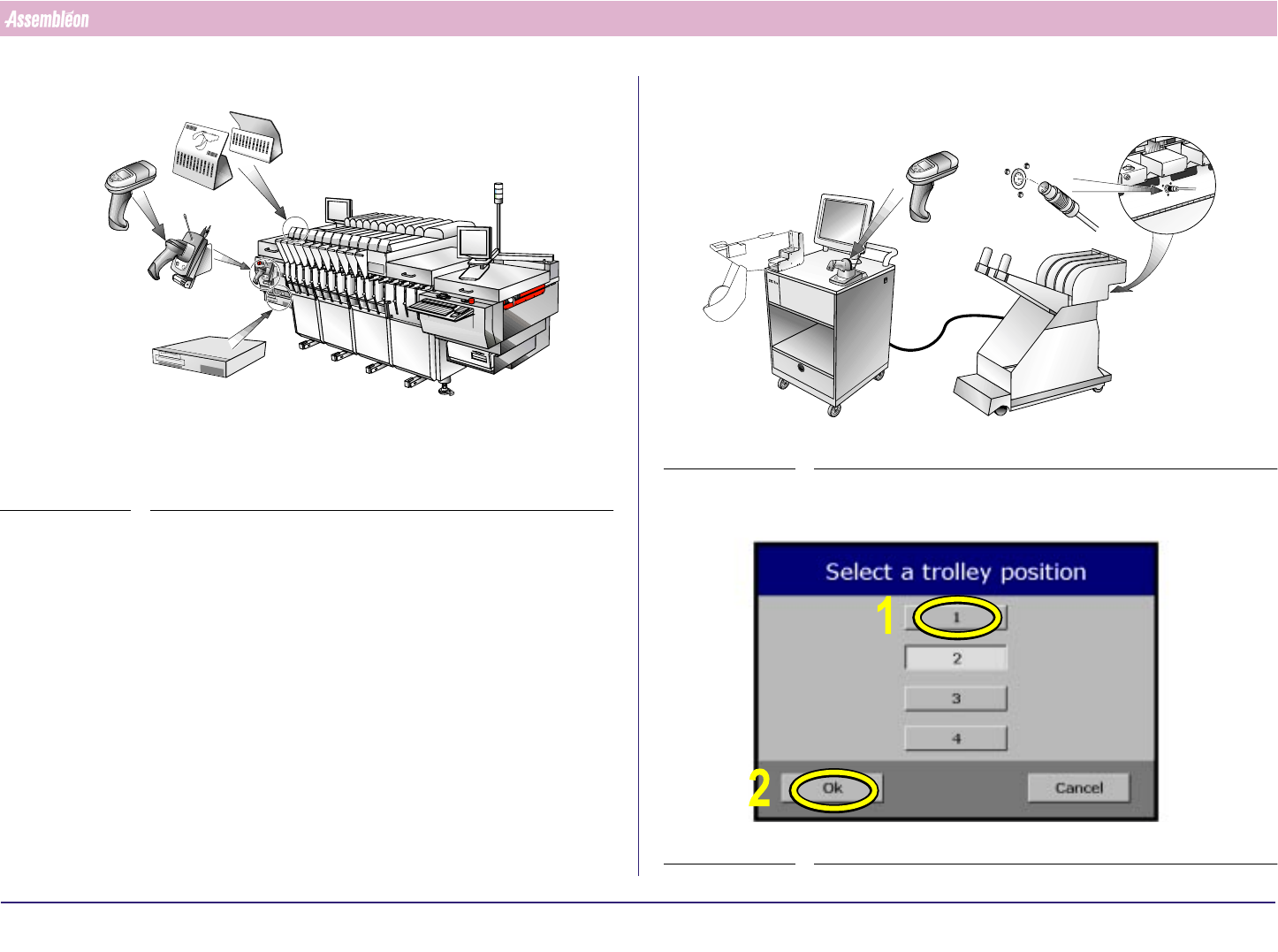
2.6 SVS Pro Items
FIGURE 8
For all SVS Pro operations instructions are displayed on the screen of the
scanner.
Functionality of the buttons on the scanner:
■ [Enter] button: select the current item (e.g. the error that is currently
on the display) or acknowledge a question (e.g. "
Overwrite ?").
■ [▲ ] button: scroll to previous item.
■ [▼] button: scroll to next item or skip this item.
SVS Pro messages can be displayed on the monitor of the machine (select
Video - SVS), but can only be handled with the buttons on the scanner.
R
E
S
C
A
N
P
A
R
T
N
U
M
B
E
R
S
PAR
D
AT
A
C
H
A
N
G
IN
G
BA
TT. FULL
-
1
-
1
0
1
1
0
2
1
0
3
1
0
4
1
0
5
106
107
1
0
8
1
0
9
1
1
0
1
1
1
L
A
N
E
1
L
A
N
E
2
-1
-
1
0
1
1
0
2
1
0
3
104
1
0
5
1
0
6
107
1
0
8
1
0
9
1
1
0
1
1
1
Position indicatorsScanner (with
screen and
buttons)
Cradle and
command
barcodes
SVS Pro controller
FIGURE 9
In this manual touchscreen use is depicted with yellow markers and
numbers.
SCREEN 1
Feeder
Touchscreen
Scanner
Feeder trolley
connector