Operating Manual - 第14页
4022 591 960 62 Operating Manual 02.0 2 FCM Mu ltif lex 12 General Mach ine Informatio n 3. Pu sh both b utton s until th e troll ey is full y lift ed. FIGURE 13 4. FIGURE 14 2.7.3 Fee der Handli ng 2.7.3.1 F eeder Ex ch…
4022 591 96062 Operating Manual
02.02 FCM Multiflex 11
General Machine Information
2.7 General Procedures
2.7.1 Lowering Placement Modules
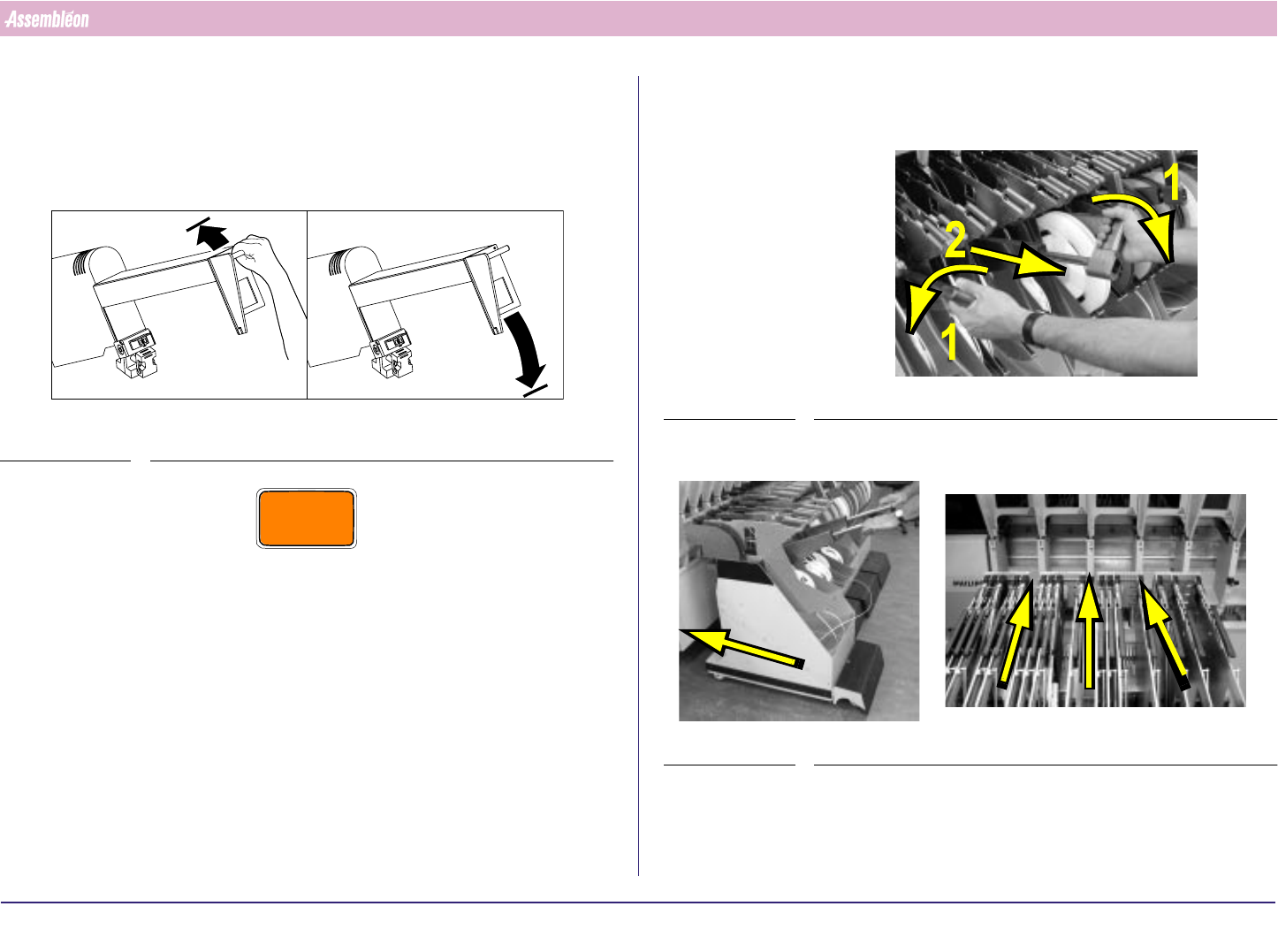
Unlock a placement module by pushing it up and let it go down by itself.
FIGURE 10
CAUTION
DO NOT PULL DOWN THE PLACEMENT MODULE, OTHERWISE THE
LOCKING SYSTEM WILL GET DAMAGED.
A
B
2.7.2 Feeder Trolley Handling
1.
FIGURE 11
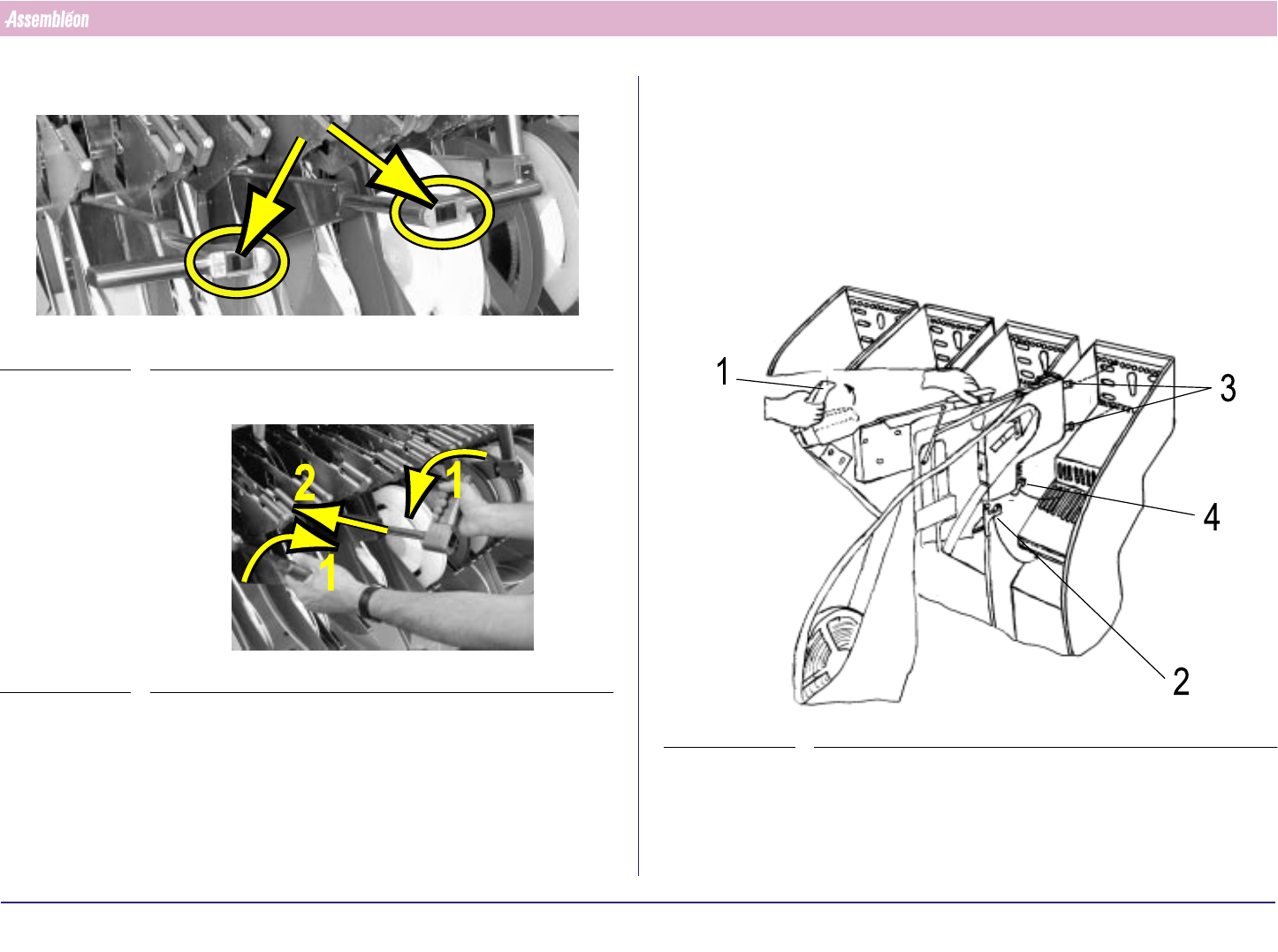
2. Roll the feeder trolley in the required position.
FIGURE 12
4022 591 96062 Operating Manual
02.02 FCM Multiflex 12
General Machine Information
3. Push both buttons until the trolley is fully lifted.
FIGURE 13
4.
FIGURE 14
2.7.3 Feeder Handling
2.7.3.1 Feeder Exchange
1. Check if the bottom and supporting surfaces of the feeder interface of
the machine are clean and free from components and mechanical
damage.
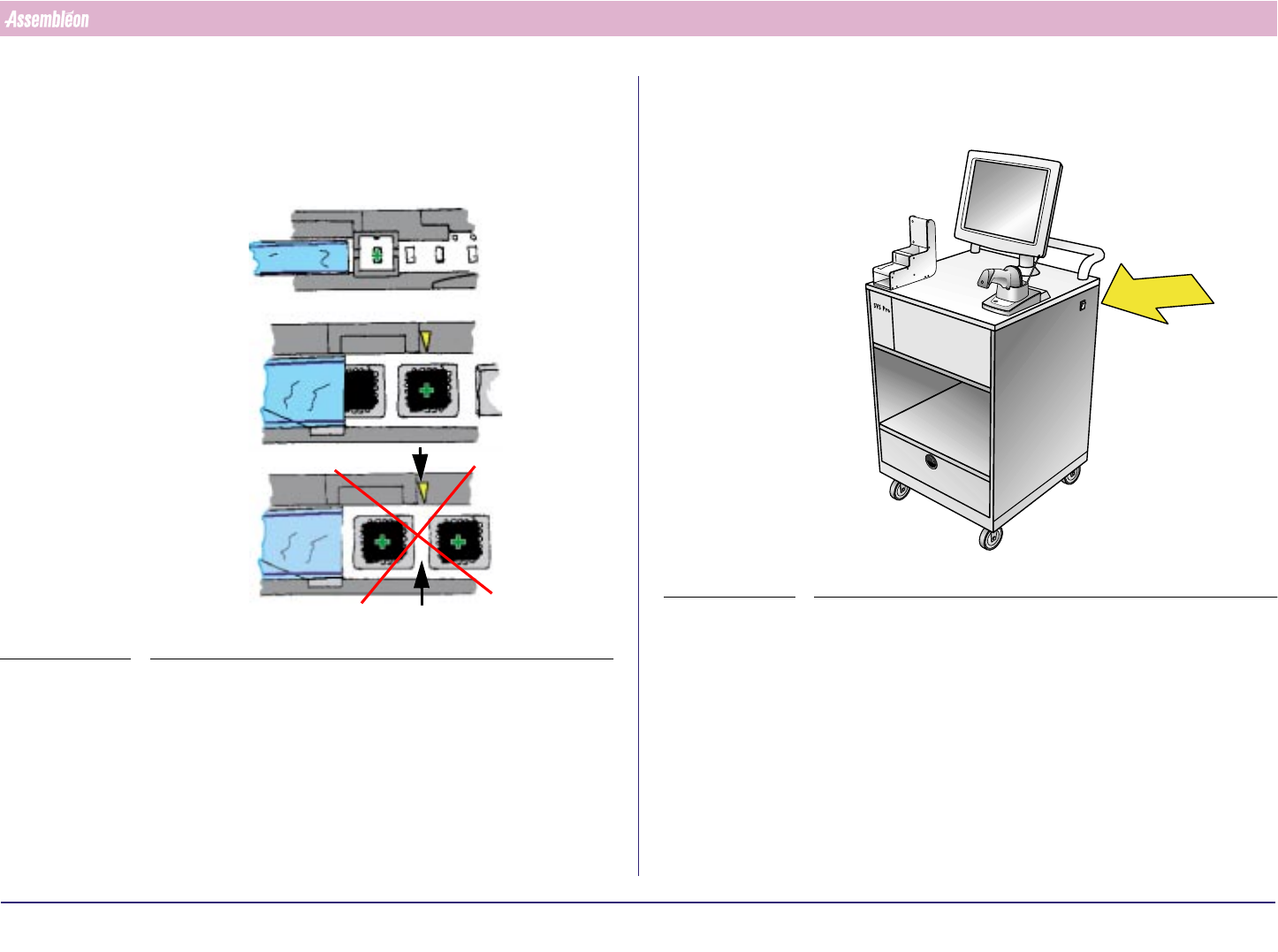
2. Take the feeder by handle and top guide. Let the pre-guide strip (4) fall
into the slit of the feeder bar.
FIGURE 15
3. Release handle (1) and slide the two positioning-pins into the holes as
far as the clamping lever (2) locks onto the locking axis of the trolley.
Make sure that the feeder runs straight and parallel with the slit of the
feeder bar during insertion.
4022 591 96062 Operating Manual
02.02 FCM Multiflex 13
General Machine Information
4. If the feeder is placed correctly into the feeder trolley, the green LED
blinks approximately 3 seconds where after it will remain ON contin-
uously.
5. Check and make sure that the first component is on the pick-up
position.
FIGURE 16
2.7.3.2 Feeder and Feeder Trolley Loading with SVS Pro
1. Switch on loading unit.
FIGURE 17