Operating Manual - 第27页
4022 591 960 62 Operating Manual 02.0 2 FCM Mu ltif lex 25 Switch-On Procedure 5. Gen eral safety check Check presence o f: FIGURE 40 re ar co ve rs covers safety co vers safet y caps if no modules are door s safety co v…
4022 591 96062 Operating Manual
02.02 FCM Multiflex 24
Switch-On Procedure
CHAPTER 4 Switch-On Procedure
In case of an error, call for assistance.
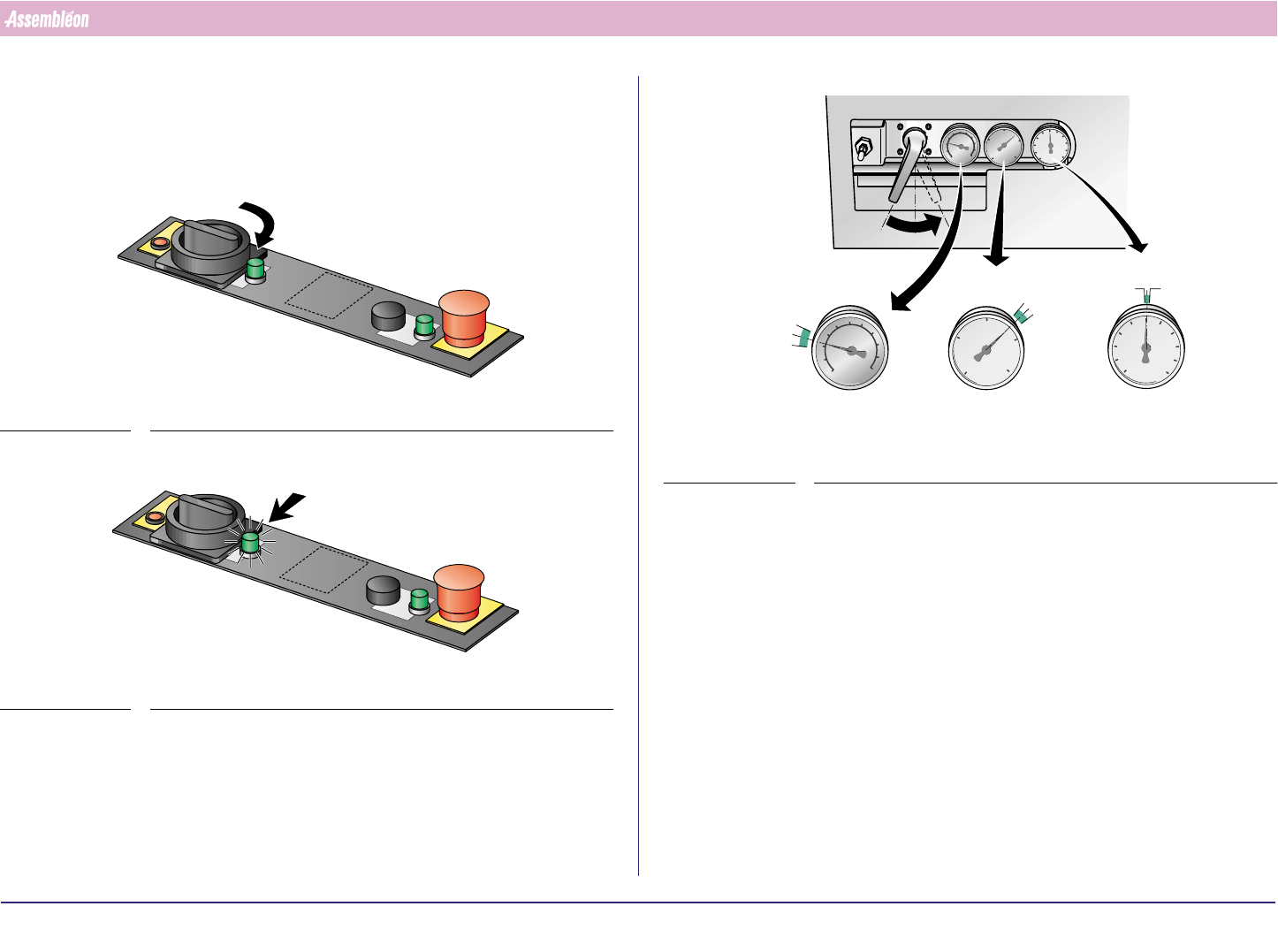
1. Turn main switch
FIGURE 37
2.
FIGURE 38
If indicator does not burn, turn main switch back and call for assistance.
Check
3.
FIGURE 39
4. Set vacuum and air pressures.
1
5.8 bar
5.6 bar
2.7 bar
2.5 bar
-0.82 bar
-0.74 bar
5.7 bar
2.6 bar
-0.77 bar
4022 591 96062 Operating Manual
02.02 FCM Multiflex 25
Switch-On Procedure
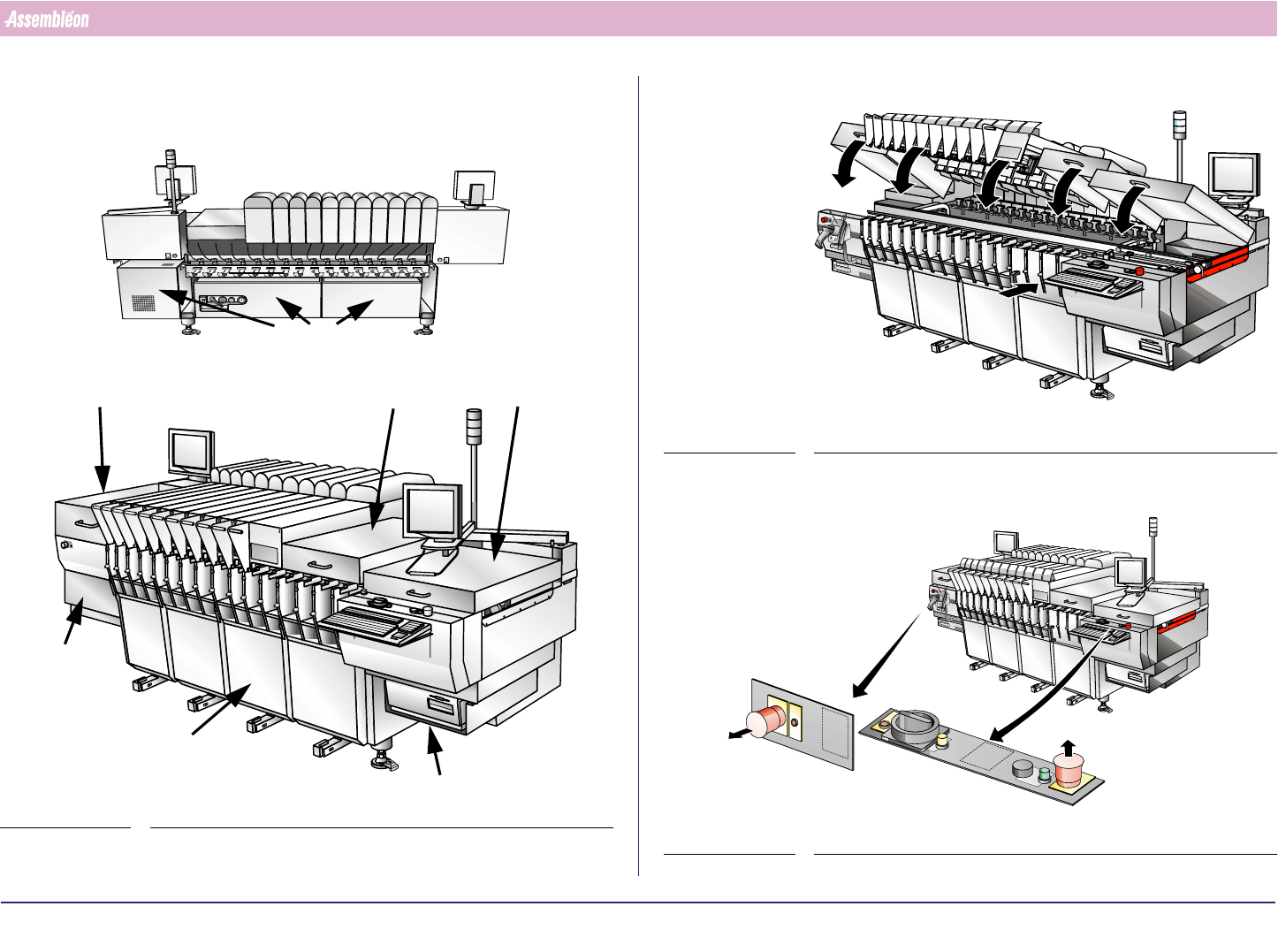
5. General safety check
Check presence of:
FIGURE 40
rear covers
covers
safety covers
safety caps
if no
modules are
doors
safety covers
covers
6.
FIGURE 41
7. Place safety covers on the positions where safety caps are mounted
FIGURE 42
4022 591 96062 Operating Manual
02.02 FCM Multiflex 26
Switch-On Procedure
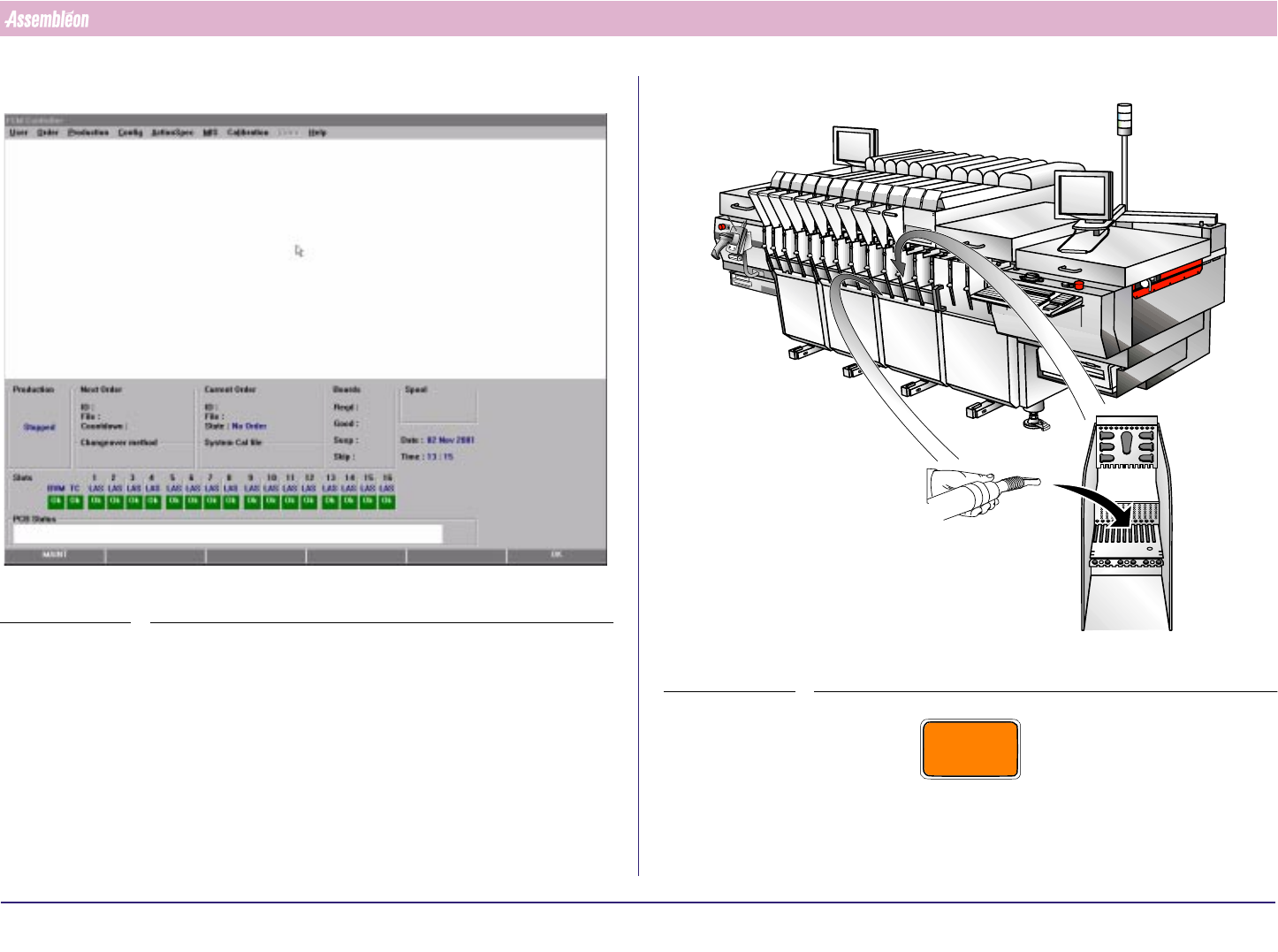
8. Wait until the main screen appears.
SCREEN 19
9.
FIGURE 43
CAUTION
NEVER USE COMPRESSED AIR FOR CLEANING. (WASTE WOULD BE
BLOWN INTO FINE MECHANICAL PARTS, CAUSING DAMAGE AND
MALFUNCTIONING OF THE FCM.)