Operating Manual - 第42页
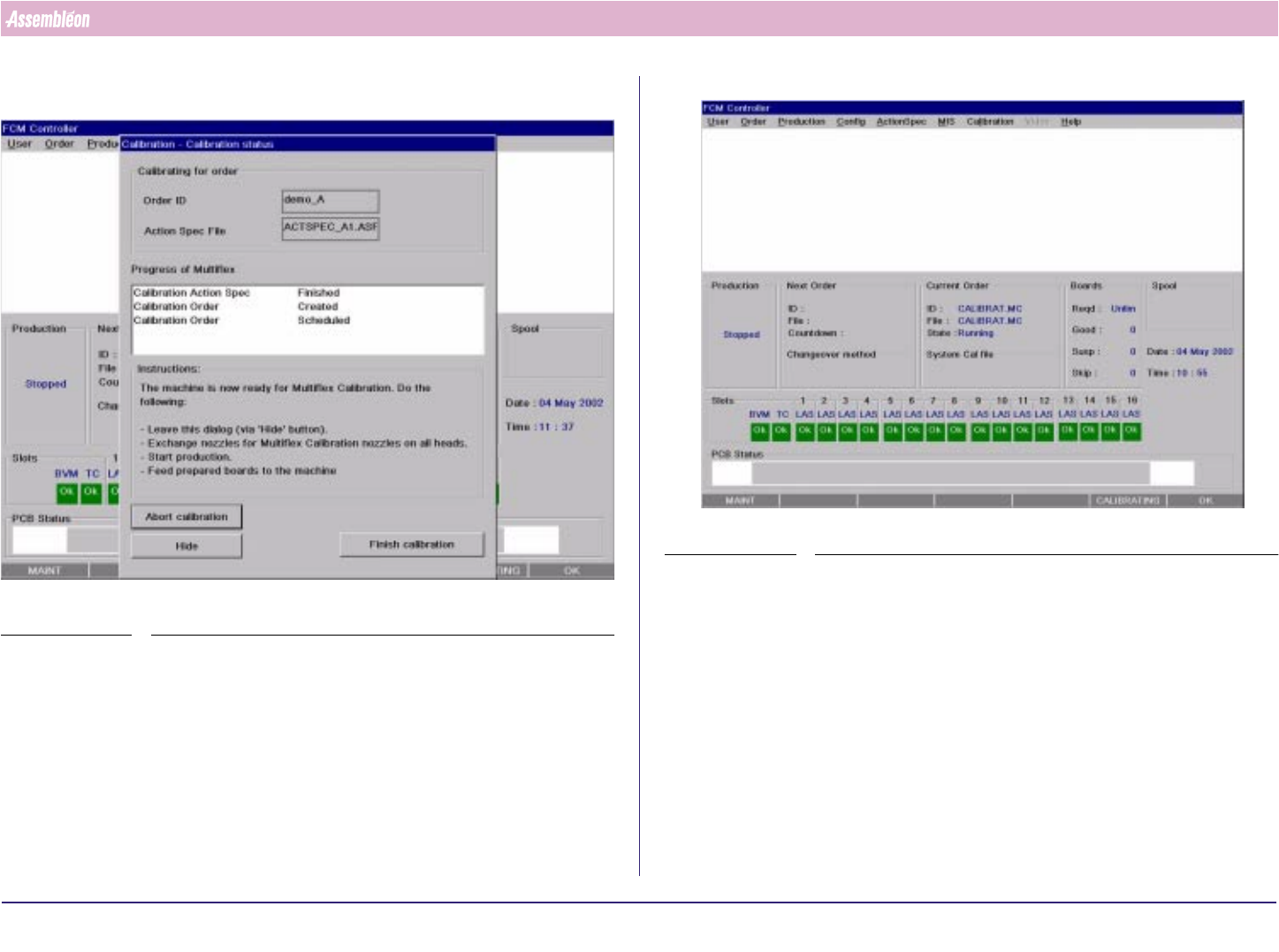
4022 591 960 62 Operating Manual 02.0 2 FCM Mu ltif lex 40 New Progr am Selection 9. Sel ect “ Hide ” and sy s tem is loa ded with calibration actionsp ec. SCREEN 25 SCREEN 26
4022 591 96062 Operating Manual
02.02 FCM Multiflex 39
New Program Selection
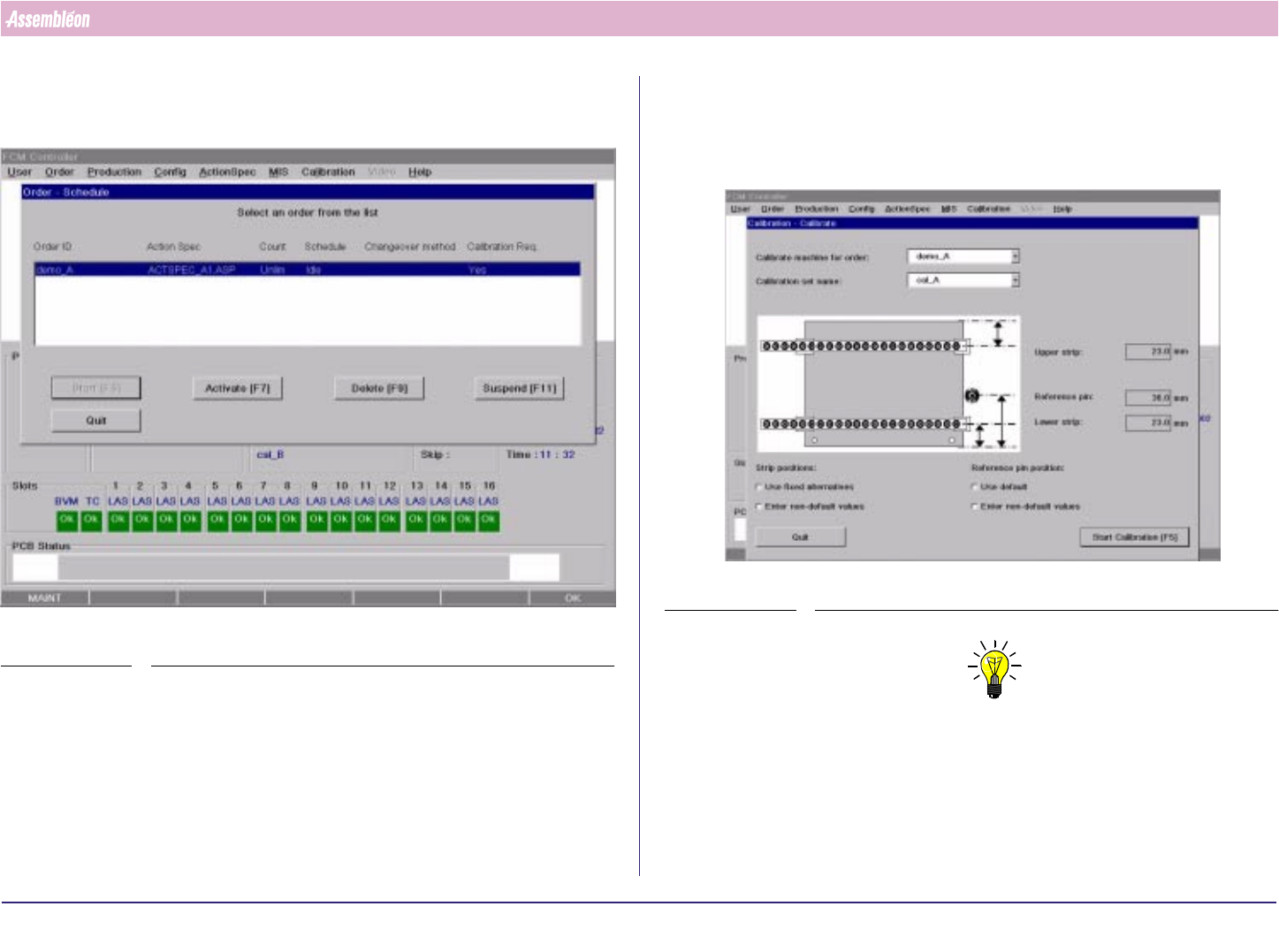
4. If “calibration required = Yes” than press “Quit” and continue with step 8
else continue with paragraph 8.2
SCREEN 23
5. Select “Calibration” from menubar.
6. Select Order ID at “Calibrate machine for order”
7. Type “Calibration set name “
8. Select “Start Calibration”
SCREEN 24
NOTE
The following menu items are described in the User Reference Manual:
1. Strip positions:
- Use fixed alternatives
- Enter non-default values
2. Reference pin position:
- Use default
- Enter non-default values
4022 591 96062 Operating Manual
02.02 FCM Multiflex 40
New Program Selection
9. Select “Hide”and system is loaded with calibration actionspec.
SCREEN 25
SCREEN 26
4022 591 96062 Operating Manual
02.02 FCM Multiflex 41
New Program Selection
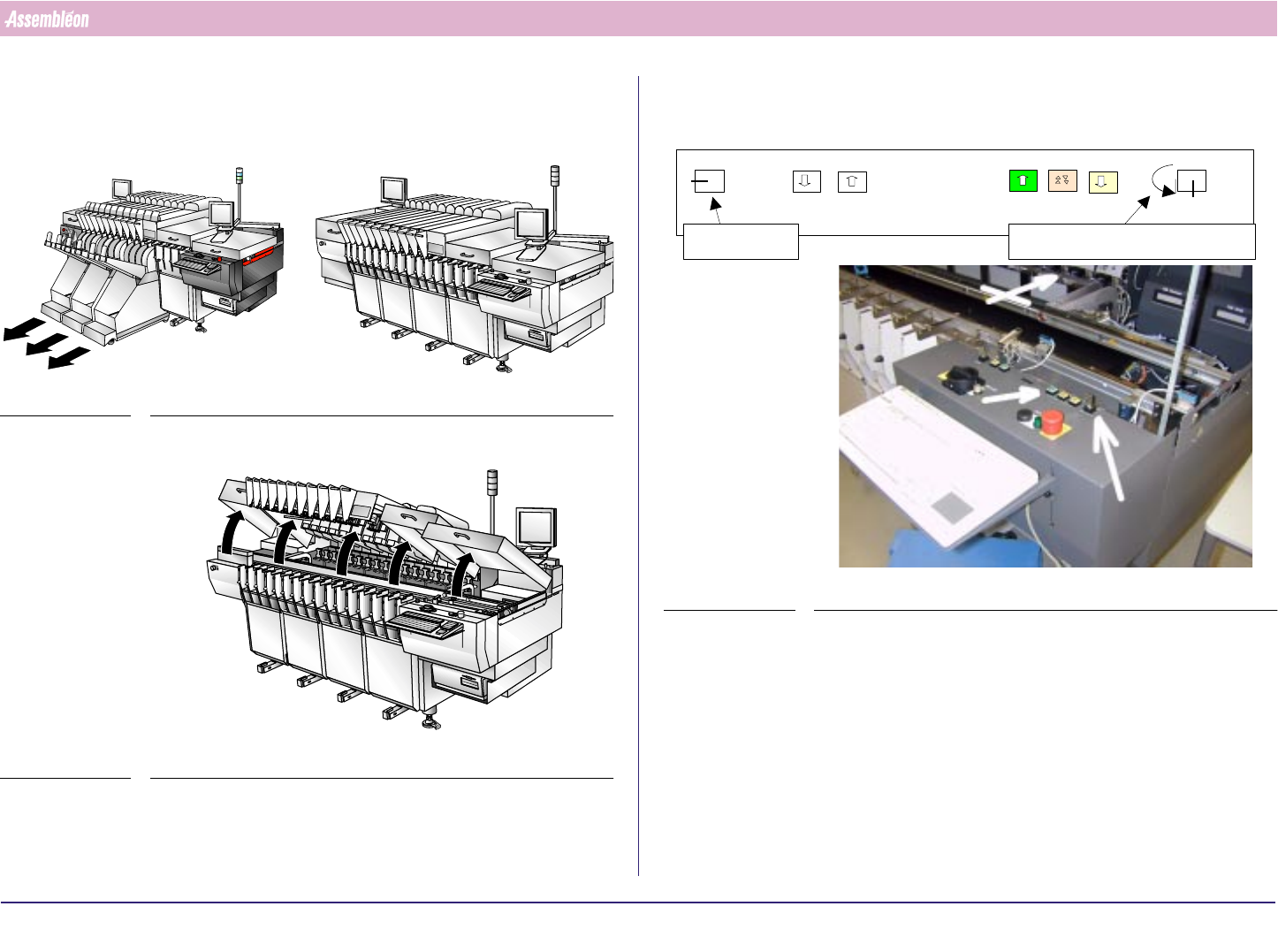
8.2 Exchange MBS Carriers and Set Transport Width
1. Remove trolleys
FIGURE 63
2. Open all placement modules, Run-in and Run-out covers
FIGURE 64
3. Move the transport all the way to the rear end using the push button
FIGURE 65
0
1
Off situation
Service key Width/Height adjustment key
Height
Width
Off
Height
Width