Operating Manual - 第45页
4022 591 960 62 Operating Manual 02.0 2 FCM Mu ltif lex 43 New Progr am Selection 8. Re peat step 5. un til 6. to em pty all s ection s (3, 2 an d 1) FIGURE 70 9. Clean the wh ole board-tr ansport area so that all wasted…
4022 591 96062 Operating Manual
02.02 FCM Multiflex 42
New Program Selection
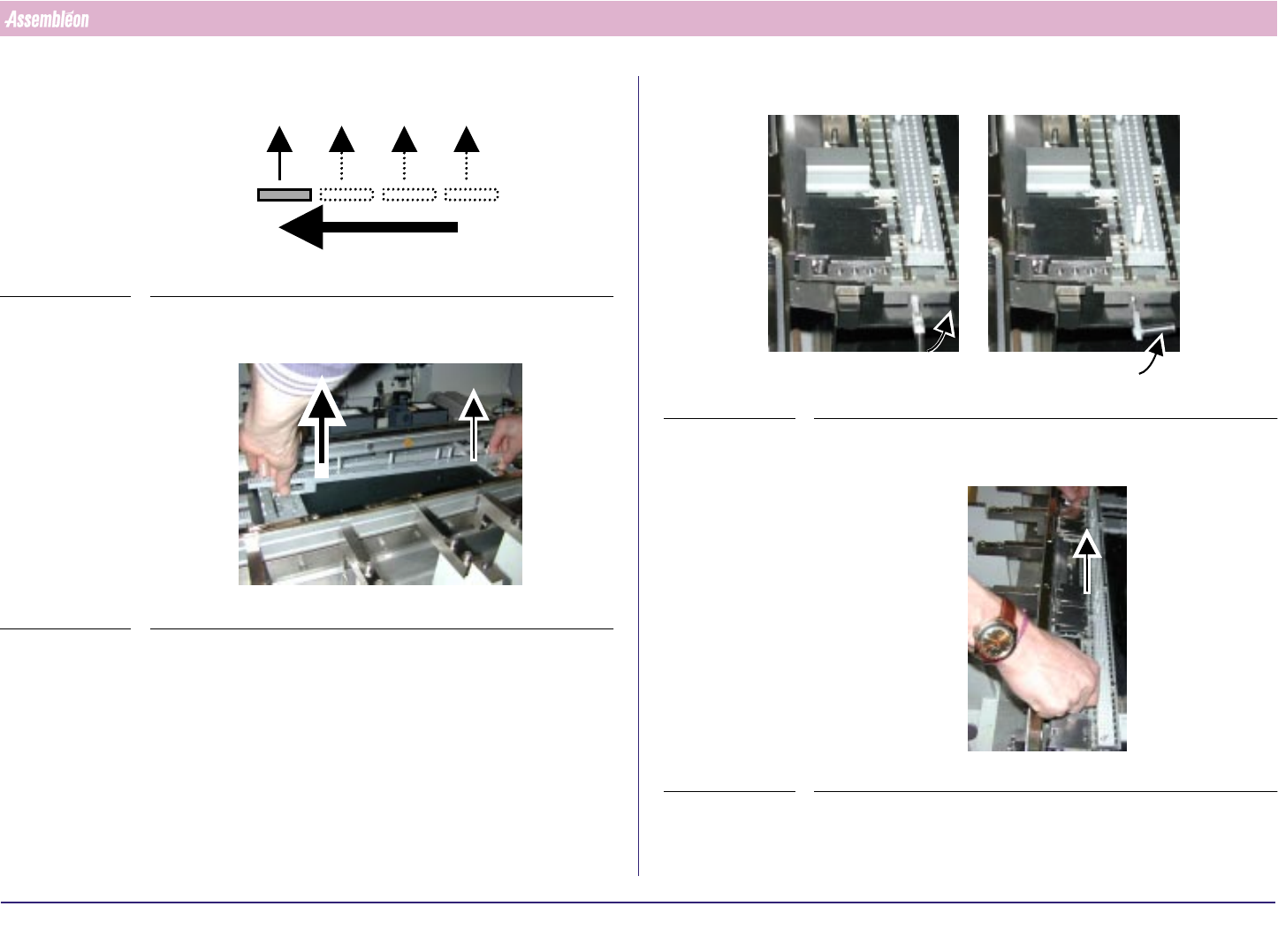
4. The sequence for removing the MBS is from Run out side to Run in side
FIGURE 66
5. Remove the support strips and place it in its storage case
FIGURE 67
6. Lift the quick lock handle(s) of the last (section 4) base interface
FIGURE 68
7. Remove the positioning strip(s) and place it in its storage case
FIGURE 69
4022 591 96062 Operating Manual
02.02 FCM Multiflex 43
New Program Selection
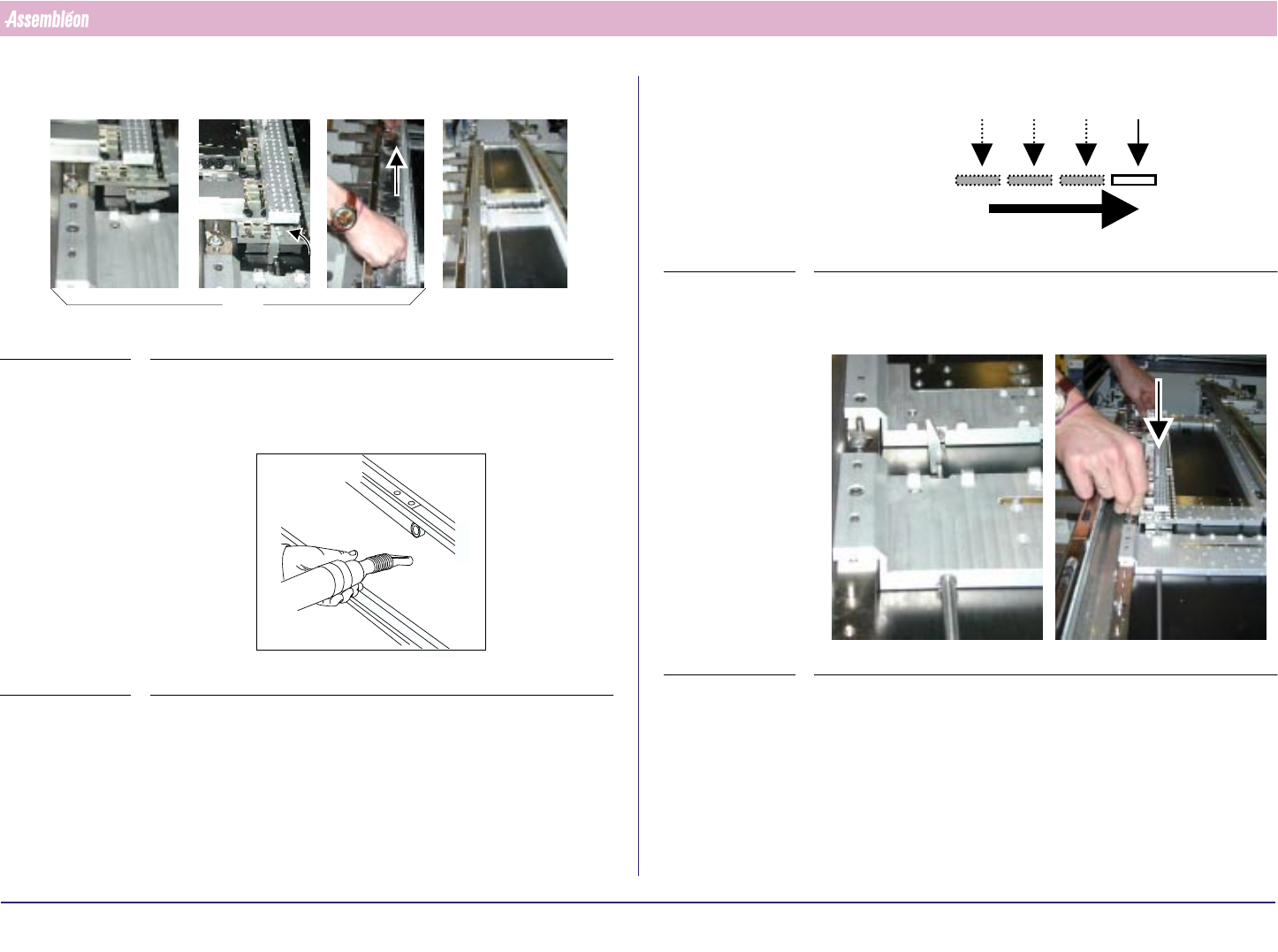
8. Repeat step 5. until 6. to empty all sections (3, 2 and 1)
FIGURE 70
9. Clean the whole board-transport area so that all wasted components are
removed
FIGURE 71
x3
10.The sequence for placing /installing MBS is from Run in to Run out side
FIGURE 72
11.Get, from its storage case, the new complete positioning strip for section
1 and place it at the correct position on the base interface section 1
FIGURE 73
4022 591 96062 Operating Manual
02.02 FCM Multiflex 44
New Program Selection
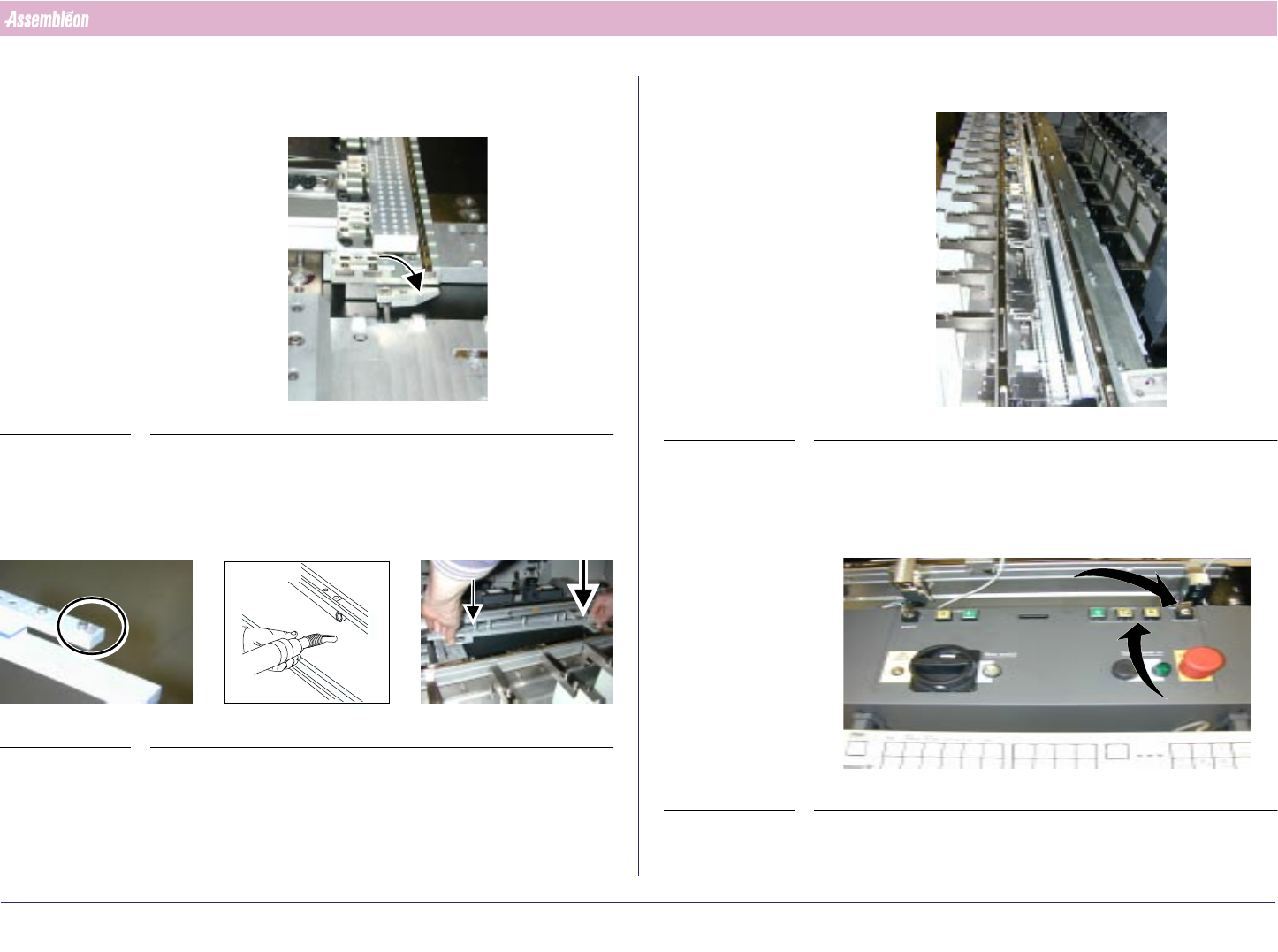
12.Push the quick lock handles of the first (section 1 ) base interface
(handle in position backward)
FIGURE 74
13.Get, from its storage case, the new complete support strips for section 1,
check if there are no components attached to the magnets and place the
strips at the correct positioning on the base interface section 1
FIGURE 75
Make sure no components are attached to magnets and interfaces.
14.Repeat step 11. to 13. until all sections (2,3 and 4) are installed.
FIGURE 76
15.Remove the padlock, so that the new order can be started.
16.Use the buttons to move the rear transport rail until the board width
display shows the correct board width
FIGURE 77