Operating Manual - 第48页
4022 591 960 62 Operating Manual 02.0 2 FCM Mu ltif lex 46 New Progr am Selection 3. Pla ce feede r troll ey s. Check th e feede r tr oll ey sup portin g face s for damage and waste and pu sh feeder trolle y ont o machin…
4022 591 96062 Operating Manual
02.02 FCM Multiflex 45
New Program Selection
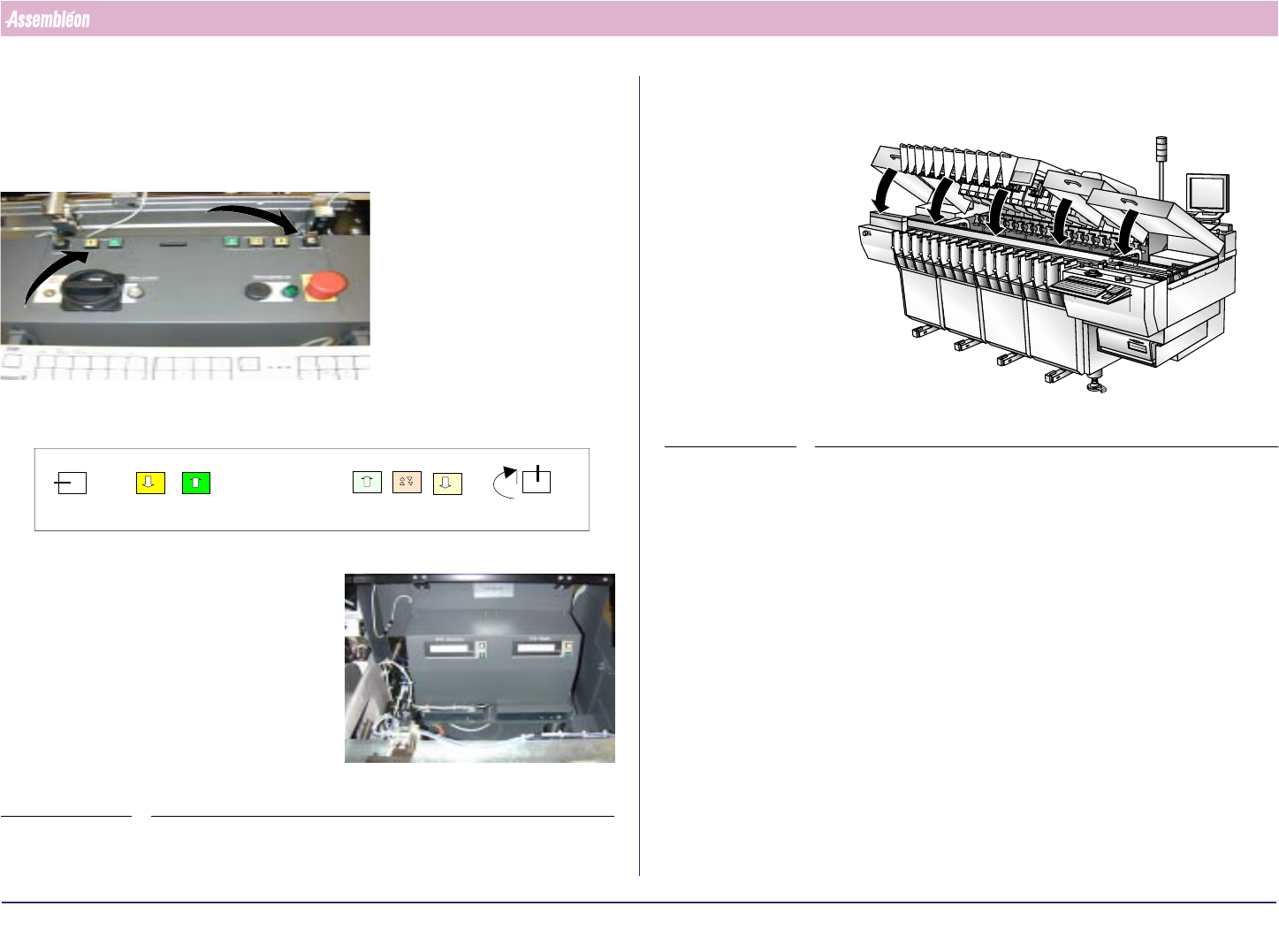
8.3 Setting Board Thickness
1. Switch the key to the Height-adjustment position and use the buttons to
adjust the tranport to the used board-thickness as shown on the display.
FIGURE 78
Height
Width
Off
0
1
Height
Width
Hei
g
ht ad
j
ust situation
2. Turn Width/height key into idle position and remove key. Close run- in/
-out covers and placement modules
FIGURE 79
4022 591 96062 Operating Manual
02.02 FCM Multiflex 46
New Program Selection
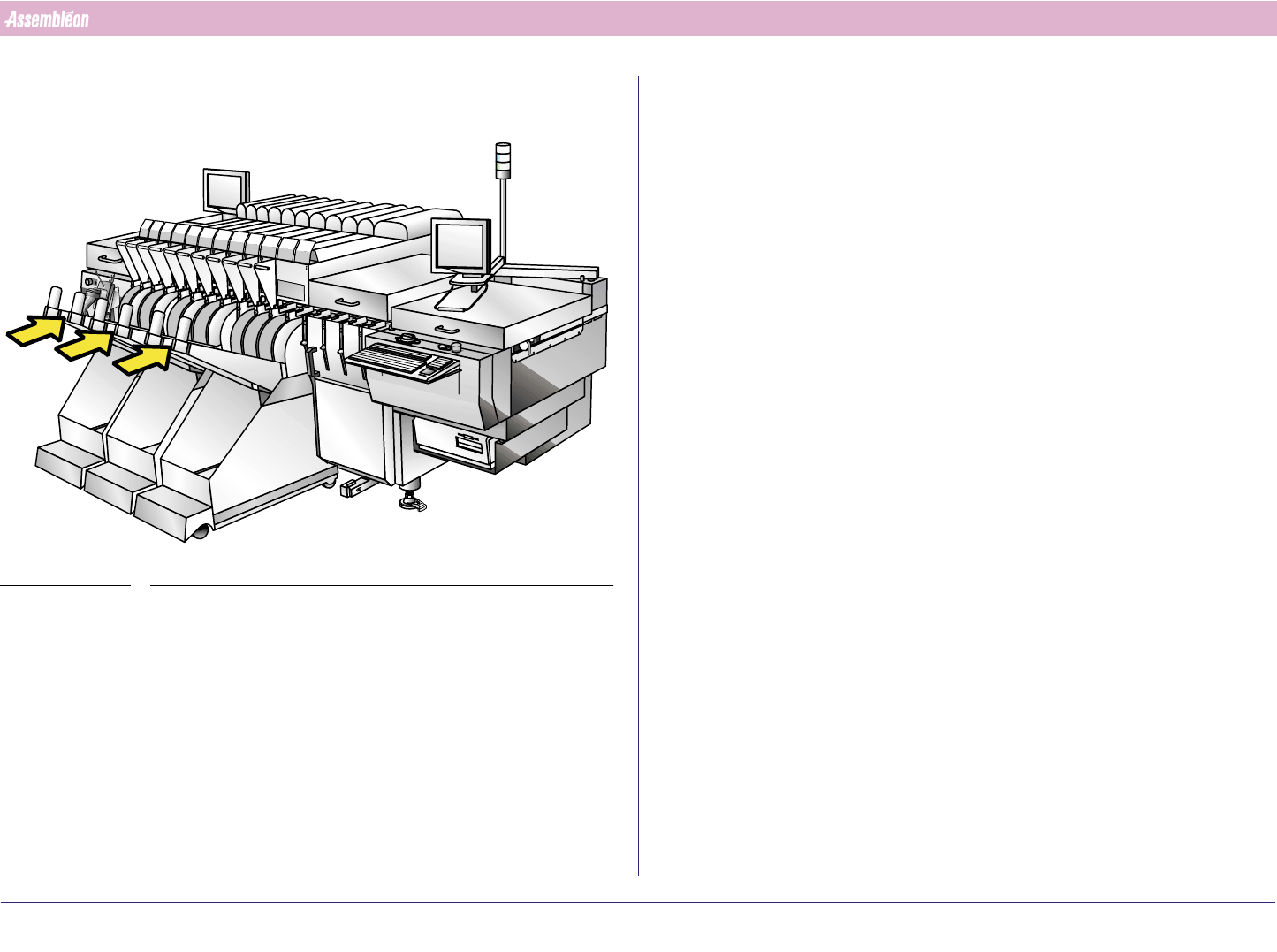
3. Place feeder trolleys. Check the feeder trolley supporting faces for
damage and waste and push feeder trolley onto machine.
FIGURE 80
4022 591 96062 Operating Manual
02.02 FCM Multiflex 47
New Program Selection
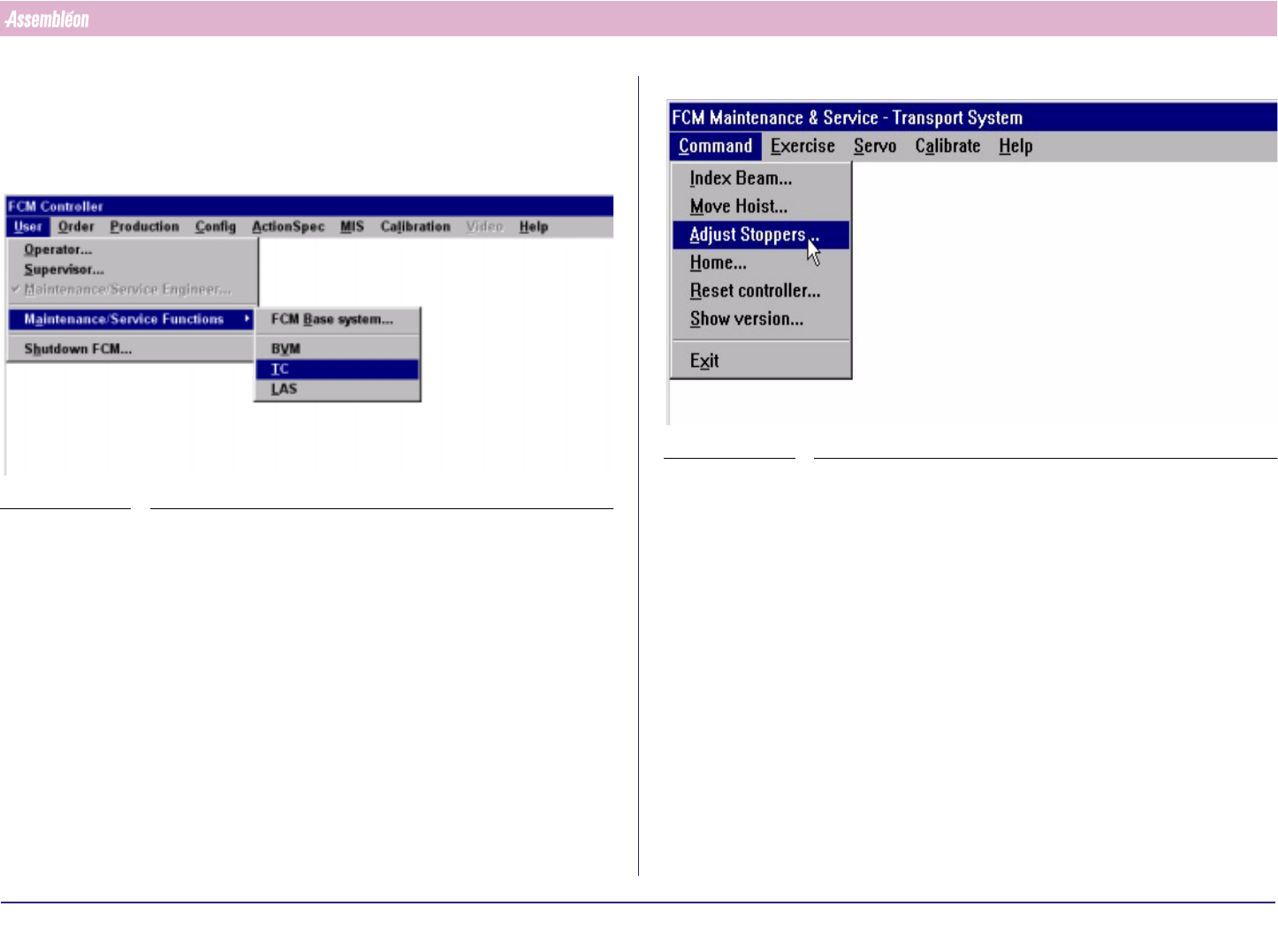
8.4 Stopper and Sensor Adjustment
8.4.1 Run-In Section
1. Select “User” - “Maintenance/Service function”-“TC”
SCREEN 27
2. Select “Command” - “Adjust stopper”
SCREEN 28