Operating Manual - 第49页
4022 591 960 62 Operating Manual 02.0 2 FCM Mu ltif lex 47 New Progr am Selection 8.4 Stopper and Sensor Adjustment 8.4.1 Run-In Section 1. Select “U ser” - “Maintenan ce/Service function”-“TC” SCREEN 27 2. Sele ct “Comm…
4022 591 96062 Operating Manual
02.02 FCM Multiflex 46
New Program Selection
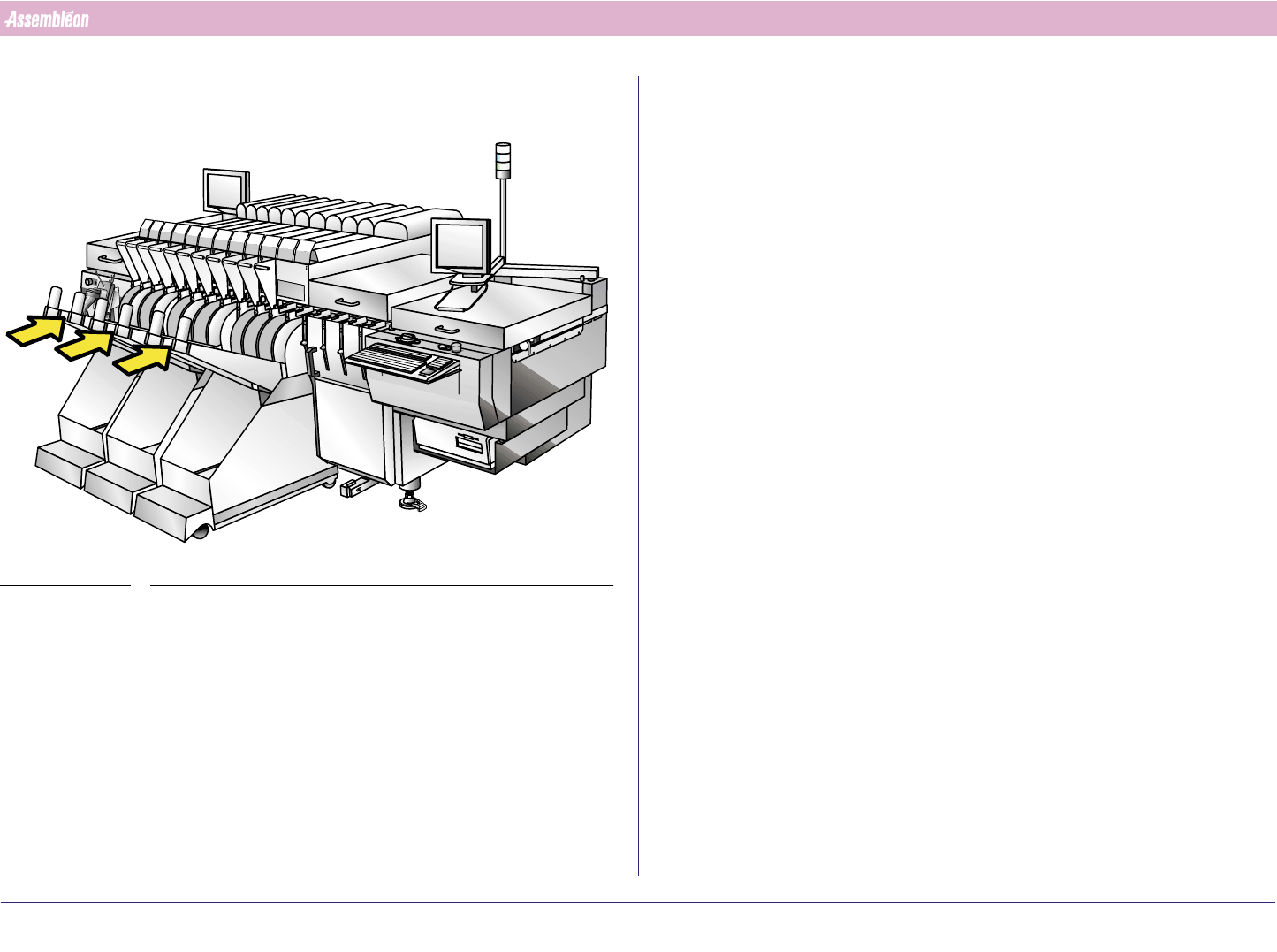
3. Place feeder trolleys. Check the feeder trolley supporting faces for
damage and waste and push feeder trolley onto machine.
FIGURE 80
4022 591 96062 Operating Manual
02.02 FCM Multiflex 47
New Program Selection
8.4 Stopper and Sensor Adjustment
8.4.1 Run-In Section
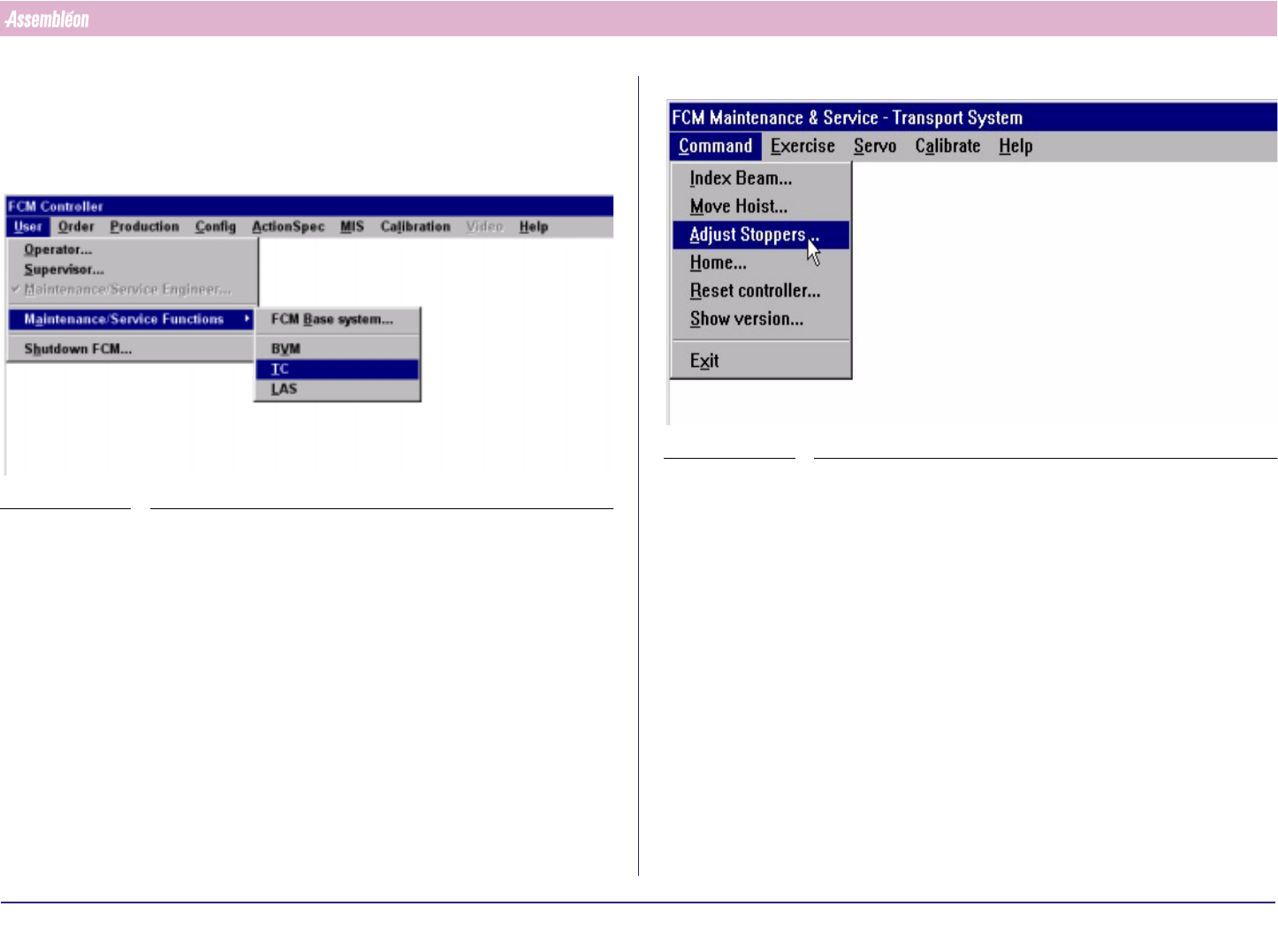
1. Select “User” - “Maintenance/Service function”-“TC”
SCREEN 27
2. Select “Command” - “Adjust stopper”
SCREEN 28
4022 591 96062 Operating Manual
02.02 FCM Multiflex 48
New Program Selection
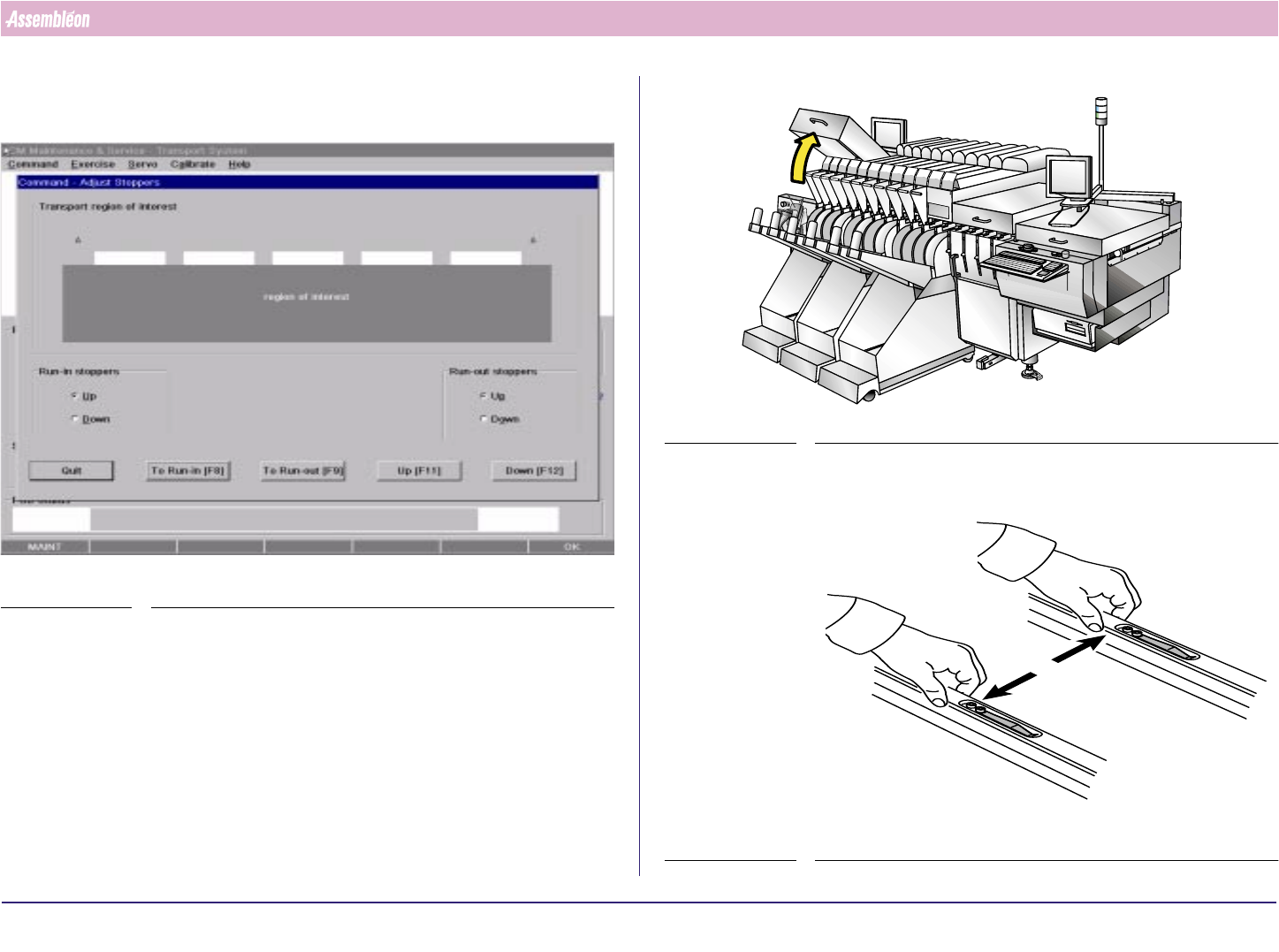
3. Select Run-in F8, transport in up position (attention: transport starts
moving)
SCREEN 29
4. Open the Run-in cover.
FIGURE 81
5. Push the transport guides strips outwards
FIGURE 82