Operating Manual - 第57页
4022 591 960 62 Operating Manual 02.0 2 FCM Mu ltif lex 55 New Progr am Selection 8.5 Exchange Nozzles 1. Sel ect “ Use r ” - “ Ma intenance/Se rvice fu nctions ” - “ LAS ” SCREEN 33 2. Select sp ecific Las number SCREEN…
4022 591 96062 Operating Manual
02.02 FCM Multiflex 54
New Program Selection
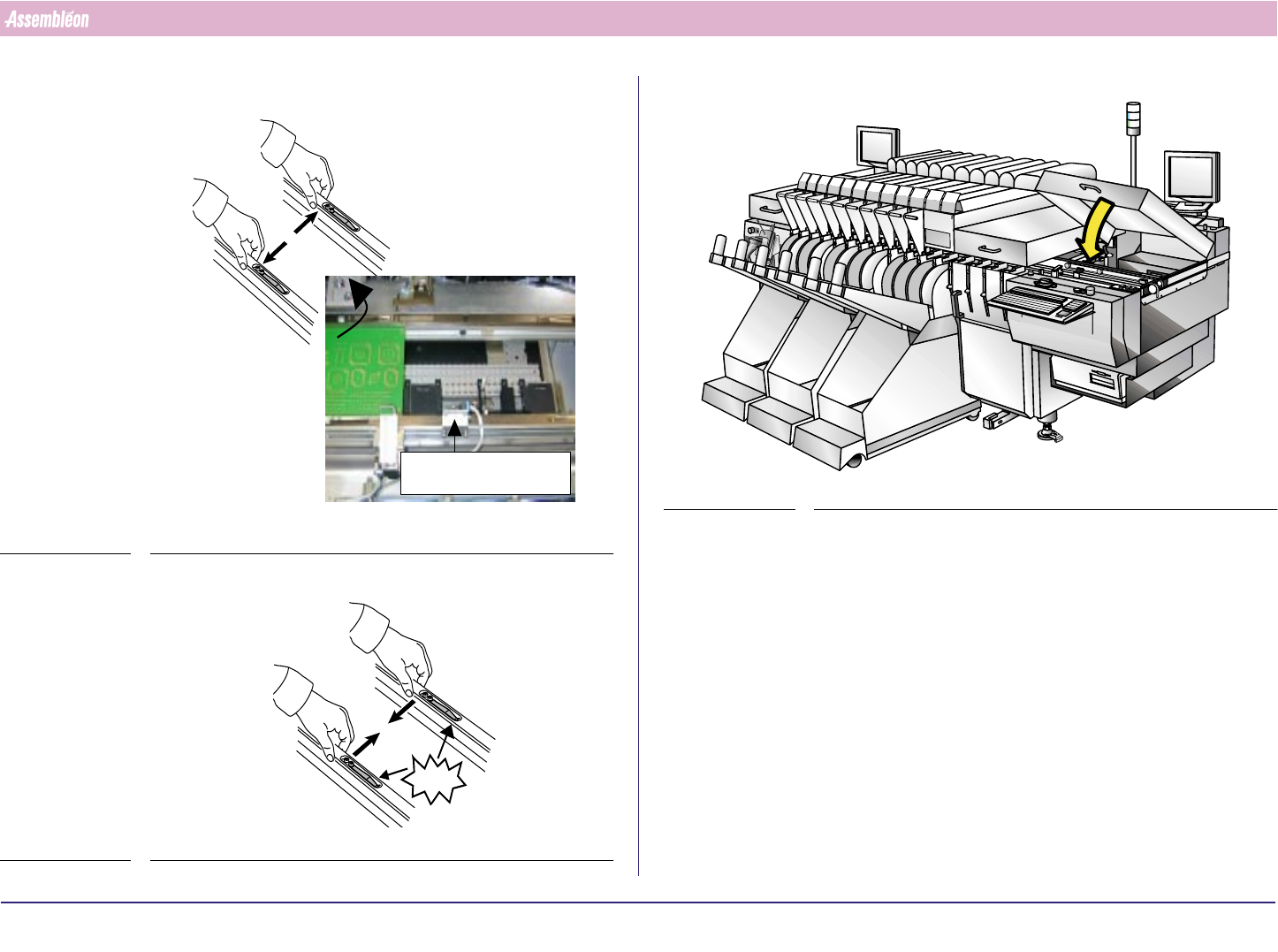
10.Remove board by pushing guide strips back
FIGURE 95
11.Push the Strips back
FIGURE 96
Anti collision
CLICK!
12.Close the run-out cover
FIGURE 97
4022 591 96062 Operating Manual
02.02 FCM Multiflex 55
New Program Selection
8.5 Exchange Nozzles
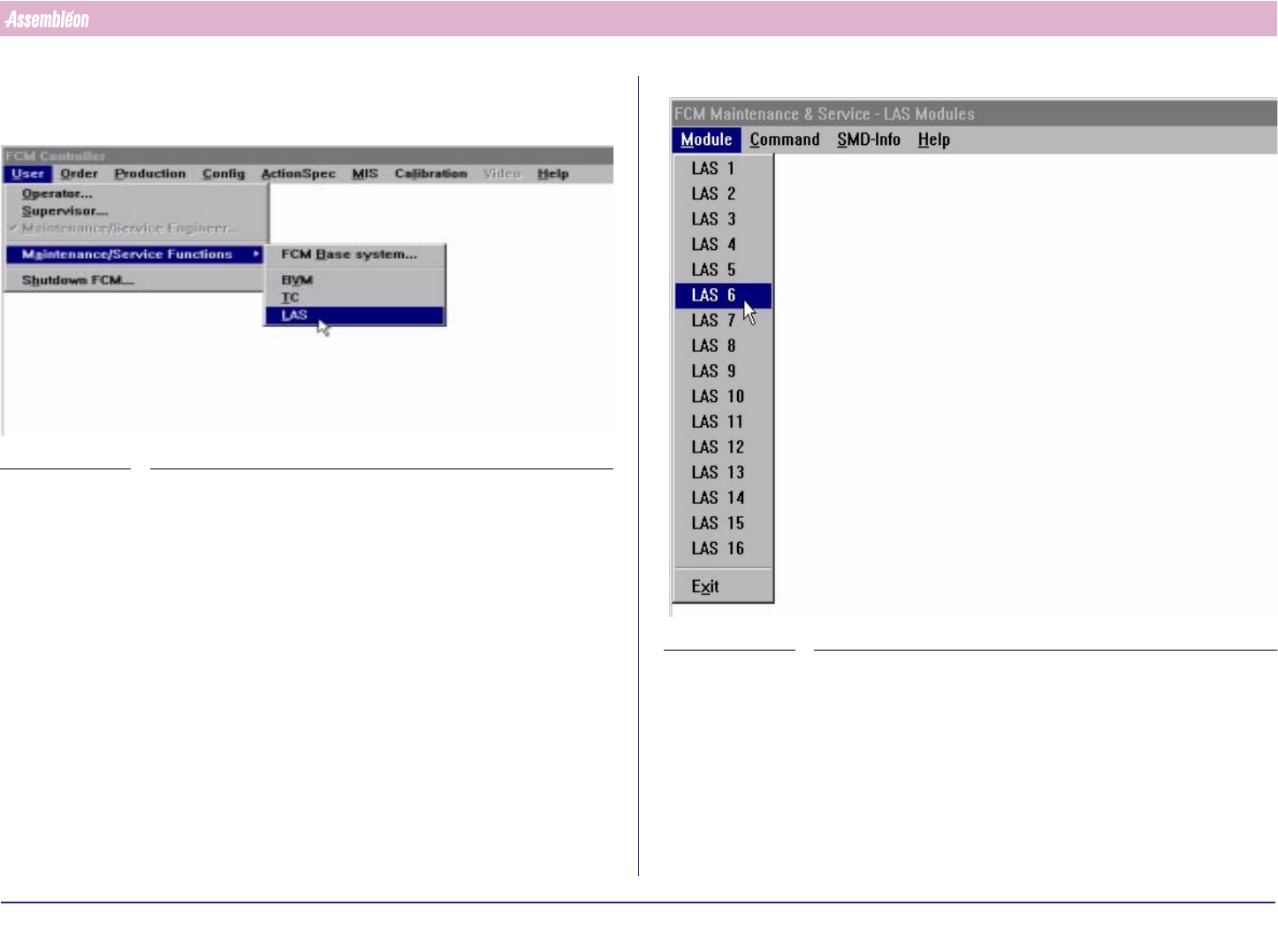
1. Select “User”- “Maintenance/Service functions” - “LAS”
SCREEN 33
2. Select specific Las number
SCREEN 34
4022 591 96062 Operating Manual
02.02 FCM Multiflex 56
New Program Selection
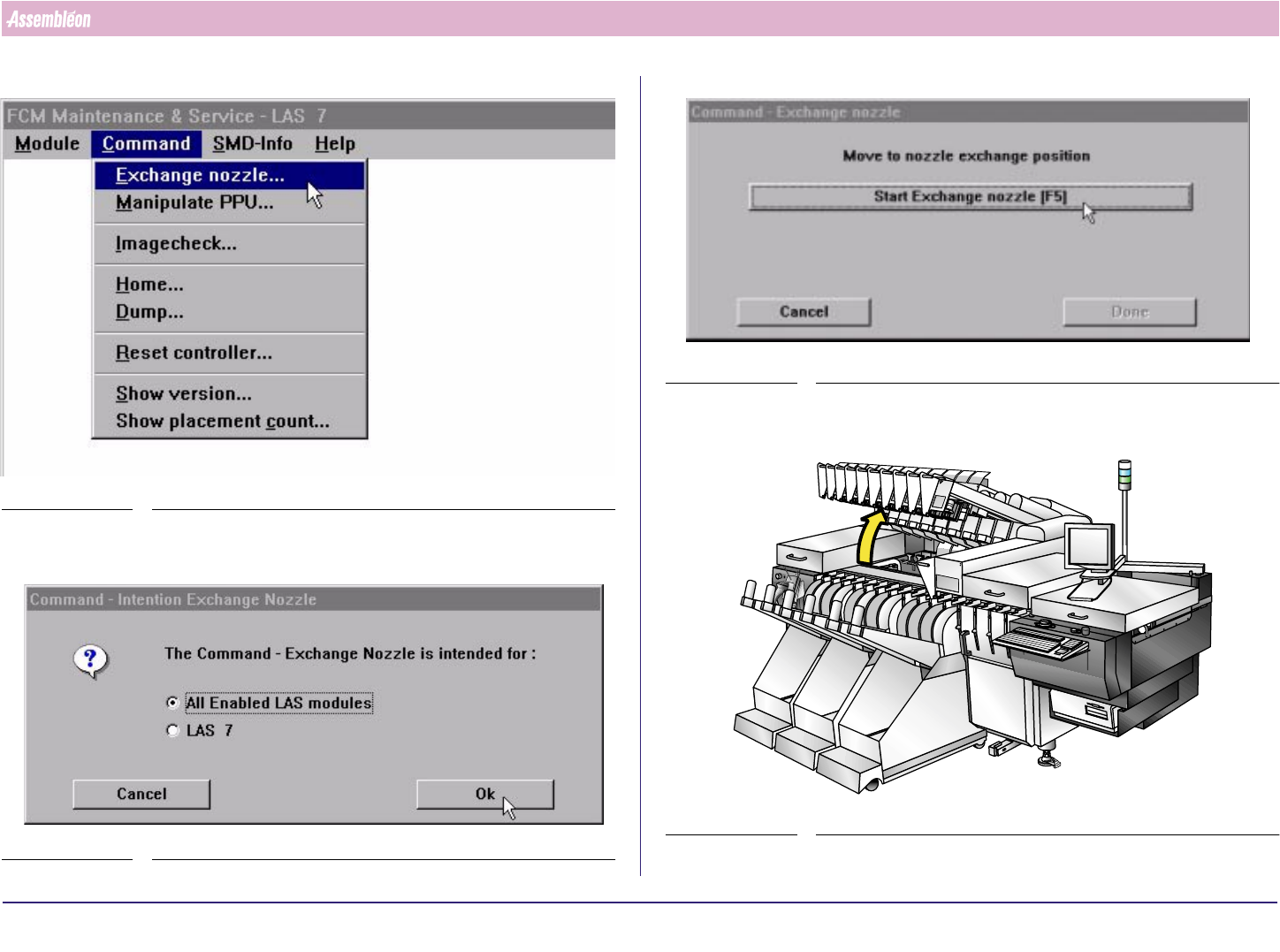
3. Select “Command” - “Exchange nozzle”.
SCREEN 35
4. Select “All Enabled LAS Modules” to lower all nozzles or “one LAS module
only” to lower a specific nozzle. Select “OK”
SCREEN 36
5.
SCREEN 37
6. Lift the Compact Laser Modules
FIGURE 98