Operating Manual - 第58页
4022 591 960 62 Operating Manual 02.0 2 FCM Mu ltif lex 56 New Progr am Selection 3. Sel ect “ Command ” - “ Exchan ge nozzl e ” . SCREEN 35 4. Sel ect “ All Enabled LAS M o dules ” to lowe r al l no zz le s or “ one LAS…
4022 591 96062 Operating Manual
02.02 FCM Multiflex 55
New Program Selection
8.5 Exchange Nozzles
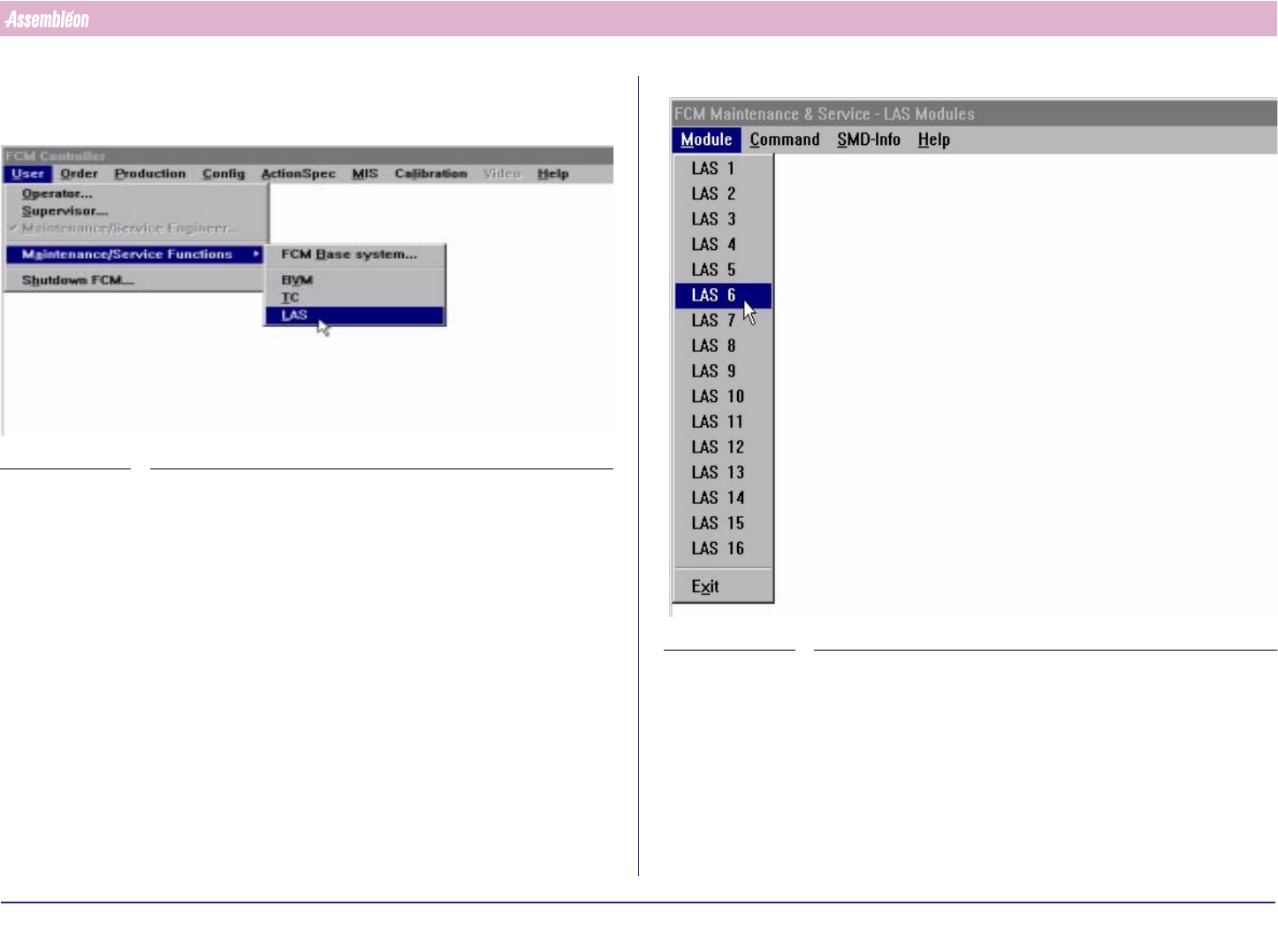
1. Select “User”- “Maintenance/Service functions” - “LAS”
SCREEN 33
2. Select specific Las number
SCREEN 34
4022 591 96062 Operating Manual
02.02 FCM Multiflex 56
New Program Selection
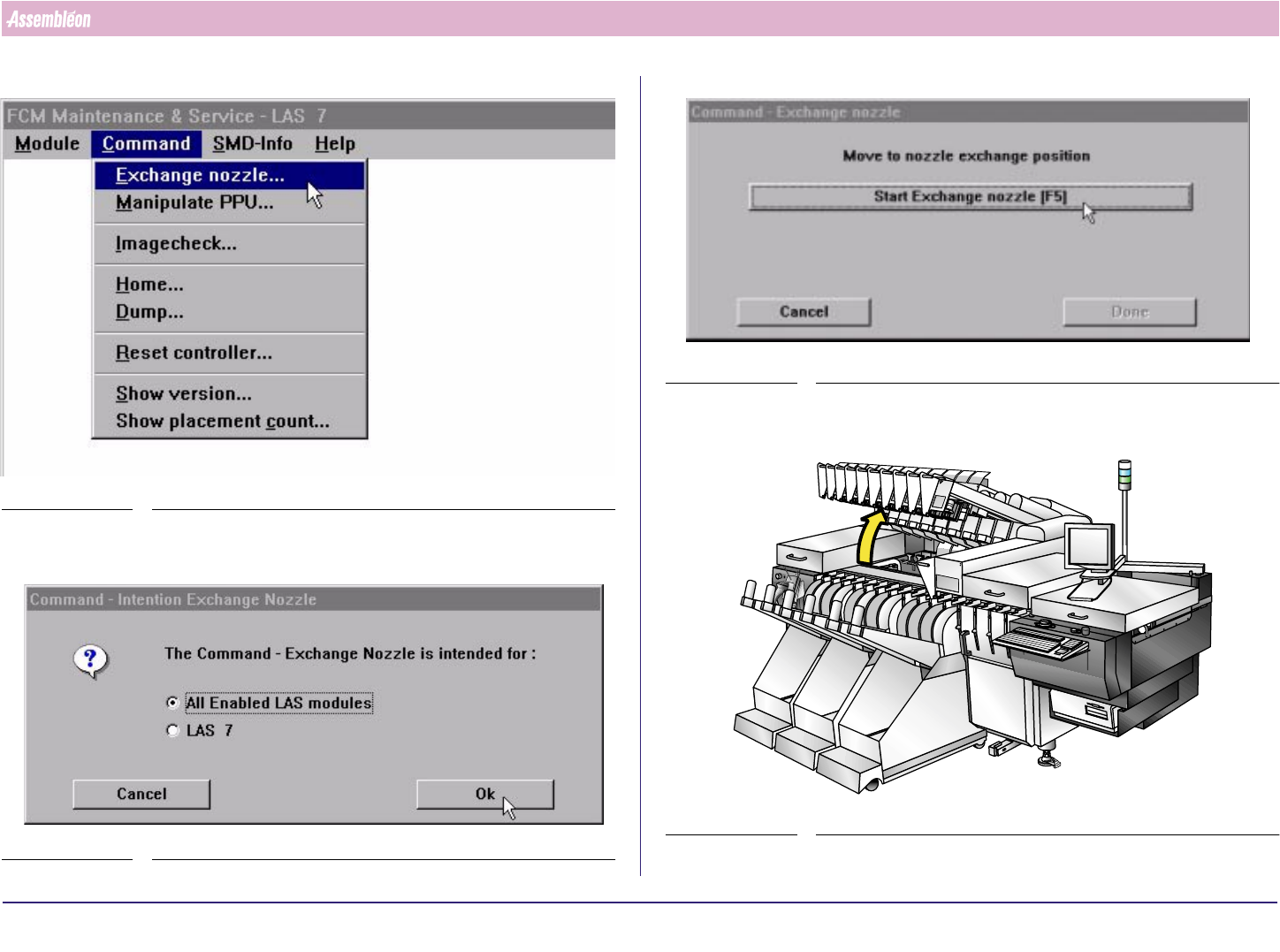
3. Select “Command” - “Exchange nozzle”.
SCREEN 35
4. Select “All Enabled LAS Modules” to lower all nozzles or “one LAS module
only” to lower a specific nozzle. Select “OK”
SCREEN 36
5.
SCREEN 37
6. Lift the Compact Laser Modules
FIGURE 98
4022 591 96062 Operating Manual
02.02 FCM Multiflex 57
New Program Selection
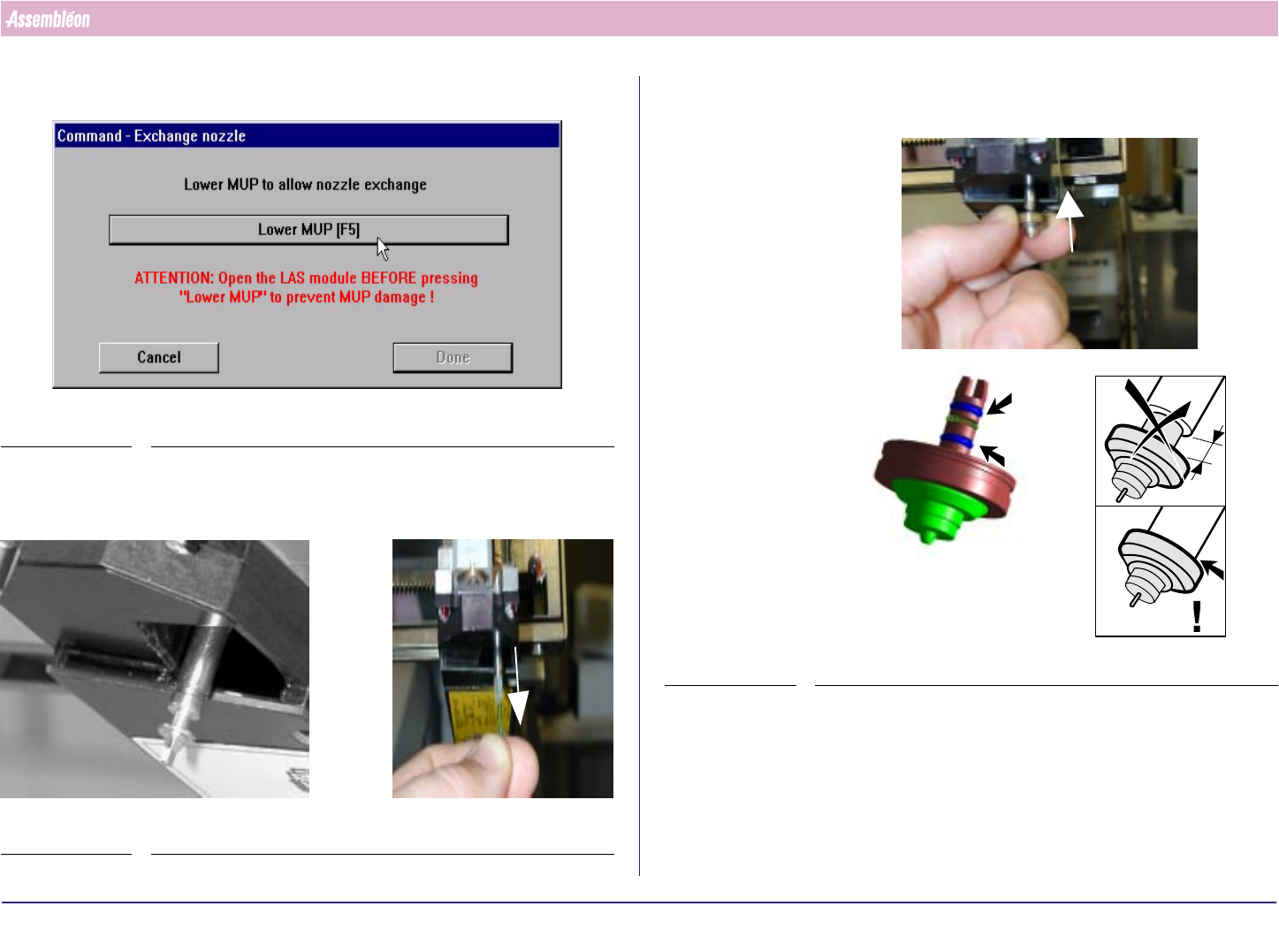
7. Select “Lower MUP” “F5” or press “F5” (MUP will be sent down).
SCREEN 38
8. For the first Compact Laser Module where a nozzle has to be exchanged:
Remove nozzle and brush
FIGURE 99
9. Place the calibration nozzle, take care for O-ring and spring be sure the
flange is against the MUP. If not, turn and push.
FIGURE 100