Operating Manual - 第61页
4022 591 960 62 Operating Manual 02.0 2 FCM Mu ltif lex 59 8.6 On Line Calibration FIGURE 102 St art P roduct ion St art P roduct ion F 5 F 5 o p e n b o a rd p o s itio n 1 X N o b o a rd o p e n b o a rd p o s itio n 1…
4022 591 96062 Operating Manual
02.02 FCM Multiflex 58
New Program Selection
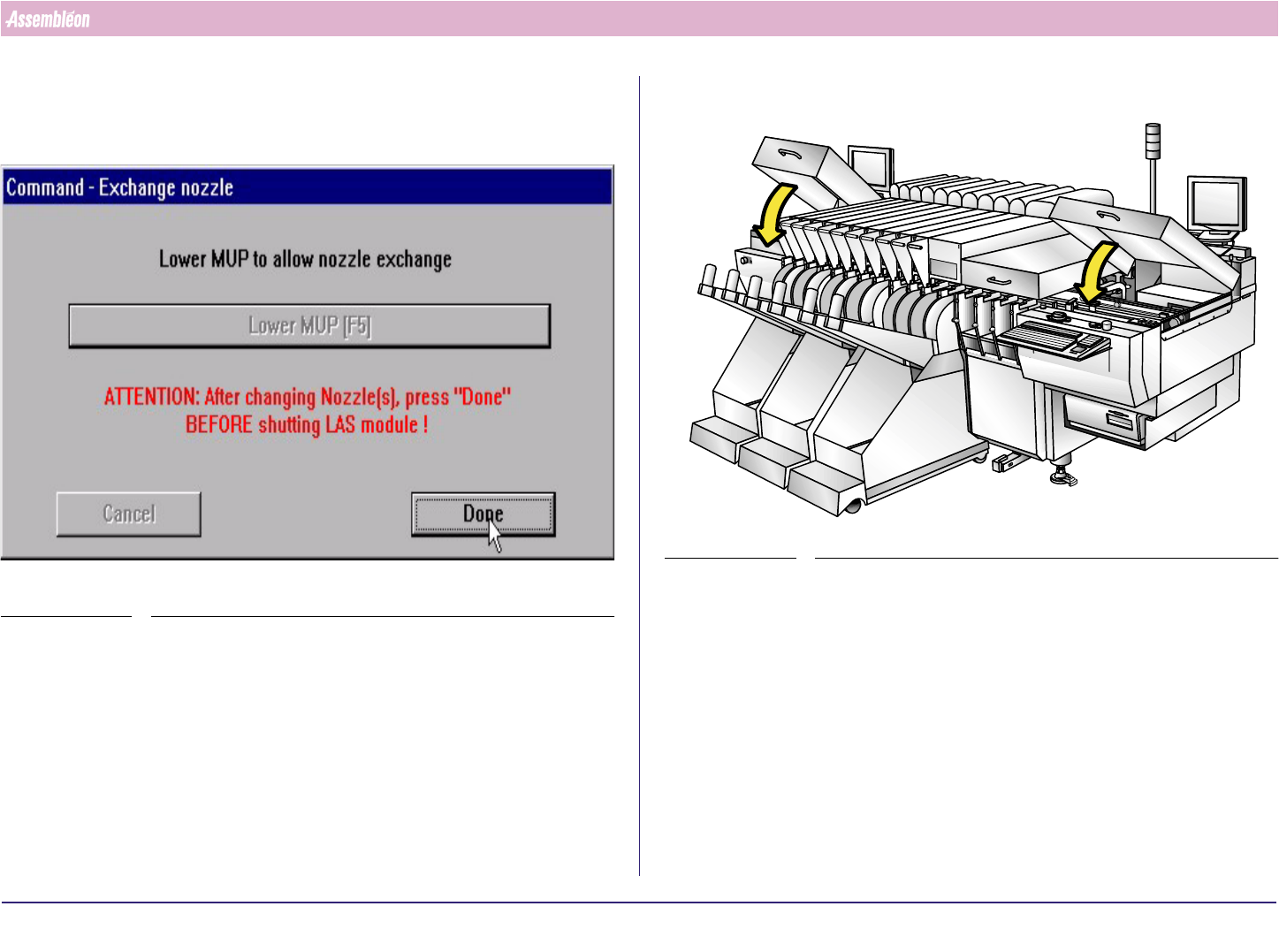
10.Repeat action “remove nozzle” untill “place new nozzle” for all Compact
Laser Modules where calibration nozzles have to be exchanged
11.Select “Done” (MUP will move up)
SCREEN 39
12.Close the Run-in and Run-out cover.
FIGURE 101
4022 591 96062 Operating Manual
02.02 FCM Multiflex 59
8.6 On Line Calibration
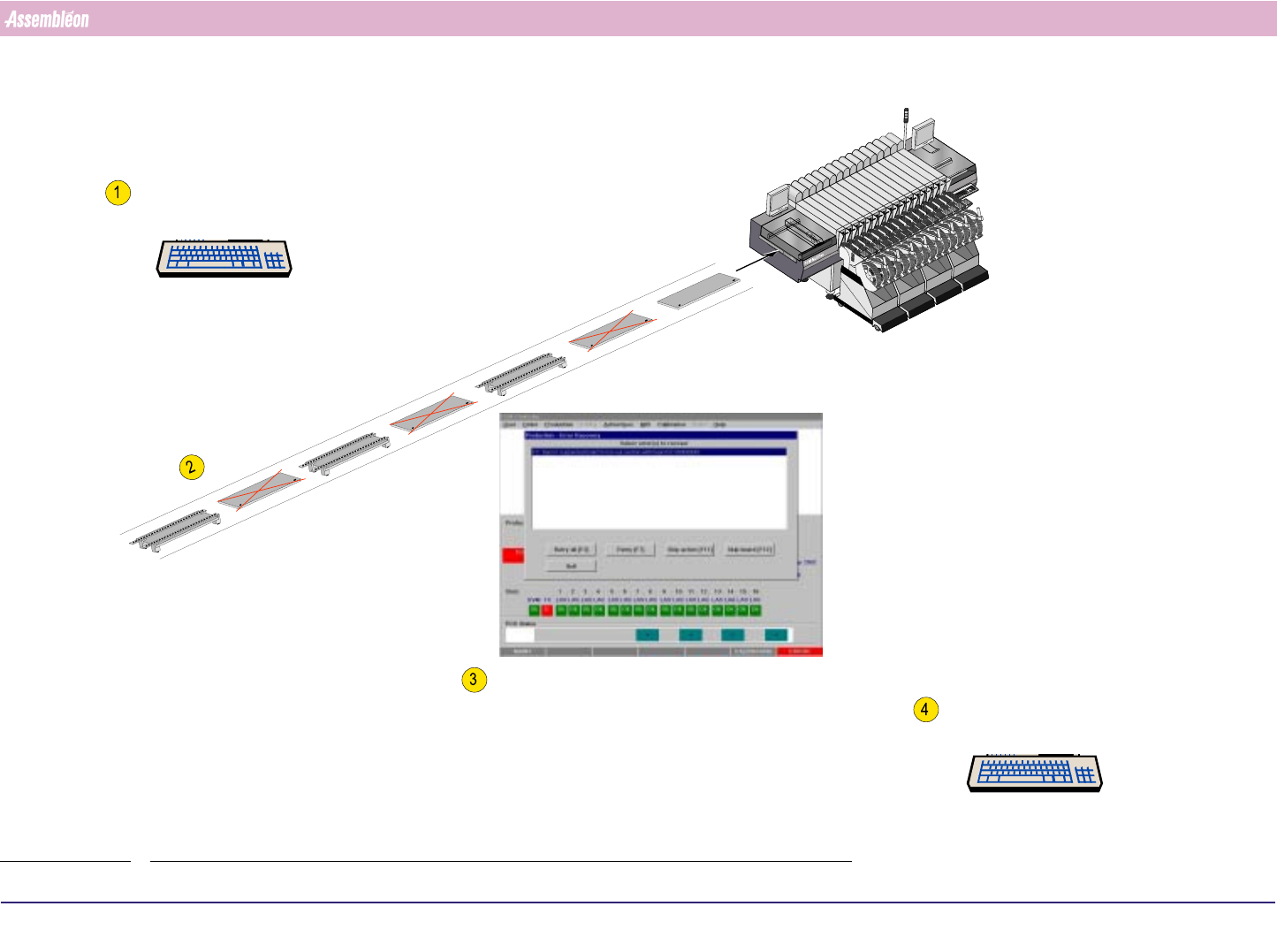
FIGURE 102
Start Production
Start Production
F5
F5
o
p
e
n
b
o
a
rd
p
o
s
itio
n
1
X
N
o
b
o
a
rd
o
p
e
n
b
o
a
rd
p
o
s
itio
n
1
X
N
o
b
o
a
rd
o
p
e
n
b
o
a
rd
p
o
s
itio
n
1
X
N
o
b
o
a
rd
Feed FCM Multiflex transport with calibtration Boards as shown
Press “F3” when Boards in Run-out gives the failure message:
"Suspected Board in Run-out section"
after removing last Calibration Board
Stop Production
Stop Production
F6
F6
4022 591 96062 Operating Manual
02.02 FCM Multiflex 60
New Program Selection
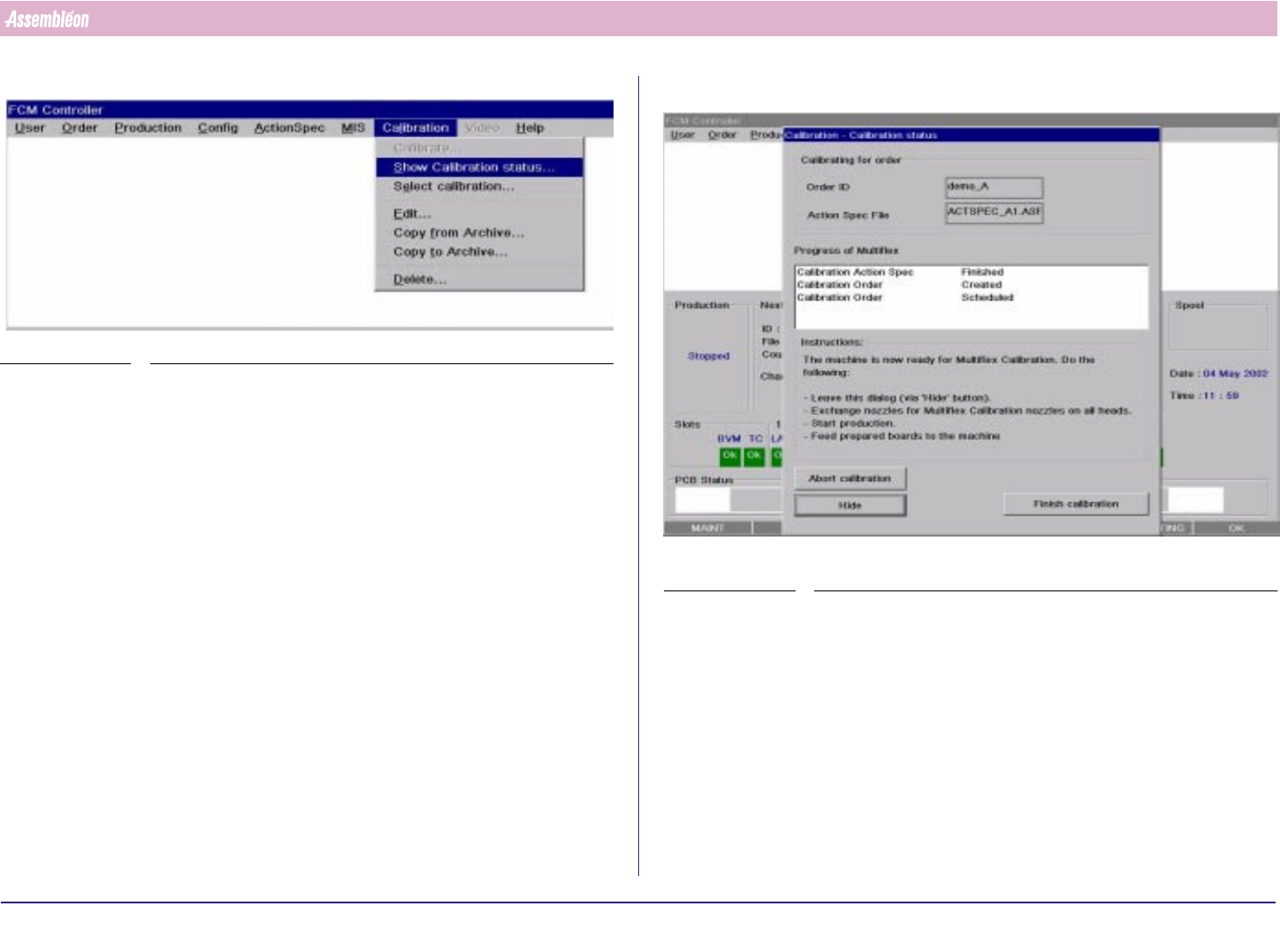
1. Select “Calibration” - “Show Calibration status”
SCREEN 40
2. Select “Finish Calibration”
SCREEN 41