Operating Manual - 第66页
4022 591 960 62 Operating Manual 02.0 2 FCM Mu ltif lex 64 Start Production CHAPTER 9 Start Pr oduct ion If case of an error , se e Chapter 11: Error Handling 1. SCREEN 49 2. SCREEN 50 CAUTION WHEN USING BI, MAKE SURE TH…
4022 591 96062 Operating Manual
02.02 FCM Multiflex 63
New Program Selection
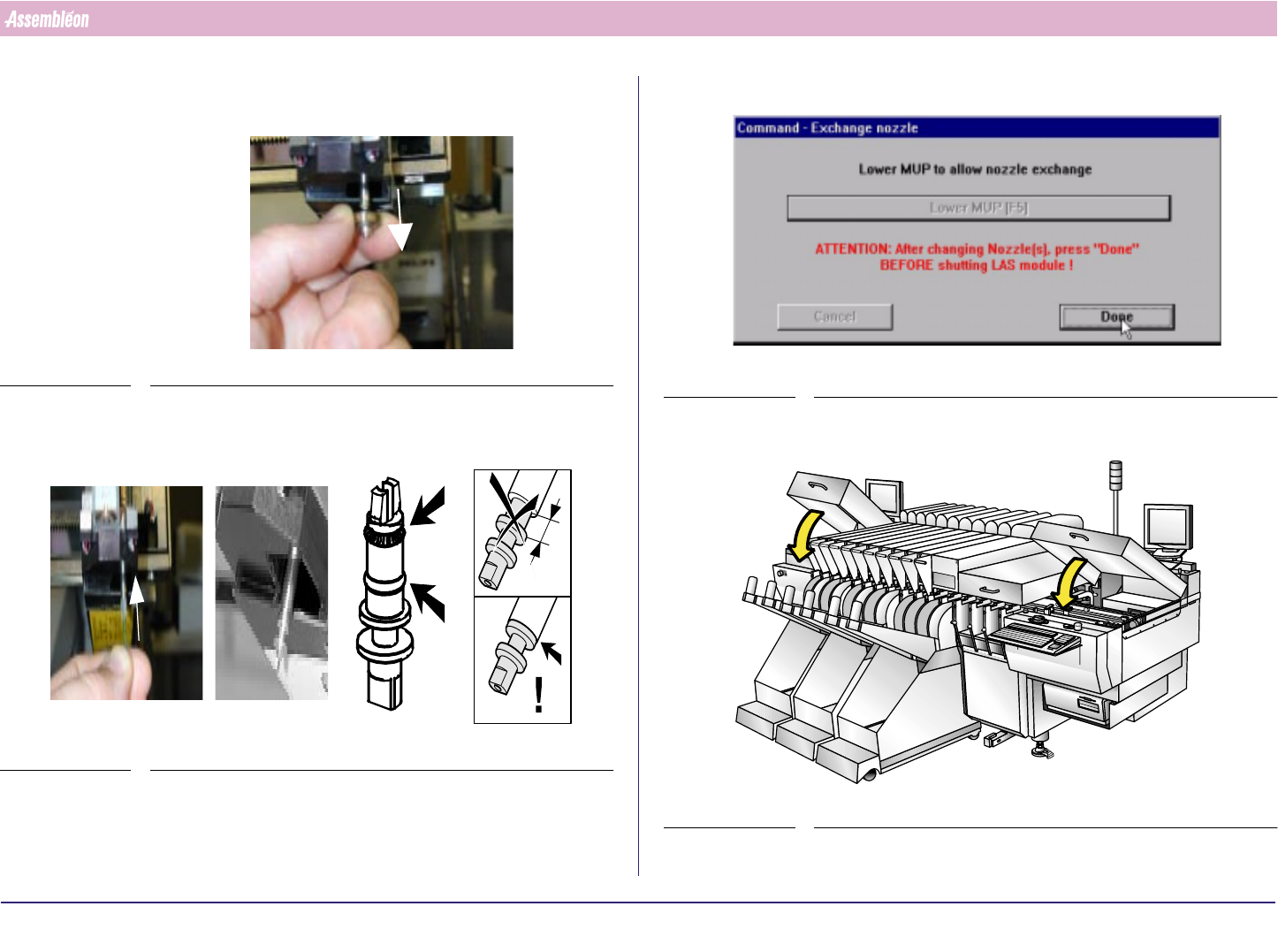
7. For the first Compact Laser Mudule where a nozzle has to be exchanged:
Remove Calibration nozzle
FIGURE 104
8. Place the production nozzle, take care for O-ring and spring be sure the
flange is against the MUP. If not, turn and push.
FIGURE 105
9. Repeat action “remove nozzle” untill “place new nozzle” for all Compact
Laser Modules where calibration nozzles have to be exchanged
10.Select “Done” (MUP will move up)
SCREEN 48
11.Close Run-in and Run-out covers
FIGURE 106
4022 591 96062 Operating Manual
02.02 FCM Multiflex 64
Start Production
CHAPTER 9 Start Production
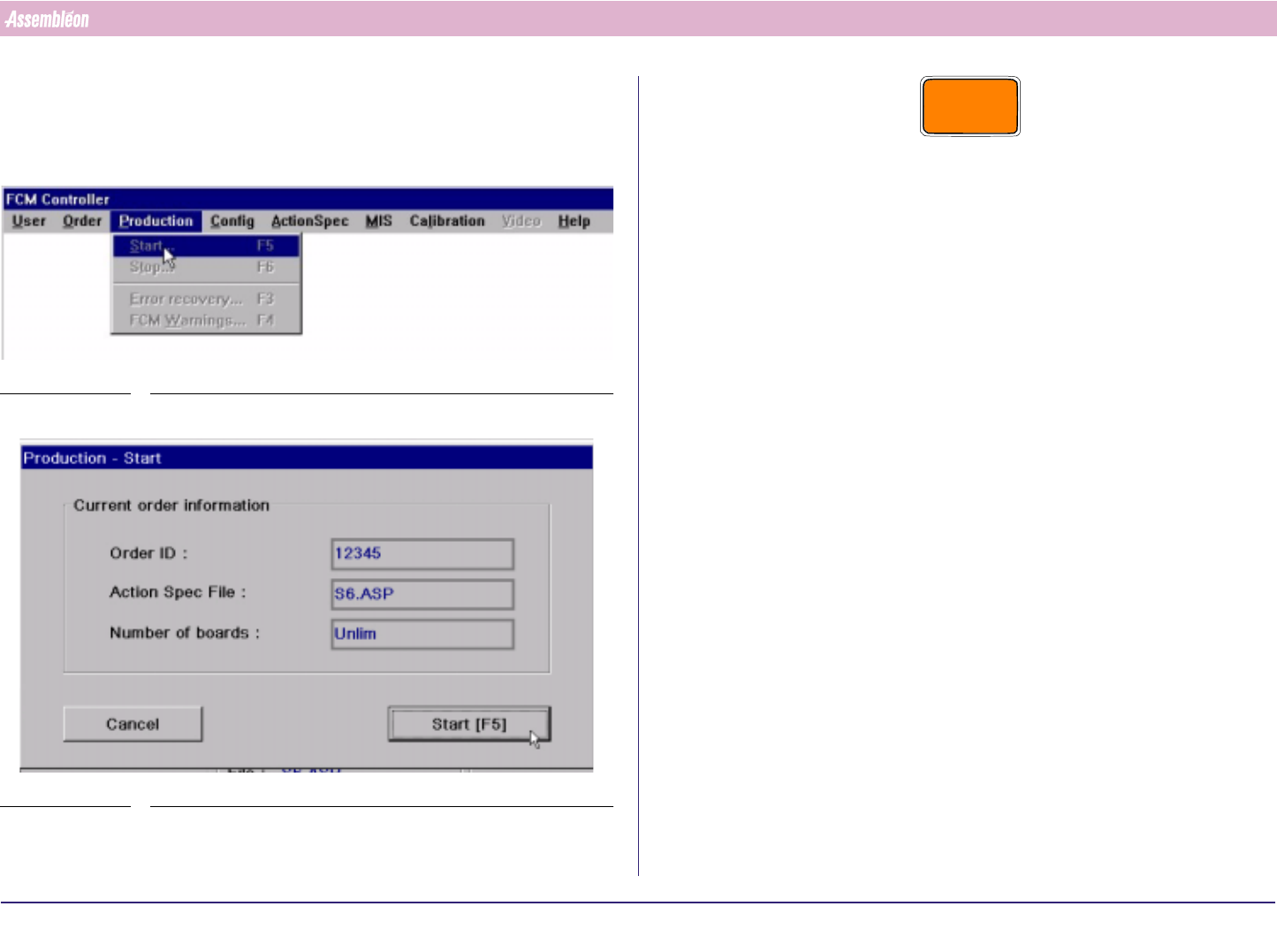
If case of an error, see Chapter 11: Error Handling
1.
SCREEN 49
2.
SCREEN 50
CAUTION
WHEN USING BI, MAKE SURE THAT THE FIRST ENTERED BOARD IS ONE
OF THE RUNNING ORDER. IF NOT THE BOARD WILL NOT BE ADMITTED
AND THE TRANSPORT WILL START CYCLING CONTINUOUSLY.
4022 591 96062 Operating Manual
02.02 FCM Multiflex 65
Running Production
CHAPTER 10 Running Production
If case of an error, Chapter 11: Error Handling.
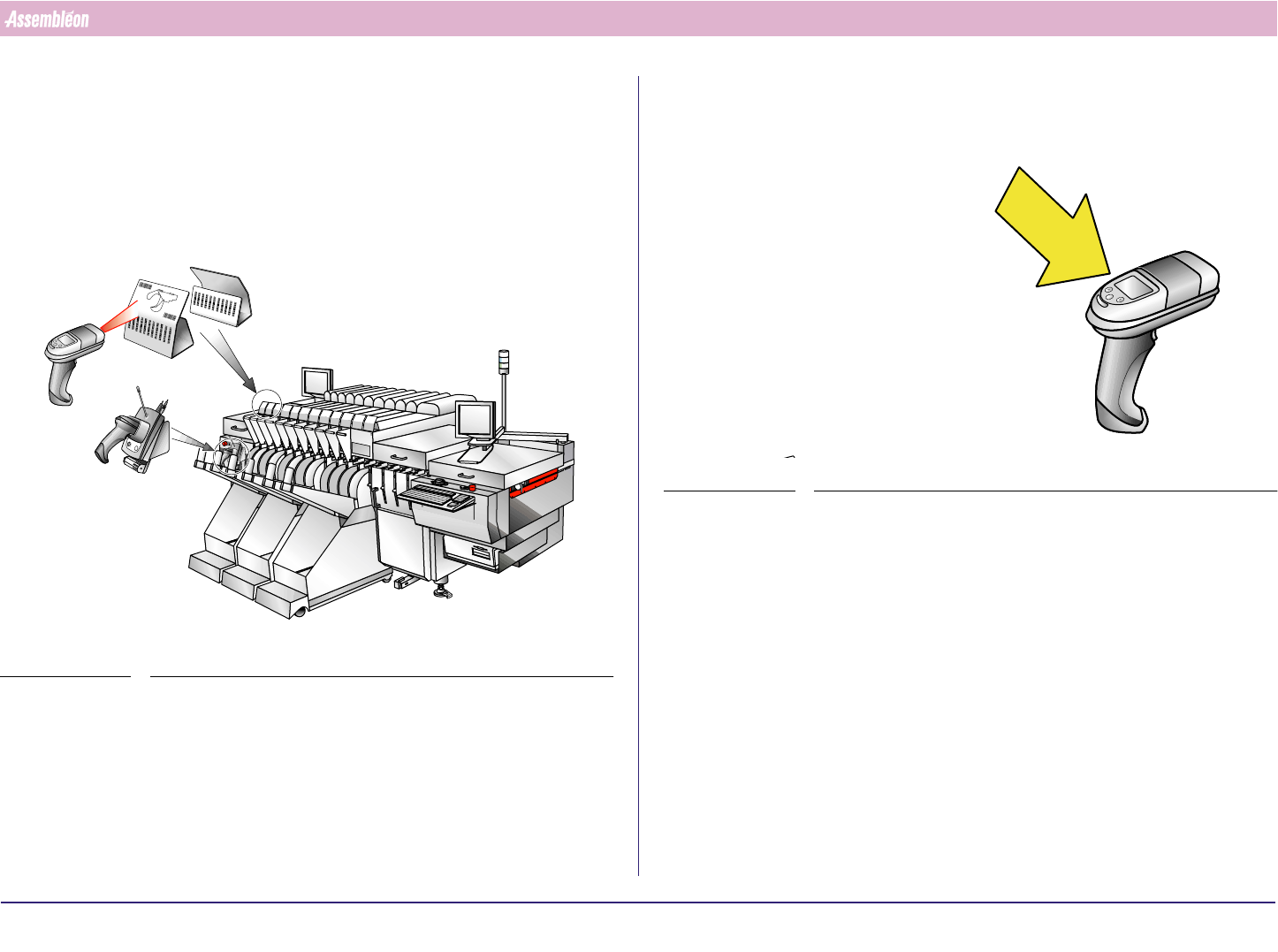
10.1 Splicing with SVS Pro
1. Select feeder low warning on the scanner.
FIGURE 107
2. Splice according to 10.2.
-1
-
1
0
1
102
103
1
0
4
1
0
5
1
0
6
1
0
7
1
0
8
1
0
9
110
1
1
1
L
A
N
E
1
LANE 2
-1-
1
0
1
1
0
2
1
0
3
1
04
105
106
1
0
7
1
0
8
1
0
9
1
1
0
111
RE
SC
AN
P
A
RT
N
U
M
BE
RS
P
A
R
D
A
T
A
C
H
A
N
G
I
N
G
B
A
T
T
.
F
U
L
L
3. Follow instructions.
FIGURE 108