Operating Manual - 第76页
4022 591 960 62 Operating Manual 02.0 2 FCM Mu ltif lex 74 Stop Production CHAPTER 12 Stop Pr oduction If case of an error , se e Chapter 11: Error Handling. 12.1 Run-Out Product 1. SCREEN 58 2. SCREEN 59 3. SCREEN 60 4.…

4022 591 96062 Operating Manual
02.02 FCM Multiflex 73
Error Handling
7. Unexpected board in run in section
Solution:
Remove board through the board inlet at the run in.
8. Board stuck in run in or run out section:
Solution:
Select 'Production' - 'Stop…'
Select 'User' - 'Maintenance/Service funtions' - 'TC'
Select 'Command' - 'Move Hoist'
Select 'Hoist Down' and 'Move Hoist [F8]'
Select 'OK'
Open run in or run out cover
Remove board from run in or run out
Close run in or run out cover
Select 'Hoist Up' and 'Move Hoist [F8]'
Select 'OK'
Select 'Quit'
Select 'Command' - 'Exit'
Select 'Production' - 'Start…'
9. Fiducial measurement fail
■ Dirty fiducial: clean fiducial
■ Fiducial not taught: call for assistance
10.Servo tracking error on phi axis / Servo Tracking and Drift
■ Y-flexiguide of CLM brushes against phi axis: bend flexiguide away from
phi axis.
■ Bad PPU: call for assistance.
11.3 Warning Handling
Warnings are less important than errors: production can continue. In case of
a warning, note the warning and take action so the warning will be solved.
4022 591 96062 Operating Manual
02.02 FCM Multiflex 74
Stop Production
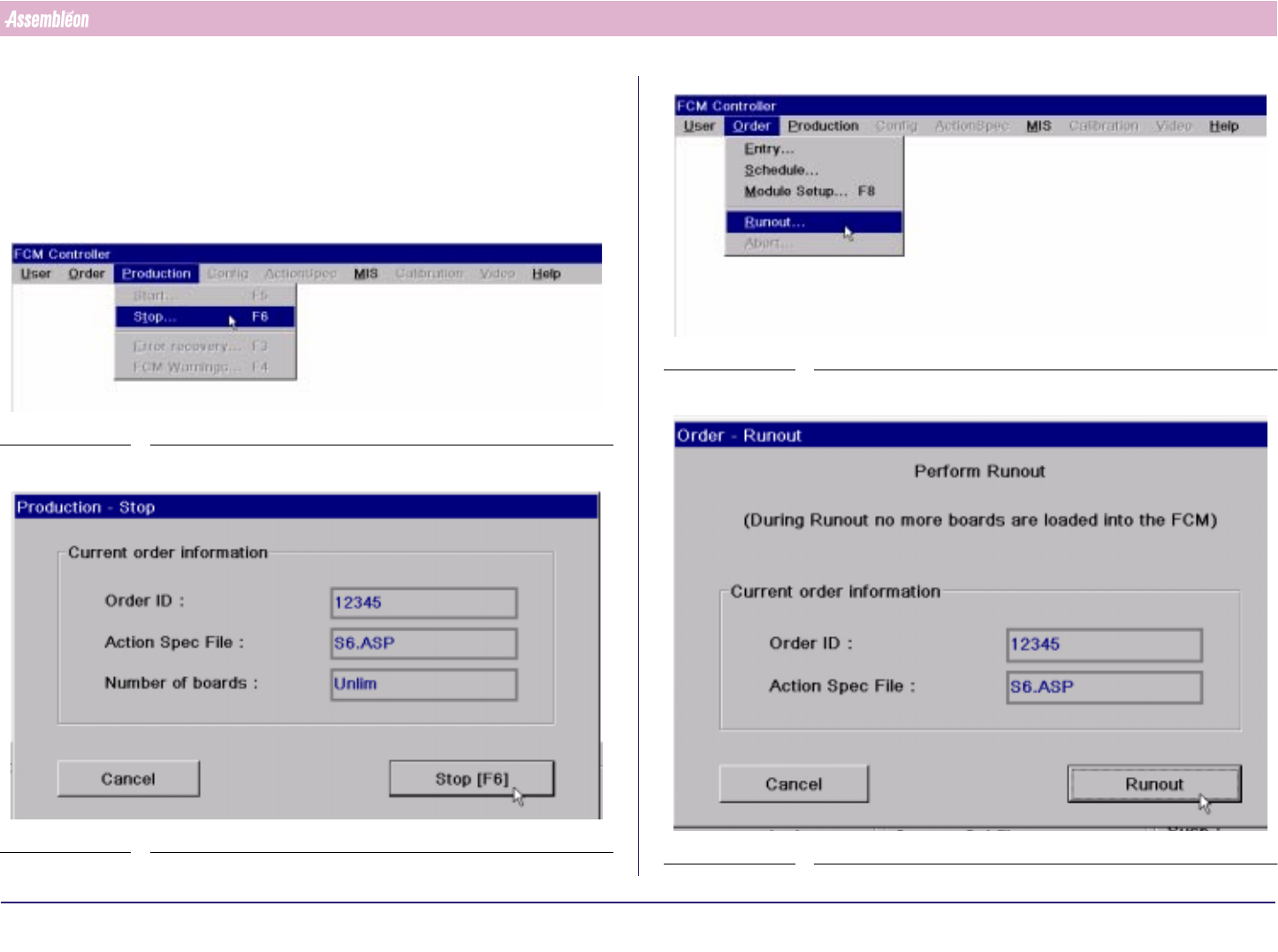
CHAPTER 12 Stop Production
If case of an error, see Chapter 11: Error Handling.
12.1 Run-Out Product
1.
SCREEN 58
2.
SCREEN 59
3.
SCREEN 60
4.
SCREEN 61
4022 591 96062 Operating Manual
02.02 FCM Multiflex 75
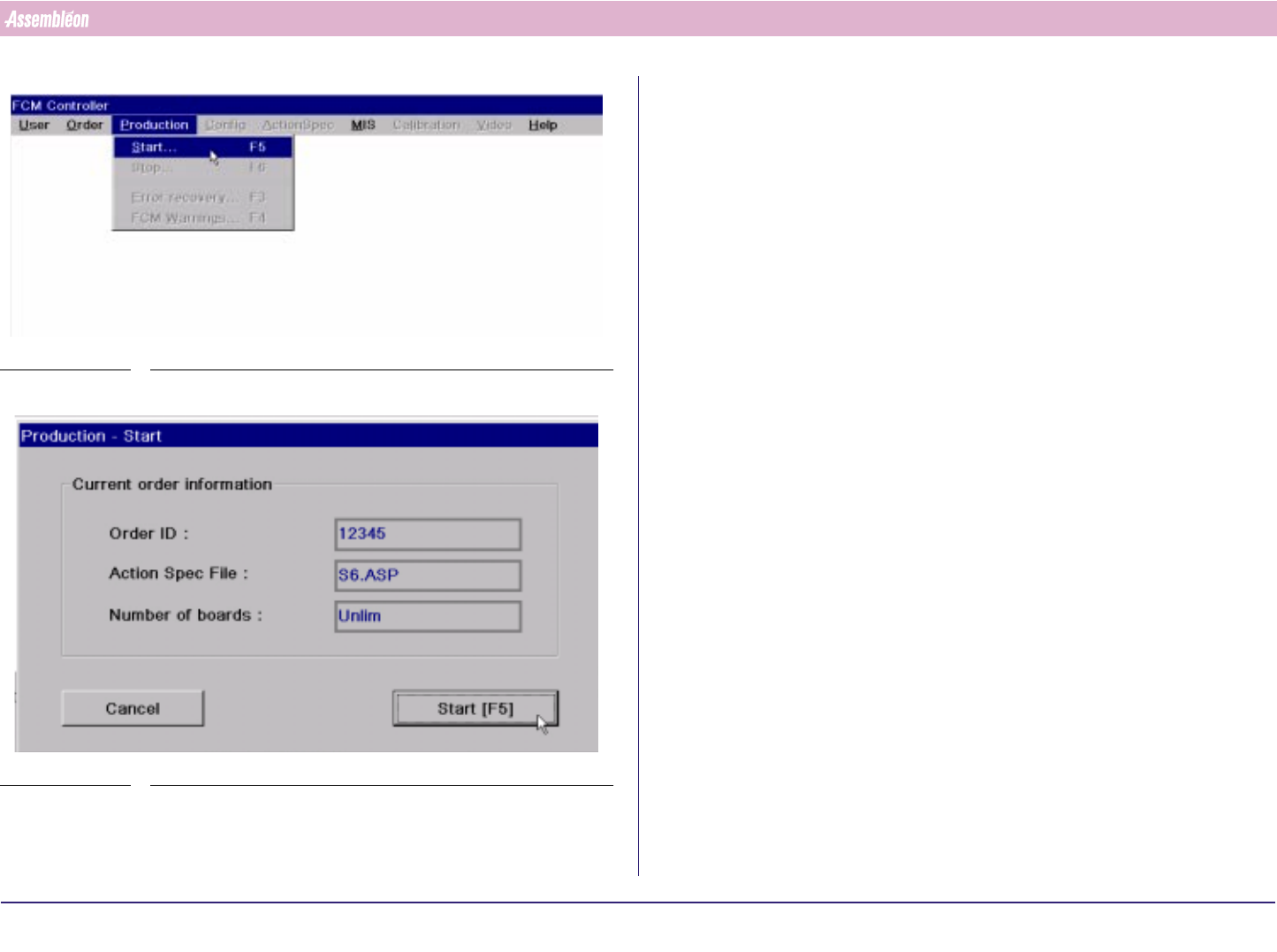
Stop Production
5.
FIGURE 116
6.
SCREEN 62
Wait until all boards have left the FCM’